1. Introduzzjoni
The SteelSeries Sensei Laser Gaming Mouse is designed for precision and customization, catering to both casual and competitive gamers. It features an advanced laser sensor, an ambidextrous design, and extensive customization options through its dedicated software. This manual provides detailed instructions for setup, operation, maintenance, and troubleshooting to ensure optimal performance of your device.

Immaġni 1: Minn fuq għal isfel view of the SteelSeries Sensei Laser Gaming Mouse, showcasing its sleek grey finish and central scroll wheel.
2. Kontenut tal-Pakkett
Jekk jogħġbok ivverifika li l-oġġetti kollha huma preżenti fil-pakkett tiegħek:
- SteelSeries Sensei Laser Gaming Mouse
- Gwida ta' Bidu Mgħaġġel (jekk inkluża)

Image 2: Retail packaging for the SteelSeries Sensei Laser Gaming Mouse, displaying the product name and brand logo.
3. Setup
3.1 Konnessjoni tal-Ħardwer
- Unpack the SteelSeries Sensei Laser Gaming Mouse from its packaging.
- Connect the USB cable of the mouse to an available USB port on your computer. The mouse is plug-and-play compatible, and your operating system should automatically detect and install the necessary basic drivers.
3.2 Software Installation (SteelSeries Engine)
For full customization and advanced features, it is recommended to install the SteelSeries Engine software:
- Visit the official SteelSeries websit (steelseries.com/engine) to download the latest version of the SteelSeries Engine software.
- Segwi l-istruzzjonijiet fuq l-iskrin biex tinstalla s-softwer.
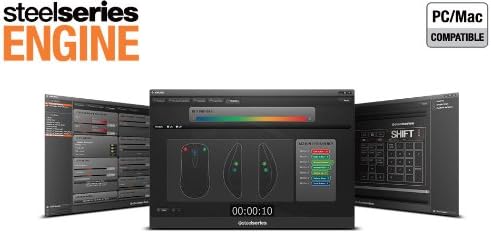
- Once installed, launch the SteelSeries Engine to configure your mouse settings, including CPI, button assignments, macros, and lighting effects.
Immaġni 3: Il-qiegħ view of the SteelSeries Sensei Laser Gaming Mouse, showing the laser sensor and product information label.
4. It-Tħaddim tal-Maws
4.1 Disinn Ambidextru
The Sensei mouse features an ambidextrous shape, making it comfortable for both left-handed and right-handed users. The side buttons are mirrored on both sides to accommodate different grip styles and preferences.
4.2 Buttuni Programmabbli
The mouse is equipped with 7 programmable buttons. These buttons can be customized using the SteelSeries Engine software to perform various functions, including:
- Standard mouse clicks (left, right, middle)
- Keyboard key assignments
- Complex macros
- CPI switching

Immaġni 4: Ġenb view of the SteelSeries Sensei Laser Gaming Mouse, highlighting the two programmable side buttons.
4.3 CPI Adjustment
The Sensei mouse allows for on-the-fly CPI (Counts Per Inch) adjustment. The dedicated CPI indicator button, typically located behind the scroll wheel, allows you to cycle between two user-defined CPI settings. These settings can be configured within the SteelSeries Engine software to match your preferred sensitivity levels for different tasks or games.
4.4 Illuminazzjoni
The mouse features three-zone illumination: the scroll wheel, the CPI indicator, and the SteelSeries logo. The color and lighting effects (e.g., steady, pulse) for these zones can be customized through the SteelSeries Engine software.
5. SteelSeries Engine Software
The SteelSeries Engine is a powerful software suite that unlocks the full potential of your Sensei mouse. Key functionalities include:
- Immappjar tal-buttuni: Assign any function, keyboard key, or macro to any of the 7 programmable buttons.
- CPI Settings: Fine-tune and save multiple CPI profiles għal applikazzjonijiet jew logħob differenti.
- Editur Makro: Create and manage complex macros for in-game actions or productivity tasks.
- Rata tal-votazzjoni: Aġġusta r-rata tal-polling tal-maws għal rispons ottimali.
- Kontroll tal-Illuminazzjoni: Customize LED colors and effects for the scroll wheel, CPI indicator, and logo.
- Profile Ġestjoni: Oħloq u ssejvja diversi profiles, allowing you to switch between different configurations quickly.
- Aġġornamenti tal-Firmware: Keep your mouse's firmware up-to-date for improved performance and new features.

Image 5: Screenshot of the SteelSeries Engine software interface, showing options for button mapping, CPI adjustment, and lighting customization.
6. Manutenzjoni
To ensure the longevity and optimal performance of your SteelSeries Sensei mouse, follow these maintenance guidelines:
- Tindif: Uża drapp artab u niexef biex timsaħ il-wiċċ tal-maws. Għal ħmieġ iebes, neħħi ftit drapp.amp Jista' jintuża drapp, imma kun żgur li ma tidħolx umdità fil-maws. Evita kimiċi ħarxa jew prodotti tat-tindif li joborxu.
- Kura tas-Sensor: Keep the laser sensor on the bottom of the mouse clean and free from dust or debris. Use a cotton swab or compressed air if necessary.
- Ġestjoni tal-Kejbil: Evita liwjiet qawwija jew ġbid eċċessiv tal-kejbil USB biex tevita l-ħsara.
7 Issolvi l-problemi
If you encounter issues with your SteelSeries Sensei mouse, refer to the following common solutions:
- Il-Maws Mhux Jirrispondi:
- Kun żgur li l-kejbil USB huwa konness sew mal-kompjuter tiegħek.
- Ipprova qabbad il-maws ma' port USB differenti.
- Ibda mill-ġdid il-kompjuter tiegħek.
- Traċċar Inkonsistenti:
- Naddaf is-senser tal-lejżer fil-qiegħ tal-maws.
- Kun żgur li qed tuża l-maws fuq wiċċ adattat (eż., mouse pad).
- Check for dust or debris on your mouse pad.
- Buttuni ma Jaħdmux:
- Verify button assignments in the SteelSeries Engine software.
- Ensure the software is running correctly and profiles huma mgħobbija.
- Kwistjonijiet tas-Software:
- Update the SteelSeries Engine software to the latest version.
- Reinstall the SteelSeries Engine software.
- Iċċekkja għal kwalunkwe aġġornament tal-firmware disponibbli għall-maws tiegħek fis-softwer.
8. Speċifikazzjonijiet
| Karatteristika | Dettall |
|---|---|
| Brand | SteelSeries |
| Numru tal-Mudell | 62150 |
| Teknoloġija ta 'Sejbien tal-Moviment | Laser |
| Teknoloġija tal-Konnettività | USB |
| Kulur | Griż |
| Pjattaforma tal-Ħardwer | PC |
| Kompatibilità tas-Sistema Operattiva | All Major PC Operating Systems |
| Piż tal-oġġett | 14.6 uqija |
| Dimensjonijiet tal-Prodott (LxWxH) | 7.9 x 6.8 x 2.3 pulzieri |
| Buttuni programmabbli | 7 |
| Illumination Zones | 3 (Scroll Wheel, CPI Indicator, Logo) |
9. Garanzija u Appoġġ
The SteelSeries Sensei Laser Gaming Mouse is covered by a manufacturer's warranty. For detailed information regarding warranty terms, conditions, and duration, please refer to the warranty card included with your product or visit the official SteelSeries website. For technical support, driver downloads, and frequently asked questions, please visit the SteelSeries support page.
SteelSeries Official Websit: steelseries.com
SteelSeries Support: support.steelseries.com


