Introduzzjoni
This manual provides essential information for the setup, operation, maintenance, and troubleshooting of your HP Compaq LA2206x 21.5-inch LED LCD Monitor. The monitor features a super-thin, soft black design with a 21.5-inch diagonal widescreen display, offering Full HD images. Its WLED backlight technology contributes to improved recyclability, and advanced adjustability enhances user productivity.
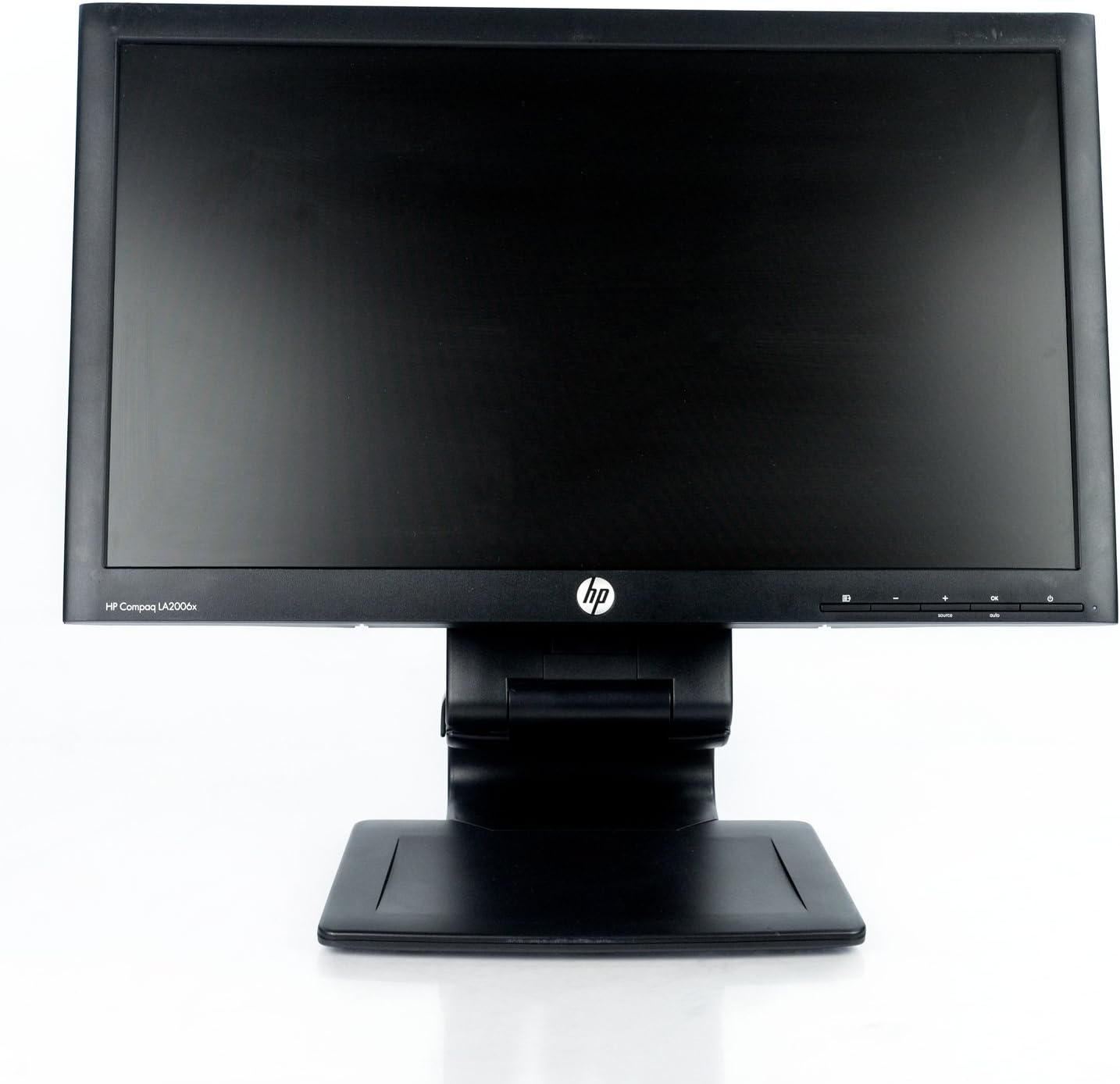
Figura 1: Quddiem view of the HP Compaq LA2206x monitor, showcasing its slim bezel and adjustable stand.
Setup
1. Kif tneħħi l-monitor mill-pakkett
Carefully remove all components from the packaging. Ensure all parts are present before proceeding with assembly. Retain packaging for future transport or service.
2. Armar tal-Istand
- Poġġi l-monitor wiċċu 'l isfel fuq wiċċ artab u nadif biex tevita l-grif.
- Align the stand base with the stand column. Secure the base to the column using the provided screw, if applicable.
- Attach the assembled stand to the back of the monitor. Ensure it clicks securely into place or is fastened with screws as per the included quick setup guide.
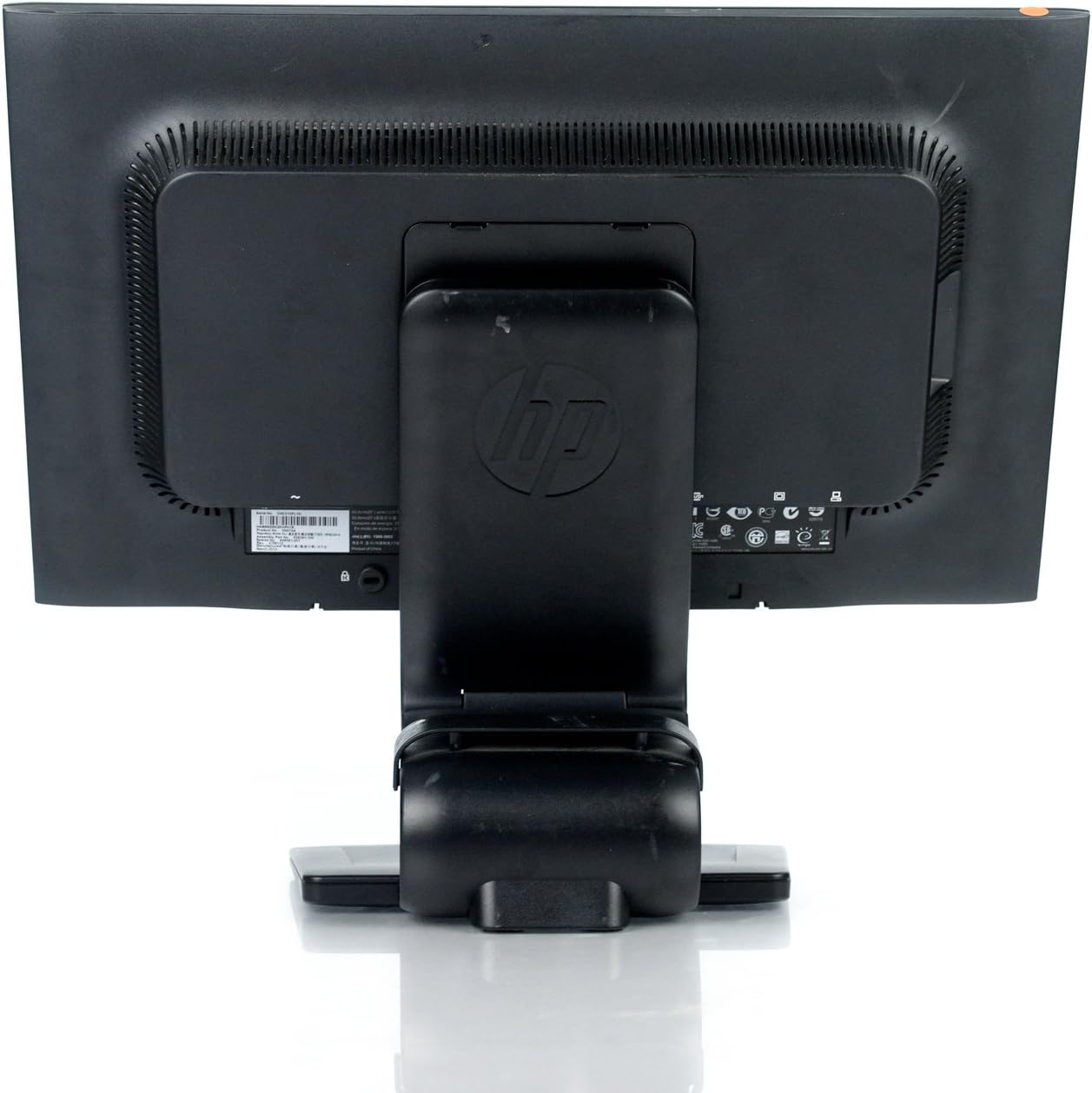
Figura 2: Wara view of the monitor showing the attached stand, ready for cable connections.
3. Kejbils tal-Konnessjoni
Connect the necessary cables to the monitor and your computer. Ensure all connections are firm.
- Cable tal-Enerġija: Connect one end to the monitor's power input and the other to a grounded electrical outlet.
- Cable tal-vidjo: Connect a DVI, DisplayPort, or VGA cable from your computer's video output to the corresponding input on the monitor. The monitor supports 1920x1080 resolution.
- Kejbil tal-USB (Mhux obbligatorju): Connect a USB upstream cable from your computer to the monitor's USB upstream port to enable the monitor's integrated USB 2.0 ports.

Figura 3: Dettaljati view of the monitor's rear panel, highlighting the power input, DisplayPort, DVI, VGA, and USB ports.
It-tħaddim tal-Monitor
1. Power On/Off
Agħfas il-buttuna tal-qawwa li tinsab fuq in-naħa ta’ quddiem tal-lemin tal-monitor biex tixgħelu jew titfih. Id-dawl indikatur tal-qawwa jixgħel meta l-monitor ikun attiv.
2. Navigazzjoni tal-Menù tal-Wiri fuq l-Iskrin (OSD)
The monitor features an On-Screen Display (OSD) menu for adjusting various settings. Use the control buttons located on the front bezel to navigate and select options.

Figura 4: Close-up of the monitor's control buttons, including power, menu navigation, and input selection.
- Buttuna tal-menu: Jiftaħ il-menu OSD.
- Buttuni '+' / '-': Innaviga fl-għażliet tal-menù jew aġġusta l-valuri.
- Buttuna OK: Jikkonferma għażla jew jidħol f'submenu.
- Buttuna tas-Sors: Quickly switches between available video inputs (DVI, DisplayPort, VGA).
- Buttuna awtomatika: Automatically adjusts the screen image for optimal display, particularly useful for analog (VGA) connections.
3. Adjusting Monitor Settings
Permezz tal-menù tal-OSD, tista' taġġusta settings bħal:
- Luminożità u Kuntrast: Aġġusta l-luminanza ġenerali u d-differenza bejn iż-żoni mdawla u dawk mudlama.
- Kontroll tal-Kulur: Select color temperature or customize RGB values.
- Kontroll tal-Immaġni: Fine-tune sharpness, clock, and phase for optimal image clarity.
- Kontroll tad-dħul: Manually select the video input source.
- Ġestjoni tal-Enerġija: Configure sleep timers and power-saving modes.
Manutenzjoni
1. Tindif tal-Monitor
- Always power off the monitor and unplug it from the electrical outlet before cleaning.
- Uża ċarruta ratba u mingħajr ħelu dampMaħsul bl-ilma jew b'tindif tal-iskrin li ma jobrox.
- Do not spray cleaners directly onto the screen or casing.
- Avoid using benzene, thinners, or any volatile solvents, as these may damage the monitor's surface.
2. Prekawzjonijiet tas-Sigurtà
- Timblokkax il-fetħiet tal-ventilazzjoni fuq il-monitor.
- Żomm il-monitor 'il bogħod mix-xemx diretta, sorsi ta' sħana, u umdità eċċessiva.
- Evita li tpoġġi oġġetti tqal fuq il-monitor jew il-kejbils tiegħu.
- If the monitor is damaged or malfunctions, do not attempt to repair it yourself. Contact qualified service personnel.
Issolvi l-problemi
This section addresses common issues you might encounter with your HP Compaq LA2206x monitor.
Ebda Qawwa
- Ensure the power cable is securely connected to both the monitor and a working electrical outlet.
- Ivverifika li s-sokit tal-enerġija jaħdem billi tqabbad apparat ieħor.
- Check if the monitor's power button is pressed.
Ebda Sinjal / Skrin Vojt
- Confirm that the video cable is securely connected to both the monitor and the computer's video output port.
- Ensure the correct input source is selected on the monitor using the 'Source' button.
- Ibda mill-ġdid il-kompjuter tiegħek.
- Test the monitor with another computer or a different video cable if possible.
Distorted or Unclear Image
- For analog (VGA) connections, press the 'Auto' button on the monitor to automatically adjust the image.
- Adjust the brightness, contrast, sharpness, clock, and phase settings through the OSD menu.
- Ensure your computer's display resolution is set to the monitor's native resolution of 1920x1080.
Speċifikazzjonijiet
Below are the key technical specifications for the HP Compaq LA2206x monitor (Model: XN376AA):
| Karatteristika | Speċifikazzjoni |
|---|---|
| Daqs tal-Iskrin | 21.5 Pulzier |
| Riżoluzzjoni Massima tal-Iskrin | 1920 x 1080 (FHD 1080p) |
| Proporzjon ta' l-aspett | 16:9 |
| Ħin ta' Rispons | 5 ms |
| Teknoloġija tal-Wiri | LED-LCD |
| Konnettività | DisplayPort, DVI, VGA, 2x USB 2.0 Ports |
| Kulur | Iswed |
| Piż tal-oġġett | 13.45 liri |
| Dimensjonijiet tal-Prodott (LxWxH) | 8.95 x 20.39 x 13.12 pulzieri |
| Numru tal-Mudell | XN376AA |
Informazzjoni dwar Garanzija
This HP Compaq LA2206x monitor is covered by a standard manufacturer's warranty. Please refer to the warranty card included with your product or visit the official HP support website for detailed terms and conditions, including warranty duration and service procedures. Keep your proof of purchase for warranty claims.
Appoġġ
For technical assistance, driver downloads, or further information regarding your HP Compaq LA2206x monitor, please visit the official HP support website. You may need your monitor's serial number for support inquiries.

Figura 5: Location of the serial number label on the back of the monitor. The serial number for this unit is CNC210PLYN.
When contacting support, please have your model number (XN376AA) and serial number ready to expedite service.


