Introduzzjoni
This manual provides detailed instructions for the setup, operation, maintenance, and troubleshooting of your Coby CRA54 Digital AM/FM Alarm Clock Radio. Please read this manual thoroughly before using the device to ensure proper function and longevity.
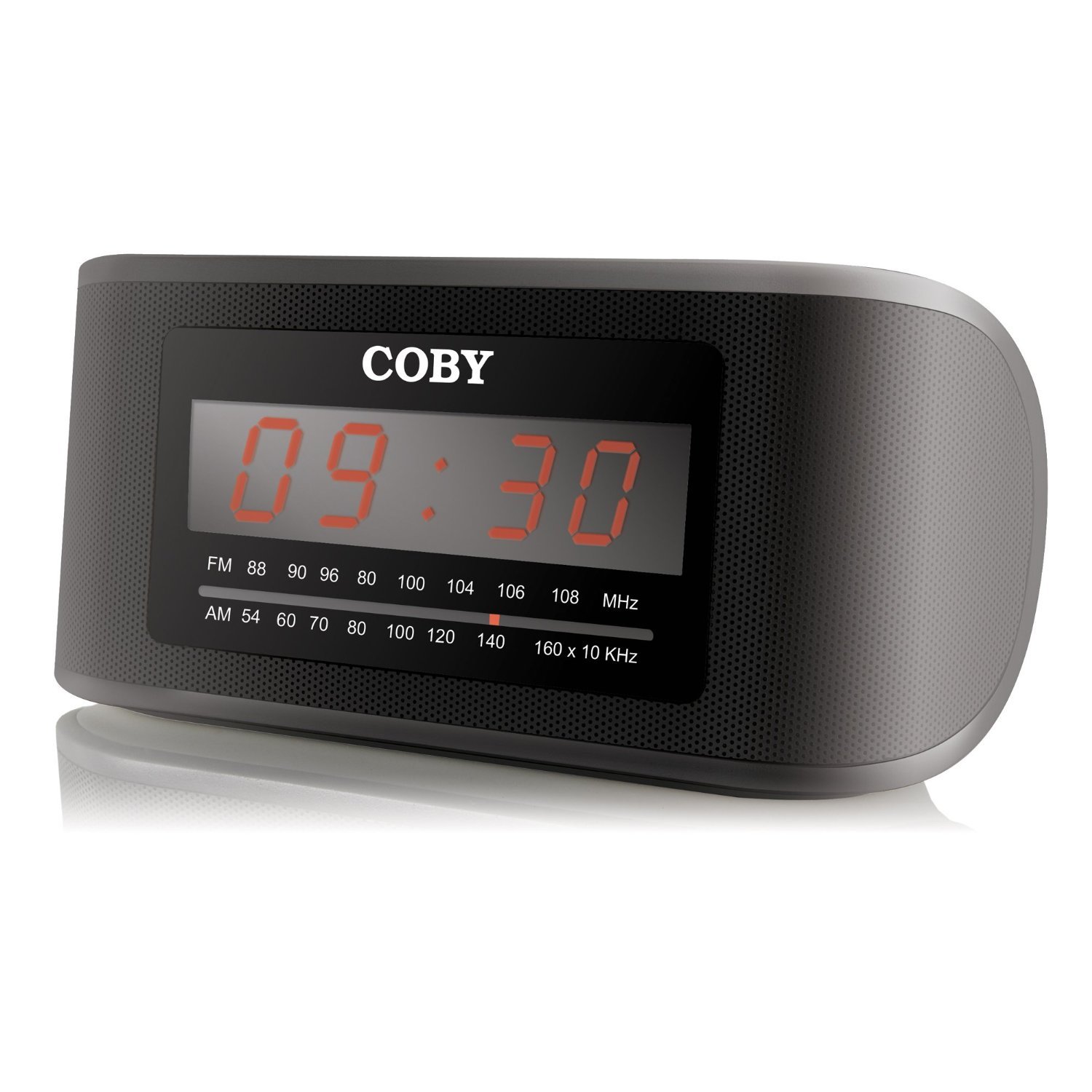
Figura 1: Quddiem view of the Coby CRA54 Digital AM/FM Alarm Clock Radio, showing the digital display and control buttons.
Setup
- Spakkjar: Carefully remove the alarm clock radio from its packaging. Retain the packaging materials for future transport or storage.
- Konnessjoni tal-Enerġija: Connect the AC power cord to the 110V power outlet. The unit is designed for wired operation.
- Backup tal-Batterija (Mhux obbligatorju): While the unit operates on AC power, it may have a compartment for backup batteries (not included) to maintain time settings during power outages. Refer to the battery compartment cover for the correct battery type and polarity. Note: Batteries are not included with this product.
- Aġġustament tal-Antenna: Extend the FM wire antenna fully for optimal FM reception. For AM reception, rotate the unit for the best signal.
Istruzzjonijiet Operattivi
L-issettjar tal-Ħin
- Agħfas u żomm il- IL-ĦIN IPPOST button (location may vary, typically on the front or top panel) until the display flashes.
- Uża l- SIEGĦA u MINUTA buttons to adjust the time. Observe the AM/PM indicator if present.
- Agħfas IL-ĦIN IPPOST għal darb'oħra biex tikkonferma u toħroġ mill-modalità tal-issettjar tal-ħin.
L-issettjar tal-allarm
- Agħfas u żomm il- SET TA 'ALLARM sakemm il-wiri tal-ħin tal-allarm jteptep.
- Uża l- SIEGĦA u MINUTA buttons to set your desired alarm time.
- Agħfas SET TA 'ALLARM again to confirm. You may then be prompted to select the alarm source (radio or buzzer) using the MOD TA 'ALLARM buttuna.
- Ensure the alarm is activated by checking for an alarm indicator icon on the display.
Operazzjoni tar-Radju
- Power On/Off: Agħfas il- QAWWA buttuna biex tixgħel jew titfi r-radju.
- Għażla tal-Banda: Agħfas il- AM/FM buttuna biex taqleb bejn il-frekwenzi AM u FM.
- Irfinar: Uża l- IRTUNING ċempel jew INTONA +/- buttons to find your desired station. Some models may feature auto-scan functionality.
- Kontroll tal-Volum: Aġġusta l-volum billi tuża VOLUM ċempel jew VOL +/- buttuni.
Funzjoni Snooze
Meta jdoqq l-allarm, agħfas il-buttuna l-kbira SNOOZE button (usually located on the top of the unit) to temporarily silence the alarm. The alarm will sound again after a few minutes (typically 9 minutes).
Manutenzjoni
- Tindif: Disconnect the power before cleaning. Use a soft, dry cloth to wipe the exterior of the unit. Do not use abrasive cleaners or solvents.
- Pjazzament: Place the unit on a stable, flat surface. Avoid placing it in direct sunlight, near heat sources, or in areas with high humidity.
- Ventilazzjoni: Aċċerta ruħek li jkun hemm ventilazzjoni adegwata madwar l-unità biex tevita li tissaħħan iżżejjed. Timblokkax il-fetħiet tal-ventilazzjoni.
Issolvi l-problemi
| Problema | Kawża Possibbli | Soluzzjoni |
|---|---|---|
| L-unità ma tixgħelx. | Il-korda tal-enerġija mhux imqabbda sew. | Kun żgur li l-korda tal-enerġija hija pplaggjata sew kemm fl-unità kif ukoll f'sokit ta' 110V li jaħdem. |
| Riċeviment ħażin tar-radju. | Antenna not extended or unit position. | Extend the FM wire antenna fully. For AM, rotate the unit to improve signal. Avoid interference from other electronic devices. |
| L-allarm ma jdoqqx. | Alarm not set or activated. | Verify that the alarm time is correctly set and the alarm function is activated (check for alarm icon on display). Ensure volume is not at minimum. |
| Time display is incorrect or runs fast/slow. | Internal clock deviation or power interruption. | Reset the time. If the issue persists, ensure stable power supply and consider using fresh backup batteries if applicable. |
Speċifikazzjonijiet
- Ditta: Coby
- Numru tal-Mudell: CRA54
- Dimensjonijiet tal-Prodott: 17.78 x 10.16 x 8.89 ċm
- Piż tal-Prodott: 522 g
- Voltage: 110 Volts
- Tip ta' wiri: Diġitali
- Tip ta 'Immuntar: Mejda
- Arloġġ ta 'allarm: Iva
- Modalità ta' Operazzjoni: Elettriku
- Kelliema Mibnija: Iva
- Teknoloġija tal-Konnettività: Bil-fili
Garanzija u Appoġġ
For information regarding warranty coverage and customer support, please refer to the warranty card included with your product or contact Coby customer service directly. Keep your purchase receipt as proof of purchase.


