1. Introduzzjoni
Grazzi tax-xiriasing the Atlanta 1669/19 Quartz Alarm Clock. This digital alarm clock features a silent movement, a light sensor for automatic display illumination, and a snooze function. This manual provides detailed instructions for setup, operation, and maintenance to ensure optimal performance and longevity of your device.
2. Informazzjoni dwar is-Sigurtà
- Żomm l-apparat 'il bogħod mill-ilma u umdità għolja.
- Evita li tesponi l-arloġġ għax-xemx diretta jew għal temperaturi estremi.
- Tippruvax tiżżarma jew issewwi l-arloġġ int stess. Irreferi għal persunal tas-servizz kwalifikat.
- Armi l-batteriji użati b'mod responsabbli skont ir-regolamenti lokali.
- Tħallatx batteriji qodma u ġodda, jew tipi differenti ta 'batteriji.
3. Kontenut tal-Pakkett
- Atlanta 1669/19 Quartz Alarm Clock Unit
- Manwal għall-Utent (dan id-dokument)
Nota: Il-batteriji mhumiex inklużi u jridu jinxtraw separatament.
4. Prodott Aktarview
The Atlanta 1669/19 features a clear digital display, intuitive controls, and a light sensor for enhanced visibility in low-light conditions.
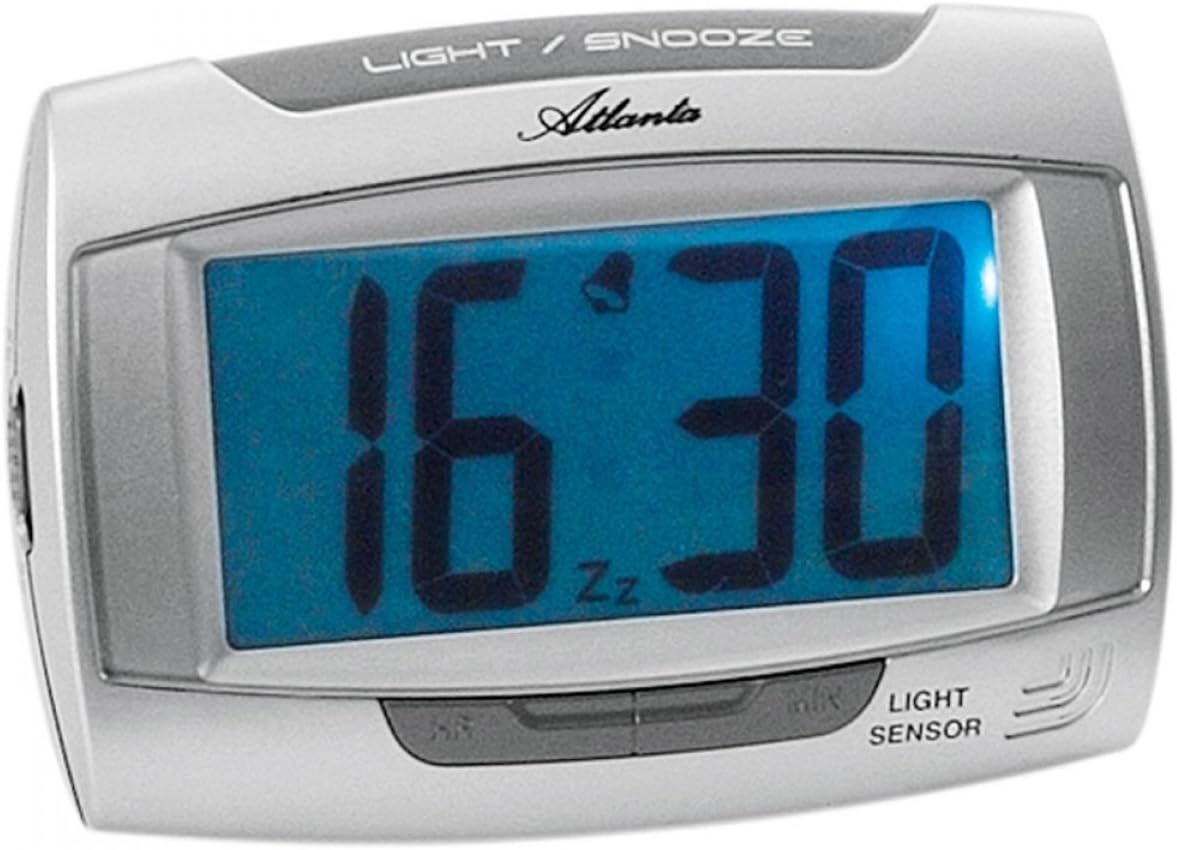
Figura 1: Quddiem view of the Atlanta 1669/19 Quartz Alarm Clock. The clock features a large digital display, a "LIGHT / SNOOZE" button at the top, and a "LIGHT SENSOR" indicator at the bottom right. The display shows the time 16:30, with an alarm bell icon and 'Zz' indicating snooze functionality.
Komponenti Ewlenin:
- Wirja Diġitali: Shows time and alarm status.
- LIGHT / SNOOZE Button: Activates temporary backlight and snooze function.
- Sensor tad-Dawl: Automatically illuminates the display in dark environments.
- Control Buttons (Rear/Side): For setting time and alarm.
- Battery Compartment (Rear): Holds the required batteries.
5. Setup
5.1. Installazzjoni tal-batterija
- Sib l-għatu tal-kompartiment tal-batterija fuq wara tal-arloġġ tal-allarm.
- Remove the cover by sliding or lifting it.
- Insert the required batteries (typically 1x AA, refer to compartment markings) ensuring correct polarity (+ and -).
- Ibdel l-għatu tal-kompartiment tal-batterija b'mod sikur.
5.2. Issettjar tal-Ħin Inizjali
Upon battery installation, the display will typically show a default time. You will need to set the current time.
- Locate the time setting buttons, usually labeled "SET", "HOUR", and "MINUTE" or similar, on the back or side of the clock.
- Press the "SET" button (or equivalent) to enter time setting mode. The hour digits may start flashing.
- Use the "HOUR" button to adjust the hour.
- Press "SET" again to move to minute setting. The minute digits may start flashing.
- Use the "MINUTE" button to adjust the minutes.
- Press "SET" one more time to confirm and exit time setting mode.
6. Istruzzjonijiet Operattivi
6.1. Issettjar tal-Allarm
- Locate the alarm setting buttons, typically labeled "ALARM SET", "ALARM HOUR", and "ALARM MINUTE" or similar.
- Press the "ALARM SET" button to enter alarm setting mode. The alarm hour digits may flash.
- Use the "ALARM HOUR" button to adjust the desired alarm hour.
- Press "ALARM SET" again to move to alarm minute setting. The alarm minute digits may flash.
- Use the "ALARM MINUTE" button to adjust the desired alarm minutes.
- Press "ALARM SET" one more time to confirm and exit alarm setting mode.
6.2. Attivazzjoni/Diżattivazzjoni tal-Allarm
There is usually a switch or button to turn the alarm on or off. Look for a switch labeled "ALARM ON/OFF" or an alarm icon button. When the alarm is active, an alarm icon (e.g., a bell) will typically appear on the display.
6.3. Funzjoni Snooze
When the alarm sounds, press the large "LIGHT / SNOOZE" button located on the top of the clock. This will temporarily silence the alarm, and it will sound again after a few minutes (typically 5-9 minutes). The "Zz" icon on the display indicates that the snooze function is active.
6.4. Light Sensor and Display Backlight
- Automatic Backlight (Light Sensor): The clock is equipped with a light sensor. When enabled, the display will automatically illuminate with a soft, constant light in dark environments, making it easy to read the time at night without pressing any buttons. Look for a switch or button labeled "SENSOR ON/OFF" or similar to enable or disable this feature.
- Temporary Backlight: To briefly illuminate the display in any lighting condition, press the "LIGHT / SNOOZE" button on the top of the clock. The backlight will stay on for a few seconds and then turn off automatically.
7. Manutenzjoni
- Tindif: Wipe the clock with a soft, dry cloth. Do not use abrasive cleaners or solvents, as these may damage the casing jew wiri.
- Sostituzzjoni tal-batterija: When the display dims or the clock stops functioning correctly, it is time to replace the batteries. Follow the battery installation steps in Section 5.1.
- Ħażna: If the clock will not be used for an extended period, remove the batteries to prevent leakage and damage.
8 Issolvi l-problemi
| Problema | Kawża Possibbli | Soluzzjoni |
|---|---|---|
| Id-displej tal-arloġġ huwa vojt jew mudlam. | Batteriji baxxi jew mejta; installazzjoni ħażina tal-batterija. | Ibdel il-batteriji b'oħrajn ġodda, filwaqt li tiżgura polarità korretta. |
| L-allarm ma jdoqqx. | Alarm is not activated; alarm time is incorrect; low batteries. | Ensure alarm is switched ON (bell icon visible); verify alarm time setting; replace batteries. |
| Automatic backlight not working. | Light sensor feature is disabled; insufficient darkness. | Ensure the light sensor switch is ON; test in a completely dark room. |
| Il-ħin mhux korrett. | Time was not set correctly; batteries were removed/replaced. | Reset the current time following Section 5.2. |
9. Speċifikazzjonijiet
| Mudell | 1669/19 |
| Brand | Atlanta |
| Mod ta' Operazzjoni | Diġitali |
| Karatteristiċi Speċjali | Alarm, Lighting (Light Sensor) |
| Materjal | Plastik |
| Materjal tal-qafas | Plastik |
| Tip ta 'Immuntar | Mejda |
| Kulur | Blue (display), Silver-coloured (case) |
| Batteriji Meħtieġa | Yes (Type not specified, typically AA or AAA for such clocks) |
| Batteriji Inklużi | Nru |
| Dimensjonijiet (Approx.) | 11 x 7 ċm |
10. Garanzija u Appoġġ
Għal informazzjoni dwar il-garanzija jew appoġġ tekniku, jekk jogħġbok irreferi għad-dokumentazzjoni pprovduta fil-ħin tax-xiri jew ikkuntattja lill-bejjiegħ tiegħek. Żomm il-prova tax-xiri tiegħek għal kwalunkwe talba ta' garanzija.


