1. Introduzzjoni
This manual provides instructions for the installation, configuration, and operation of the D-Link DGS-1210-10P 10-Port Gigabit Smart Managed PoE+ Switch. The DGS-1210-10P is designed to offer functionality, security, and manageability for small to medium businesses, supporting Power over Ethernet (PoE+) and advanced Layer 2 features.
2. Kontenut tal-Pakkett
Ivverifika li l-pakkett tiegħek fih l-oġġetti li ġejjin:
- D-Link DGS-1210-10P Switch
- Adapter tal-Enerġija
- Korda tal-Enerġija
- 8 Viti
- 4 Saqajn tal-Lastku
- 2 Brakketti tal-immuntar fuq ir-rack
- Gwida ta 'Installazzjoni Mgħaġġla
- CD tar-Riżorsi
Jekk xi oġġetti huma nieqsa jew bil-ħsara, jekk jogħġbok ikkuntattja lir-rivenditur lokali tad-D-Link tiegħek għall-għajnuna.
3. Prodott Aktarview
3.1 Panel ta 'Quddiem
The front panel of the DGS-1210-10P features 8 Gigabit PoE+ ports and 2 Gigabit SFP optical ports, along with LED indicators for power, link/activity, and PoE status.

Figure 1: Front Panel of DGS-1210-10P Switch
3.2 Panel ta 'wara
The rear panel includes the power input connector and a grounding screw.
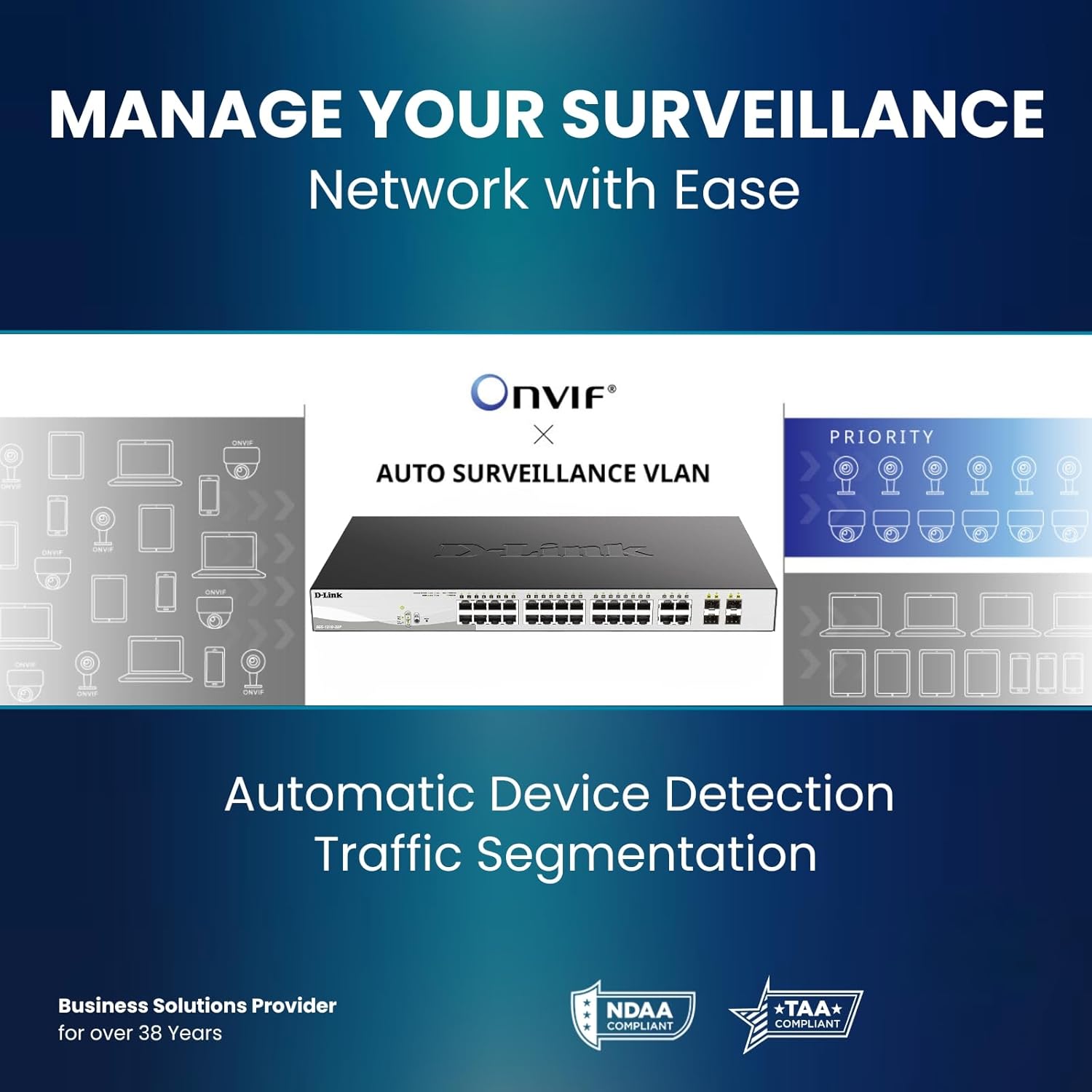
Figure 2: Rear Panel of DGS-1210-10P Switch
4. Setup
Follow these steps to set up your DGS-1210-10P switch:
- Pożizzjonament Fiżiku: Place the switch on a flat surface or mount it in a standard 19-inch equipment rack using the provided rackmount brackets. Ensure adequate ventilation around the switch.
- Konnessjoni tal-Enerġija: Connect the power adapter to the switch's power input and then plug the power cord into a suitable power outlet.
- Konnessjoni tan-Netwerk: Connect your network devices (e.g., computers, servers, routers) to the RJ45 Gigabit ports using standard Ethernet cables. For devices requiring power, connect them to the PoE+ enabled ports.
- Konnessjoni Uplink: Use the SFP ports for high-speed uplinks to other switches or network devices, typically with fiber optic transceivers (not included).
- Konfigurazzjoni Inizjali: Is-swiċċ jista' jiġi ġestit permezz ta' web-based interface. Refer to the Quick Installation Guide for initial IP address and login details to access the management interface.

Figure 3: Benefit of PoE for simplified cabling
5. Istruzzjonijiet Operattivi
The DGS-1210-10P operates as a plug-and-play device for basic network connectivity. For advanced features and management, use the web- interface ibbażat.
5.1 Enerġija fuq Ethernet (PoE+)
The 8 PoE+ ports deliver up to 30W per port, with a total power budget of 65W, to compatible devices such as IP cameras, wireless access points, and VoIP phones. This eliminates the need for separate power cables for these devices.

Figure 4: PoE+ Flexibility
5.2 Smart Managed Features
The switch offers a range of Layer 2+ features accessible through its web interface:
- VLANs: Segmenta n-netwerk tiegħek għal sigurtà u prestazzjoni mtejba.
- Kwalità tas-Servizz (QoS): Agħti prijorità lit-traffiku tan-netwerk għal applikazzjonijiet kritiċi.
- Aggregazzjoni tal-Link: Għaqqad diversi portijiet għal aktar bandwidth u redundanza.
- Protokoll tas-Siġra li Tifrex (STP): Evita l-linji tan-netwerk.
- Snooping IGMP: Optimize multicast traffic for applications like IP TV.
- Rotot Statiku: Enable basic inter-VLAN routing.

Figure 5: Advanced Traffic Handling and Security
5.3 Surveillance Mode
The dedicated Surveillance Mode simplifies the deployment and management of IP surveillance networks. It automatically detects ONVIF-compliant devices and optimizes video traffic.

Figure 6: Surveillance Mode Interface
5.4 PD Alive
Il-karatteristika PD Alive terġa' tibda awtomatikament apparati PoE li ma jirrispondux, u b'hekk timminimizza l-ħin ta' waqfien u tiżgura disponibbiltà kontinwa tan-netwerk mingħajr intervent manwali.
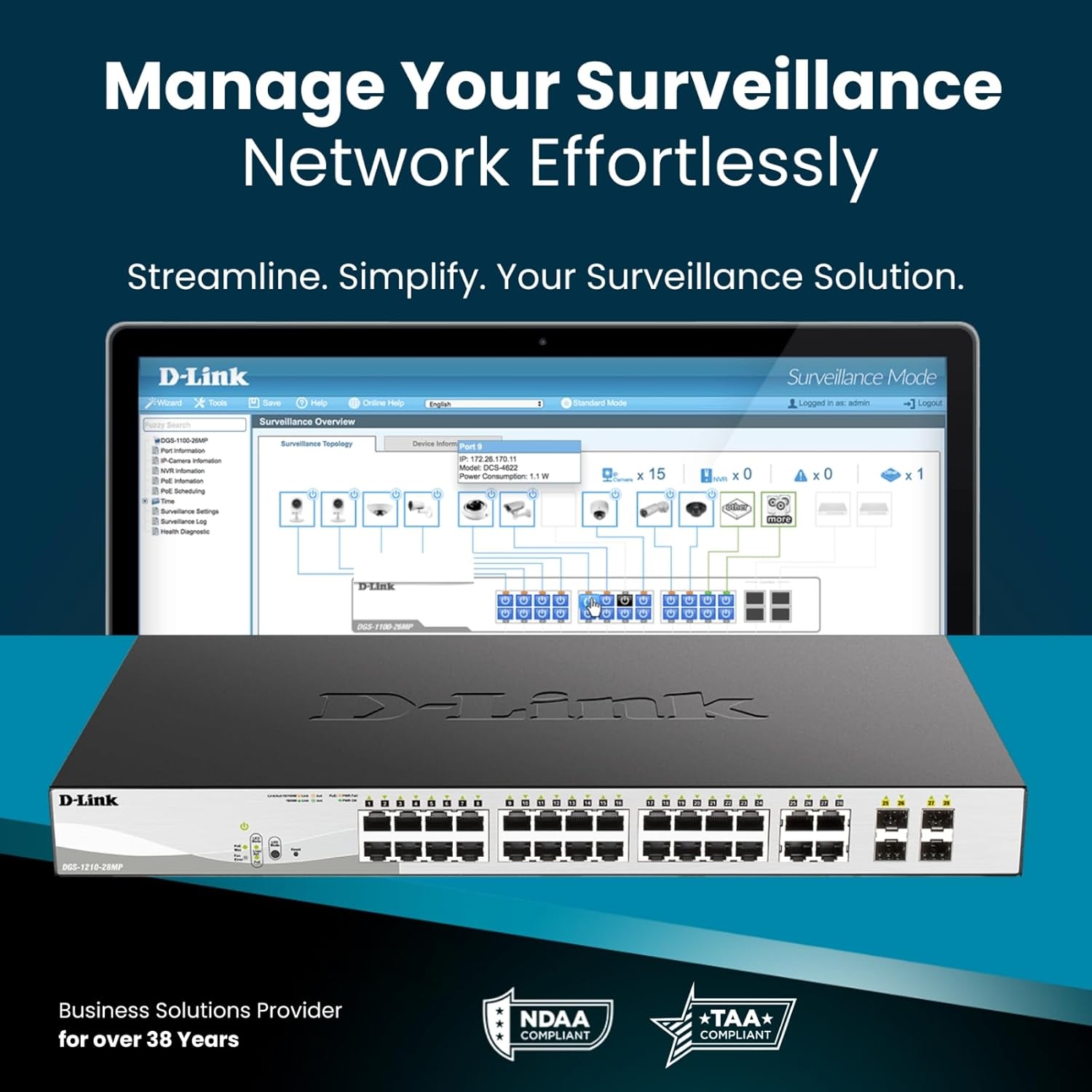
Figure 7: PD Alive Functionality
6. Manutenzjoni
To ensure optimal performance and longevity of your DGS-1210-10P switch, consider the following maintenance practices:
- Aġġornamenti tal-Firmware: Iċċekkja regolarment l-appoġġ tad-D-Link website for the latest firmware versions. Updating the firmware can provide new features, performance improvements, and security patches.
- Tindif Fiżiku: Keep the switch free from dust and debris. Use a soft, dry cloth for cleaning. Ensure ventilation openings are clear.
- Kundizzjonijiet Ambjentali: Operate the switch within the recommended temperature and humidity ranges specified in the product specifications. Avoid exposing the device to direct sunlight or excessive heat.
- Ġestjoni tal-Kejbil: Ensure all network cables are properly organized and secured to prevent accidental disconnections or damage.
7 Issolvi l-problemi
If you encounter issues with your DGS-1210-10P switch, refer to the following common troubleshooting steps:
- Ebda Qawwa: Ensure the power cord is securely connected to both the switch and the power outlet. Verify the power outlet is functional. Check the power LED on the front panel.
- Ebda Link/Attività: Check the Ethernet cable connections between the switch and the connected device. Ensure the connected device is powered on and functioning correctly. Verify the link/activity LED for the respective port.
- Apparat PoE Mhux Qed Jixgħel: Confirm the connected device is PoE compatible and within the switch's power budget (65W total, 30W per port). Check the PoE status LED for the port. If PD Alive is enabled, the switch may attempt to reboot the device.
- Ma nistax naċċessa Web Interface: Verify that your computer's IP address is in the same subnet as the switch's management IP address. Ensure there are no IP address conflicts on the network. Try resetting the switch to factory defaults (refer to the Quick Installation Guide for the reset procedure).
- Prestazzjoni bil-mod tan-Netwerk: Check for excessive network traffic or loops. Utilize the switch's management interface to monitor port statistics, bandwidth usage, and enable features like QoS if necessary.
For more detailed troubleshooting, consult the full product manual available on the D-Link support websit.
8. Speċifikazzjonijiet
| Karatteristika | Speċifikazzjoni |
|---|---|
| Numru tal-Mudell | DGS-1210-10P |
| Numru ta' Portijiet | 10 (8 PoE+ Gigabit, 2 SFP Gigabit) |
| Portijiet PoE+ | 8 |
| Qawwa PoE Massima għal kull Port | 30W |
| Baġit totali tal-Enerġija PoE | 65W |
| Tip ta' Interface | PoE, SFP |
| Rata ta' Trasferiment tad-Data | 2000 Megabit Kull Sekonda (Full Duplex) |
| Materjal tal-Każ | Metall |
| Dimensjonijiet (L x W x H) | 11.2 x 5 x 1.73 pulzieri |
| Piż tal-oġġett | 3.1 liri |
| Voltage | 2.4 Volts (Volum operattiv intern)tage, not input) |
| Klassifikazzjoni kurrenti | 1 Amps |
| Ġestjoni | Web-based GUI, Nuclias Connect (optional) |
| Konformità | NDAA Compliant, IEEE 802.3az Energy Efficient Ethernet (EEE) |
9. Informazzjoni dwar Garanzija
The D-Link DGS-1210-10P Smart Managed PoE+ Switch is backed by D-Link's Limited Lifetime Warranty. This warranty provides long-term confidence in the quality and reliability of your network infrastructure. For specific terms and conditions of the warranty, please refer to the warranty documentation included with your product or visit the official D-Link websit.
10. Appoġġ
For technical support, product documentation, and software updates, please visit the official D-Link support websit. Tista' ssib FAQs, gwidi għas-soluzzjoni tal-problemi, u informazzjoni ta' kuntatt għas-servizz tal-konsumatur.
Appoġġ D-Link Websit: www.dlink.com/support
11. Vidjo tal-Prodott Aktar minnview
Ara dan il-filmat għal ħarsa ġenerali lejnview of D-Link switch solutions, which includes information relevant to this product model.
Video: D-Link Switch Solutions for Home, Gaming, SOHO, and SMB. This video provides an overview of D-Link's range of switches and their applications, including how they can expand network connectivity for various devices.


