1. Introduzzjoni
The Atrix VACEXP-03 Express Plus Personal Portable ESD Safe Vacuum is designed for efficient and safe cleaning of static-sensitive equipment and environments. This lightweight and portable unit offers powerful suction and advanced filtration, making it suitable for various applications from electronics maintenance to general office cleaning. Its ESD-safe design ensures protection for sensitive components.

Image 1: Atrix VACEXP-03 Express Plus Personal Portable ESD Safe Vacuum main unit.
2. Informazzjoni Importanti dwar is-Sigurtà
Jekk jogħġbok aqra u ifhem l-istruzzjonijiet kollha tas-sigurtà qabel ma tħaddem dan l-apparat. Jekk ma ssegwix dawn l-istruzzjonijiet, dan jista' jirriżulta f'xokk elettriku, nar, jew korriment serju.
- Sigurtà Elettrika: Do not use outdoors or on wet surfaces. Always unplug the vacuum before servicing or cleaning.
- Sigurtà tal-ESD: This vacuum is designed to be ESD safe. Ensure all accessories are properly connected to maintain the static path to ground when working with sensitive electronics.
- Filtrazzjoni: The unit uses an Ultrafine H12 filter. Ensure the filter is correctly installed and replaced regularly to maintain optimal performance and prevent exposure to collected dust.
- Materjali li jaqbdu: Do not vacuum flammable or combustible liquids, hot ashes, or any materials that could ignite.
- Superviżjoni: Superviżjoni mill-qrib hija meħtieġa meta xi apparat jintuża minn jew ħdejn it-tfal.
3. Kontenut tal-Pakkett
Ivverifika li l-oġġetti kollha huma preżenti fil-pakkett:
- Atrix VACEXP-03 Express Plus Vacuum Unit
- Detachable Power Cord (110 Volt)
- 6-foot ESD Safe Stretch Hose
- Għodda tal-Xquq
- Utilità Għodda
- Pinzell Ovali
- Standard Ultrafine Filter Cartridge

Image 2: Atrix VACEXP-03 Vacuum with included hose, power cord, and various attachments.
4. Karatteristiċi tal-prodott
- Powerful 110 Volt Motor: Provides strong suction for effective cleaning in dust-sensitive areas.
- Kompatt u portabbli: Weighs only 4 lbs with dimensions of 12"L x 6"W x 7"H, making it easy to store and transport.
- ESD Safe Grounded System: Designed with static-safe components for both the vacuum and its accessories, ideal for electronics.
- Ultrafine H12 Filtration: Features a one-quart filter cartridge that is 88% efficient at 0.3 microns, capturing dust, debris, laser toner, and other fine particulates.
- Applikazzjonijiet versatili: Suitable for residential or commercial use, including cleaning air vents, window sills, computers, printers, and video equipment.
5. Gwida ta' Setup
- Ħoll l-Unità: Neħħi bir-reqqa l-komponenti kollha mill-imballaġġ.
- Installa l-Iskartuċċa tal-Filtru: Ensure the standard Ultrafine filter cartridge is securely seated inside the vacuum unit. Refer to the maintenance section for detailed filter installation.
- Waħħal il-pajp: Connect the 6-foot ESD safe stretch hose to the intake port on the front of the vacuum unit. Twist until it is firmly in place.
- Qabbad Kejda tal-Enerġija: Insert the detachable power cord into the power inlet located on the rear of the vacuum. Plug the other end into a standard 110-volt electrical outlet.
- Agħżel u Waħħal l-Aċċessorju: Choose the appropriate cleaning accessory (crevice tool, utility tool, or oval brush) for your task and attach it to the end of the hose.
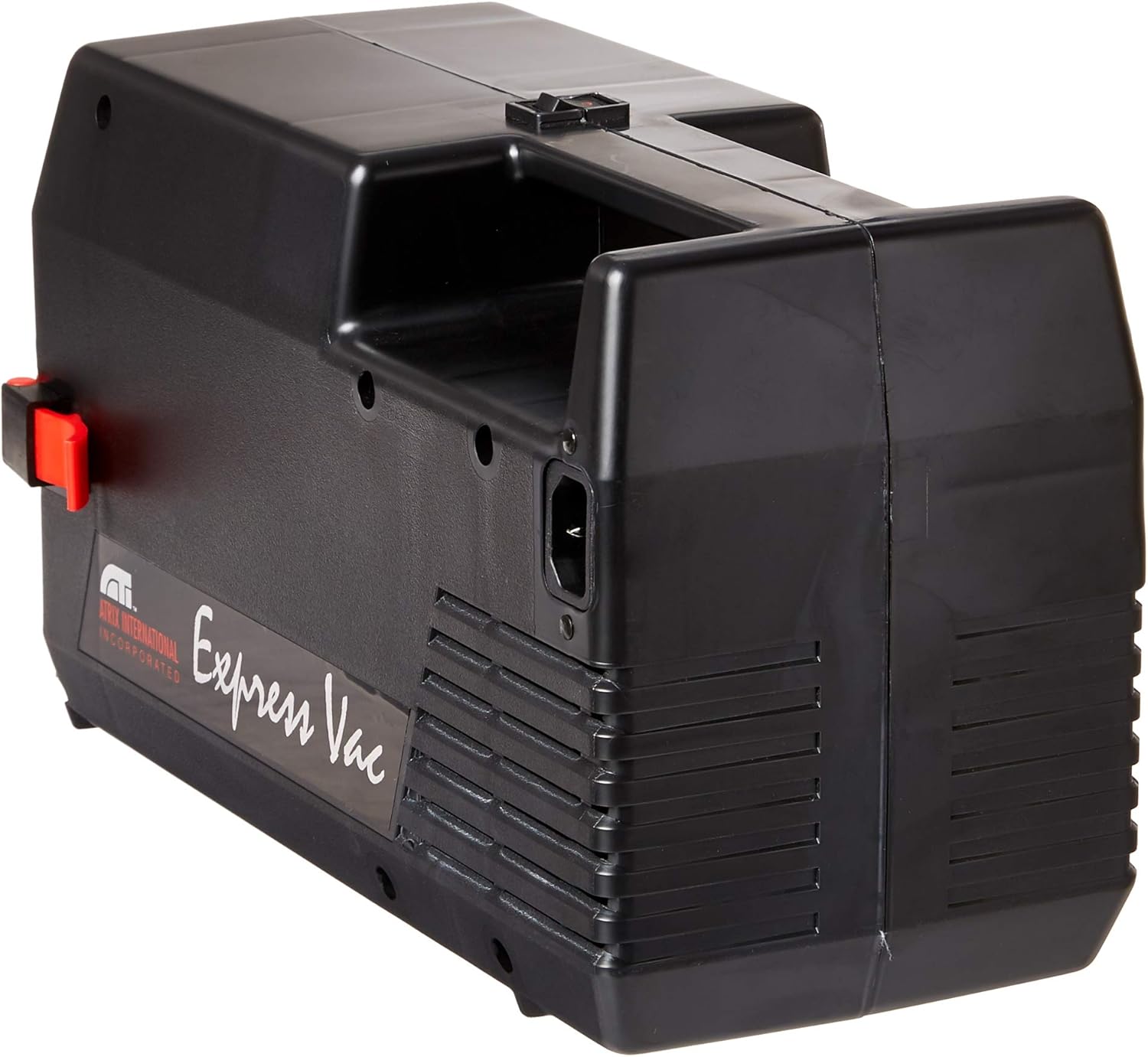
Stampa 3: Wara view of the Atrix VACEXP-03 Vacuum, highlighting the power cord connection point.
6. Istruzzjonijiet Operattivi
- Qawwa Mixgħul: Once assembled and plugged in, locate the power switch on the unit and turn it to the 'ON' position.
- Tindif: Guide the chosen accessory over the surface to be cleaned. The powerful suction will collect dust and debris into the filter cartridge.
- ESD Safe Operation: When cleaning static-sensitive equipment, ensure you are properly grounded and that the vacuum's ESD-safe features are maintained.
- L-użu tal-Annessi:
- Għodda tal-qsim: Ideal for tight spaces, corners, and edges.
- Utility Tool: Suitable for general surface cleaning.
- Oval Brush: Excellent for delicate surfaces, keyboards, and vents.
- Itfi: After cleaning, turn the power switch to the 'OFF' position and unplug the unit from the electrical outlet.

Image 4: Atrix VACEXP-03 vacuum in operation with a floor cleaning tool.

Image 5: Atrix VACEXP-03 vacuum in operation with a brush attachment for delicate surfaces.
7. Manutenzjoni
7.1 Sostituzzjoni tal-Filtru
The Atrix VACEXP-03 uses a one-quart Ultrafine H12 filter cartridge. Regular replacement is crucial for maintaining optimal performance and filtration efficiency.
- Mitfi u Spluggja: Always ensure the vacuum is turned off and unplugged before attempting any maintenance.
- Open Unit: Release the latches on the vacuum unit to open the housing and access the filter compartment.
- Neħħi l-Filtru l-Qadim: Carefully remove the used filter cartridge. Dispose of it according to local regulations, especially if hazardous materials were vacuumed.
- Installa Filtru Ġdid: Insert a new Atrix Ultrafine H12 filter cartridge, ensuring it is properly seated and sealed within the compartment.
- Unità mill-Agħlaq: Close the vacuum housing and secure the latches.

Image 6: Atrix Ultrafine H12 Filter Cartridge for VACEXP-03.
7.2 Tindif Ġenerali
Imsaħ il-barra tal-vakwu b'adamp cloth. Do not use harsh chemicals or abrasive cleaners. Ensure the hose and attachments are free from blockages.
7.3 Filter System Overview Video
Vidjo 1: Overview of the Atrix SafeGuard 360 filter system, demonstrating its features and benefits for filtration and safe disposal. This video highlights the secure and simple filter replacement process.
Video 2: Detailed information on the Atrix SafeGuard 360 Ultrafine H12 Filter Model 31700C, explaining its efficiency and how it handles fine particles like toner.
8 Issolvi l-problemi
If you encounter issues with your Atrix VACEXP-03, refer to the following common problems and solutions:
- Ebda Qawwa:
- Check if the power cord is securely plugged into both the vacuum and the electrical outlet.
- Kun żgur li s-swiċċ tal-enerġija jkun fil-pożizzjoni 'ON'.
- Ivverifika li s-sokit elettriku jaħdem billi tqabbad apparat ieħor.
- Telf ta' Ġbid:
- Check if the filter cartridge is full and needs replacement.
- Spezzjona l-pajp u l-aċċessorji għal kwalunkwe imblukkar.
- Ensure the hose is securely attached to the vacuum unit.
- Storbju mhux tas-soltu:
- Turn off the vacuum and check for any foreign objects lodged in the hose or attachments.
- Ensure the filter cartridge is correctly installed.
9. Speċifikazzjonijiet
| Brand | Atrix |
| Isem tal-Mudell | VACEXP-03 |
| Karatteristika Speċjali | Compact, ESD Safe, Portable |
| Tip ta 'filtru | Cartridge (Ultrafine H12, 88% efficient @ 0.3 microns) |
| Qawwa | 110 Volt, 500 Watts |
| Fluss tal-arja | 79 CFM |
| Kapaċità | 1 Quart (Filter Cartridge) |
| Piż tal-oġġett | 4 liri |
| Dimensjonijiet tal-Prodott | 12"T x 6"W x 7"Għ |
| Tul tal-Manka | 6 pied (1.8 Metru) |
| Livell ta' Storbju | 79 Deċibel |
| Kulur | Iswed |

Image 7: Atrix VACEXP-03 Vacuum with approximate dimensions shown.
10. Garanzija u Appoġġ
For detailed warranty information and customer support, please refer to the manufacturer's official websit. Il-manifattur website provides the most up-to-date information regarding product warranties, service, and technical assistance.
Manifattur: Atrix


