1. Introduzzjoni
Welcome to the world of Assassin's Creed II. This manual provides essential information to help you get started, understand the game mechanics, and troubleshoot any issues you may encounter while playing the Platinum Hits Edition on your Xbox 360 console.
2. Setup
2.1. Rekwiżiti tas-Sistema
- Xbox 360 console (including Microsoft Xbox 360, Microsoft Xbox 360 E)
- Minimum available storage space (refer to game packaging for exact requirements)
- Xbox 360 compatible controller
2.2. Installazzjoni
- Insert the Assassin's Creed II game disc into your Xbox 360 console's disc drive.
- Follow the on-screen prompts to install the game to your console's hard drive. Installation time may vary.
- Once installation is complete, the game will be ready to launch from your Xbox 360 dashboard.
3. It-Tħaddim tal-Logħba
Assassin's Creed II introduces Ezio Auditore da Firenze, a new assassin in 15th-century Renaissance Italy. The game features an open world, a rich narrative of revenge and conspiracy, and a variety of gameplay mechanics.
3.1. Kontrolli Bażiċi
Refer to the in-game tutorial and control scheme for detailed button mappings. General actions include:
- Moviment: Use the left analog stick to move Ezio.
- Kontroll tal-Kamera: Use the right analog stick to adjust the camera view.
- Għoli Profile Azzjonijiet: Hold the 'RT' trigger for faster movement, climbing, and parkour.
- Pro baxxfile Azzjonijiet: Use without 'RT' for stealth, blending, and walking.
- Ġlieda kontra: Engage enemies using various attacks, counters, and dodges.
- Interazzjoni: Press 'A' to interact with objects, people, or initiate actions.
3.2. Mekkanika tal-Logħba
- Esplorazzjoni: Roam freely through cities like Florence, Venice, and the Tuscan countryside. Discover hidden locations and collectibles.
- Stealth: Utilize crowds, hiding spots, and environmental elements to avoid detection or perform silent assassinations.
- Combat System: Master a refined combat system with new weapons and techniques, including those designed by Leonardo da Vinci.
- Missjonijiet: Progress through the main story and engage in numerous side missions, contracts, and challenges.
- Notoriety: Your actions affect your notoriety level. High notoriety attracts more guards. Reduce it by tearing down wanted posters or bribing officials.
- Economic System: Invest in renovating your villa, Monteriggioni, to generate income and unlock new items and upgrades.
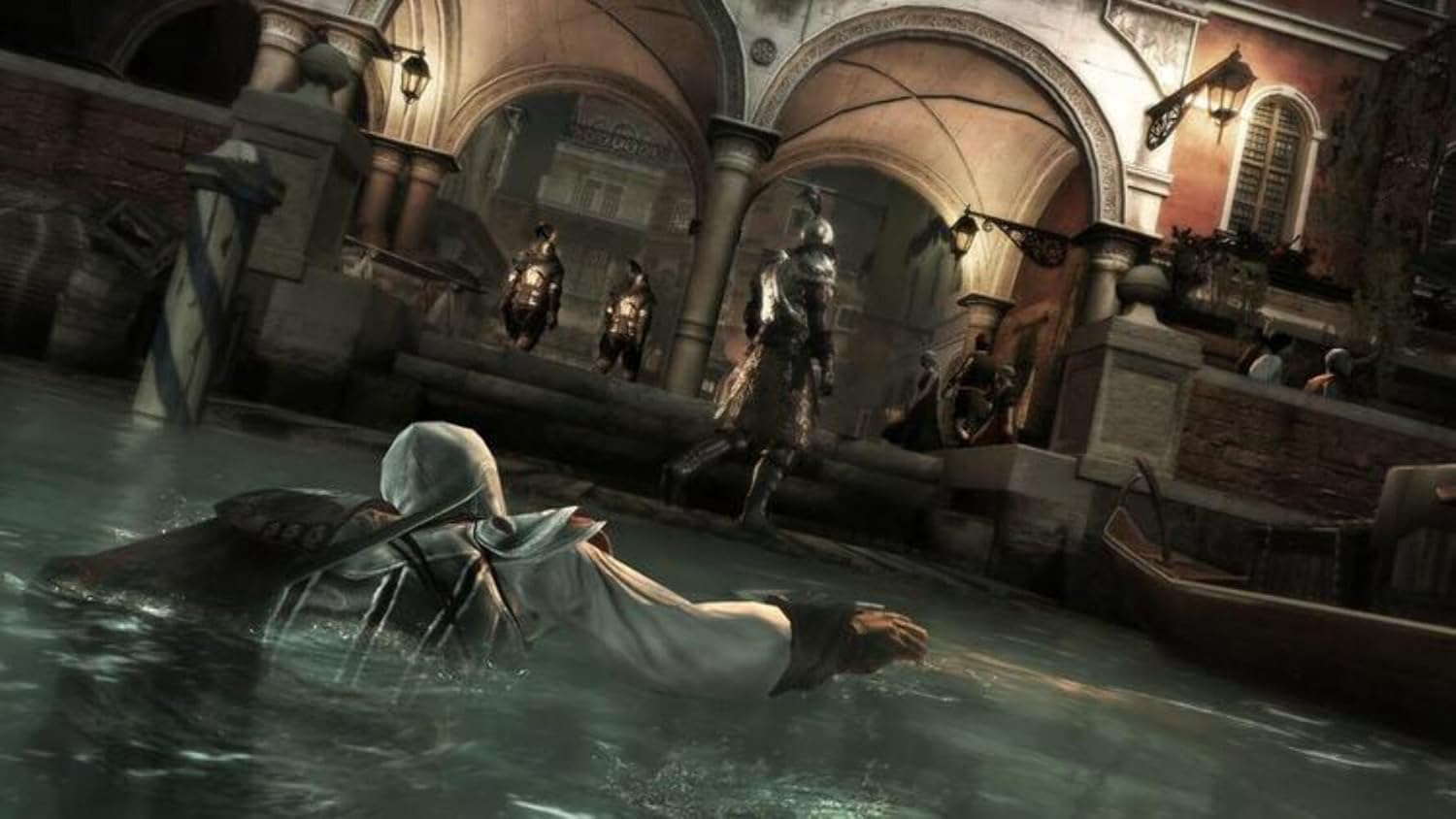
3.3. Visuals and Environment



3.4. Official Game Videos
4. Manutenzjoni
To ensure optimal performance and longevity of your game and console:
- Keep your Xbox 360 console's system software updated to the latest version.
- Ensure the game disc is clean and free of scratches. Use a soft, lint-free cloth to gently wipe the disc if necessary.
- Store the game disc in its original case when not in use to prevent damage.
- Maintain proper ventilation for your Xbox 360 console to prevent overheating.
5 Issolvi l-problemi
If you encounter issues while playing Assassin's Creed II, consider the following common solutions:
5.1. Game Not Loading or Freezing
- Naddaf id-Diska: Inspect the game disc for smudges or scratches. Clean it with a soft cloth, wiping from the center outwards.
- Erġa' ibda l-Console: Turn off your Xbox 360 console, unplug it from the power source for 30 seconds, then plug it back in and restart.
- Erġa' installa l-Logħba: If the issue persists, try uninstalling and then reinstalling the game from the disc.
- Iċċekkja għal Aġġornamenti tas-Sistema: Ensure your Xbox 360 console has the latest system updates installed.
5.2. Audio or Video Problems
- Iċċekkja l-Konnessjonijiet: Verify that all audio and video cables are securely connected to your console and television/monitor.
- Adjust TV Settings: Ensure your television's input is set correctly and check its audio/video settings.
- Test with Other Games: Determine if the issue is specific to Assassin's Creed II or affects other games as well.
5.3. Controller Issues
- Iċċekkja Batteriji: For wireless controllers, ensure batteries are charged or replaced.
- Resync Controller: If using a wireless controller, try resyncing it with the console.
- Ittestja Kontrollur Ieħor: If available, try using a different controller to isolate the problem.
6. Speċifikazzjonijiet
| Karatteristika | Dettall |
|---|---|
| Numru ta' Parteċipanti | 1 |
| Data tal-Pubblikazzjoni | 17 ta’ Novembru, 2009 |
| Pjattaforma tal-Kompjuter | Xbox 360 |
| Numru ta' Identifikazzjoni tal-Kummerċ Globali | 00008888220060, 00008888525349 |
| UPC | 008888220060 008888525349 008888220220 008888220077 |
| Mudelli Kompatibbli tal-Konsol tal-Logħob tal-Vidjo | Microsoft Xbox 360, Microsoft Xbox 360 E |
| ASIN | B00269DXCK |
| Data tar-rilaxx | 17 ta’ Novembru, 2009 |
| Rated | Maturi |
| Numru tal-mudell tal-oġġett | 008888525349 |
| Piż tal-oġġett | 3.2 uqija |
| Manifattur | Ubisoft |
| Data L-Ewwel Disponibbli | 11 ta’ Mejju, 2009 |
| Dimensjonijiet tal-Prodott | 0.57 x 5.36 x 7.57 pulzieri |
| Tip ta' oġġett | Video Game |
| Lingwa | Ingliż |
7. Garanzija u Appoġġ
For information regarding product warranty, technical support, or customer service, please refer to the official Ubisoft website or contact their customer support directly. Details can typically be found on the game packaging or within the game's digital manual.
You can visit the official Ubisoft store for more information: Ubisoft Store