1. Introduzzjoni
This manual provides comprehensive instructions for the safe and efficient operation of your JVC DR-MV150 DVD Video Recorder VHS Hi-Fi Stereo. Please read this manual thoroughly before using the unit and retain it for future reference. The DR-MV150 combines a DVD recorder and a VHS VCR into a single unit, offering versatile playback and recording capabilities for various media formats.
2. Informazzjoni dwar is-Sigurtà
- Sors tal-Enerġija: Connect the unit only to the specified power supply. Ensure the voltage jaqbel mar-rekwiżiti tal-unità.
- Ventilazzjoni: Timblokkax il-fetħiet tal-ventilazzjoni. Ħalli biżżejjed spazju madwar l-unità għal fluss tal-arja xieraq biex tevita li jisħon iżżejjed.
- Umdità: Tesponix l-unità għax-xita, umdità, jew umdità eċċessiva. Evita li tpoġġi oġġetti mimlija b'likwidi, bħal vażuni, fuq l-unità.
- Tindif: Skonnettja l-korda tal-enerġija qabel it-tindif. Uża drapp artab u niexef. Tużax prodotti tat-tindif likwidi jew aerosol.
- Servizzi: Tippruvax tagħmel manutenzjoni fuq din l-unità int stess. Irreferi għal kull manutenzjoni għand persunal tas-servizz kwalifikat.
- Pjazzament: Poġġi l-unità fuq wiċċ stabbli u livellat. Evita li tpoġġiha ħdejn sorsi ta’ sħana jew fid-dawl tax-xemx dirett.
3. Kontenut tal-Pakkett
Ivverifika li l-oġġetti kollha huma preżenti fil-pakkett:
- JVC DR-MV150 DVD Video Recorder VHS Hi-Fi Stereo Unit
- Kontroll mill-bogħod
- Kejbil tal-Enerġija
- Cable HDMI
- RCA Audio/Video Cables
- Manwal ta 'Istruzzjoni (dan id-dokument)

This image displays the JVC DR-MV150 DVD Video Recorder, its remote control, power cable, HDMI cable, RCA cables, and the included instruction manual, illustrating the complete package contents.
4. Setup
4.1 Konnessjoni tal-Unità
Follow these steps to connect your DR-MV150 to your television and other audio/video equipment.
- Konnessjoni tal-Enerġija: Connect the supplied power cable to the AC IN port on the rear of the unit and then to a wall outlet.
- Konnessjoni tal-Vidjo (HDMI): For the best picture quality, connect an HDMI cable from the HDMI OUTPUT port on the rear of the DR-MV150 to an HDMI input on your television. This connection supports 1080p up-conversion.
- Video Connection (RCA): Alternatively, or for older televisions, connect the yellow video cable from the VIDEO OUT port on the DR-MV150 to the VIDEO IN port on your television. Connect the red and white audio cables from the AUDIO OUT (R/L) ports to the corresponding AUDIO IN (R/L) ports on your television or audio receiver.
- Konnessjoni tal-antenna/kejbil: Connect your antenna or cable TV line to the ANTENNA IN port on the rear of the unit.
- External Device Connection (Front A/V Input): For connecting external devices like camcorders, use the front panel DV IN or analog audio/video input ports.
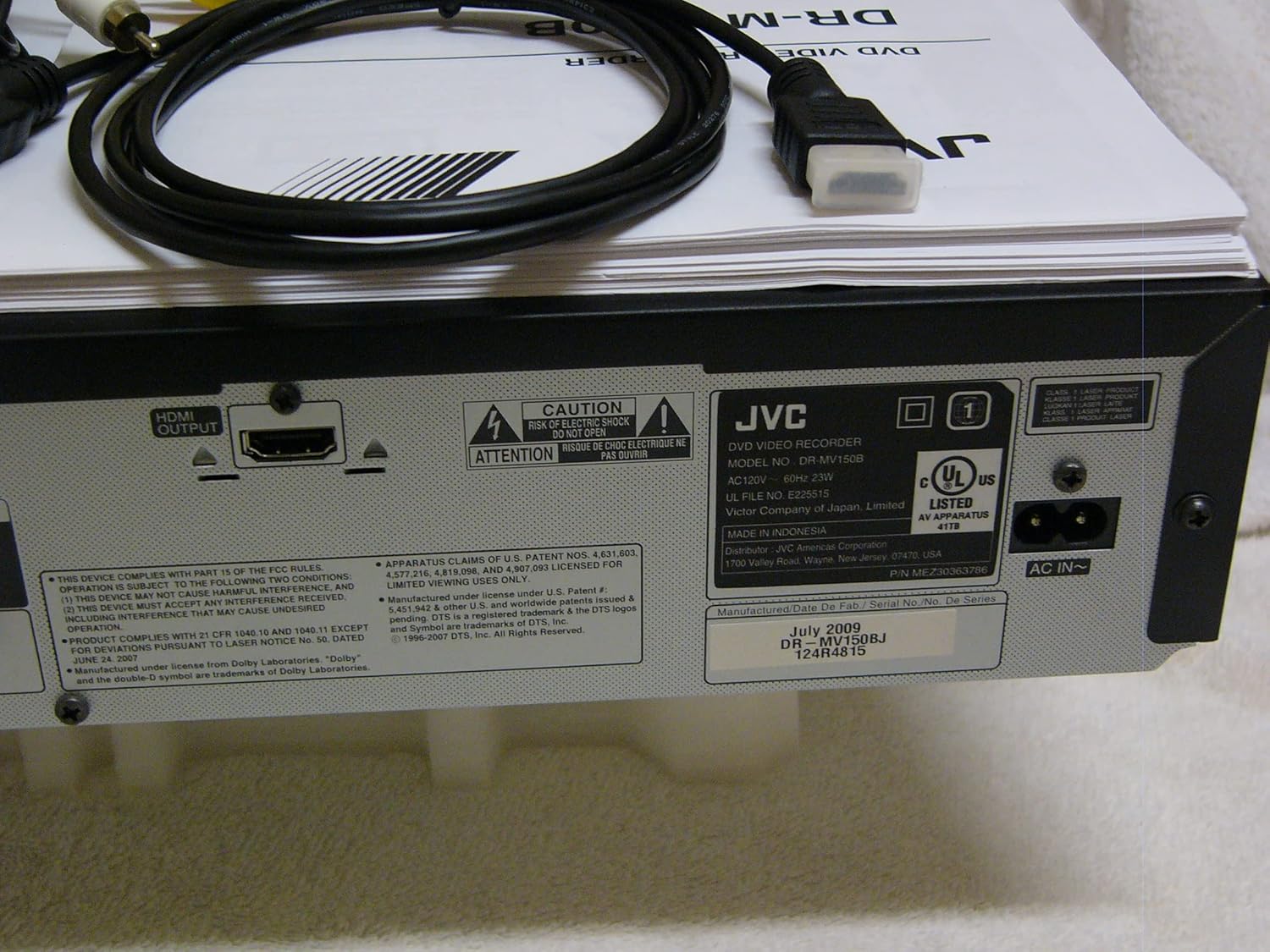
The rear panel of the JVC DR-MV150, displaying the HDMI OUTPUT port for high-definition connection, the AC IN power input, and various regulatory and manufacturing labels.

A dettaljata view of the front panel of the JVC DR-MV150, highlighting the DV IN port and the analog audio (white, red) and video (yellow) input jacks, typically used for connecting external devices like camcorders.
4.2 Installazzjoni tal-Batterija tal-Kontroll mill-Bogħod
Insert two AAA batteries into the remote control, ensuring correct polarity (+/-). The remote control is essential for accessing all functions of the DR-MV150.

This image features the remote control for the JVC DR-MV150, alongside an HDMI cable and a set of RCA audio/video cables, which are essential for connecting and operating the device.
5. Istruzzjonijiet Operattivi
5.1 Daqq Bażiku
- Daqq tad-DVD: Open the DVD tray, place a DVD disc (DVD-R/RW, CD, SVCD, VCD, CD-R/RW) with the label side up, and close the tray. The unit should automatically begin playback or display a menu.
- Daqq tal-VHS: Insert a VHS tape into the VCR slot. The unit will typically begin playback automatically.

This image focuses on the DVD tray section of the JVC DR-MV150, labeled 'Super MULTI' indicating its multi-format compatibility. Below the tray are various control buttons for DVD operation, along with logos for DivX, DTS, Dolby Digital Recording, and DVD Video.
5.2 Ir-reġistrazzjoni
The DR-MV150 supports recording to various DVD formats (DVD-RAM, DVD-RW, DVD-R, +RW, +R) and VHS Hi-Fi tapes.
- Recording to DVD: Insert a recordable DVD disc. Select the input source (e.g., TV tuner, external A/V input). Press the RECORD button on the unit or remote.
- Recording to VHS: Insert a VHS tape. Select the input source. Press the RECORD button.
- Operazzjoni Simultanja: The unit allows for simultaneous DVD playback while recording to VHS, or vice-versa, depending on the source and destination.
- Finalizing Discs: After recording to a DVD-R, DVD+R, or DVD-RW (VR mode), the disc may need to be finalized to be playable on other DVD players. Refer to the on-screen menu for the finalizing option.
5.3 Karatteristiċi Avvanzati
- 1080p Up-conversion: When connected via HDMI, the unit can upscale standard definition content to 1080p resolution for improved picture quality on compatible displays.
- Skan Progressiv: Provides a smoother, flicker-free image, especially beneficial for fast-moving scenes.
- ATSC Tuner: The integrated ATSC tuner allows reception of over-the-air digital television broadcasts.
6. Manutenzjoni
6.1 Tindif tal-Unità
- Barra: Wipe the exterior surfaces with a soft, dry cloth. For stubborn marks, slightly dampLaħlaħ id-drapp bl-ilma u mbagħad imsaħ niexef. Evita prodotti tat-tindif jew solventi li joborxu.
- Disc Tray/VCR Slot: Keep the disc tray and VCR slot free of dust and debris. Do not insert foreign objects.
6.2 Kura Ġenerali
- Avoid exposing the unit to extreme temperatures or direct sunlight.
- Tpoġġix oġġetti tqal fuq l-unità.
- Handle discs and tapes carefully to prevent scratches or damage.
7 Issolvi l-problemi
If you encounter issues with your DR-MV150, refer to the following common troubleshooting steps:
- Ebda Qawwa: Kun żgur li l-kejbil tal-enerġija huwa konness sew kemm mal-unità kif ukoll ma' sokit tal-ħajt li jaħdem.
- Ebda Stampa/Ħoss: Verify all audio and video cables (HDMI, RCA) are correctly connected to the appropriate input/output ports on both the DR-MV150 and your television/receiver. Ensure the correct input source is selected on your television.
- Disc Not Playing/Recording: Check that the disc is clean, free of scratches, and inserted correctly (label side up). Ensure the disc format is supported by the unit. For recording, ensure the disc is recordable and not full or finalized (if applicable).
- VHS Tape Issues: Ensure the tape is inserted correctly and not damaged.
- Il-Kontroll mill-bogħod Mhux Jaħdem: Check the batteries in the remote control and ensure there are no obstructions between the remote and the unit's sensor.
- Unità ma tirrispondix: Try unplugging the unit from the power outlet for a few minutes, then plug it back in to reset it.
If problems persist after attempting these steps, contact JVC customer support or a qualified service technician.
8. Speċifikazzjonijiet
| Karatteristika | Speċifikazzjoni |
|---|---|
| Isem tal-Mudell | DR-MV150 |
| Dimensjonijiet tal-Prodott | 19 x 15 x 7 pulzieri |
| Piż tal-oġġett | 12.4 liri |
| Tip tal-Midja | CD, DVD, SVCD, VCD, VHS |
| Formati Reġistrabbli | VHS Hi-Fi, DVD-RAM, DVD-RW, DVD-R, +RW, +R |
| Karatteristika Speċjali | Skan Progressiv |
| Riżoluzzjoni | 1920x1080 (HDMI output with 1080p up-conversion) |
| Tip ta' Konnettur | HDMI, RCA (Audio/Video) |
| Teknoloġija tal-Konnettività | HDMI |
| Modalità tal-Ħruġ tal-Awdjo | Stereo |
| Integrated Tuner | ATSC/QAM Tuner |
| Batteriji (Remoti) | 2 batteriji AAA meħtieġa |
| Manifattur | JVC |
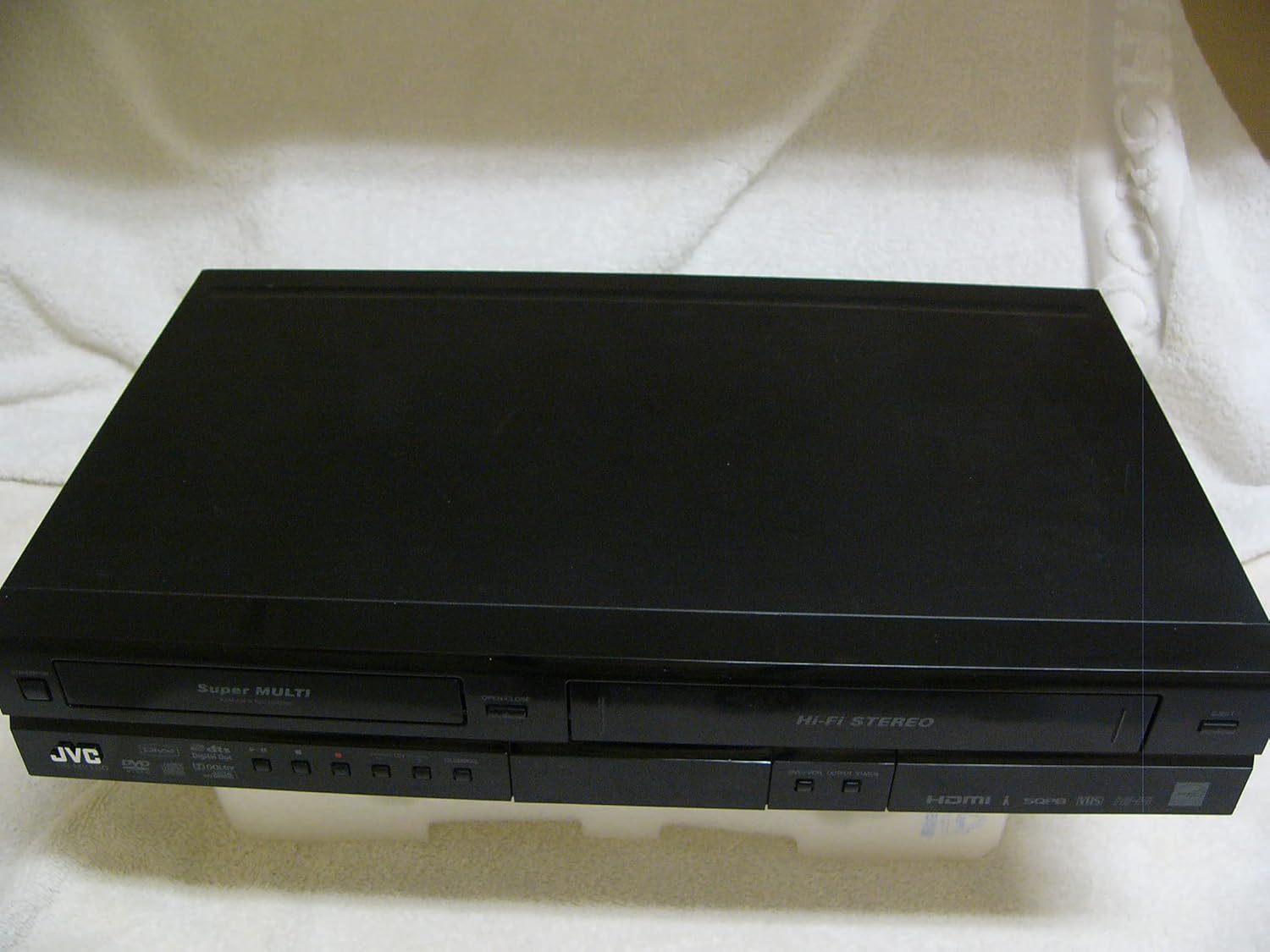
A top-down perspective of the JVC DR-MV150 unit, showcasing its sleek black design and dual-deck configuration for both DVD and VHS media.
9. Garanzija u Appoġġ
For warranty information, please refer to the documentation included with your purchase or visit the official JVC website. JVC offers various protection plans for extended coverage. For technical support or service inquiries, please contact JVC customer service.
- Pjan ta' Protezzjoni ta' 2 Snin: Disponibbli għal kopertura estiża.
- Pjan ta' Protezzjoni ta' 3 Snin: Disponibbli għal kopertura estiża.
- Protezzjoni Kompleta: Pjan ta' kull xahar li jkopri xiri eliġibbli tal-passat u tal-futur.
Please note that protection plans are separate from the manufacturer's warranty and provide additional coverage options.


