Introduzzjoni
This user guide provides essential information for utilizing the Lowrance HDS Series 5, 5x, 5m, 7, 7m Chartplotters/Fishfinders Training DVD. This instructional DVD is designed to teach you the features and functions of your Lowrance HDS unit, enabling you to maximize its capabilities for navigation, fishing, and more. It covers basic, intermediate, and advanced functions in a step-by-step format.
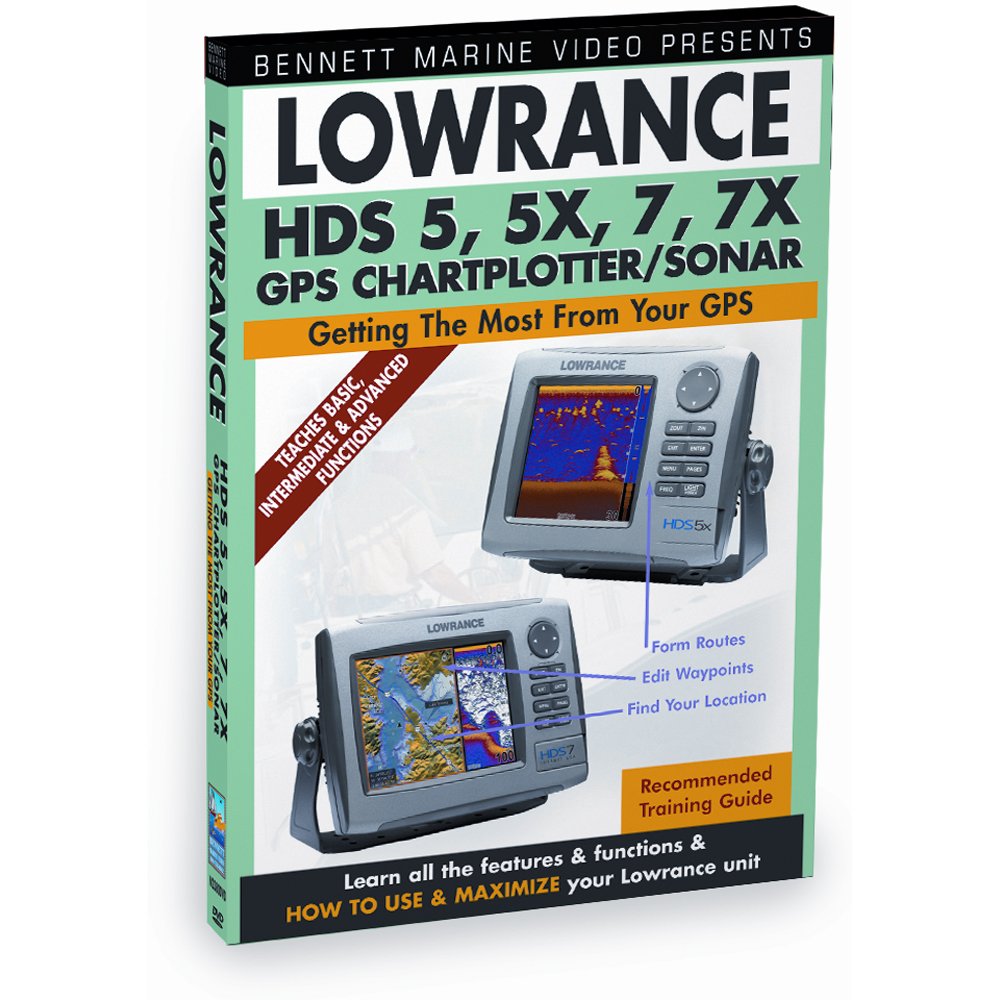
Figura 1: DVD cover for the Lowrance HDS Series Training Guide. The cover displays the title, supported Lowrance HDS models (5, 5X, 7, 7X GPS Chartplotter/Sonar), and images of the units. It highlights that the DVD teaches basic, intermediate, and advanced functions for getting the most from your GPS.
Setup u Daqq
To begin using your Lowrance HDS Training DVD, follow these simple steps:
- Kompatibilità: Ensure you have a standard DVD player, a computer with a DVD-ROM drive, or a compatible media player. The DVD is formatted for NTSC regions.
- Insert DVD: Carefully insert the DVD into the disc tray of your chosen playback device.
- Daqq Awtomatiku: Most devices will automatically start playing the DVD or display a main menu. If not, navigate to the DVD drive on your computer or select the DVD input on your player.
- Għażla tal-Lingwa: The DVD content is in English. No other language options are available.
Istruzzjonijiet Operattivi
The training DVD is structured for easy navigation and learning:
- Menu Prinċipali: Upon loading, the DVD will present a main menu. Use your remote control or mouse to navigate.
- Għażla tal-Kapitlu: The training content is divided into logical chapters. Select a chapter to focus on specific features or functions of the Lowrance HDS units, such as projecting waypoints, mapping fishing areas, or setting up routes.
- Kontrolli tal-daqq: Use standard DVD playback controls (play, pause, fast forward, rewind, skip chapter) to manage your viewing esperjenza.
- Repeat Sections: For complex topics, feel free to repeat sections or chapters as needed to fully grasp the concepts.
Manutenzjoni u Kura
To ensure the longevity and optimal performance of your training DVD:
- Immaniġġjar: Always hold the DVD by its edges to avoid fingerprints on the playing surface.
- Tindif: If the DVD becomes dirty, gently wipe the playing surface with a soft, lint-free cloth from the center outwards. Do not use abrasive cleaners or solvents.
- Ħażna: Aħżen id-DVD fil-kaxxa oriġinali tiegħu, 'il bogħod mix-xemx diretta, temperaturi estremi, u umdità għolja.
- Grif: Evita li tobrox il-wiċċ tad-diska, għax dan jista' jwassal għal żbalji fil-plejbek.
Issolvi l-problemi
Jekk tiltaqa' ma' problemi waqt li tkun qed tilgħab id-DVD, ikkunsidra dan li ġej:
- DVD Not Playing:
- Ensure the DVD is inserted correctly with the label side up.
- Check if your DVD player or computer's DVD drive is functioning correctly with other discs.
- Clean the DVD surface as described in the Maintenance section.
- No Sound/Poor Video Quality:
- Verify that your playback device's audio/video cables are securely connected.
- Adjust the volume on your TV/monitor or computer.
- Ensure your display settings are appropriate for DVD playback.
- Disc Errors/Freezing:
- Minor scratches or dirt can cause errors. Clean the disc.
- Try playing the DVD on a different device to rule out player issues.
Speċifikazzjonijiet
| Karatteristika | Dettall |
|---|---|
| Titolu tal-Prodott | Lowrance HDS Series 5, 5x, 5m, 7, 7m Chartplotters/Fishfinders Training DVD |
| Numru tal-Mudell tal-Oġġett | N2380DVD |
| Format tal-Midja | Color, DVD, NTSC |
| Run Time | minuti 40 |
| Numru ta' Diski | 1 |
| Lingwa | Ingliż |
| Proporzjon ta' l-aspett | 1.33:1 |
| Klassifikazzjoni MPAA | NR (Mhux Ikklassifikat) |
| Data ta' Rilaxx | 28 ta’ Ottubru, 2011 |
| Studio | BENNETT BAĦAR |
| ASIN | B001GXT84Y |
Informazzjoni ta' Appoġġ
For further assistance regarding the content of this training DVD, please refer to the contact information provided by the publisher, Bennett Marine, or the official Lowrance websit għal mistoqsijiet speċifiċi dwar il-prodott.
This DVD is an instructional guide and does not come with a separate warranty from the publisher beyond standard media defect policies. Please check with your retailer for their return policy on defective media.


