Introduzzjoni
The CAD Audio USB U7 Boundary Omnidirectional Condenser Microphone is designed for clear audio capture in various settings, including home and office use. Its omnidirectional pickup pattern ensures 360-degree coverage, making it ideal for dictation, online meetings, and recording. This plug-and-play device offers high sensitivity and is compatible with both PC and Mac systems.

Figura 1: Quddiem view of the CAD Audio USB U7 microphone with its USB cable connected, showcasing its compact, triangular design.
Informazzjoni dwar is-Sigurtà
- Tesponix il-mikrofonu għal temperaturi jew umdità estremi.
- Evita li twaqqa’ jew li tissottometti l-mikrofonu għal impatti qawwija.
- Keep the device away from liquids to prevent electrical shock or damage.
- Uża biss il-kejbil USB provdut jew wieħed ta' sostituzzjoni kompatibbli.
- Tippruvax tiżżarma jew timmodifika l-mikrofonu. Irreferi kull servizz lil persunal kwalifikat.
Kontenut tal-Pakkett
Ivverifika li l-oġġetti kollha huma preżenti fil-pakkett tiegħek:
- CAD Audio USB U7 Boundary Omnidirectional Condenser Microphone
- 10-foot USB Cable
Setup
The CAD Audio USB U7 microphone is designed for simple plug-and-play operation. No additional drivers are typically required for most operating systems.
- Pjazzament: Place the microphone on a flat, stable surface, such as a desk or conference table. Its low-profile design allows for unobtrusive placement.
- Qabbad USB Cable: Insert the small end of the included 10-foot USB cable into the USB port on the microphone.
- Qabbad mal-Kompjuter: Insert the standard USB-A end of the cable into an available USB port on your PC or Mac computer.
- Rikonoxximent tas-Sistema: Your computer's operating system should automatically detect and install the necessary drivers for the microphone. A blue LED indicator on the microphone will illuminate when it is powered and ready for use.
- Select as Input Device:
- Windows: Mur fuq Settings tal-Ħsejjes > Input and select "CAD Audio USB U7" or similar as your input device.
- macOS: Mur fuq Preferenzi tas-Sistema > Ħoss > Input and select "CAD Audio USB U7" or similar.

Figura 2: Minn fuq għal isfel view of the CAD Audio USB U7 microphone, highlighting its triangular shape and the USB connection point.
Istruzzjonijiet Operattivi
The U7 microphone is designed for optimal performance in various audio capture scenarios.
- Pickup omnidirezzjonali: The microphone features an omnidirectional pickup pattern, meaning it captures sound equally from all directions (360 degrees). This makes it suitable for recording multiple speakers around a table or capturing ambient sound.
- Speech Tailored Frequency Response: The U7's frequency response is specifically tailored for speech, ensuring clear and intelligible voice capture for dictation, online meetings, and voiceovers.
- Użu tal-Applikazzjoni: Once connected and selected as your input device, the microphone will work with any audio recording or communication software (e.g., Skype, Zoom, Microsoft Teams, voice recorders, dictation software).
- Monitoraġġ Awdjo: Most software applications allow you to monitor the microphone's input level. Adjust the input gain within your software settings to prevent clipping (distortion) or ensure adequate volume.
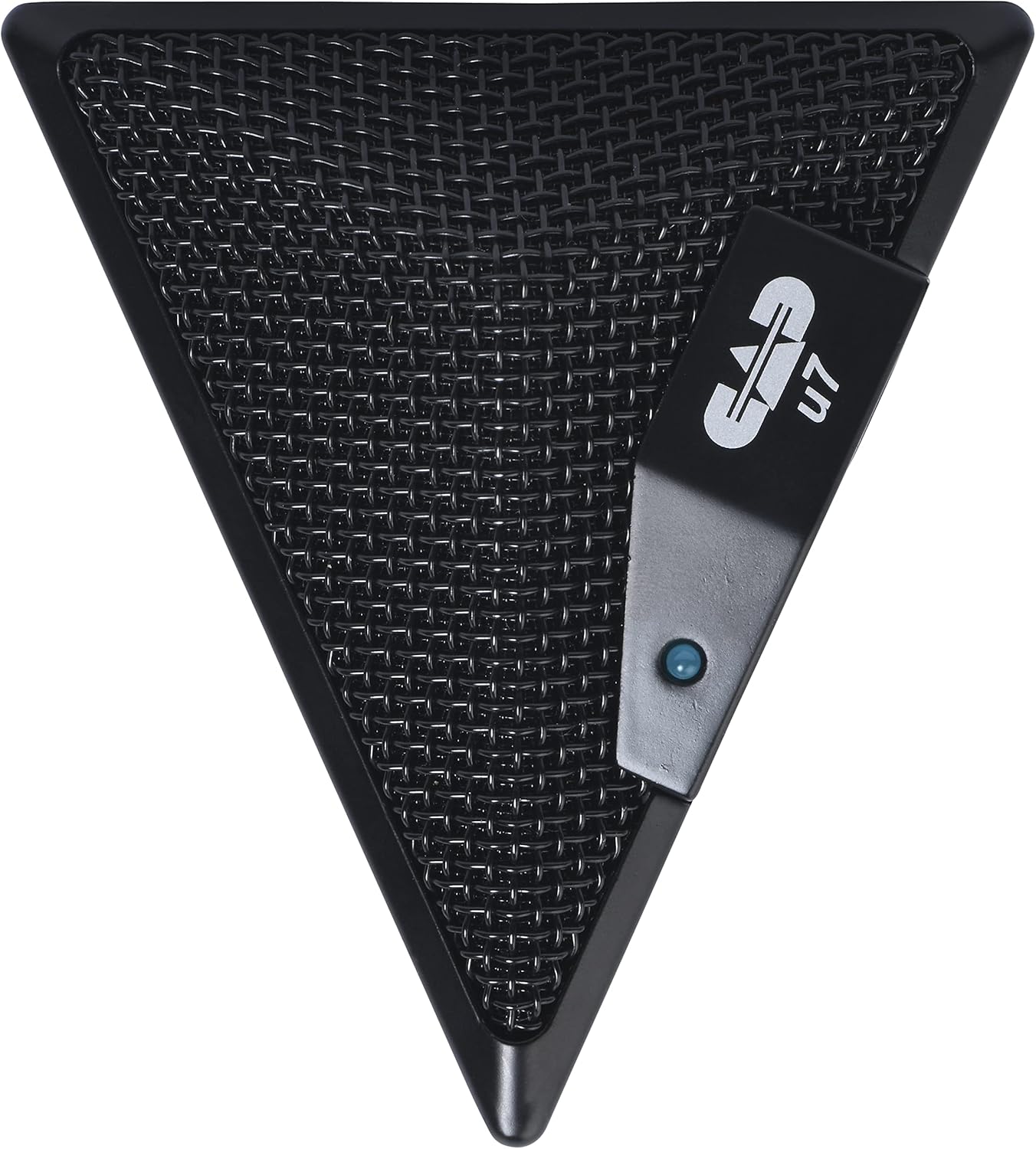
Figure 3: An overhead perspective of the CAD Audio USB U7 microphone, showing its mesh grille and the CAD U7 logo.
Manutenzjoni
- Tindif: Use a soft, dry cloth to clean the exterior of the microphone. Do not use abrasive cleaners, solvents, or chemical sprays.
- Ħażna: When not in use, store the microphone in a clean, dry environment, away from dust and extreme temperatures.
- Kura tal-Cable: Evita liwjiet jew brims qawwija fil-kejbil USB biex tevita ħsara interna.
Issolvi l-problemi
| Problema | Kawża Possibbli | Soluzzjoni |
|---|---|---|
| Microphone not detected / No sound input |
|
|
| Volum baxx jew kwalità ħażina tal-ħoss |
|
|
| Awdjo mgħawweġ |
|
|
Speċifikazzjonijiet
| Isem tal-Mudell | CAD Audio U7 |
| Numru tal-Mudell tal-Oġġett | AMS-U7 |
| Teknoloġija tal-Konnettività | USB |
| Tip ta' Konnettur | USB |
| Mudell Polari | Omnidirezzjonali |
| Fattur tal-Forma tal-Mikrofonu | Mikrofonu Biss |
| Pjattaforma tal-Ħardwer | PC, Mac compatible |
| Piż tal-oġġett | 9.6 uqija (madwar 272 gramma) |
| Dimensjonijiet tal-Prodott (L x W x H) | 6.2 x 8.5 x 3 pulzieri (madwar 15.7 x 21.6 x 7.6 ċm) |
| Materjal | Plastik, Metall |
| Sinjal-mal-ħoss Ratio | 78 dB |
| Sors tal-Enerġija | Elettriku bil-wajer (imħaddem bil-USB) |
| Komponenti Inklużi | Microphone, USB Cable |

Figura 4: Qiegħ view of the CAD Audio USB U7 microphone, showing its textured base and mounting points.
Garanzija u Appoġġ
For warranty information and technical support, please refer to the official CAD Audio webis-sit jew ikkuntattja lis-servizz tal-konsumatur tagħhom direttament. Żomm l-irċevuta tax-xiri tiegħek bħala prova tax-xiri għal talbiet ta' garanzija.
CAD Audio Official Websit: www.cadaudio.com
Għal aktar għajnuna, tista' tirreferi wkoll għall- paġna tal-prodott fuq Amazon for additional resources and customer reviews.


