1. Introduzzjoni u Fuqview
The Extech 407730 is a digital sound level meter designed for accurate measurement of sound decibel levels. It is suitable for various applications including workplace machinery monitoring, audio system checks, and general environmental noise assessment. This manual provides essential information for the safe and effective use of your device.
1.1 Karatteristiċi ewlenin
- Measures sound levels from 40 to 130dB with a digital display.
- Achieves 2dB accuracy with 0.1dB resolution.
- Features a fast-responding analog bar graph for visual trend analysis.
- Records Maximum (MAX) and Minimum (MIN) values over time.
- Jinkludi funzjoni ta' tisfija awtomatika biex tikkonserva l-ħajja tal-batterija.
- Equipped with a Max Hold function to capture the highest reading.
- Selectable A/C weighting and Fast/Slow response times.
1.2 Kontenut tal-Pakkett
Iċċekkja li l-oġġetti kollha huma preżenti meta tiftaħ il-pakkett:
- Extech 407730 Digital Sound Level Meter
- Windscreen tal-mikrofonu
- Four AAA Batteries
- Manwal għall-Utent (dan id-dokument)

Image 1.2.1: The Extech 407730 meter shown with its included microphone windscreen and AAA batteries.
2. Informazzjoni dwar is-Sigurtà
Read all safety instructions before operating the device. Failure to follow these instructions may result in electric shock, fire, or damage to the meter.
2.1 Sigurtà Ġenerali
- Tħaddimx il-miter jekk jidher li għandu l-ħsara jew jekk il-kaxxa tkun miftuħa.
- Avoid exposing the meter to extreme temperatures, humidity, or direct sunlight.
- Keep the meter away from strong electromagnetic fields.
- Clean the meter with a dry, soft cloth. Do not use abrasives or solvents.
2.2 Sigurtà tal-Batterija
- Use only the specified type and size of batteries (4 x AAA).
- Żgura polarità korretta meta tinstalla batteriji.
- Remove batteries if the meter is not used for an extended period to prevent leakage.
- Armi batteriji użati skont ir-regolamenti lokali.
3. Setup
3.1 Installazzjoni tal-batterija
- Sib l-għatu tal-kompartiment tal-batterija fuq wara tal-miter.
- Use a small Phillips head screwdriver to loosen the screw securing the cover.
- Neħħi l-għatu.
- Insert four (4) AAA batteries, observing the correct polarity (+ and -) as indicated inside the compartment.
- Ibdel l-għatu tal-kompartiment tal-batterija u issikka l-kamin.
3.2 Twaħħil tal-windskrin
The foam windscreen helps to minimize wind noise and protect the microphone. Gently slide the windscreen over the microphone at the top of the meter until it is securely in place.
4. Istruzzjonijiet Operattivi
Familiarize yourself with the meter's controls and display before beginning measurements.

Stampa 4.0.1: Quddiem view of the Extech 407730 Digital Sound Level Meter, highlighting the display and control buttons.
4.1 Power On/Off
- Biex tixgħel il-miter, agħfas il-buttuna QAWWA button (red circle with line).
- To power off the meter, press and hold the QAWWA button until the display turns off. The meter also features an auto power-off function after a period of inactivity.
4.2 Teħid tal-Kejl
Hold the meter with the microphone pointed towards the sound source. Ensure no obstructions are blocking the microphone. The current sound level will be displayed on the LCD screen.

Image 4.2.1: A hand holding the Extech 407730 Digital Sound Level Meter, demonstrating its ergonomic design for handheld use.
4.3 A/C Weighting Selection
Agħfas il- A/C button to toggle between A-weighting and C-weighting. The selected weighting will be indicated on the display.
- Ippeżar A: Simulates the human ear's response to sound, commonly used for environmental noise measurements.
- C-weighting: Provides a flatter response, suitable for measuring peak sound levels or noise from machinery.
4.4 Fast/Slow Response Time
Agħfas il- F/S button to select between Fast and Slow response times. The chosen response time will be shown on the display.
- Rispons Mgħaġġel: Captures rapid changes in sound levels (e.g., impulsive noise).
- Rispons Bil-mod: Provides an averaged reading, suitable for measuring steady noise levels.
4.5 MAX Hold Function
Agħfas il- ŻOMM MAX button to freeze the highest measured sound level on the display. Press it again to exit MAX Hold mode and resume real-time measurements.
4.6 Għażla tal-Medda
Agħfas il- RNG button to cycle through available measurement ranges. This allows for optimal resolution across the meter's 40 to 130dB range.
4.7 Recording Max/Min Values
Agħfas il- REC button to begin recording the maximum and minimum sound levels. Press REC again to stop recording. The recorded MAX and MIN values can then be viewed fuq il-wiri.

Image 4.7.1: The Extech 407730 Digital Sound Level Meter being used outdoors, potentially for environmental noise monitoring near an airport.
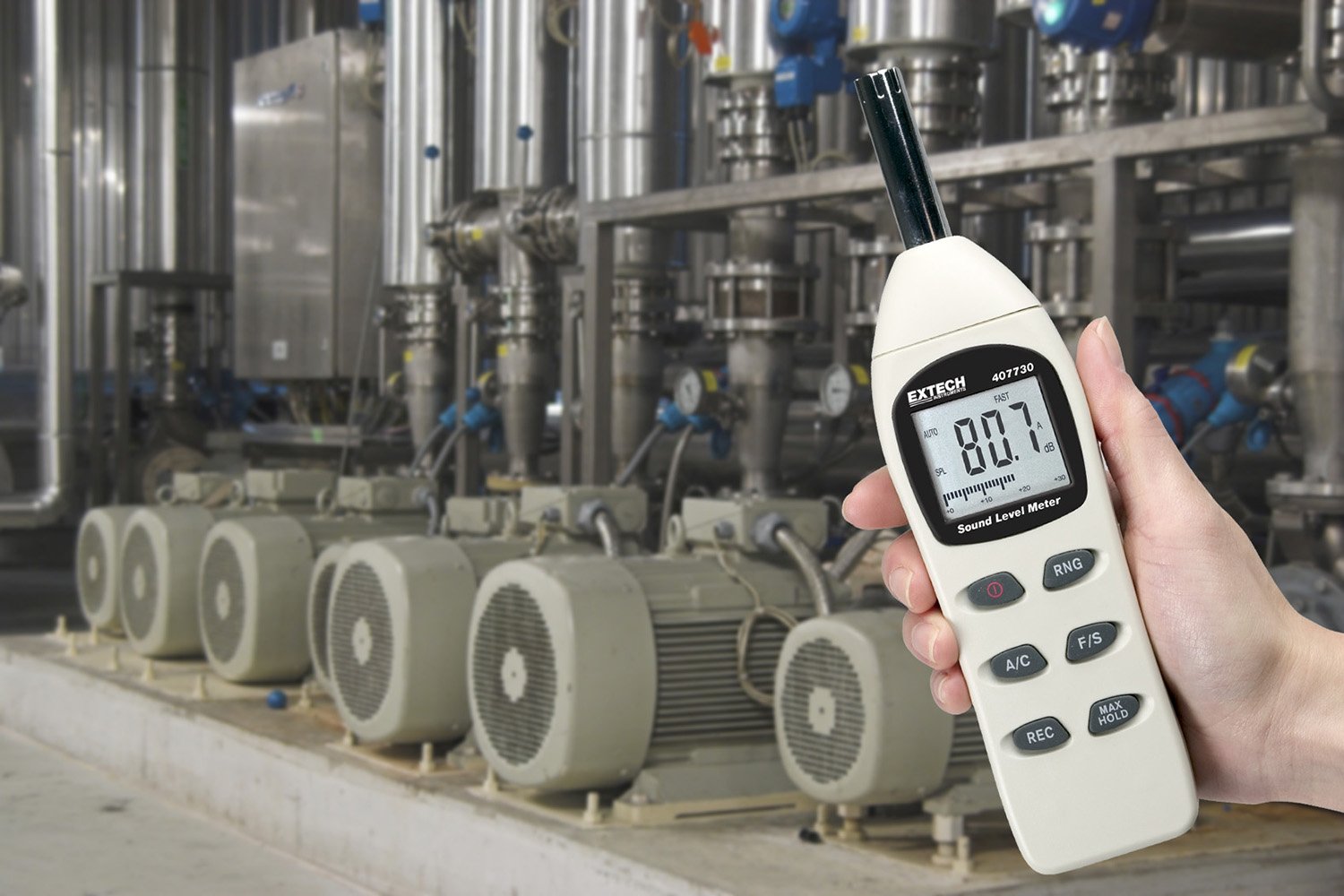
Image 4.7.2: The Extech 407730 Digital Sound Level Meter being used in an industrial environment, suitable for monitoring machinery noise levels.
5. Manutenzjoni
5.1 Tindif
Imsaħ il-marka tal-miterasing with a soft, dry cloth. Do not use abrasive cleaners, solvents, or strong detergents, as these may damage the plastic components or the display. Keep the microphone free from dust and debris.
5.2 Ħażna
When not in use, store the meter in a cool, dry place, away from direct sunlight and extreme temperatures. If storing for an extended period, remove the batteries to prevent leakage and potential damage to the device.
6 Issolvi l-problemi
This section addresses common issues you might encounter with your Extech 407730 Digital Sound Level Meter.
| Problema | Kawża Possibbli | Soluzzjoni |
|---|---|---|
| Il-miter ma jixgħelx. | Batteriji mejta jew installati ħażin. | Iċċekkja l-polarità tal-batterija. Ibdel b'batteriji AAA ġodda. |
| Qari mhux preċiż. | Microphone obstructed, incorrect weighting/response, or environmental interference. | Ensure microphone is clear. Select appropriate A/C weighting and Fast/Slow response. Move away from strong electromagnetic fields. |
| Display shows 'OL' (Overload). | Sound level exceeds the current measurement range. | Agħfas il- RNG button to select a higher measurement range. |
| Auto power-off too frequent. | Meter is designed to power off after inactivity. | This is a feature to conserve battery life. Press any button to keep the meter active. |
7. Speċifikazzjonijiet
| Parametru | Valur |
|---|---|
| Medda ta' Kejl | 40 sa 130 dB |
| Eżattezza | ±2 dB |
| Riżoluzzjoni | 0.1 dB |
| Piż tal-Frekwenza | A u C |
| Ħin ta' Rispons | Mgħaġġel / Bil-mod |
| Wiri | Digital LCD with Analog Bar Graph |
| Mikrofonu | 1/2-inch Electret Condenser Microphone |
| Provvista tal-Enerġija | 4 x Batteriji AAA (inklużi) |
| Ħajja tal-batterija | Approximately 30 hours (typical) |
| Auto Power Mitfi | Yes (after inactivity) |
| Dimensjonijiet | 9 x 1.7 x 2.2 pulzieri (228 x 43 x 56 mm) |
| Piż | 8.11 uqija (230 g) |
| Temperatura operattiva | 32°F sa 122°F (0°C sa 50°C) |
| Umdità Operattiva | 10% sa 80% RH (mhux kondensazzjoni) |
8. Informazzjoni dwar Garanzija
The Extech 407730 Digital Sound Level Meter is backed by a manufacturer's one-year limited warranty on parts and labor. This warranty covers defects in materials and workmanship under normal use. It does not cover damage resulting from misuse, unauthorized modifications, accident, or neglect. Please retain your proof of purchase for warranty claims.
9. Appoġġ u Kuntatt
For technical assistance, troubleshooting beyond this manual, or warranty service, please contact Extech Instruments customer support. Refer to the official Extech webis-sit għall-aktar informazzjoni ta' kuntatt u riżorsi ta' appoġġ aġġornati.
Extech Instruments Official Websit: www.extech.com


