1. Introduzzjoni
This manual provides detailed instructions for the proper use and installation of the C2G Legrand RJ45 Cat5e Modular Load Bar Connectors, Model 27575. These connectors are designed to facilitate the termination of Cat5e network cables, ensuring reliable data transfer for various network applications. The integrated load bar simplifies wire alignment, contributing to consistent and error-free connections.
2. Prodott Aktarview
The C2G Legrand RJ45 Cat5e Modular Load Bar Connector is a clear polycarbonate plug featuring 50-micron gold-plated contacts. It is specifically designed for Cat5e network cables and includes a load bar component. The load bar assists in organizing and aligning the individual wires of an Ethernet cable before they are inserted into the main connector body and crimped.
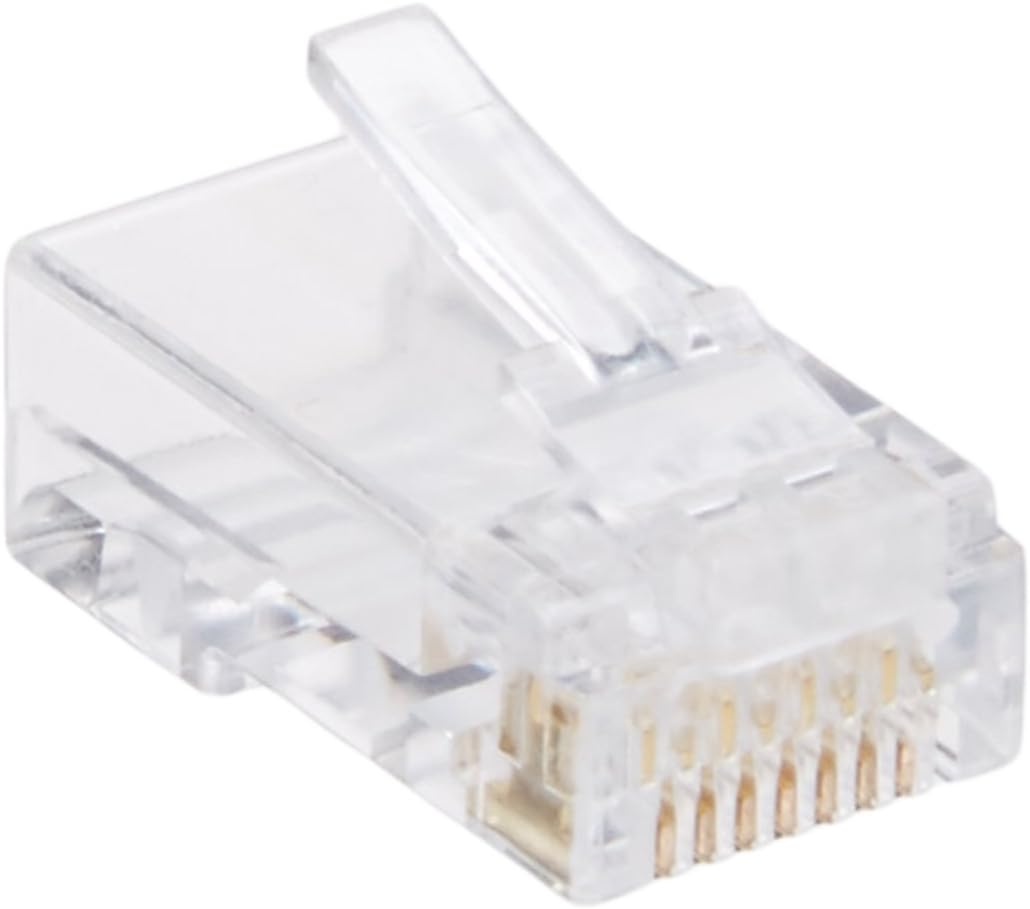
Figura 2.1: A single C2G Legrand RJ45 Cat5e Modular Load Bar Connector. This image displays the clear polycarbonate body and the gold-plated contacts visible at the front of the connector.

Figura 2.2: Individual components of the RJ45 connector, including the main plug body and the separate load bar. This illustrates how the load bar is a distinct piece used for wire management.

Figura 2.3: A collection of C2G Legrand RJ45 Cat5e Modular Load Bar Connectors and their corresponding load bars, as typically supplied in a multipack.
3. Setup u Installazzjoni
Proper termination of an RJ45 connector is critical for network performance. The load bar simplifies the process of aligning the individual wires of a Cat5e cable.
Għodod Meħtieġa:
- Għodda ta' Crimping RJ45
- Cable Stripper/Cutter
- Network Cable Tester (recommended)
Passi ta' Installazzjoni:
- Ipprepara l-Cable: Carefully strip approximately 1 inch (2.5 cm) of the outer jacket from the end of the Cat5e cable, exposing the four twisted pairs of wires.
- Ħoll u Iddritta l-Wajers: Untwist each pair and straighten the individual wires. Arrange them according to the desired wiring standard (T568A or T568B). Ensure the wires are flat and parallel.
- Insert into Load Bar: Carefully insert the straightened and ordered wires into the channels of the load bar. The load bar helps maintain the correct order and separation of the wires.
- Wajers tat-Trim: Once all wires are correctly seated in the load bar and extend slightly beyond the end, use a cable cutter to trim the wires flush with the end of the load bar. This ensures all wires are the same length and make proper contact with the connector's pins.
- Insert Load Bar into Connector: Slide the load bar, with the trimmed wires, into the RJ45 connector body. Ensure the wires align with the gold-plated pins inside the connector. The load bar should fit snugly into the connector.
- Ikkrampja l-Konnettur: Place the assembled connector into the RJ45 crimping tool. Squeeze the handles firmly until the crimping tool fully compresses the connector. This action pushes the gold-plated pins down, piercing the wire insulation and making electrical contact with the copper conductors.
- Test Connection (Optional but Recommended): Use a network cable tester to verify continuity and correct wiring for all eight conductors.
4. Prinċipji Operattivi
These RJ45 Cat5e modular connectors are designed for standard Ethernet data transfer. They support 10/100Base-T network communication. A unique feature of these connectors, when used in conjunction with appropriate network equipment, is their ability to facilitate the sharing of a single network cable drop between two devices.
In a 10/100Base-T Ethernet setup, only four of the eight available conductors in a Cat5e cable are typically used for data transmission. These connectors allow one device connected to port one to utilize the standard four conductors, while a second network device connected to port two uses the remaining four conductors that are usually unused. This requires two available ports on a network switch or router to connect the two devices sharing the single cable run.
5. Manutenzjoni
RJ45 connectors are generally maintenance-free once properly installed. To ensure longevity and reliable performance:
- Evita Stress Fiżiku: Do not bend or pull on the cable near the connector excessively, as this can damage the internal wire connections or the connector latch.
- Żomm Nadif: If connectors become dirty, gently wipe them with a clean, dry, lint-free cloth. Avoid using liquids or abrasive materials.
- Inspect Latches: Periodically check the connector's plastic latch for damage. A broken latch can prevent the connector from securely seating in a port.
6 Issolvi l-problemi
If you experience network connectivity issues after installing these connectors, consider the following troubleshooting steps:
- Ebda Konnettività:
- Verify that the cable is properly seated in both the network device and the wall jack/switch port.
- Use a network cable tester to check for continuity and correct wiring (T568A or T568B). Incorrect wiring is a common cause of connectivity failure.
- Inspect the connector for any visible damage, such as bent pins or a broken latch.
- Ensure the wires are fully inserted into the connector and crimped securely. Sometimes, wires may not make full contact.
- Veloċità baxxa tan-Netwerk:
- Confirm that all eight wires are correctly terminated and making good contact. Even a single faulty connection can degrade performance.
- Ensure the cable length does not exceed the maximum recommended length for Cat5e (100 meters or 328 feet).
- Check for sources of electromagnetic interference (EMI) near the cable run.
- Konnessjoni intermittenti:
- This can often be caused by loose connections or damaged wires within the connector. Re-terminate the connector if necessary.
- Ensure the cable is not being bent or stressed at sharp angles.
7. Speċifikazzjonijiet
| Karatteristika | Dettall |
|---|---|
| Numru tal-Mudell | 27575 |
| Brand | C2G Legrand |
| Tip ta' Konnettur | RJ45 Male |
| Kompatibilità tal-kejbil | Cat5e (Ethernet) |
| Kuntatt Kisi | 50-micron Gold |
| Materjal tal-Korp | High-impact Clear Polycarbonate |
| Kulur | Ċara |
| Appoġġ tan-Netwerk | 10/100Bażi-T |
| Karatteristika Speċjali | Integrated Load Bar for easier wire alignment |
| Dimensjonijiet (madwar) | 7.5 x 5.5 x 1 pulzieri (ippakkjar) |
| Piż tal-Oġġett (approssimattiv) | 3.2 uqija (ippakkjar) |
| Kwantità | 100 għal kull pakkett |

Figura 7.1: Visual representation of the product's approximate dimensions, indicating the size of the packaging for the 100-pack of connectors.
8. Garanzija u Appoġġ
For information regarding product warranty, technical support, or to access additional resources, please visit the official C2G Legrand webis-sit jew ikkuntattja lid-dipartiment tas-servizz tal-konsumatur tagħhom. Id-dettalji ta' kuntatt huma tipikament disponibbli fuq l-imballaġġ tal-prodott jew fuq il-paġna tal-manifattur. websit.
Riżorsi onlajn: www.c2g.com


