1. Introduzzjoni
Grazzi tax-xiriasing the NANAO FlexScan L767-R 19-inch Color LCD Display. This manual provides essential information for setting up, operating, and maintaining your monitor. Please read this manual thoroughly before use to ensure proper and safe operation.
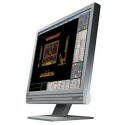
Figure 1: NANAO FlexScan L767-R LCD Monitor. This image shows the monitor from a slight angle, highlighting its slim bezel and adjustable stand.
2. Karatteristiċi
The FlexScan L767-R is designed for optimal visual performance and user convenience. Key features include:
- Wirja tal-Kulur Vibranti: Supports approximately 16.77 million full colors for impressive color vibrancy.
- FineContrast Function: Easily adjust brightness and gamma settings to match content (text, images) for optimal viewing.
- Dual Input Support: Equipped with both analog and digital input terminals for versatile connectivity.
- Awdjo Integrat: Features built-in speakers for audio output.
- Stand ergonomiku: The stand allows for a 50mm vertical height adjustment, enhancing user comfort.
- Non-Glare Surface: The screen surface is non-glare, reducing reflections and eye strain.
3. Setup
Follow these steps to set up your FlexScan L767-R monitor:
- Ħoll il-Monitor: Oħroġ il-monitor u l-aċċessorji kollha mill-imballaġġ bir-reqqa.
- Pożizzjona l-Monitor: Place the monitor on a stable, flat surface. Ensure adequate ventilation around the monitor.
- Qabbad il-Kejbil tal-Vidjo:
- Għal Konnessjoni Analog: Connect the D-Sub (VGA) cable from your computer's video output to the analog input port on the monitor.
- Għal Konnessjoni Diġitali: Connect the DVI cable from your computer's video output to the digital input port on the monitor.
- Connect Audio Cable (Optional): If you wish to use the built-in speakers, connect an audio cable from your computer's audio output to the audio input port on the monitor.
- Qabbad Kejbil tal-Enerġija: Plug the power cable into the monitor's power input, then plug the other end into a grounded electrical outlet.
- Qawwa Mixgħul: Press the power button on the monitor. Power on your computer. The monitor should display your computer's screen.
4. Joperaw
This section describes the basic operation of your FlexScan L767-R monitor.
4.1. FineContrast Function
The FineContrast function allows you to quickly switch between different display modes optimized for various content types. Use the dedicated buttons on the monitor's front panel to cycle through modes such as Text, Picture, Movie, and Custom. Each mode adjusts brightness, gamma, and color temperature for the best viewing esperjenza.
4.2. Stand Adjustment
The monitor stand offers vertical height adjustment. Gently push or pull the monitor panel up or down to adjust its height within the 50mm range. Ensure the monitor is stable after adjustment.
4.3. Menu tal-Wiri fuq l-Iskrin (OSD).
Access the OSD menu using the control buttons on the front panel to fine-tune settings such as brightness, contrast, color balance, input selection, and more. Refer to the detailed OSD menu guide in the full manual for comprehensive options.
5. Manutenzjoni
Manutenzjoni xierqa tiżgura l-lonġevità u l-prestazzjoni tal-monitor tiegħek.
- Tindif tal-Iskrin: Uża drapp ratba u mingħajr ħelu ftit dampened with water or a non-abrasive, monitor-specific cleaning solution. Do not spray liquid directly onto the screen.
- Tindif tas-Casing: Imsaħ il-monitor casinNaddaf b'ċarruta ratba u niexfa. Evita li tuża deterġenti jew solventi qawwija.
- Ventilazzjoni: Kun żgur li l-fetħiet tal-ventilazzjoni fuq il-monitor mhumiex imblukkati biex tevita li jisħon iżżejjed.
- Itfi: Dejjem itfi l-monitor u aqlagħh mill-plagg tal-elettriku qabel ma tnaddfu jew jekk se ma jintużax għal perjodu twil ta' żmien.
6 Issolvi l-problemi
Jekk tiltaqa' ma' problemi bil-monitor tiegħek, irreferi għall-problemi u s-soluzzjonijiet komuni li ġejjin:
- L-ebda Immaġni fuq l-Iskrin:
- Iċċekkja jekk il-monitor huwiex mixgħul.
- Verify that the video cable is securely connected to both the monitor and the computer.
- Ensure the correct input source is selected on the monitor (Analog/Digital).
- L-Immaġni hija Distorta jew Ċajpra:
- For analog connections, perform an auto-adjustment via the OSD menu.
- Check the display resolution settings on your computer. Ensure it matches the monitor's native resolution (1280x1024).
- L-ebda ħoss mill-ispikers:
- Verify the audio cable is properly connected.
- Iċċekkja s-settings tal-volum kemm fuq il-monitor kif ukoll fuq il-kompjuter tiegħek.
If the problem persists after trying these solutions, please contact EIZO customer support or refer to the comprehensive troubleshooting guide in the full product manual.
7. Speċifikazzjonijiet
| Karatteristika | Speċifikazzjoni |
|---|---|
| Brand | EIZO |
| Mudell | L767-R |
| Daqs tal-Iskrin | 19 Pulzier |
| Riżoluzzjoni | 1280 x 1024 |
| Deskrizzjoni tal-wiċċ tal-iskrin | Mhux dija |
| Luminożità | 250 cd/m² |
| Riffriskar Rata | 60 Hz |
| Teknoloġija Backlight | CCFL |
| Portijiet ta 'Input HDMI | 0 |
| Funzjoni USB | Xejn |
| Speaker integrat | Iva |
| Funzjoni tat-TV | Nru |
| 3D Display Support | Mhux appoġġjat |
| Touch Panel | Mhux appoġġjat |
| Piż tal-oġġett | 10 Kilogrammi |
| Dimensjonijiet tal-Pakkett | 56 x 53.5 x 22.5 ċm |
8. Garanzija u Appoġġ
For detailed warranty information, please refer to the warranty card included with your product or visit the official EIZO websit. It-termini u l-kundizzjonijiet tal-garanzija jistgħu jvarjaw skont ir-reġjun.
For technical support, product inquiries, or service requests, please contact EIZO customer support through their official channels. Keep your product model number (L767-R) and serial number ready when contacting support.
EIZO Official Websit: www.eizo.com


