1. Introduzzjoni u Fuqview
This manual provides comprehensive instructions for the setup, operation, and maintenance of your Acctim Calendar Wall Clock, Model 21027. This elegant 32cm diameter wall clock is designed for clear timekeeping and features a convenient day and date display. Its precision quartz movement ensures accurate time, making it a reliable addition to any indoor space.

Figura 1: Quddiem view of the Acctim Calendar Wall Clock, Model 21027. The clock features a white dial, clear black numbers, and a day and date display window located at the 3 o'clock position.
2. Karatteristiċi tal-prodott
- Day and Date Display: Clearly shows the current day of the week and numerical date.
- Disinn attraenti: Features a chrome trim surrounding a numbered white dial for enhanced visibility.
- Protective Domed Glass Lens: Shields the clock face from dust and damage.
- Moviment tal-kwarz ta 'preċiżjoni: Jiżgura żamma tal-ħin preċiża u affidabbli.
- Daqs Ottimali: A face diameter of 320mm (approximately 12.6 inches) for easy readability from a distance.
3. Istruzzjonijiet ta' Setup
3.1. Installazzjoni tal-batterija
- Sib il-kompartiment tal-batterija fuq wara tal-arloġġ.
- Insert one (1) AA battery (not included) into the compartment, ensuring the positive (+) and negative (-) terminals align correctly with the markings.
- Agħlaq l-għatu tal-kompartiment tal-batterija sew.
3.2. Setting the Time, Day, and Date
- Issettja Ħin: Turn the time setting knob, usually located on the back of the clock mechanism, to adjust the hour and minute hands to the correct time.
- Jum Issettjat: Use the day adjustment wheel (often a small gear or knob) on the back of the clock to manually advance the day display until the correct day of the week is shown.
- Issettja Data: Use the date adjustment wheel (another small gear or knob) on the back of the clock to manually advance the numerical date display until the correct date is shown.
- Note: The day and date displays are typically manual adjustments and do not automatically account for varying month lengths or leap years. Periodic manual adjustment will be required.
3.3. Immuntar tal-Arloġġ
The Acctim Calendar Wall Clock is designed for wall mounting. Ensure you use appropriate hardware for your wall type (e.g., screw, nail, or wall anchor) that can safely support the clock's weight (approximately 1.94 pounds or 0.88 kg).
- Select a suitable location on a wall, ensuring it is level and free from obstructions.
- Install a screw or nail into the wall, leaving a small portion protruding.
- Align the hanging slot on the back of the clock with the installed screw/nail and carefully hang the clock.
- Verify that the clock is securely mounted and level.
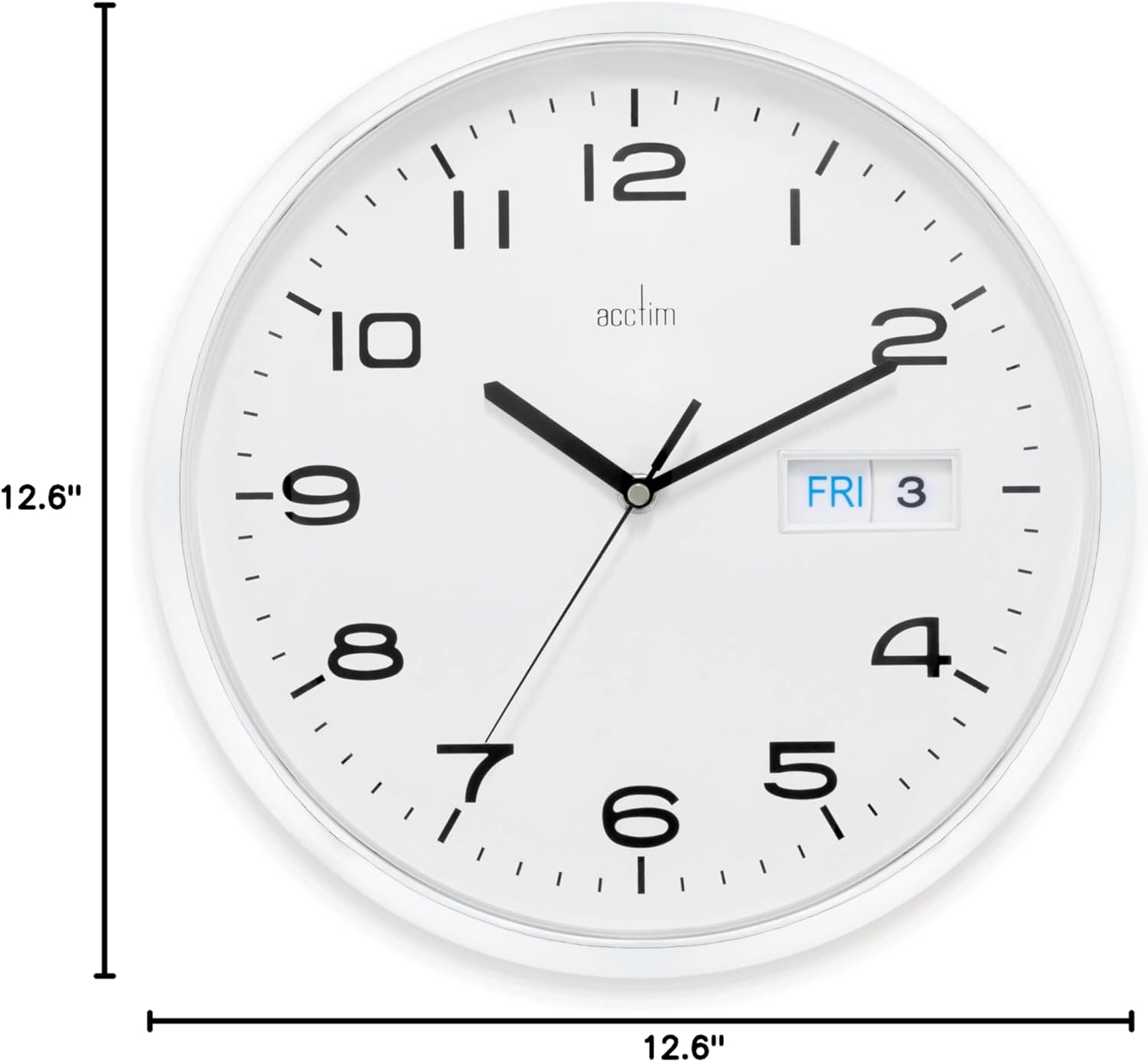
Figura 2: Dimensions of the Acctim Calendar Wall Clock. The clock measures 12.6 inches (32cm) in both width and height, indicating its circular shape.
4. Istruzzjonijiet Operattivi
Once set up, the Acctim Calendar Wall Clock operates continuously using its quartz movement. The time will advance automatically. The day and date displays require manual adjustment as described in Section 3.2.
- Żmien tal-ħin: The clock will accurately display the time using its hour, minute, and second hands.
- Day and Date Adjustment: Periodically check the day and date displays. At the end of months with fewer than 31 days, or after a power interruption (battery change), manually adjust the day and date wheels to reflect the correct information.
5. Manutenzjoni
5.1. Tindif
- To clean the clock face and frame, gently wipe with a soft, dry, or slightly damp drapp.
- Avoid using abrasive cleaners, solvents, or chemical sprays, as these can damage the finish or the glass lens.
5.2. Sostituzzjoni tal-batterija
When the clock hands begin to slow down or stop, it is an indication that the battery needs to be replaced. Follow the steps in Section 3.1 for battery installation.
- Always use a fresh, high-quality AA battery.
- Armi l-batteriji użati b'mod responsabbli skont ir-regolamenti lokali.
6 Issolvi l-problemi
| Problema | Kawża Possibbli | Soluzzjoni |
|---|---|---|
| L-arloġġ mhux qed jaħdem jew qed jaħdem bil-mod. | Depleted battery or incorrectly installed battery. | Ibdel il-batterija AA b'waħda ġdida, waqt li tiżgura l-polarità korretta (+/-). |
| Day or Date display is incorrect. | Requires manual adjustment. | Manually adjust the day and date wheels on the back of the clock to the correct settings. |
| Clock hands are stuck or misaligned. | Obstruction or internal mechanism issue. | Gently check for any visible obstructions. If the issue persists, contact customer support. |
7. Speċifikazzjonijiet
| Brand | Aċċezzjoni |
| Numru tal-Mudell | 21027 |
| Kulur | Abjad |
| Tip ta 'Wiri | Analogu |
| Karatteristika Speċjali | Large Display, Day and Date |
| Dimensjonijiet tal-Prodott | 12.6"W x 12.6"H (32cm Diameter) |
| Sors tal-Enerġija | Mħaddma bil-batterija |
| Batteriji Meħtieġa | 1 batterija AA (mhux inkluża) |
| Tip ta 'Immuntar | Mount Wall |
| Materjal | Glass (lens), Plastic (frame) |
| Piż tal-oġġett | 1.94 liri (0.88 kg) |
| Użu fuq ġewwa/barra | Ġewwa |
| UPC | 787162393224 |
8. Garanzija u Appoġġ
For warranty information or technical support regarding your Acctim Calendar Wall Clock Model 21027, please refer to the contact information provided with your purchase or visit the official Acctim websit. Żomm il-prova tax-xiri tiegħek għal talbiet ta' garanzija.


