1. Introduzzjoni
This manual provides essential instructions for the proper setup, operation, and maintenance of your Canon Sure Shot Tele 80 35mm camera. Please read this manual thoroughly before using your camera to ensure optimal performance and longevity.
2. Prodott Aktarview
The Canon Sure Shot Tele 80 is a fully automatic compact 35mm camera featuring a dual focal length lens (38/80mm). It is designed for ease of use, offering automatic focus, exposure, and a built-in flash with red-eye reduction. The camera's intuitive design makes it suitable for capturing a variety of scenes, from wide landscapes to close-up portraits.

Figura 2.1: Quddiem view of the Canon Sure Shot Tele 80 camera, showing the lens, flash, and controls.

Figure 2.2: The Canon Sure Shot Tele 80 camera accompanied by its carrying case and neck strap.
3. Setup
3.1. Installazzjoni tal-batterija
The Canon Sure Shot Tele 80 requires one 3V CR123A lithium battery. Ensure the battery is inserted with the correct polarity as indicated inside the battery compartment.
- Locate the battery compartment cover on the side of the camera.
- Żerżaq l-għatu miftuħ.
- Insert the CR123A battery, matching the positive (+) and negative (-) terminals with the markings inside the compartment.
- Agħlaq l-għatu tal-kompartiment tal-batterija sew sakemm tikklikkja f'postu.
3.2. Tagħbija tal-Film
This camera uses standard 35mm film. Always load film in subdued light to prevent accidental exposure.
- Open the camera back cover by sliding the latch located on the side of the camera.
- Place a new 35mm film cartridge into the film chamber on the left side.
- Pull the film leader across to the film take-up spool on the right, ensuring it aligns with the red mark.
- Close the camera back cover firmly until it latches. The camera will automatically advance the film to the first frame.
4. Istruzzjonijiet Operattivi
4.1. Power On/Off
To power on the camera, slide the lens cover open. The lens will extend, and the camera will be ready for use. To power off, slide the lens cover closed. The lens will retract.
4.2. Teħid tar-Ritratti
The camera features a 3-point Smart Autofocus system for sharp images. Look through the viewfinder biex tikkomponi r-ritratt tiegħek.
- Gently press the shutter button halfway down to activate the autofocus and exposure systems. A green light in the viewIl-finder jindika l-illokkjar tal-fokus.
- Press the shutter button fully down to take the picture. The camera will automatically advance the film to the next frame.
4.3. Modi tal-Flash
The built-in flash has multiple modes, including red-eye reduction. Use the flash mode switch on the back of the camera to select your desired setting.
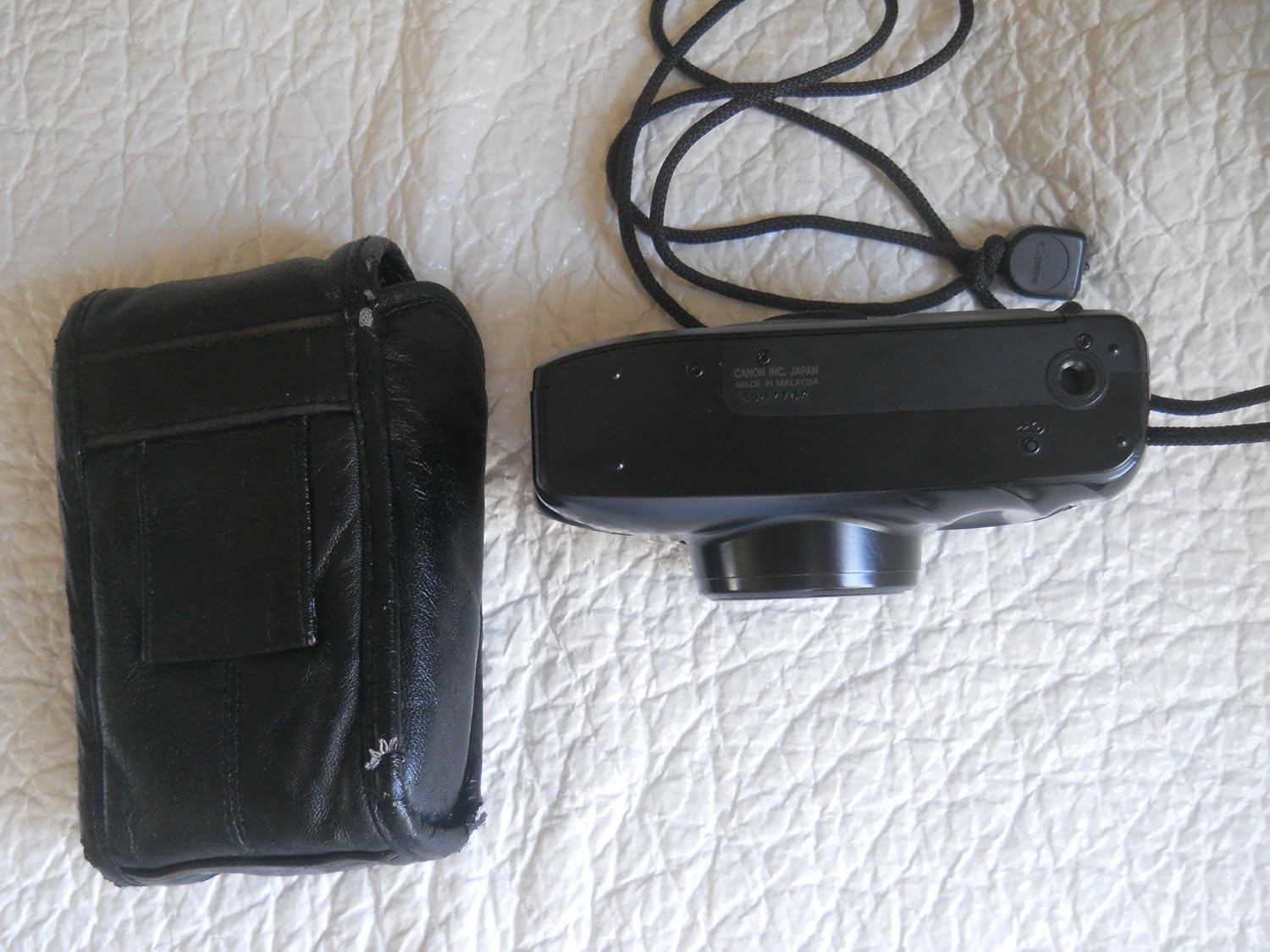
Figura 4.1: Lura view of the camera, highlighting the flash mode selector and viewfinder
- Flash awtomatiku: The camera automatically fires the flash when lighting conditions require it.
- Flash On: The flash fires with every shot, regardless of lighting.
- Mitfi l-Flash: The flash is suppressed.
- Red-Eye Reduction: The flash fires a pre-flash to reduce red-eye before the main flash.
4.4. Funzjoni taż-Żum
The camera features a dual focal length lens (38mm wide-angle and 80mm telephoto). Use the zoom switch to toggle between these two focal lengths.

Figura 4.2: Ġenb view of the camera, showing the zoom control for switching between wide and telephoto.
- Slide the switch to 'W' for wide-angle (38mm) shots, ideal for landscapes or group photos.
- Slide the switch to 'T' for telephoto (80mm) shots, suitable for portraits or bringing distant subjects closer.
4.5. Self-Timer
The 10-second self-timer allows you to include yourself in photos. Activate the self-timer mode, press the shutter button, and the camera will take a picture after approximately 10 seconds.
4.6. Irriwrinġar tal-Film
Once all exposures on the film roll have been used, the camera will automatically rewind the film. If you need to manually rewind the film before it's finished, locate the manual rewind button (often a small recessed button) and press it. The film counter will reset to 'S' (Start) once rewinding is complete.
5. Manutenzjoni
5.1. Tindif
- Uża drapp artab u mingħajr suf biex tnaddaf il-korp tal-kamera.
- Għal-lenti u viewfinder, use a specialized lens cleaning cloth and solution. Avoid touching the lens surface with your fingers.
- Do not use organic solvents or strong chemical cleaners.
5.2. Ħażna
- When not in use, store the camera in a cool, dry place, away from direct sunlight and extreme temperatures.
- Remove the battery if the camera will not be used for an extended period to prevent leakage.
6 Issolvi l-problemi
- Il-kamera ma tixgħelx: Check if the battery is correctly inserted and has sufficient charge. Replace if necessary.
- Film does not advance: Ensure the film is loaded correctly and the camera back is securely closed.
- Il-flash ma jaħdimx: Check the flash mode setting. Ensure the flash is not set to 'Flash Off'. Allow time for the flash to charge.
- Ritratti mċajpra: Ensure the subject is within the camera's focusing range. Hold the camera steady when pressing the shutter button.
7. Speċifikazzjonijiet
| Karatteristika | Speċifikazzjoni |
|---|---|
| Brand | Kanonku |
| Isem tal-Mudell | Sure Shot Tele 80 |
| Lenti | 38/80mm Dual Focal Length |
| Sistema ta' Autofocus | 3-point Smart Autofocus |
| Flash | Built-in, Automatic, On, Off, Red-eye Reduction, Slow Synch |
| Tip ta' Film | 35mm |
| Self-Timer | 10 sekonda |
| Sors tal-Enerġija | One 3V CR123A Lithium Battery (not included) |
| Dimensjonijiet (madwar) | 2.24"D x 1.1"W (specific height not provided) |
| Piż (madwar) | 0.53 Liri |
8. Garanzija u Appoġġ
Canon offers a one-year warranty on parts and labor for the Sure Shot Tele 80. For warranty claims or technical support, please refer to the official Canon support channels or contact your retailer.


