1. Introduzzjoni
The SEGA Dreamcast is a 128-bit video game console designed for interactive entertainment. It features advanced graphics capabilities, an integrated modem for online connectivity, and support for various peripherals to enhance your gaming experience. This manual provides essential information for setting up, operating, and maintaining your Dreamcast console.
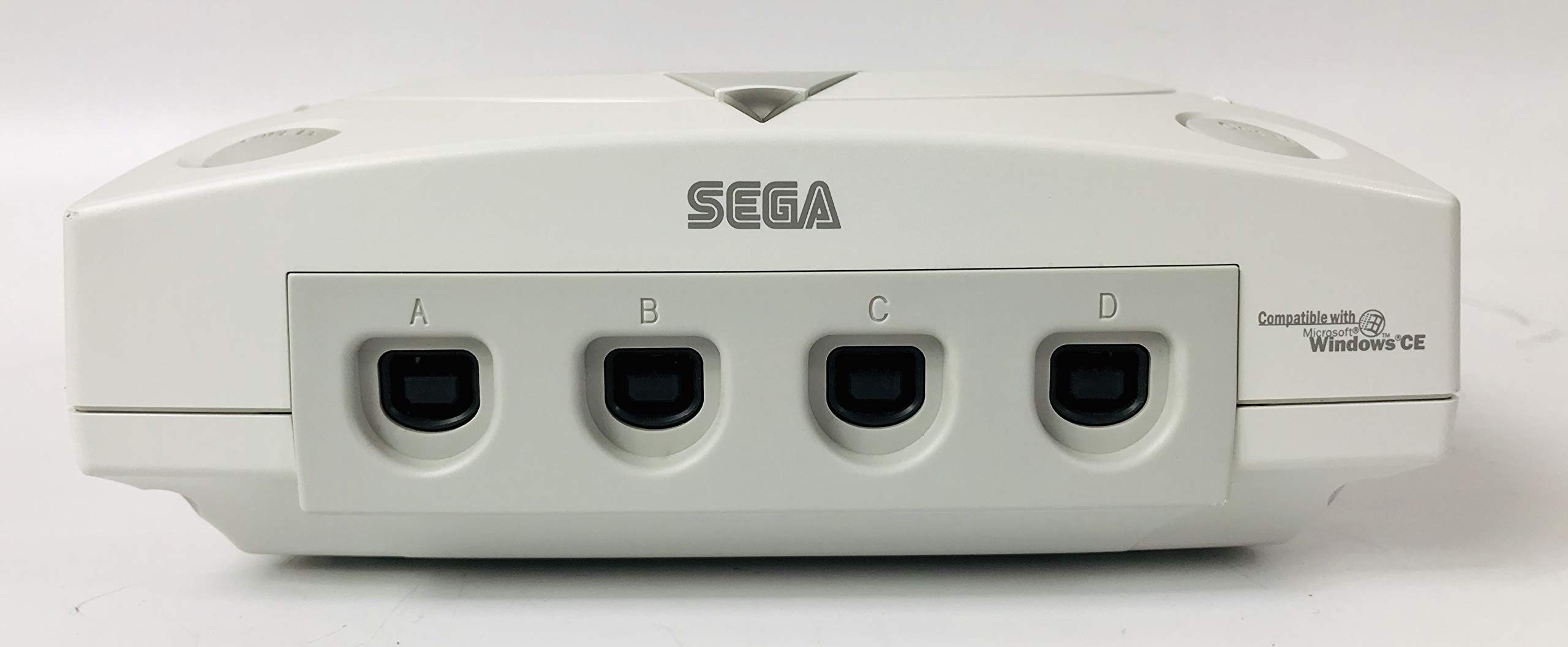
Figura 1.1: Fuq view of the SEGA Dreamcast Console.
2. Kontenut tal-Pakkett
Iċċekkja li l-oġġetti kollha elenkati hawn taħt huma inklużi fil-pakkett tiegħek:
- SEGA Dreamcast Console (Gray unit)
- Modem
- Kontrollur
- Kejbil tal-Enerġija
- Stereo A/V Cable

Figure 2.1: Included power and A/V cables for the Dreamcast console.
3. Istruzzjonijiet ta' Setup
Follow these steps to connect your SEGA Dreamcast console:
- Qabbad il-Kejbil tal-Enerġija: Insert the power cable into the "AC IN" port on the back of the console and plug the other end into a standard electrical outlet.
- Connect the A/V Cable: Insert the stereo A/V cable into the "AV OUT" port on the back of the console. Connect the yellow (video) and red/white (audio) RCA connectors to the corresponding input jacks on your television.
- Connect the Modem (Optional): If you plan to use online features, connect the modem cable to the "LINE" port on the back of the console and to a telephone line jack.
- Qabbad il-Kontrollur: Plug the Dreamcast controller into one of the four controller ports (labeled A, B, C, D) on the front of the console.
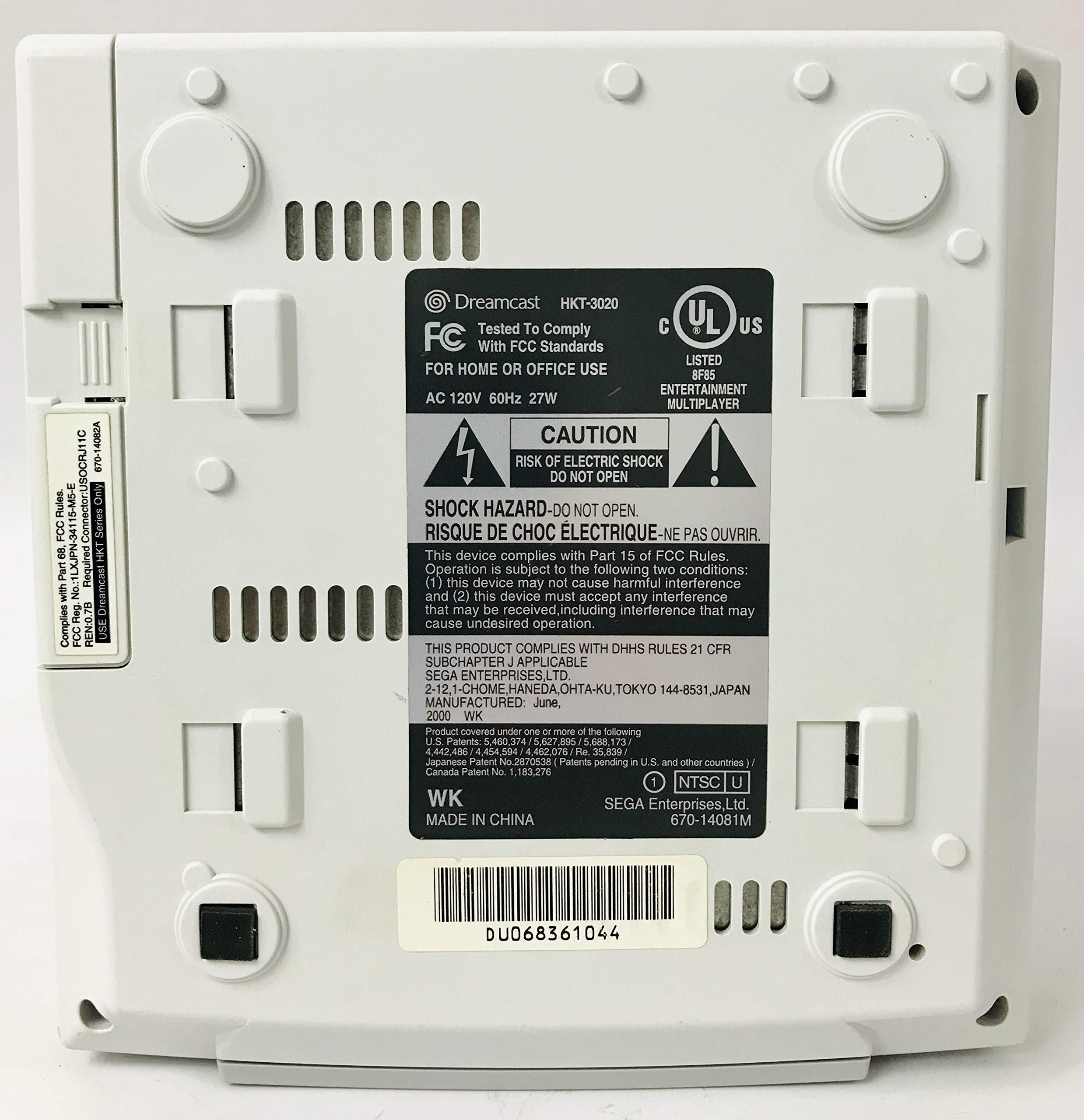
Figura 3.1: Quddiem view of the Dreamcast console showing controller ports A, B, C, and D.
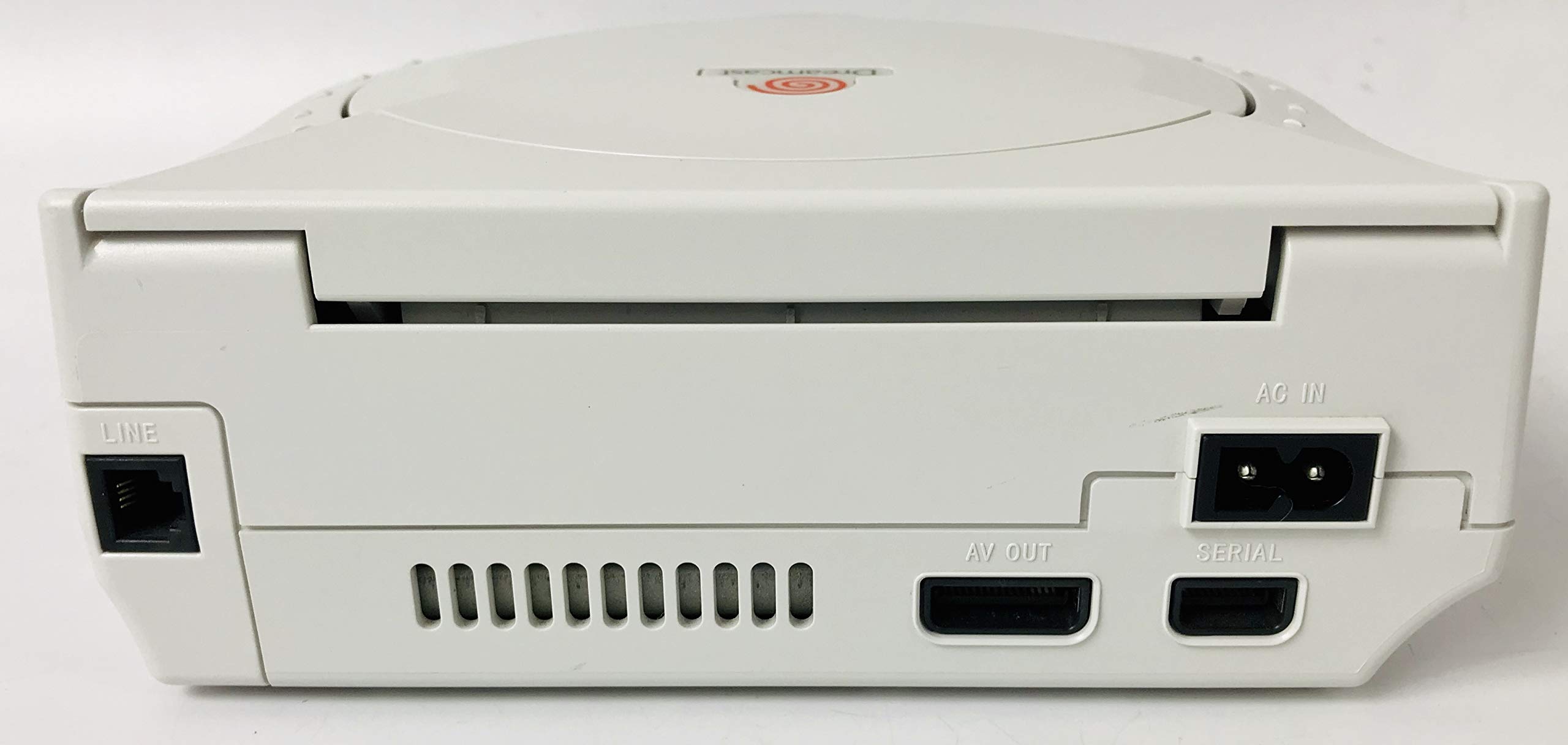
Figura 3.2: Wara view of the Dreamcast console displaying the AC IN, AV OUT, and LINE ports.
4. Istruzzjonijiet Operattivi
This section details the basic operation of your Dreamcast console.
4.1 Tixgħel/Jitfi
- To power on the console, press the QAWWA button located on the top-left front of the unit.
- To power off the console, press the QAWWA buttuna għal darb'oħra.
4.2 Inserting and Removing Games
- Biex tiftaħ it-trej tad-diska, agħfas il- Miftuħa button located on the top-right front of the unit. The disc cover will lift.
- Carefully place a Dreamcast game disc onto the spindle in the disc tray, ensuring it is seated correctly.
- Close the disc cover by gently pressing it down until it clicks into place.
- To remove a disc, press the Miftuħa button, lift the disc, and then close the cover.

Figura 4.1: Fuq view of the Dreamcast console showing the POWER and OPEN buttons.

Figure 4.2: The Dreamcast console with its disc tray open, ready for game insertion.
4.3 Użu tal-Kontrollur
The Dreamcast controller features an analog stick, D-pad, action buttons (A, B, X, Y), start button, and two analog triggers. It also includes two expansion slots for accessories like the Visual Memory Unit (VMU) or a Rumble Pack.
- Insert VMUs or other accessories into the expansion slots on the top of the controller.
- Refer to individual game manuals for specific controller configurations and functions.
5. Manutenzjoni
Proper care will ensure the longevity of your Dreamcast console.
5.1 Tindif tal-Console
- Wipe the console's exterior with a soft, dry cloth. Do not use liquid cleaners or abrasive materials.
- Ensure ventilation slots are free from dust and obstructions to prevent overheating.
5.2 Kura tad-Diska
- Handle game discs by their edges to avoid fingerprints and scratches.
- Aħżen id-diski fil-każijiet tagħhom meta ma tkunx qed tintuża.
- Naddaf id-diski maħmuġin b'ċarruta ratba u mingħajr suf, billi timsaħ miċ-ċentru 'l barra.
6 Issolvi l-problemi
If you encounter issues with your Dreamcast console, refer to the following common problems and solutions:
- Ebda Qawwa: Ensure the power cable is securely connected to both the console and the electrical outlet. Try a different outlet.
- Ebda Vidjo/Awdjo: Verify that the A/V cable is correctly connected to both the console's "AV OUT" port and the television's input jacks. Ensure the TV is set to the correct input source.
- Żball fil-Qari tad-Diska: Check if the game disc is clean and free of scratches. Ensure the disc is properly seated in the disc tray and the cover is fully closed.
- Il-Kontrollur Mhux Jirrispondi: Confirm the controller is firmly plugged into one of the console's front ports. Try a different controller port or a different controller if available.
If problems persist, contact SEGA customer support with your console's model and serial number.
7. Speċifikazzjonijiet
| Karatteristika | Dettall |
|---|---|
| Numru tal-Mudell | HKT-3020 |
| ASIN | B00000K2R4 |
| Manifattur | Sega tal-Amerika, Inc. |
| Dimensjonijiet tal-Prodott | 11 x 5.75 x 13.4 pulzieri |
| Piż tal-oġġett | 5.5 liri |
| Rekwiżiti ta' Enerġija | AC 120V 60Hz 27W |
| Data L-Ewwel Disponibbli | 9 ta’ Awwissu, 1999 |
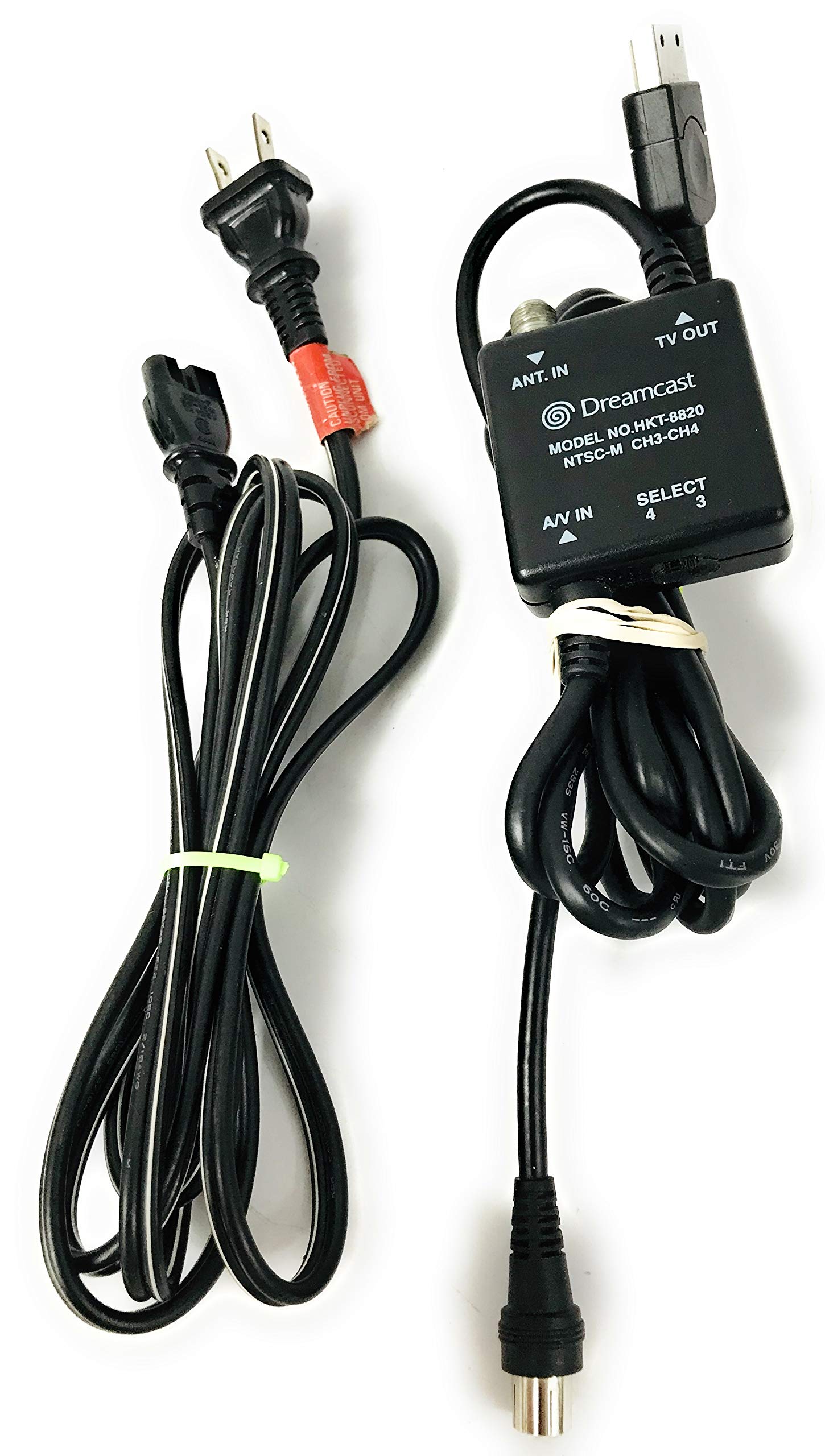
Figure 7.1: Bottom label of the Dreamcast console, showing model number and electrical specifications.
8. Garanzija u Appoġġ
For warranty information or technical support, please contact SEGA customer service. When contacting support, please have your console's model number (HKT-3020) and serial number (found on the bottom label) readily available.
Manufacturer: Sega of America, Inc.


