1. Introduzzjoni
Thank you for choosing the Dreamcolor WS2812B RGBIC LED String Fairy Lights. These versatile and waterproof LED lights are designed to enhance your environment with vibrant, customizable illumination. Featuring Bluetooth app control and an optional IR remote, you can easily create dynamic lighting effects for holidays, parties, or everyday ambiance. This manual provides essential information for safe setup, operation, and maintenance of your new LED string lights.
2. Informazzjoni dwar is-Sigurtà
- Tiżgura l-vol tax-xogħoltage of the LED string lights is strictly 5V DC. Using a higher voltage will burn out the lights.
- The light string is IP65 waterproof, suitable for outdoor use, but the USB connector and controller should be protected from direct water exposure.
- Do not attempt to cut the light string, as this may damage the circuit and render the product inoperable.
- Żomm fejn ma jintlaħaqx mit-tfal.
- Avoid exposing the lights to extreme temperatures outside the -20°C to 50°C range.
3. Kontenut tal-Pakkett
Jekk jogħġbok iċċekkja l-pakkett għall-oġġetti li ġejjin:
- Leather wire lamp (LED string lights)
- Kontrollur USB
- Remote control (if selected, batteries not included for IR remote)
- Beautiful color box

4. Speċifikazzjonijiet
| Karatteristika | Deskrizzjoni |
|---|---|
| Tip | USB Dream Color Bluetooth LED String Light |
| Ħidma Voltage | DC5V |
| Kulur Emess | WS2812B RGBIC |
| Għażliet tat-Tul | 5M, 10M, 15M, 20M |
| Kwantità LED | 5M: 50 LEDs; 10M: 100 LEDs; 15M: 150 LEDs; 20M: 200 LEDs |
| Klassifikazzjoni li ma jgħaddix ilma minnha | IP65 (lights only) |
| Metodi ta' Kontroll | Bluetooth App, IR Remote Controller |
| Temperatura tax-Xogħol | -20°C sa 50°C |
| Fluss Luminuż | <60 |
| Sors tal-Enerġija | DC |
| Sors tad-Dawl | Bozoz LED |
| Ċertifikazzjonijiet | UL, RoHS, CE |
5. Istruzzjonijiet ta' Setup
5.1 Provvista tal-Enerġija
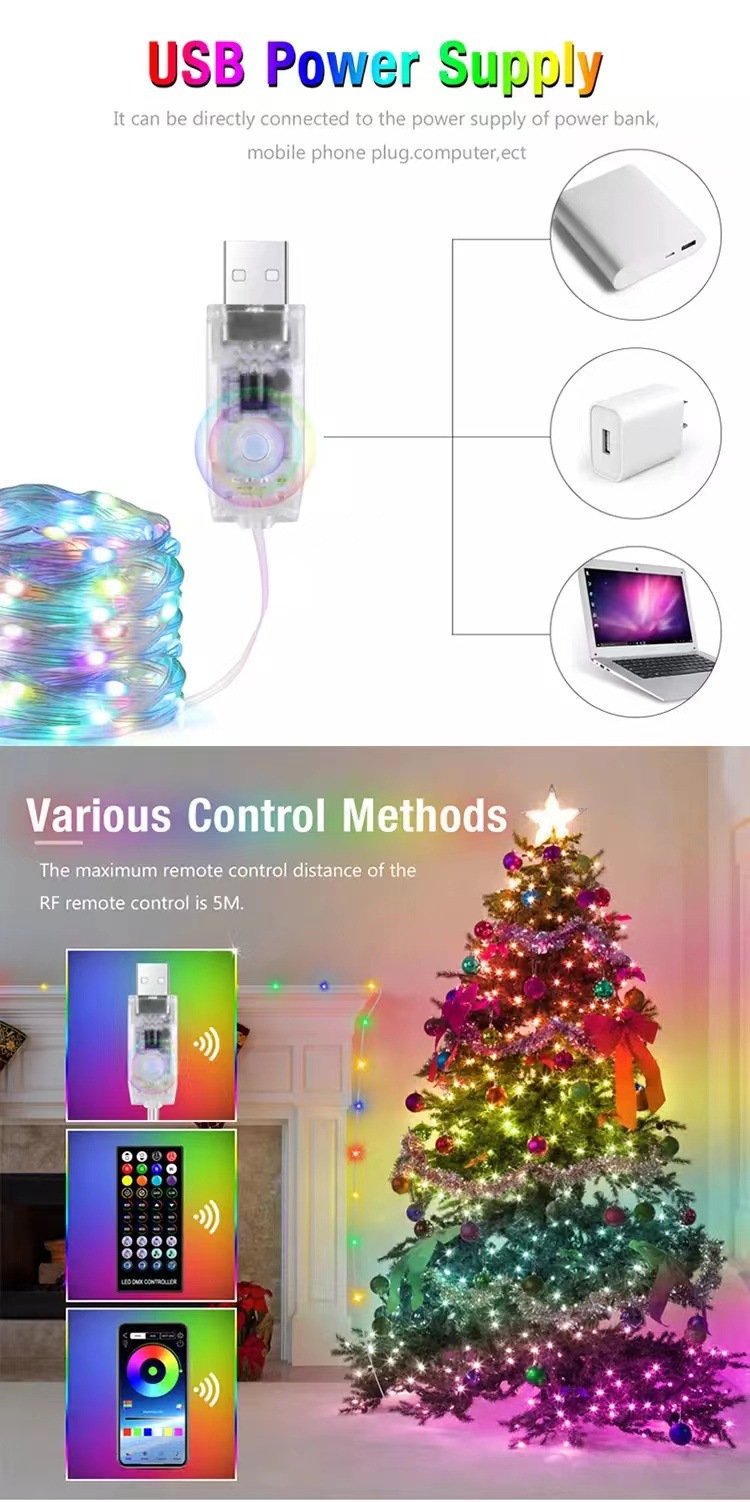
The LED string lights are powered via USB. Connect the USB controller to any 5V USB power source such as:
- Port USB tal-kompjuter
- Bank tal-enerġija
- Ċarġer tal-karozza
- Standard USB wall adapter

5.2 Installazzjoni tal-App
To utilize the full smart features, download the corresponding app:
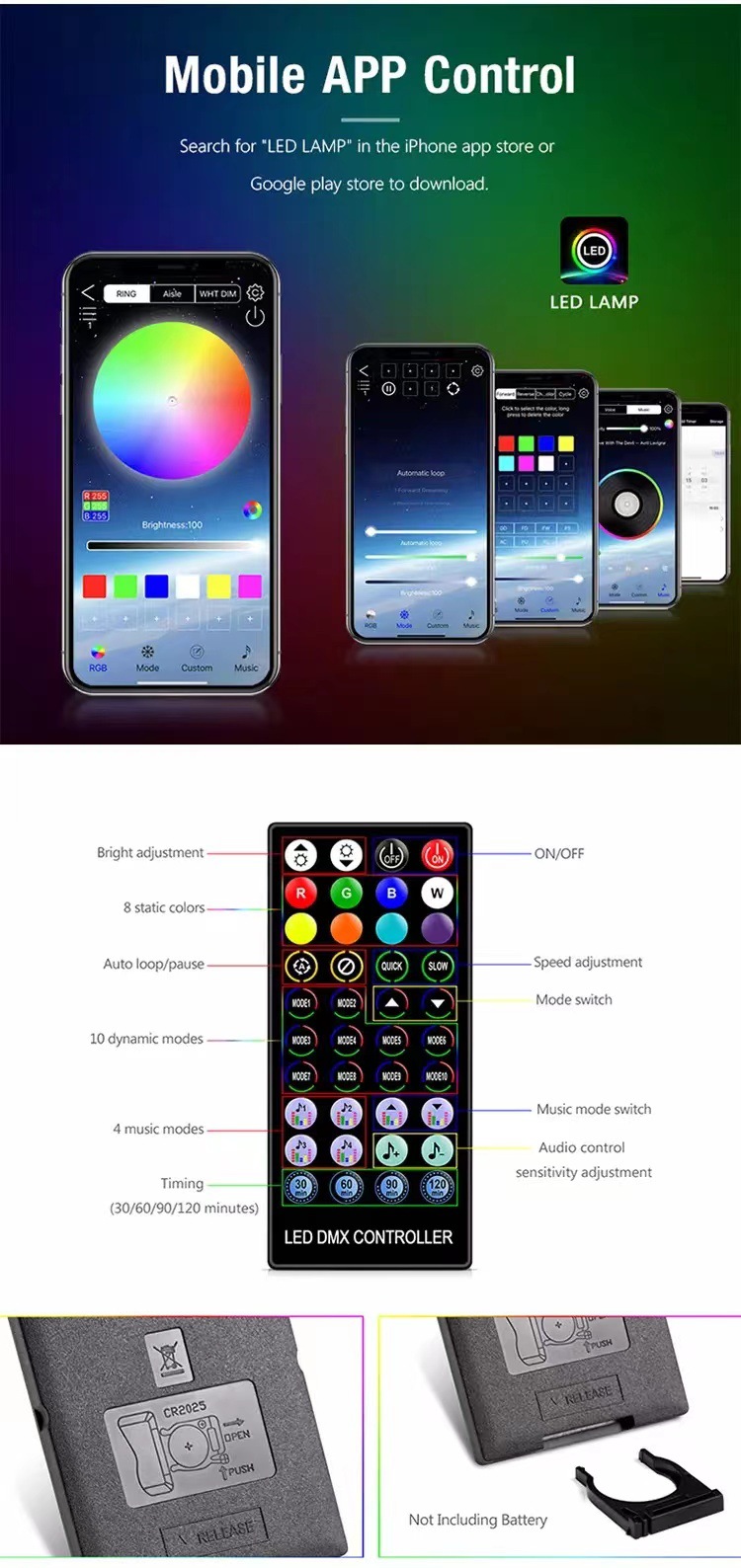
- For 40-key remote control style: Fittex għal "LED LAMP" in your phone's app store.
- For 24-key remote control style: Fittex għal "iDeal LED" in your phone's app store.
5.3 Konnessjoni Bluetooth
Follow these steps to connect your lights via Bluetooth:
- Turn on the LED light strip and ensure Bluetooth is enabled on your mobile phone.
- Open the installed app (LED LAMP or iDeal LED).
- Navigate to the device connection section within the app (often indicated by a list icon or settings gear).
- The app will scan for available devices. Select your LED light strip (e.g., "LEDDMX-00-0001") from the list to connect.
- Ladarba tkun konnessa, l-app se turi messaġġ ta' konferma.
6. Istruzzjonijiet Operattivi
6.1 Karatteristiċi ta' Kontroll tal-App
The mobile app provides extensive control over your LED string lights:
- RGB Phantom Point Control: Fine-tune individual LED colors.
- 210 Modi tad-Dawl: Choose from a wide variety of pre-set dynamic lighting patterns.
- Custom Flashing Lights: Create your own unique flashing sequences.
- 255 Musical Rhythms: Sync lights to music for an immersive experience.
- DIY Color Mode: Design and save your personalized color schemes.
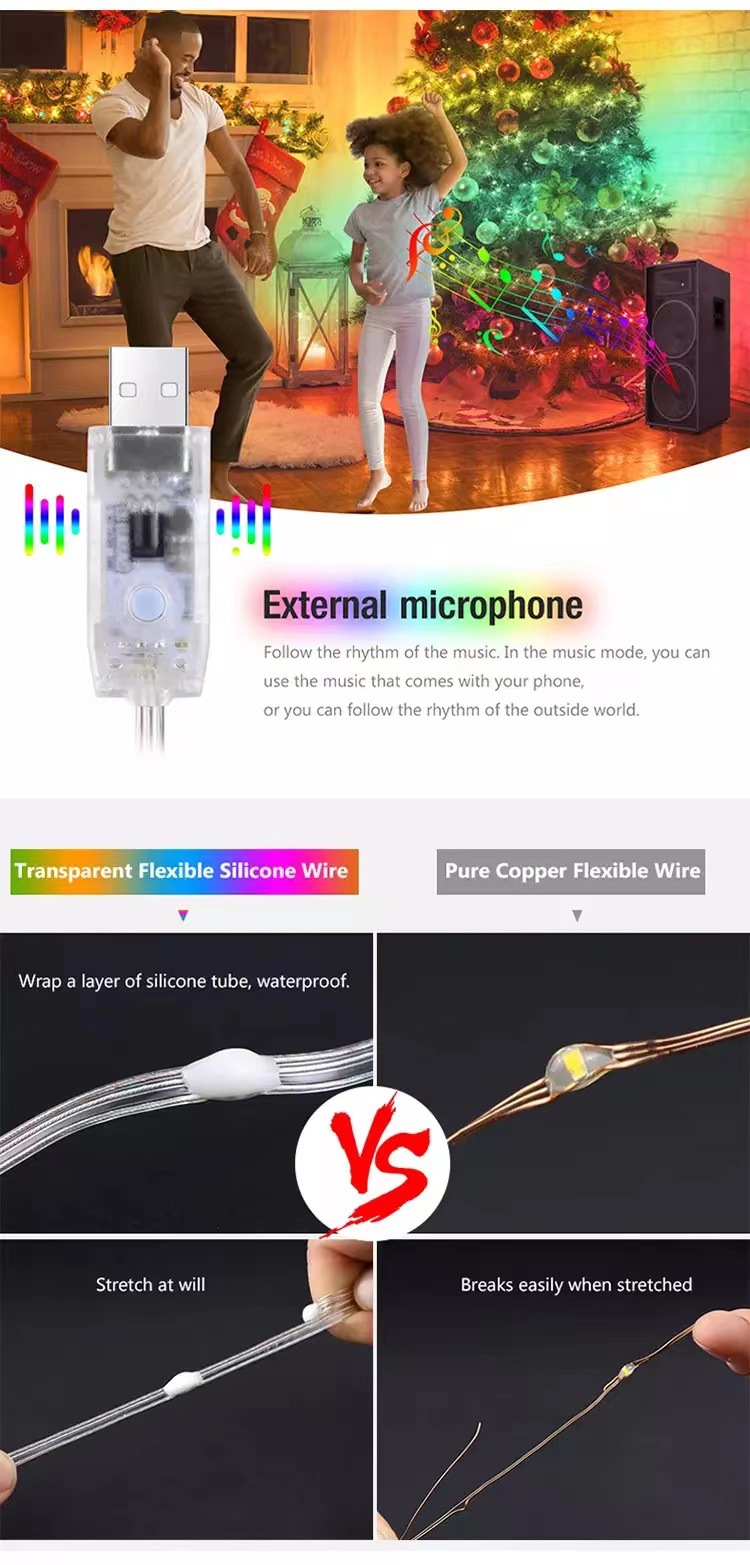
- Modalità Mużika: Lights react to ambient sound or music played through your phone's microphone.
- Timing Settings: Schedule ON/OFF times for convenience.
- Camera Color Picker: Use your phone's camera to sample colors from your environment and apply them to the lights.
- Kontroll tal-Grupp: Manage multiple light strings simultaneously.

6.2 IR Remote Control Features (Optional)
If your package includes an IR remote control, you can use it for basic functions:
- ON/OFF: Ixgħel jew itfi d-dwal.
- Aġġustament tal-luminożità: Increase or decrease light intensity.
- Kuluri statiċi: Select from 8 pre-set static colors.
- Modi dinamiċi: Agħżel minn 10 modi ta' dawl dinamiku.
- Aġġustament tal-veloċità: Control the speed of dynamic modes.
- Modi tal-Mużika: Select from 4 music-reactive modes.
- Audio Control Sensitivity: Adjust how the lights react to sound.
- Żmien: Set timers for 30, 60, 90, or 120 minutes.

7. Manutenzjoni
7.1 Tindif
To clean the LED string lights, gently wipe them with a soft, dry cloth. Do not use harsh chemicals or abrasive cleaners. Ensure the lights are unplugged before cleaning.
7.2 Ħażna
When not in use, store the lights in a cool, dry place, away from direct sunlight and extreme temperatures. Coil them loosely to prevent tangling or damage to the wires.
8 Issolvi l-problemi
- Id-dwal ma jixegħlux: Ensure the USB controller is securely connected to a 5V DC power source. Check if the power source is active.
- Uneven colors or dimness (especially with longer strips >15M): This can occur at very high brightness settings due to voltage drop over longer lengths. Reduce the brightness by one to two levels in the app or via remote to restore even color distribution.
- Problemi bil-konnessjoni Bluetooth:
- Verify Bluetooth is enabled on your phone and the light strip is powered on.
- Ensure you have downloaded the correct app for your remote control type (LED LAMP for 40-key, iDeal LED for 24-key).
- Try restarting the app and rescanning for devices.
- Move your phone closer to the USB controller.
- Il-kontroll mill-bogħod ma jaħdimx: Check if the remote control battery (CR2032, not included) is inserted correctly and has sufficient charge. Ensure there are no obstructions between the remote and the USB controller.
9. Għajnuniet għall-Utenti
- For optimal color consistency, especially with longer light strings (15M or 20M), consider slightly reducing the maximum brightness setting. This helps maintain uniform illumination across the entire length.
- Experiment with the DIY color mode in the app to create unique lighting themes for different occasions or moods.
- Utilize the timing function to automate your lighting, saving energy and adding convenience.
10. Garanzija u Appoġġ
For any product inquiries, technical support, or warranty claims, please contact the seller directly through the platform where you purchased the product. Provide your order number and a detailed description of the issue for prompt assistance.


