
1. Introduzzjoni
Thank you for choosing the Intempo Alto Primo Wireless Noise-Cancelling Headphones. These headphones are designed to provide a superior audio experience with active noise cancellation, transparency mode, and Bluetooth connectivity. Please read this manual carefully before using the product to ensure proper operation and to maximize your listening enjoyment.
2. Informazzjoni dwar is-Sigurtà
- Tesponix il-headphones għal temperaturi estremi, umdità, jew sustanzi korrużivi.
- Evita li twaqqa’ l-headphones jew li tissottomettihom għal impatti qawwija.
- Tippruvax tiżżarma jew issewwi l-headphones int stess. Dan jannulla l-garanzija.
- Clean the headphones with a soft, dry cloth. Do not use abrasive cleaners.
- Smigħ fit-tul f'livelli għoljin ta' volum jista' jikkawża ħsara fis-smigħ. Aġġusta l-volum għal livell sigur.
- Żomm fejn ma jintlaħaqx mit-tfal.
3. Kontenut tal-Pakkett
Kun żgur li l-oġġetti kollha huma preżenti fil-kaxxa:
- 1 x Intempo Alto Primo Noise-Cancelling Headphones
- 1 x Cable tal-Iċċarġjar USB-C
- 1 x Kawża tal-Ġarr
- 1 x Manwal tal-Utent (dan id-dokument)
4. Prodott Aktarview
Familiarize yourself with the components and controls of your Intempo Alto Primo headphones.

Figure 4.1: Right Earcup Controls and Ports
This image displays a close-up of the right earcup, highlighting the USB-C charging port, 3.5mm audio input, power/pairing button, and the button for switching between noise-cancelling, transparency, and normal modes.
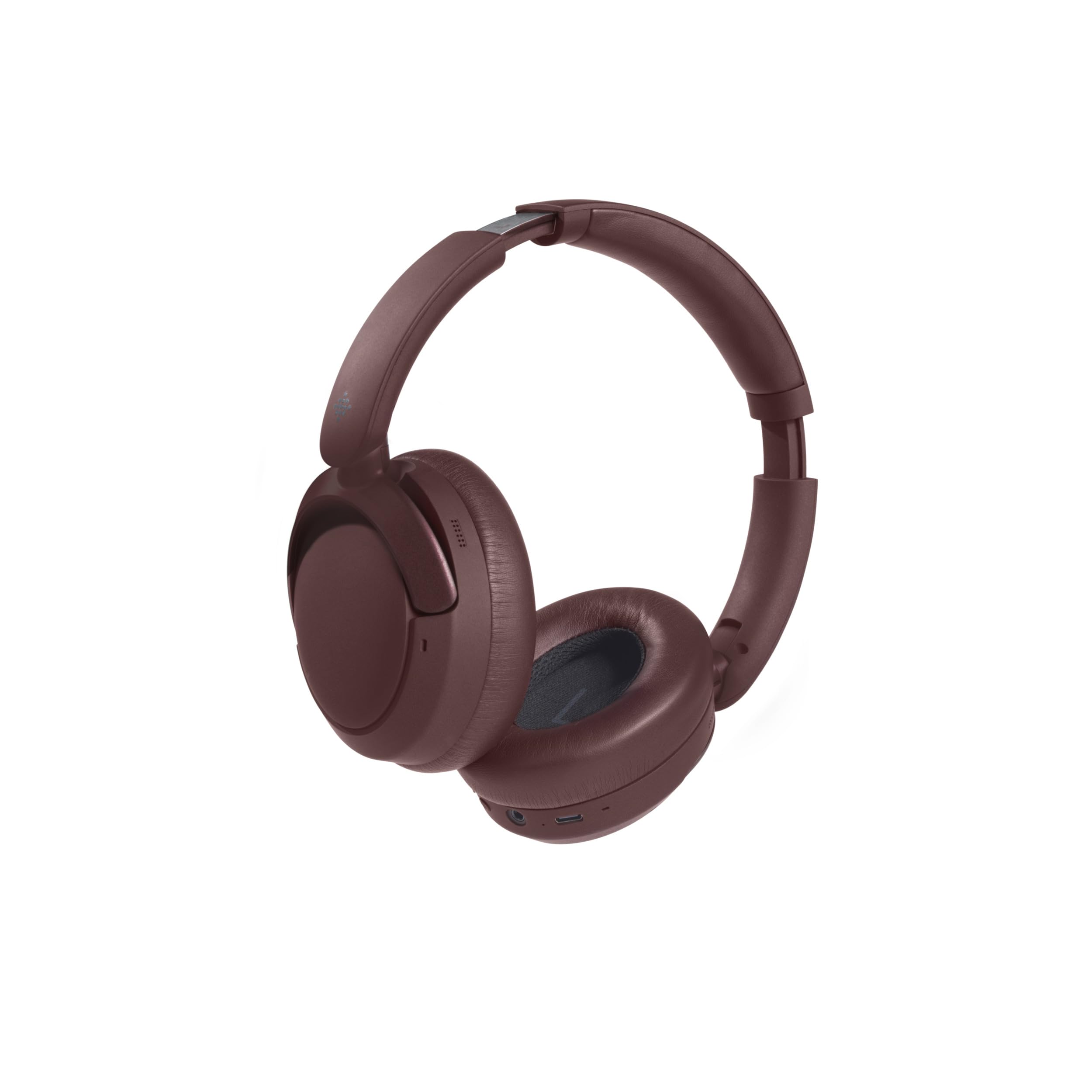
Figura 4.2: Disinn li Jintrewa
The headphones are shown in their folded position, demonstrating their compact design for easy storage and portability in the included carry case.
Kontrolli u Indikaturi:
- Buttuna tal-Qawwa: Press and hold to power on/off. Short press for play/pause, answer/end calls.
- Volum Up / Track Li jmiss: Agħfas qasir biex tgħolli l-volum. Agħfas fit-tul għat-trakka li jmiss.
- Volume Down / Track Preċedenti: Agħfas qasir biex tnaqqas il-volum. Agħfas fit-tul għat-trakka ta' qabel.
- Buttuna tal-Modalità: Press to cycle through Active Noise Cancellation (ANC), Transparency Mode, and Normal Mode.
- Port tal-Iċċarġjar USB-C: Għall-iċċarġjar tal-headphones.
- Jack Awdjo 3.5mm: For wired connection (cable not included, but common for headphones).
- Indikatur LED: Juri l-istatus tal-enerġija, l-istatus tal-iċċarġjar, u l-istatus tal-akkoppjar tal-Bluetooth.
5. Iċċarġjar tal-Headphones
- Connect the USB-C charging cable to the charging port on the right earcup.
- Qabbad it-tarf l-ieħor tal-kejbil ma' adapter tal-enerġija USB (5V/1A rakkomandat) jew mal-port USB tal-kompjuter.
- The LED indicator will illuminate during charging.
- L-iċċarġjar tipikament jieħu madwar 1.5 sigħat għal iċċarġjar sħiħ.
- Once fully charged, the LED indicator will typically turn off or change color to indicate completion.
- Ċarġ sħiħ jipprovdi sa 55-il siegħa ta' ħin ta' daqq.
6. Setup: Bluetooth Pairing
Biex tqabbad il-headphones tiegħek ma' apparat li jaħdem bil-Bluetooth:
- Kun żgur li l-headphones huma ċċarġjati kompletament.
- Power on the headphones by pressing and holding the Power Button until the LED indicator flashes (e.g., blue and red alternately), indicating pairing mode.
- On your device (e.g., smartphone, tablet, computer), enable Bluetooth and search for available devices.
- Select "Intempo Alto Primo" from the list of found devices.
- Once paired, the LED indicator will typically show a steady blue light or flash slowly.
- Il-headphones jippruvaw jerġgħu jikkonnettjaw awtomatikament mal-aħħar apparat imqabbad meta jinxtegħlu.
7. Istruzzjonijiet Operattivi
7.1. Power On/Off
- Qawwa Mixgħul: Agħfas u żomm il-Buttuna tal-Qawwa għal madwar 3 sekondi sakemm l-indikatur LED jixgħel.
- Itfi: Agħfas u żomm il-Buttuna tal-Qawwa għal madwar 3 sekondi sakemm l-indikatur LED jintefa.
7.2. Daqq tal-Awdjo
- Play/Pawsa: Agħfas qasir il-buttuna tal-enerġija.
- Volum 'il fuq: Agħfas fil-qosor il-buttuna Volume Up.
- Volum 'l isfel: Agħfas fil-qosor il-buttuna Volum 'l isfel.
- Track li jmiss: Agħfas fit-tul il-buttuna Volume Up.
- Track preċedenti: Agħfas fit-tul il-buttuna Volum 'l isfel.
7.3. Ġestjoni tas-Sejħiet
- Tweġiba/Tmiem Sejħa: Agħfas qasir il-buttuna tal-enerġija.
- Irrifjuta Sejħa: Agħfas fit-tul il-buttuna tal-enerġija.
7.4. Modi ta' Kontroll tal-Istorbju
The headphones offer three distinct noise control modes:
- Kanċellazzjoni Attiva tal-Ħoss (ANC): Reduces ambient noise for an immersive listening experience. Press the Mode Button to activate.
- Modalità ta' Trasparenza: Allows you to hear your surroundings while still enjoying your audio. Press the Mode Button again to switch to this mode.
- Modalità Normali: Standard audio playback without noise cancellation or transparency. Press the Mode Button a third time to return to this mode.
8. Manutenzjoni u Kura
- Tindif: Imsaħ il-headphones b'moxxetta ratba u ħafifaamp drapp. Tużax kimiċi ħarxa jew solventi.
- Ħażna: When not in use, store the headphones in their carry case to protect them from dust and damage. Store in a cool, dry place.
- Kura tal-batterija: Biex ittawwal il-ħajja tal-batterija, evita li tiċċarġja l-headphones għalkollox ta’ spiss. Iċċarġjahom regolarment, anke jekk ma jintużawx għal perjodi twal.
9 Issolvi l-problemi
| Problema | Soluzzjoni Possibbli |
|---|---|
| Il-headphones ma jixegħlux. | Kun żgur li l-headphones huma ċċarġjati kompletament. Qabbadhom ma' sors ta' enerġija u erġa' pprova. |
| Ma tistax tqabbad ma' apparat Bluetooth. |
|
| L-ebda ħoss jew volum baxx. |
|
| Il-kanċellazzjoni tal-istorbju mhijiex effettiva. |
|
10. Speċifikazzjonijiet
| Isem tal-Mudell: | Alto Primo |
| Numru tal-Mudell: | EE8031 |
| Ditta: | INTEMPO |
| Teknoloġija tal-Konnettività: | Bluetooth |
| Fattur tal-Formola: | Circum-Aural (Over-Ear) |
| Kulur: | Kannella |
| Materjal: | ABS, PP, METAL |
| Ħin tal-Iċċarġjar: | 1.5 sigħat |
| Ħin tal-daqq: | Sa 55 sigħat |
| Apparati Kompatibbli: | Android (and generally other Bluetooth-enabled devices) |
11. Garanzija u Appoġġ
This product is stated to have "No Guarantee" according to the provided information. For any product-related issues, technical support, or inquiries, please contact the retailer from whom you purchased the product. Please retain your proof of purchase for any potential support claims.