
1. Matulview
This manual provides essential information for setting up, operating, maintaining, and troubleshooting your INSIGNIA 85-inch Class QF Series QLED 4K UHD Smart Fire TV. This television offers a high-quality viewing experience with 4K UltraHD resolution, Quantum Dot Technology for enhanced color, and Direct LED Backlight for uniform brightness. It integrates the Fire TV Smart OS, providing access to various streaming services and features like the Voice Remote with Alexa. The design features a metal bezel-less display for a modern aesthetic.
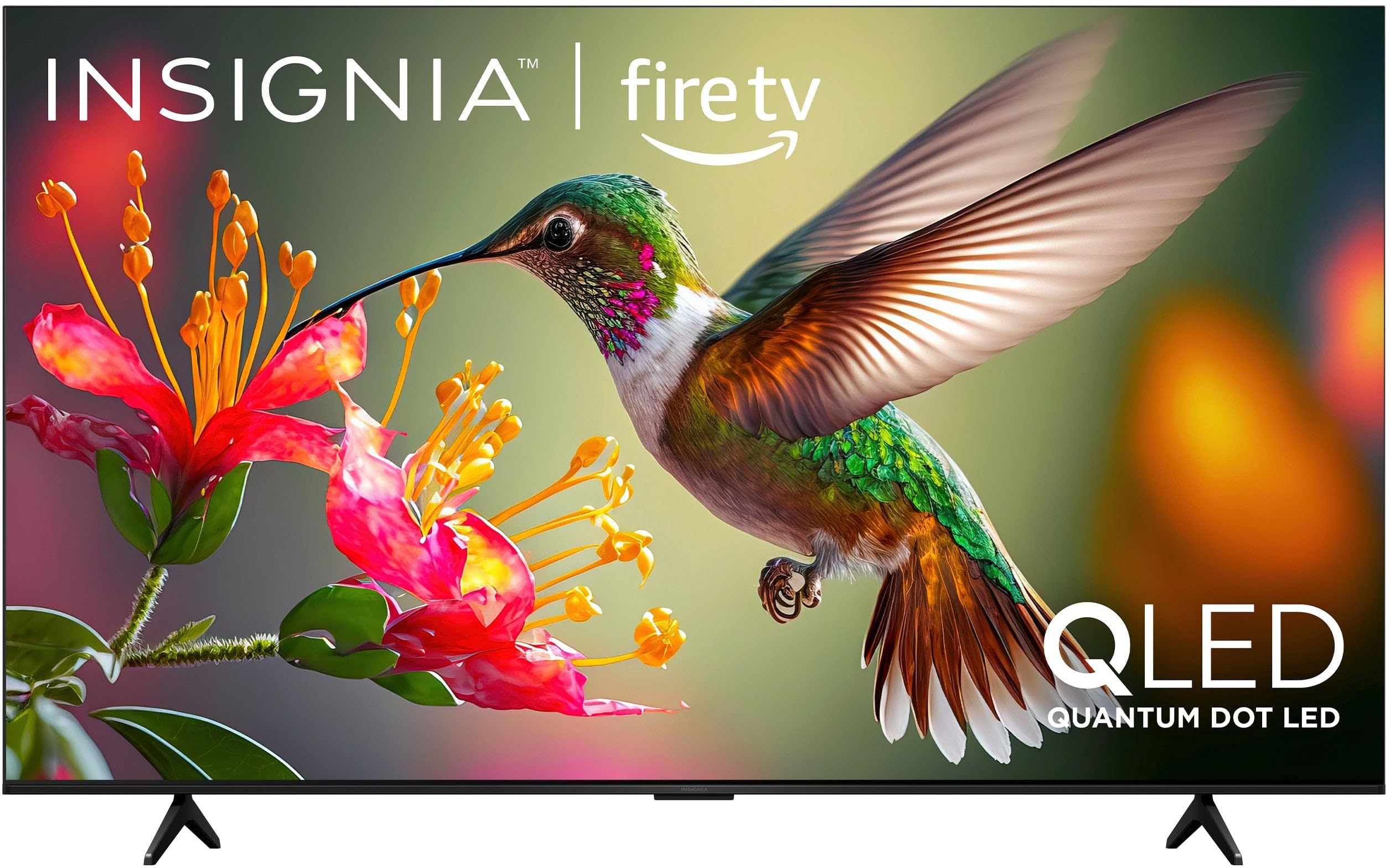
Stampa 1.1: Quddiem view of the INSIGNIA 85-inch QF Series QLED 4K UHD Smart Fire TV.
2. X'hemm fil-Kaxxa
Ivverifika li l-komponenti kollha huma preżenti qabel ma tipproċedi bis-setup:
- INSIGNIA 85-inch QF Series QLED 4K UHD Smart Fire TV
- Voice Remote b'Alexa
- Batteriji tal-Kontroll mill-Bogħod (2 AAA)
- Stand tat-TV
- Viti għall-Installazzjoni tal-Stand
- Gwida Quick Setup (dan id-dokument)
3. Setup
3.1. Installazzjoni tal-Stand tat-TV
If you are not wall-mounting your TV, attach the included stand:
- Poġġi t-TV b'attenzjoni wiċċu 'l isfel fuq wiċċ artab u nadif biex tevita li l-iskrin isir ħsara.
- Allinja s-saqajn tal-istand mat-toqob tal-viti fil-qiegħ tat-TV.
- Waħħal is-saqajn tal-istand billi tuża l-viti pprovduti. Kun żgur li huma ssikkati sew.
3.2. L-Ewwel Tixgħel u l-Konnessjoni man-Netwerk
- Qabbad il-korda tal-enerġija mat-TV u mbagħad ma’ sokit tal-enerġija.
- Agħfas il-buttuna tal-qawwa fuq it-TV jew il-kontroll remot biex tixgħel it-TV.
- Segwi l-istruzzjonijiet fuq l-iskrin biex tagħżel il-lingwa tiegħek, tikkonnettja man-netwerk Wi-Fi tiegħek, u tidħol fil-kont Amazon tiegħek.
3.3. Tqabbil mill-Bogħod
Your Voice Remote with Alexa should pair automatically. If it does not, press and hold the Dar button on the remote for 10 seconds until the LED indicator flashes blue, then release. The remote will attempt to pair.

Image 3.1: The Voice Remote with Alexa, used for controlling the TV and accessing smart features.
4. Istruzzjonijiet Operattivi
4.1. Fire TV Smart OS Navigation
The Fire TV Smart OS provides a centralized hub for all your entertainment. Use the navigation buttons on your remote to browse:
- Skrin tad-dar: Access recommended content, recently used apps, and various streaming services.
- Apps: Download and manage your favorite streaming applications.
- Live TV: Integrate live TV channels from supported services or an antenna.
- Settings: Adjust picture, sound, network, and device preferences.

Image 4.1: The Fire TV interface displaying a selection of streaming services and content.
4.2. Kontroll mill-bogħod bil-vuċi b'Alexa
Utilize the built-in Alexa voice assistant for hands-free control:
- Agħfas u żomm il- buttuna tal-mikrofonu fuq il-remote tiegħek.
- Speak commands such as "Find action movies," "Launch Netflix," "Switch to HDMI 2," or "Show me the weather."
- Alexa can also control compatible smart home devices.
4.3. Konnessjoni ta 'Tagħmir Estern
Your TV is equipped with four HDMI inputs for connecting external devices:
- Connect gaming consoles, Blu-ray players, soundbars, or cable/satellite boxes to the HDMI ports.
- One HDMI port supports eARC for enhanced audio return channel functionality with compatible sound systems.
- To switch inputs, press the Input button on your remote and select the desired source.

Image 4.2: Illustration of the TV's connectivity options, including HDMI ports.
4.4. Titjib fl-Immaġni u l-Ħoss
This TV features advanced technologies for an immersive experience:
- QLED (Quantum Dot LED): Delivers vibrant, lifelike colors and improved brightness.
- 4K UltraHD Resolution: Provides four times the detail of Full HD TVs.
- Dolby Vision u Dolby Atmos: Supports advanced HDR for enhanced contrast and accurate colors, along with immersive spatial audio.

Image 4.3: Visual representation of Dolby Vision and Dolby Atmos features, highlighting cinematic picture and immersive sound.
5. Manutenzjoni
5.1. Tindif tat-TV Tiegħek
Biex iżżomm id-dehra u l-prestazzjoni tat-TV:
- Dejjem aqla’ t-TV qabel ma tnaddaf.
- Uża drapp artab, niexef u mingħajr suf biex timsaħ bil-mod l-iskrin u l-kabinett.
- Għal marki iebsa fuq l-iskrin, aqta’ ħafifampLaħlaħ id-drapp bl-ilma jew b'prodott speċjalizzat għat-tindif tal-iskrin. Qatt ma tisprejja likwidu direttament fuq l-iskrin.
- Evita li tuża cleaners li joborxu, xama', jew solventi.
5.2. Aġġornamenti tas-Software
Your Fire TV automatically receives software updates to improve performance and add new features. Ensure your TV is connected to the internet to receive these updates. You can manually check for updates in the Settings menu.
6 Issolvi l-problemi
Jekk tiltaqa' ma' problemi bit-TV tiegħek, irreferi għas-soluzzjonijiet komuni li ġejjin:
| Problema | Soluzzjoni |
|---|---|
| Ebda qawwa | Kun żgur li l-korda tal-enerġija hija pplaggjata sew kemm fit-TV kif ukoll f'sokit elettriku li jaħdem. Ipprova sokit differenti. |
| L-ebda stampa, iżda l-ħoss huwa preżenti | Iċċekkja s-sors tad-dħul. Agħfas il-buttuna Input button on the remote to cycle through inputs. Verify external devices are powered on and connected correctly. |
| Remote ma jirrispondix | Replace the AAA batteries in the remote. If the issue persists, re-pair the remote by holding the Dar buttuna għal 10 sekondi. |
| Ma tistax tikkonnettja mal-Wi-Fi | Ensure your Wi-Fi router is on and within range. Restart your router and TV. Check Wi-Fi settings in the TV's menu to ensure the correct network and password are entered. |
| Kwalità fqira tal-istampa | Adjust picture settings (brightness, contrast, color) in the TV's menu. Ensure the content source is high-quality (e.g., 4K content for 4K resolution). |
| L-ebda ħoss | Iċċekkja l-livell tal-volum u kun żgur li t-TV mhuwiex siekta. Ivverifika li l-apparati awdjo esterni (soundbar, riċevitur) huma konnessi u kkonfigurati b'mod korrett. |
7. Speċifikazzjonijiet
| Karatteristika | Dettall |
|---|---|
| Isem tal-Mudell | NS85-UQFL27 |
| Daqs tal-Iskrin | 84.6 inches (85-inch class) |
| Teknoloġija tal-Wiri | QLED (LED Quantum Dot) |
| Riżoluzzjoni | 4K Ultra HD (3840 x 2160) |
| Riffriskar Rata | 60 Hz |
| Sistema Operattiva | FireOS |
| Appoġġ HDR | Dolby Viżjoni |
| Teknoloġija Awdjo | Dolby Atmos |
| Konnettività | Wi-Fi |
| Inputs HDMI | 4 (inkluż 1 eARC) |
| Karatteristiċi Speċjali | Voice Remote with Alexa, Apple Airplay |
| Dimensjonijiet tal-Prodott (P x W x H) | 2.5"D x 74.4"W x 42.8"H |
| Item Weight Without Stand | 64.6 Liri |
| Komponenti Inklużi | Remote Control, Remote Control Battery, Screws, Stand |
| UPC | 600603325472 |
8. Garanzija u Appoġġ
8.1. Informazzjoni dwar Garanzija
This INSIGNIA TV comes with a 1-Sena Garanzija. For specific terms and conditions, please refer to the warranty card included with your product or visit the official INSIGNIA support websit.
8.2. Appoġġ għall-Klijent
If you require further assistance or encounter issues not covered in this manual, please contact INSIGNIA customer support. Contact information can typically be found on the manufacturer's webis-sit jew fl-imballaġġ tal-prodott tiegħek.