
1. Introduzzjoni
Thank you for choosing the Oilsky M502 MP3 Player. This device combines a powerful Android 13.0 operating system with extensive media capabilities, including Bluetooth, Wi-Fi, a high-definition touchscreen, and dual cameras. It is designed for versatile entertainment and communication. This manual provides essential information for setting up, operating, and maintaining your device.

Stampa 1.1: Quddiem view of the Oilsky M502 MP3 Player, showcasing its sleek design and large touchscreen.
2. X'hemm fil-Kaxxa
Jekk jogħġbok iċċekkja l-kontenut tal-pakkett meta tiftaħ il-kaxxa:
- 1 x Oilsky M502 MP3 Player
- 1 x Manwal għall-Utent
- 1 x Film Protettiv
- 1 x USB Cable
- 1 x Earphones

Image 2.1: The Oilsky M502 MP3 Player and its included accessories: USB cable, earphones, protective film, and user manual.
3. Prodott Aktarview
Karatteristiċi ewlenin:
- Sistema Operattiva: Android 13.0
- Proċessur: MTK 6762 Octa-core processor
- Memorja: 4GB RAM + 128GB Internal Storage (expandable up to 1TB via MicroSD card)
- Wiri: 5.5-inch HD Touchscreen (1440x720 resolution, IPS wider viewangolu ingaġġ)
- Konnettività: Bluetooth 5.0, Dual-band Wi-Fi (2.4GHz/5GHz), USB
- Kameras: 13MP Rear Camera, 5MP Front Camera
- Batterija: 2500mAh Lithium-ion (approx. 30 hours music playback, 5 hours video playback)
- Apps installati minn qabel: Spotify, Pandora, Amazon Music, Audible, Tidal, Deezer, etc.
- Formati ta' Mużika Appoġġjati: MP3, WAV, APE, FLAC, AAC
- Formati tal-Vidjo Sostenuti: AVI, MKV, RMVB, MP4, MPG, MOV
Viżwali Overview:

Image 3.1: Device powered by Android 13.0 and MTK 6762 octa-core chip for smooth performance.

Image 3.2: Bluetooth 5.0 for stable wireless connections to speakers, headsets, mobile phones, and computers.

Image 3.3: Capture moments with the 13MP rear camera and 5MP front camera.

Image 3.4: Large storage capacity with 128GB built-in and up to 1TB expandable storage.

Image 3.5: 1440P HD full-format video player with a 5.5-inch full touch screen and IPS display.

Image 3.6: Powerful music app (HiByMusic player) supporting various formats and features.
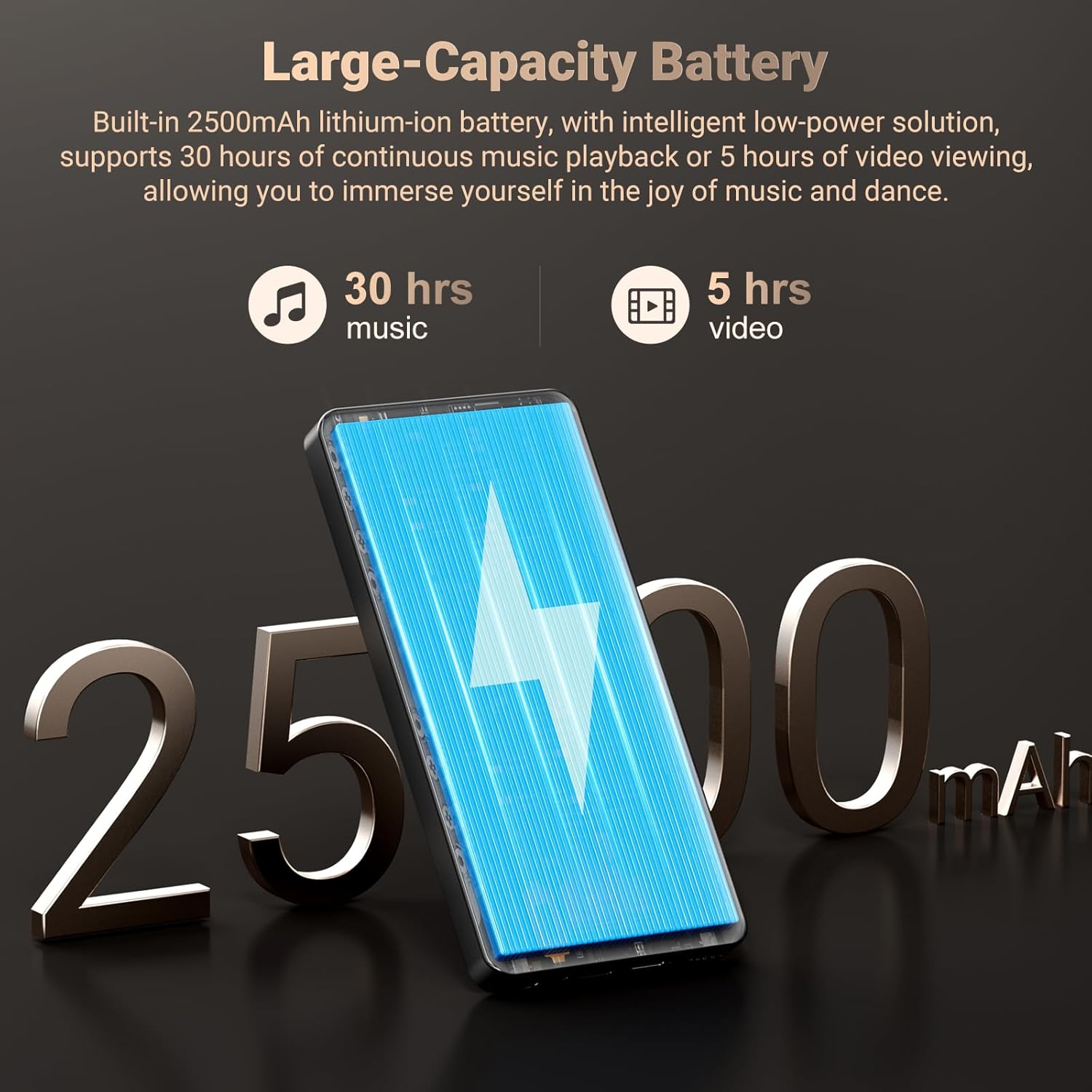
Image 3.7: Long-lasting 2500mAh battery for extended music and video playback.

Image 3.8: Access to streaming apps and local music playback for a rich audio experience.
Vidjo tal-Prodott Fuqview
Vidjo 3.1: Uffiċjal fuqview of the Oilsky 128GB MP3 Player, highlighting its key features and functionalities.
4. Setup
4.1 Iċċarġjar tal-Apparat
Before first use, fully charge the MP3 player. Connect the provided USB cable to the device's charging port and the other end to a USB power adapter (not included) or a computer's USB port. The charging indicator will show the charging status.
4.2 Tixgħel/Jitfi
- Biex Tixgħel: Press and hold the Power button on the side of the device until the screen lights up.
- Biex Tifi: Agħfas u żomm il-buttuna tal-Power, imbagħad agħżel 'Power off' mill-għażliet li jidhru fuq l-iskrin.
4.3 Setup Inizjali
Upon first power-on, follow the on-screen prompts to complete the initial setup, which includes selecting your language, connecting to a Wi-Fi network, and setting up your Google account (optional, but recommended for app downloads).
4.4 Daħħal Karta MicroSD
To expand storage, locate the MicroSD card slot on the device. Gently insert a MicroSD card (up to 1TB, not included) into the slot until it clicks into place. Ensure the card is inserted in the correct orientation.
5. Istruzzjonijiet Operattivi
5.1 Daqq tal-Mużika
The device features a professional-grade music player. You can play local music files or stream from pre-installed apps.
- Mużika Lokali: Transfer MP3, WAV, APE, FLAC, AAC files to the device's internal storage or MicroSD card. Use the built-in music app to scan folders, create playlists, and search for tracks.
- Streaming: Connect to Wi-Fi and open pre-installed apps like Spotify, Pandora, Amazon Music, etc., to stream music online.
- Awdjo Bluetooth: Pair with Bluetooth headphones or speakers via Settings > Connected devices > Bluetooth.
5.2 Daqq tal-Vidjo
The 5.5-inch HD screen supports 720P/1440P video playback.
- Transfer AVI, MKV, RMVB, MP4, MPG, MOV video files għall-apparat.
- Open the video player app to browse and play your videos.
5.3 Funzjonalità tal-Kamera
The device includes a 13MP rear camera and a 5MP front camera.
- Iftaħ l-app tal-Kamera mill-iskrin tad-dar.
- Ibdel bejn il-kameras ta' quddiem u ta' wara kif meħtieġ.
- Tap the shutter button to take photos or record videos.
5.4 Ġestjoni tal-App
As an Android device, you can install and manage applications.
- Installazzjoni ta' Apps: Open the Google Play Store app, search for desired applications, and tap 'Install'.
- Id-diżinstallazzjoni tal-Apps: Go to Settings > Apps > See all apps, select the app, and tap 'Uninstall'. Pre-installed apps can also be uninstalled if not needed.
5.5 Konnettività
- Wi-Fi: Mur f'Settings > Netwerk u internet > Wi-Fi biex tikkonnettja man-netwerks disponibbli.
- Bluetooth: Go to Settings > Connected devices > Bluetooth to pair with other Bluetooth devices for audio or file trasferiment.
- USB: Qabbad it-tagħmir ma 'kompjuter billi tuża l-kejbil USB għal file transfer. Select the 'File transfer' option on the device when prompted.
6. Kontrolli tal-Ġenituri
The Oilsky M502 includes parental control features to manage content access and screen time, making it suitable for children.
- Access parental control settings through the device's system settings.
- Set restrictions on app usage, screen time limits, and content filtering to ensure age-appropriate access.
- Google Chrome can be disabled if desired.

Immaġni 6.1: Eż.ample of parental control settings, allowing for screen time limits and app restrictions.
7. Manutenzjoni
- Tindif: Uża drapp artab u niexef biex tnaddaf l-apparat. Evita prodotti tat-tindif likwidi jew materjali li joborxu.
- Kura tal-batterija: To prolong battery life, avoid extreme temperatures and do not let the battery fully discharge frequently. Charge the device regularly.
- Aġġornamenti tas-Software: Periodically check for system updates in Settings > System > System update to ensure optimal performance and security.
- Ġestjoni tal-Ħażna: Neħħi regolarment bla bżonn files and uninstall unused apps to free up storage space and maintain performance.
8 Issolvi l-problemi
| Problema | Soluzzjoni Possibbli |
|---|---|
| L-apparat ma jixgħelx | Ensure the device is charged. Connect to a charger for at least 30 minutes. If unresponsive, perform a forced restart by holding the power button for 10-15 seconds. |
| Ma tistax tikkonnettja mal-Wi-Fi | Check if Wi-Fi is enabled in settings. Ensure the password is correct. Restart the device and the Wi-Fi router. |
| Tqabbil Bluetooth ifalli | Ensure Bluetooth is enabled on both devices. Place devices close to each other. Restart both devices and try pairing again. |
| L-apps huma bil-mod jew qed jiffriżaw | Close background apps. Clear app cache (Settings > Apps > [App Name] > Storage & cache > Clear cache). Ensure sufficient storage space is available. Restart the device. |
| Il-karta MicroSD ma ġietx skoperta | Ensure the card is inserted correctly. Try reinserting the card. Test with another MicroSD card if possible. |
| Kwalità fqira tal-kamera | Ensure the camera lens is clean. Take photos in well-lit environments. |
9. Speċifikazzjonijiet
| Karatteristika | Dettall |
|---|---|
| Brand | Oilsky |
| Isem tal-Mudell | M502 |
| Sistema Operattiva | Android 13.0 |
| Kapaċità tal-Ħżin tal-Memorja | 128 GB (espandibbli sa 1TB) |
| Daqs tal-Iskrin | 5.5 Pulzier |
| Teknoloġija tal-Wiri | IPS or TFT |
| Teknoloġija tal-Konnettività | Bluetooth, USB, Wi-Fi (2.4GHz/5GHz) |
| Karatteristiċi Speċjali | 1440P Full Formats, App Installation, Equalizer, FM Radio, WIFI, Dual Cameras (13MP Rear, 5MP Front) |
| Tip ta 'Midja Appoġġjata | MP3, WAV, APE, FLAC, AAC (Audio); AVI, MKV, RMVB, MP4, MPG, MOV (Video) |
| Apparati Kompatibbli | Headphone, Speaker |
| Batterija | 2500mAh Lithium-ion |
| Kulur | Iswed |
10. Garanzija u Appoġġ
The Oilsky M502 MP3 Player comes with a garanzija ta 'sena mid-data tax-xiri, li tkopri difetti fil-manifattura. Jekk jogħġbok żomm il-prova tax-xiri tiegħek għal talbiet ta' garanzija.
For technical support, troubleshooting assistance, or warranty inquiries, please contact Oilsky customer service through the retailer's platform or the official Oilsky website. Refer to the contact information provided with your purchase or on the product packaging.
Always refer to the latest information available on the official Oilsky support channels for the most up-to-date assistance.