
Prodott Overview
The OTTOCAST Mini Nova is a compact 2-in-1 wireless adapter designed to convert your vehicle's existing wired CarPlay or Android Auto system into a wireless connection. This device facilitates automatic, stable, and low-latency connectivity for your smartphone, enhancing your in-car experience.

Image: The OTTOCAST Mini Nova adapter, illustrating its ability to convert wired CarPlay and Android Auto to wireless functionality.
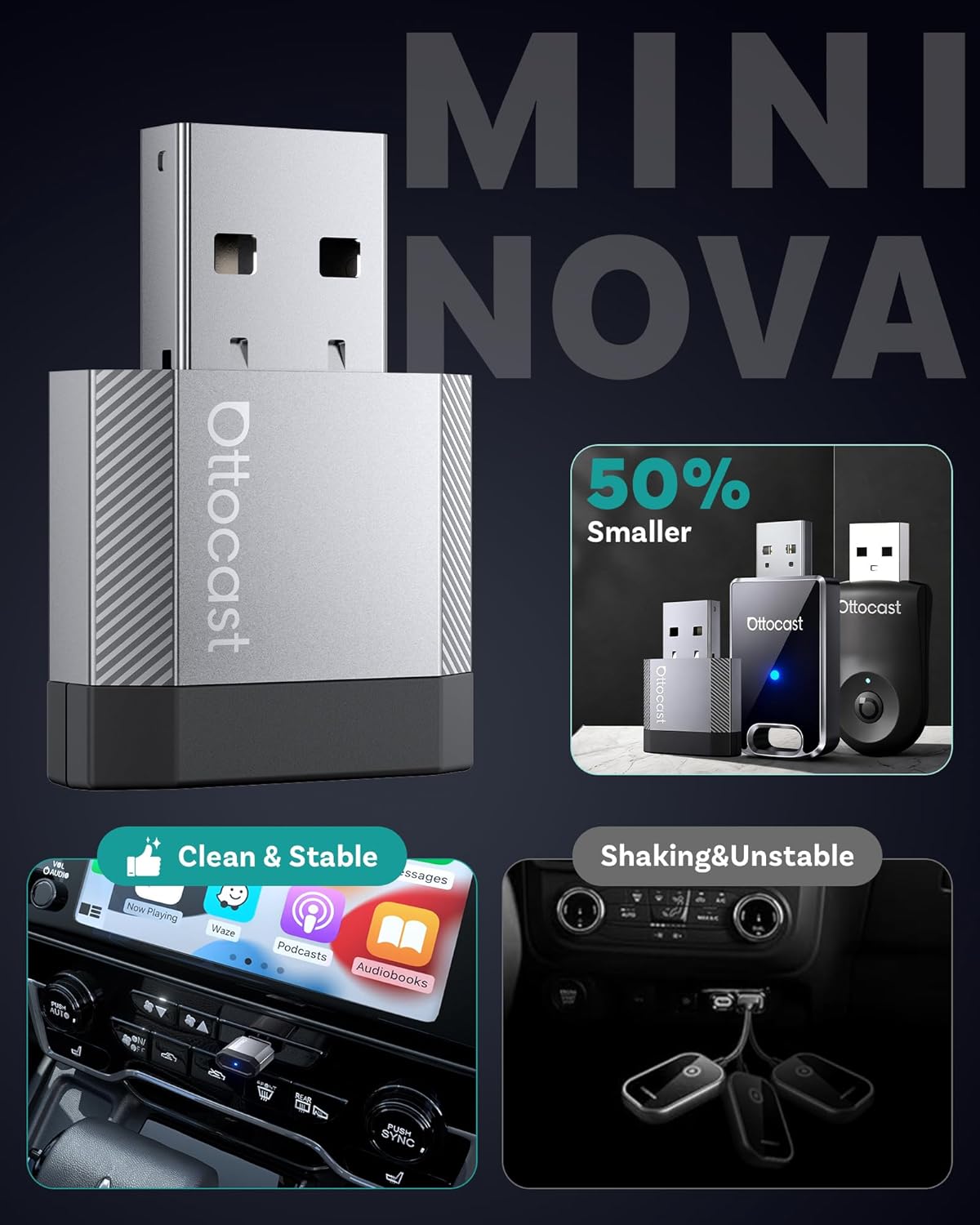
Image: A visual representation of the compact size of the OTTOCAST Mini Nova adapter, highlighting its discreet design.
Setup Istruzzjonijiet
Follow these steps to set up your OTTOCAST Mini Nova adapter:
- Kontroll tal-Kompatibbiltà: Ensure your vehicle has a factory-installed wired CarPlay or Android Auto system. The adapter is not compatible with vehicles that lack these systems.
- Ipplaggja: Connect the OTTOCAST Mini Nova adapter into your car's USB port. Use the provided USB-A to USB-C adapter if your car has a USB-C port. The adapter will power on, indicated by an LED light.
- Imqabbad mat-Telefon: On your iPhone or Android device, enable Bluetooth and Wi-Fi. Fittex għal the adapter's Bluetooth name (e.g., "CAR-XXXX" or "OTTOCAST-XXXX") and pair with it.
- Ikkonferma l-Konnessjoni: Once paired, your phone will prompt you to enable CarPlay or Android Auto. Confirm the connection. The car's infotainment screen should display the wireless CarPlay or Android Auto interface.
- Konnessjoni mill-ġdid Awtomatika: After the initial setup, the adapter will automatically reconnect to your phone each time you start your vehicle, provided Bluetooth and Wi-Fi are enabled on your phone.
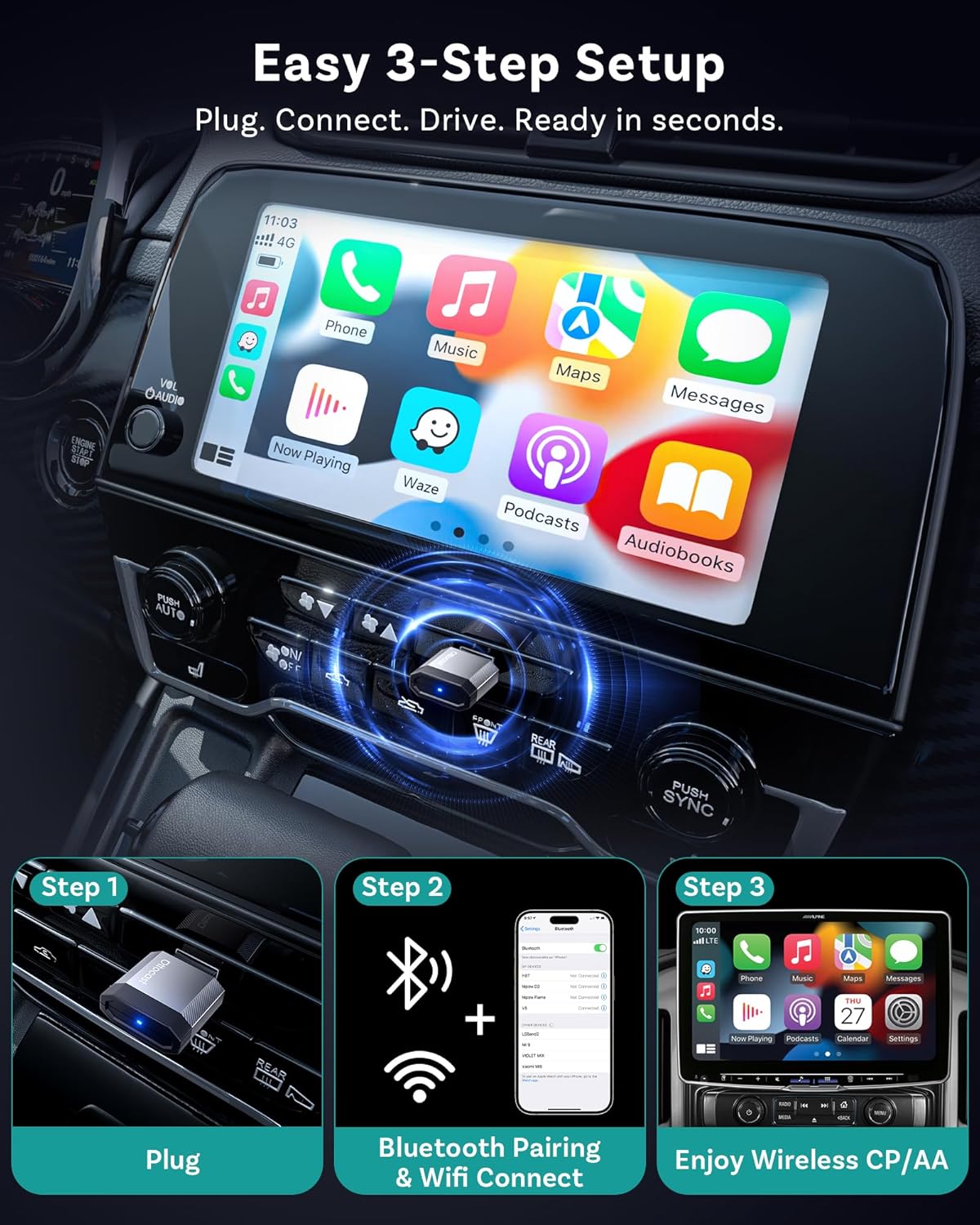
Image: A visual guide demonstrating the three simple steps to set up the OTTOCAST Mini Nova: Plug, Connect, Drive.

Image: The OTTOCAST Mini Nova adapter shown with both USB-A and USB-C connectivity options, illustrating its broad compatibility with various car ports.
Video: Official OTTOCAST demonstration on how to convert wired CarPlay to wireless using the Mini Nova adapter.
Istruzzjonijiet Operattivi
Once connected, the OTTOCAST Mini Nova provides a seamless wireless experience for CarPlay and Android Auto:
- Aċċess għall-Applikazzjonijiet: All your favorite CarPlay or Android Auto applications, including navigation (Maps, Waze), music streaming (Spotify, Apple Music), and communication (Phone, Messages), will be accessible on your car's infotainment screen.
- Metodi ta' Kontroll: You can interact with the system using various methods:
- Kontroll tal-Vuċi: Use Siri or Google Assistant for hands-free commands (e.g., "Hey Siri, navigate to home," "Hey Google, play music").
- Touch Control: Interaġixxi direttament mad-displej tat-touchscreen tal-karozza.
- Button/Knob Control: Utilize your vehicle's physical buttons and control knobs for navigation within the interface.
- Konnessjoni Stabbli: The adapter uses Bluetooth 4.2 for initial pairing and Wi-Fi 5 (5GHz) for data transmission, ensuring a fast, stable connection with minimal latency for audio and video.
- Disinn diskret: The ultra-mini design of the adapter keeps your dashboard tidy and clutter-free.

Image: Illustration of the four control methods available with the OTTOCAST Mini Nova: voice, button, touch, and knob control.

Image: Depiction of the stable and fast connection provided by the OTTOCAST Mini Nova, utilizing Bluetooth 4.2 for pairing and Wi-Fi 5 for high-speed data transmission.
Manutenzjoni
To ensure the longevity and optimal performance of your OTTOCAST Mini Nova adapter, consider the following:
- Żomm Nadif: Periodically wipe the adapter with a dry, soft cloth to remove dust or debris.
- Evita l-umdità: Protect the device from water and excessive humidity.
- Kontroll tat-temperatura: Avoid exposing the adapter to extreme temperatures, as this can affect its performance and lifespan.
- Aġġornamenti tal-Firmware: Regularly check for and install firmware updates to ensure compatibility and performance improvements. Updates are typically performed via a web interface accessible through your phone's Wi-Fi connection to the device.

Image: A visual guide illustrating the Over-The-Air (OTA) firmware update process for the OTTOCAST Mini Nova, emphasizing the need to maintain Wi-Fi connection during the update.
Issolvi l-problemi
If you encounter issues with your OTTOCAST Mini Nova adapter, refer to the following common solutions:
- No Connection/Pairing Issues:
- Ensure your vehicle has factory-wired CarPlay or Android Auto. The adapter requires this existing functionality.
- Verify Bluetooth and Wi-Fi are enabled on your phone.
- Ipprova tinsa l-apparat mis-settings tal-Bluetooth tat-telefon tiegħek u erġa' waħħalh.
- Restart your car's infotainment system and your phone.
- Is-sħana żejda:
- While some warmth is normal, excessive heat may indicate an issue. Ensure the adapter is not obstructed and has adequate ventilation.
- Jekk is-sħana żejda tippersisti, waqqaf l-użu u ikkuntattja l-appoġġ.
- Falliment tal-Aġġornament tal-Firmware:
- During firmware updates, ensure your phone remains connected to the adapter's Wi-Fi network. Disconnecting can interrupt the process.
- If the update appears to fail, try again, ensuring a stable connection throughout.
- Dewmien jew Skonnettjar:
- Check for any potential Wi-Fi interference in your vehicle.
- Kun żgur li s-sistema operattiva tat-telefon tiegħek hija aġġornata.
- Perform a firmware update on the adapter if available.
Speċifikazzjonijiet
| Karatteristika | Dettall |
|---|---|
| Isem tal-Mudell | Mini Nova |
| Brand | OTTOKASTA |
| Teknoloġija tal-Konnettività | Bluetooth 4.2, Wi-Fi 5 (802.11ac) |
| Apparati Kompatibbli | Android 11+, Car with Factory wired CarPlay, iOS 10+, iPhone 17 |
| Sors tal-Enerġija | Corded Elettriku (5 Volts) |
| Materjal | Aluminju |
| Karatteristiċi Speċjali | Hands-Free Calls, Low Latency |
| Metodu ta' Kontroll | Mess, Voice |
| Interface tal-Ħardwer | USB 2.0 Tip A, USB 3.0 Tip C |
| Dimensjonijiet tal-oġġett (L x W x H) | 0.83"T x 0.35"W x 1.3"Għ |
| Piż tal-oġġett | 5.9 Gramm |
X'hemm fil-Kaxxa:
- 1 x Ottocast Mini Nova Adapter
- 1 x USB A to USB C adapter

Image: Contents of the OTTOCAST Mini Nova package, including the adapter, USB-A to USB-C adapter, user manual, and package box.
Garanzija
The OTTOCAST Mini Nova adapter comes with a 2-Sena Garanzija mid-data tax-xiri. Din il-garanzija tkopri difetti fil-manifattura u tiżgura l-affidabbiltà tal-prodott. Jekk jogħġbok żomm il-prova tax-xiri tiegħek għal talbiet ta' garanzija.
Appoġġ
For further assistance, technical support, or warranty inquiries, please contact OTTOCAST customer service through their official website or the contact information provided in your product packaging. When contacting support, please have your product model (Mini Nova) and purchase details ready.