
Introduzzjoni
The Roku Hiro 32-inch 720p HD Smart TV offers an integrated Roku streaming experience. This television features an HD display for clear picture quality and speakers with enhanced audio. It supports Bluetooth for private listening with headphones and includes Wi-Fi for internet connectivity. The Roku operating system provides a customizable home screen, access to numerous streaming channels, and automatic updates, making it suitable for various living spaces.
X'hemm fil-Kaxxa
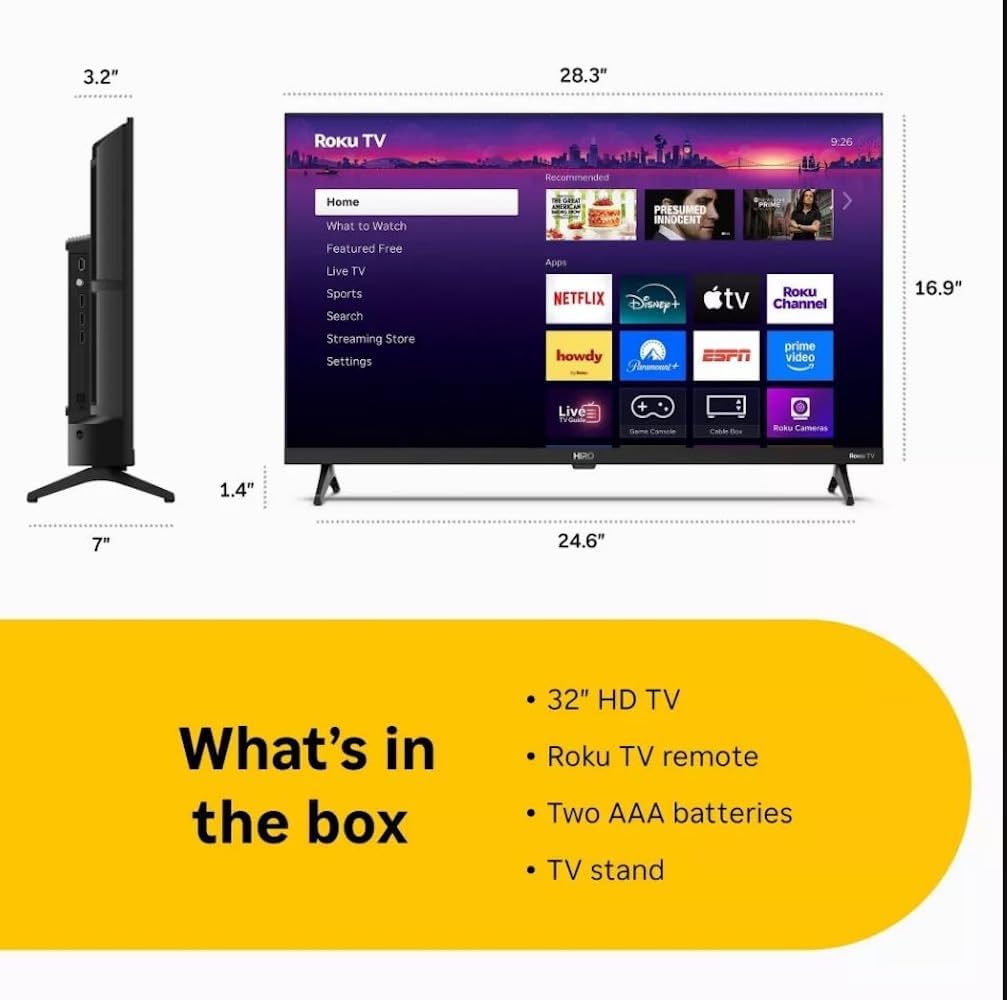
Diagram showing the dimensions of the Roku Hiro 32-inch TV and a list of included accessories: 32-inch HD TV, Roku TV remote, two AAA batteries, and TV stand.
- Hiro 32" 720p HD Smart TV Flat Screen LED Television with Roku TV
- Kontroll mill-bogħod
- Stand tat-TV
- Kejbil tal-Enerġija
- Gwida għall-Utent
Setup
1. Installazzjoni Stand
Carefully place the TV screen-down on a soft, clean surface to prevent damage. Align the TV stand with the designated slots on the bottom of the TV. Secure the stand using the provided screws. Ensure the stand is firmly attached before proceeding.
2. Mezzi ta 'Konnessjoni

Wara view of the Roku Hiro TV, showing the input/output ports including USB, HDMI, and antenna connections.
- Qawwa: Qabbad il-kejbil tal-enerġija mad-dħul tal-enerġija tat-TV u mbagħad ma' sokit tal-ħajt.
- HDMI: Connect external devices such as Blu-ray players, game consoles, or cable boxes to the HDMI ports. This TV features 3 HDMI ports.
- USB: Uża l-port USB għad-daqq tal-midja minn drive USB.
- Awdjo ottiku: Connect an external sound system using an optical audio cable for enhanced sound.
- Antenna/Kejbil: Connect an antenna or cable TV feed to the RF input for over-the-air or cable channels.
3. Setup Inizjali
After connecting all necessary cables, power on the TV. Follow the on-screen instructions to:
- Agħżel il-lingwa tiegħek.
- Qabbad man-netwerk Wi-Fi tiegħek.
- Activate your Roku account (or create a new one).
- Scan for available channels if an antenna is connected.
Istruzzjonijiet Operattivi
Funzjonijiet ta 'Kontroll mill-bogħod

Close-up of the Roku TV remote control, highlighting buttons for TV power, volume, mute, sleep timer, instant replay, options, and app shortcuts.
- Buttuna tal-Qawwa: Ixgħel jew jitfi t-TV.
- Kuxxinett Direzzjonali (D-Pad): Jinnaviga l-menus u jagħżel l-oġġetti.
- Buttuna OK: Jikkonferma l-għażla.
- Buttuna tad-dar: Jirritorna għall-iskrin tad-dar ta' Roku.
- Buttuna Lura: Terġa' lura għall-iskrin ta' qabel.
- Volum 'il fuq/Niżżel: Jaġġusta l-volum tat-TV.
- Buttuna Mute: Jitfi jew jattiva l-ħoss tat-TV.
- Buttuni ta' Shortcut tal-App: Direct access to popular streaming services (e.g., Netflix, Disney+, Apple TV+, Prime Video).
- Timer ta 'l-Irqad: Sets a timer for the TV to turn off automatically.
- Replay Instant: Jumps back a few seconds in supported content.
- Għażliet: Accesses additional settings or information for the current content.
Navigating the Roku OS

The Roku TV home screen interface, showing recommended content and various streaming applications.
The Roku home screen provides access to all your streaming channels, inputs, and settings. Use the D-Pad on your remote to navigate through the menu options on the left and the app grid on the right. You can customize the order of your channels by highlighting an app, pressing the * (Options) button, and selecting 'Move channel'.
Kontenut Streaming
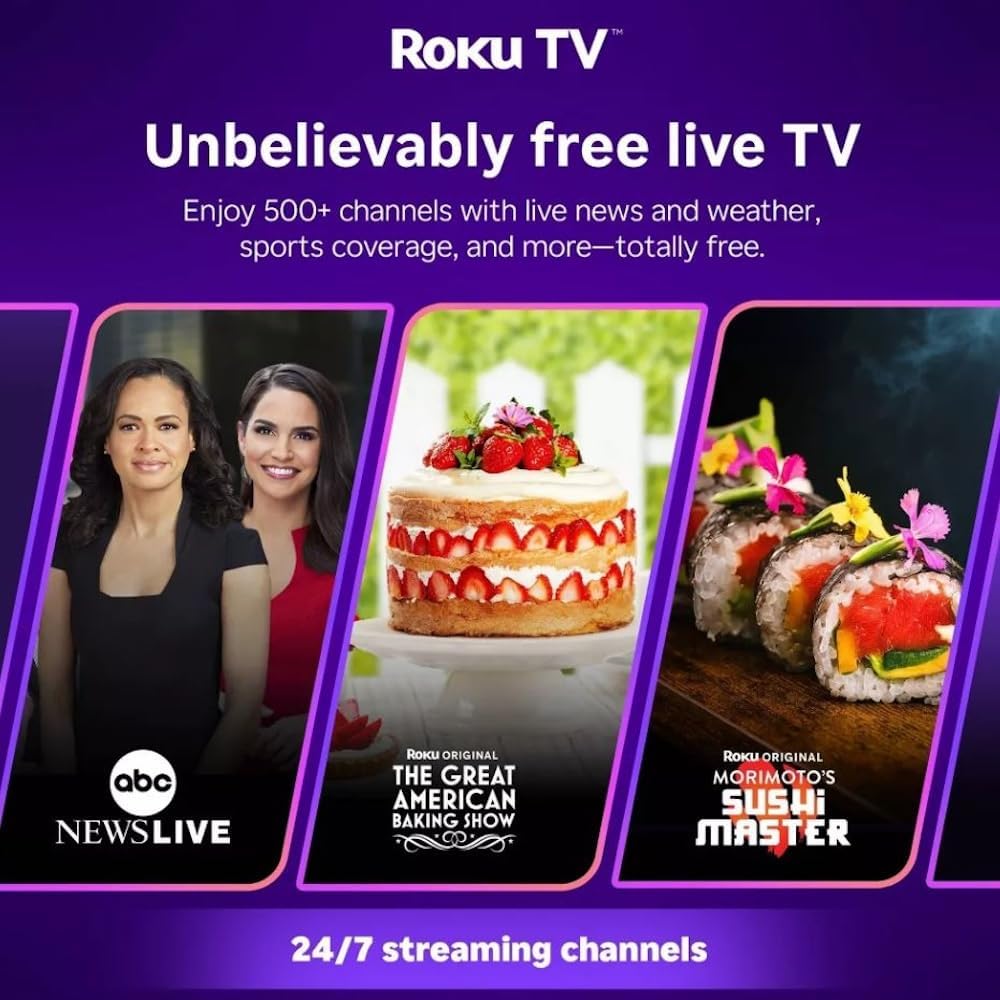
Roku TV interface promoting free live TV channels, featuring examples like ABC News Live, The Great American Baking Show, and Morimoto's Sushi Master.
Access a wide range of streaming services and free content through the Roku Channel Store. The Roku platform offers over 500 free channels, including live television, movies, and news. Use the 'Search' function on the home screen to find specific titles or channels.
Karatteristiċi Awdjo

Roku Hiro TV displaying the home screen with various streaming apps, emphasizing enhanced audio quality.
The TV features enhanced audio quality. For private listening, you can pair Bluetooth headphones directly with the TV. Navigate to Settings > Remotes & devices > Bluetooth devices > Pair new device to connect your headphones.
Manutenzjoni
Tindif tat-TV
- Dejjem aqla’ t-TV qabel ma tnaddaf.
- Uża drapp artab u mingħajr suf biex timsaħ bil-mod l-iskrin u l-kabinett.
- Għal marki iebsa, ħassar bil-modampLaħlaħ id-drapp bl-ilma jew b'deterġent tal-iskrin ħafif u mhux abrażiv. Tisprejjax id-deterġent direttament fuq l-iskrin.
- Evita li tuża kimiċi ħarxa, pads li joborxu, jew solventi.
Aġġornamenti tas-Software
The Roku TV automatically checks for and installs software updates when connected to the internet. To manually check for updates, go to Settings > Sistema > Aġġornament tas-softwer.
Issolvi l-problemi
| Problema | Soluzzjoni |
|---|---|
| Ebda qawwa | Kun żgur li l-kejbil tal-enerġija huwa konness sew kemm mat-TV kif ukoll ma' sokit elettriku li jaħdem. Ipprova sokit differenti. |
| L-ebda stampa, iżda l-ħoss huwa preżenti | Iċċekkja s-sors tad-dħul. Agħfas il-buttuna Dar button on the remote and select the correct input. Ensure all HDMI cables are securely connected. |
| L-ebda ħoss, iżda l-istampa hija preżenti | Iċċekkja l-livell tal-volum u kun żgur li t-TV mhuwiex siekta. Jekk qed tuża awdjo estern, ivverifika l-konnessjonijiet u s-settings. |
| Ma tistax tikkonnettja mal-Wi-Fi | Verify your Wi-Fi password. Restart your router and modem. Go to Settings > Netwerk > Issettja l-konnessjoni to reconfigure. |
| Il-kontroll mill-bogħod ma jaħdimx | Ibdel il-batteriji fir-remote. Kun żgur li m'hemm l-ebda ostaklu bejn ir-remote u s-sensor IR tat-TV. |
Speċifikazzjonijiet
| Isem tal-Mudell | H32C2C4 |
| Daqs tal-Iskrin | 32 Pulzier |
| Teknoloġija tal-Wiri | LED |
| Riżoluzzjoni | 720p |
| Riffriskar Rata | 60 Hz |
| Sistema Operattiva | Roku OS |
| Teknoloġija tal-Konnettività | Bluetooth, HDMI, Optical Audio, USB, Wi-Fi |
| Numru Totali ta' Portijiet HDMI | 3 |
| Portijiet USB totali | 1 |
| Dimensjonijiet tal-Prodott (P x W x H) | 3.2"D x 28.3"W x 16.9"H |
| Piż tal-oġġett | 7.5 Liri |
| Voltage | 120 Volts (AC) |
| Tip ta 'Immuntar | Tabella Mount |
| Kulur | Iswed |
Informazzjoni dwar Garanzija
This Roku Hiro TV is covered by a 90-day Replacement Warranty. Please retain your proof of purchase for any warranty claims. For detailed terms and conditions, refer to the warranty documentation included with your product or visit the official Roku support websit.
Appoġġ
For further assistance, troubleshooting guides, or to contact customer support, please visit the official Roku support website. You can find comprehensive FAQs and contact information there.