
Introduzzjoni
This manual provides detailed instructions for the installation, operation, maintenance, and troubleshooting of your Blackspider BSDD1460A 7-inch Android multimedia radio. Please read this manual thoroughly before using the device to ensure proper functionality and safety.
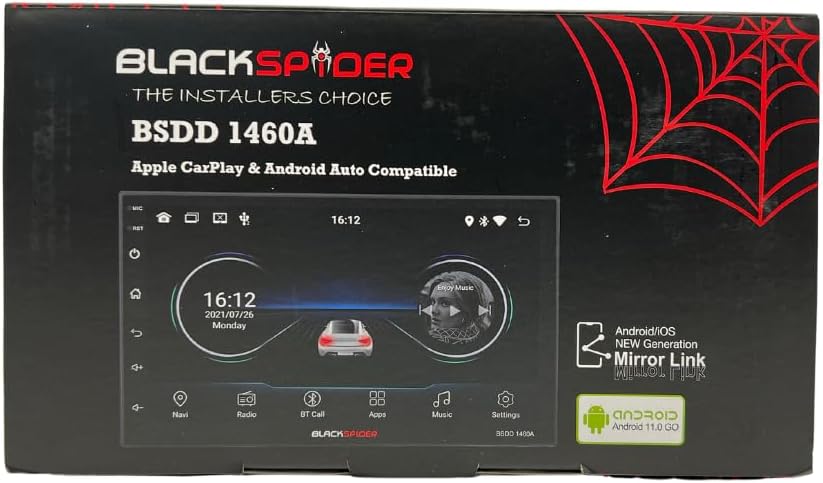
Figure 1: Blackspider BSDD1460A Product Packaging
The Blackspider BSDD1460A is a double-DIN head unit featuring a 7-inch Android 11 touchscreen. It supports Wireless Apple CarPlay, Wired Android Auto, built-in GPS navigation, and offers robust multimedia control and audio output. It is designed for seamless integration with various car systems, including rear cameras and steering wheel controls.
Setup u Installazzjoni
Kontenut tal-Pakkett
Before installation, verify that all components are present in the package:
- 1 x BSDD1460A Radio Unit
- 1 x Kamera Cable
- 1 x RCA Cables Set
- 2 x Kejbils USB
- 1 x GPS Receiver
- 1 x Dijagramma tal-Wiring
- 2 x Parentesi tal-Immuntar
- 4 x Viti
- 1 x Mikrofonu Estern
- 1 x Kejbil tal-Enerġija

Figure 2: Unboxed Components

Figura 3: Dettaljat View of Cables and Wiring Diagram
Linji Gwida għall-Installazzjoni
Installation of the BSDD1460A unit should ideally be performed by a qualified professional. Incorrect wiring can damage the unit or your vehicle's electrical system. Refer to the included wiring diagram for specific connections.
Key connection points include:
- Provvista tal-Enerġija: Connect the power cable to the vehicle's electrical system, ensuring correct polarity and fuse protection.
- Riżultati tal-Ispeaker: Connect to your vehicle's speakers. The unit provides 60W x 4 max output.
- Antenna tal-GPS: Connect the GPS receiver to the dedicated input and mount the antenna in a location with clear sky visibility.
- Input tal-Kamera ta' wara: Connect your rear-view kamera għall-input magħżul għal wiri awtomatiku meta tirriversja.
- Portijiet USB: Utilize the dual rear USB ports for media playback or charging devices.
- Mikrofonu Estern: Connect the external microphone for improved hands-free calling audio quality.
- Kontrolli tal-istering: Connect to your vehicle's resistive steering wheel controls for integrated functionality.
- Outputs RCA: Use the RCA audio outputs (Front/Rear) and dedicated Subwoofer output for external ampliifikaturi.

Figura 4: Konnessjonijiet tal-Panel ta' Wara
Istruzzjonijiet Operattivi
Qawwa mixgħul/mitfi
Press and hold the power button on the front panel or use the vehicle's ignition to turn the unit on or off. The unit will display the Blackspider logo upon startup.

Figure 5: Startup Screen
Interface touchscreen
The 7-inch touchscreen provides intuitive control over all functions. Tap icons to open applications, swipe to navigate menus, and use pinch-to-zoom gestures where applicable (e.g., in navigation apps).
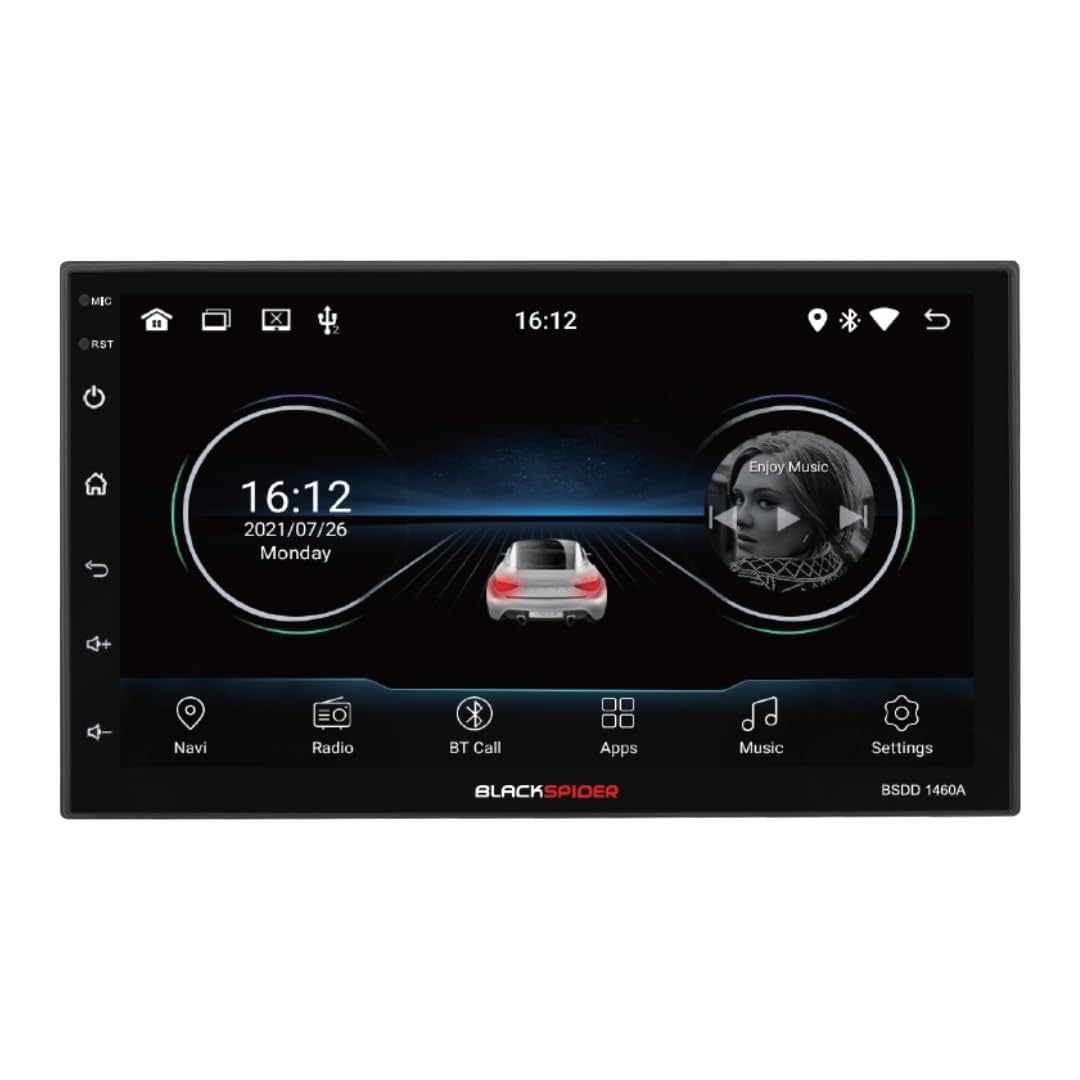
Figure 6: Main Home Screen

Figure 7: Applications Screen
Karatteristiċi Ewlenin
- Apple CarPlay bla fili: Connect your iPhone wirelessly for access to navigation, music, messages, and more directly on the unit's screen. Ensure Bluetooth and Wi-Fi are enabled on your iPhone.
- Android Auto bil-fili: Connect your Android smartphone via a USB cable to use Android Auto features, including Google Maps, Spotify, and voice commands.
- Navigazzjoni GPS integrata: The unit comes with built-in GPS capabilities. You can download and use various navigation applications from the Android system's app store.
- Bluetooth Hands-Free Calling & Music Streaming: Pair your smartphone via Bluetooth for hands-free calls and wireless audio streaming. The included external microphone enhances call clarity.
- Daqq Multimedjali: Ilgħab awdjo u vidjo files from USB drives connected to the dual rear USB ports.
- Appoġġ għall-Kamera ta' wara: When a rear camera is connected, the display automatically switches to the camera view meta l-vettura tkun fil-ger tar-rivers.
- Kontroll tal-awdjo: Adjust volume, balance, fader, and utilize the built-in equalizer presets to customize your audio experience.
Manutenzjoni
To ensure the longevity and optimal performance of your Blackspider BSDD1460A, follow these maintenance guidelines:
- Tindif: Use a soft, dry cloth to clean the screen and unit exterior. For stubborn marks on the screen, use a screen cleaner specifically designed for electronic displays. Avoid abrasive cleaners or solvents.
- Aġġornamenti tas-Software: Periodically check for software updates through the unit's settings menu or the manufacturer's websit. Iż-żamma tas-softwer aġġornat tista' ttejjeb il-prestazzjoni u żżid karatteristiċi ġodda.
- Kundizzjonijiet Ambjentali: Evita li tesponi l-unità għal temperaturi estremi, dawl tax-xemx dirett għal perjodi twal, jew umdità eċċessiva.
Issolvi l-problemi
If you encounter issues with your Blackspider BSDD1460A, refer to the following common problems and solutions:
| Problema | Kawża Possibbli | Soluzzjoni |
|---|---|---|
| L-unità ma tixgħelx | Wajers mhux korretti, fjus maħruq, problema bil-batterija tal-vettura | Check power connections and fuses. Ensure vehicle battery is charged. Consult an installer. |
| Ebda output tal-ħoss | Speaker wires disconnected, volume too low, mute activated | Iċċekkja l-konnessjonijiet tal-ispiker. Żid il-volum. Iddiżattiva l-funzjoni mute. |
| Sinjal tal-GPS mitluf jew mhux preċiż | L-antenna tal-GPS imfixkla jew imqiegħda ħażin | Kun żgur li l-antenna tal-GPS għandha viżibilità ċara view tas-sema. Iċċekkja l-konnessjoni tal-antenna. |
| Apple CarPlay/Android Auto mhux qed jikkonnettja | Incorrect settings, cable issue (for Android Auto), phone compatibility | For CarPlay, ensure Wi-Fi and Bluetooth are on. For Android Auto, try a different USB cable. Check phone compatibility and settings. |
| Touchscreen ma jirrispondix | Glitch temporanju tas-softwer | Restart the unit. If issue persists, perform a factory reset (note: this will erase all user data). |
Speċifikazzjonijiet
Technical specifications for the Blackspider BSDD1460A multimedia radio:
- Mudell: BSDD1460A
- Wiri: 7-inch Android 11 Touchscreen
- Memorja: 2GB RAM + 32GB ROM
- Konnettività: Wireless Apple CarPlay, Wired Android Auto, Bluetooth, GPS, Dual Rear USB, AV Input & Video Output, RCA Audio Outputs (Front/Rear), Dedicated Subwoofer Output
- Output Awdjo: 60W × 4 max speaker output, Built-in Equalizer Presets
- Karatteristiċi Speċjali: Waraview camera input, Resistive steering wheel control support, External microphone support
- Dimensjonijiet (D x W x H): 14D x 17.8W x 10H ċentimetri
- Piż tal-oġġett: 1.35 Kilogrammi
- Kulur: Iswed
Informazzjoni dwar Garanzija
The Blackspider BSDD1460A comes with a 1 Snin Garanzija from the date of purchase. This warranty covers manufacturing defects under normal use. It does not cover damage caused by improper installation, misuse, accidents, unauthorized repairs, or normal wear and tear. Please retain your proof of purchase for warranty claims.
Appoġġ
For further assistance, technical support, or warranty claims, please contact your retailer or the Blackspider customer service department. Refer to the contact information provided with your purchase or visit the official Blackspider websit għal riżorsi ta' appoġġ.