
1. Introduzzjoni
The BENFEI USB 3.0 Switcher (Model 000376black) is designed to allow two computers to share multiple USB devices efficiently. This device features 3 USB 3.0 ports and 1 USB-C port, enabling seamless switching of peripherals such as keyboards, mice, printers, scanners, USB cameras, and external storage devices between two host computers.
This switcher is driver-free and compatible with various operating systems, including Windows (7/10/8/8.1/7/Vista/XP), Mac OS, Linux, and Chrome OS. It supports data transfer speeds of up to 5Gbps, ensuring quick and reliable performance for your connected devices.
2. Kontenut tal-Pakkett
- 1 x BENFEI USB 3.0 Switcher (Model 000376black)
- 1 x USB-C to USB-A Cable (for power)
- 2 x USB-A to USB-A Cables (for connecting host computers)
- 1 x Remote Control Button
- 1 x Adapter USB-A għal USB-C
- 1 x Manwal għall-Utent

Image: The package contents include the main switcher unit, a remote control button, various USB cables (USB-C to USB-A, USB-A to USB-A), a USB-A to USB-C adapter, and the user manual.
3. Prodott Aktarview
The BENFEI USB 3.0 Switcher features a compact design with clearly labeled ports and indicators for ease of use.
- Panel ta' quddiem: 3 x USB 3.0 ports, 1 x USB-C port (for connecting peripherals).
- Panel ta 'wara: 2 x USB-A ports (labeled PC1, PC2 for host computer connections), 1 x USB-C port (DC 5V power input).
- Panel ta 'Fuq: Manual switch button, LED indicators for PC1 and PC2.
- Panel tal-ġenb: Micro USB port for remote control connection.

Image: The top of the switcher unit displays the BENFEI logo, a large circular button for manual switching, and two small LED lights indicating which PC is currently active.
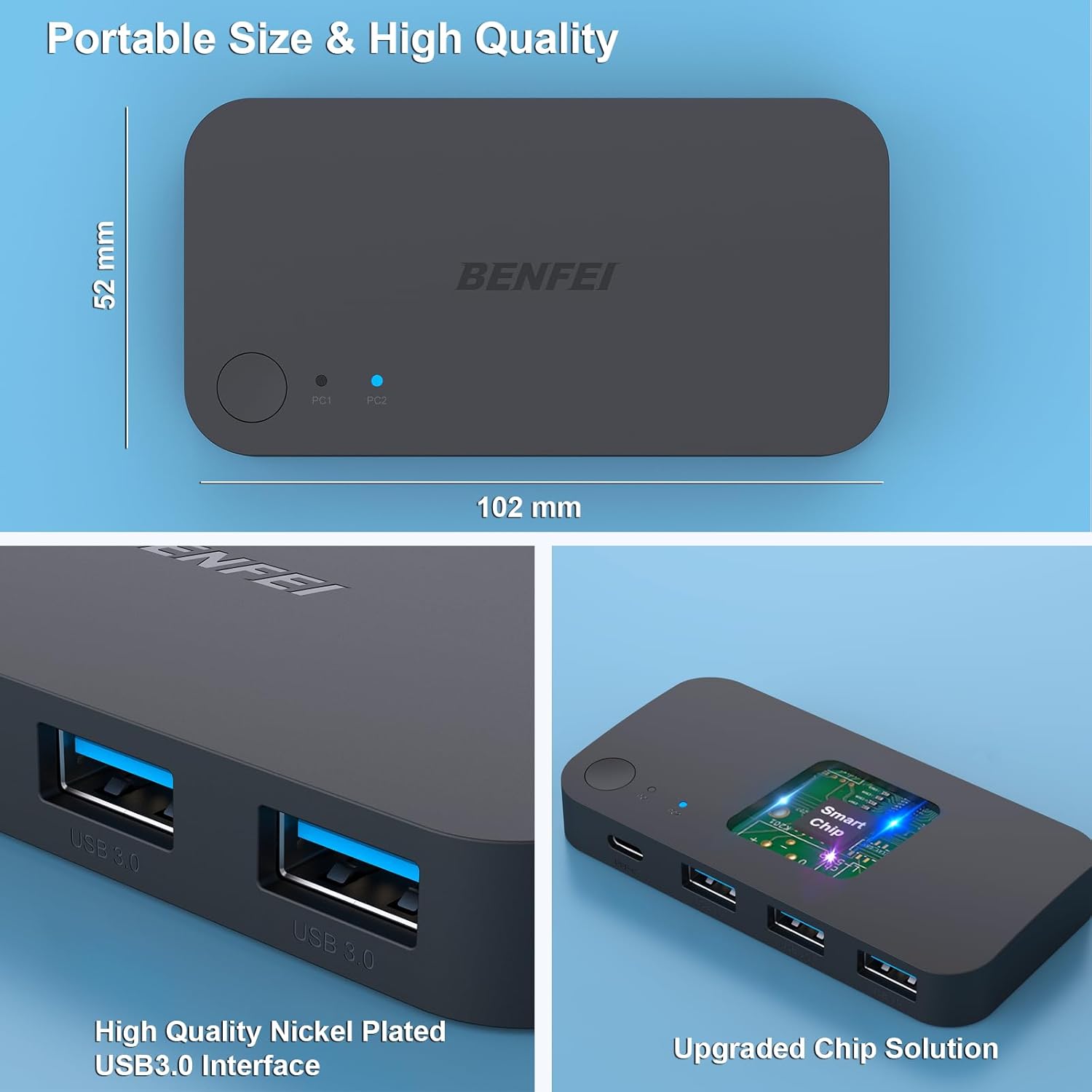
Image: This image shows the compact dimensions of the switcher (102mm x 52mm) and details of its high-quality nickel-plated USB 3.0 interfaces and internal upgraded chip solution for stable performance.
4. Istruzzjonijiet ta' Setup
- Konnessjoni tal-Enerġija: Connect the provided USB-C to USB-A cable to the DC 5V USB-C power input port on the rear of the switcher. Connect the other end to a 5V USB power adapter (not included) or a USB port on one of your computers. This is essential for stable operation, especially when connecting high-power consumption devices.
- Konnessjoni tal-Kompjuter Ospitanti: Use the two provided USB-A to USB-A cables to connect your two host computers (PC1 and PC2) to the corresponding PC1 and PC2 USB-A input ports on the rear of the switcher. If one of your computers uses a USB-C port for input, use the included USB-A to USB-C adapter.
- Konnessjoni Periferali: Plug your USB devices (keyboard, mouse, printer, scanner, USB drive, etc.) into the 3 USB 3.0 ports and 1 USB-C port on the front of the switcher.
- Kontroll mill-bogħod (Mhux obbligatorju): If desired, connect the remote control button to the Micro USB port on the side of the switcher. This allows for convenient switching from a distance.

Image: A visual representation of the switcher's setup, illustrating how two computers (a laptop and a desktop) connect to the switcher's input ports, and various peripherals connect to its output ports. A power adapter is also shown connected.

Image: This image demonstrates a typical desk setup with the USB switcher. It highlights the connection of high-power devices such as an external hard drive and headphones, indicating that external power via the USB-C port is recommended for optimal performance.
5. Istruzzjonijiet Operattivi
- Tibdil bejn il-Kompjuters: To switch control of the connected USB devices from one computer to the other, press the manual switch button located on the top of the switcher unit. Alternatively, if connected, press the remote control button.
- Indikaturi LED: The LED indicators (PC1 and PC2) on the top panel will illuminate to show which computer is currently active and has control over the shared USB devices.
- Plug & Play: The switcher is plug-and-play, meaning no additional drivers are required for most operating systems. Simply connect the devices and computers as instructed.

Image: This image illustrates the two methods of switching between computers: directly pressing the button on the switcher unit or using the external remote control button for more convenient desktop access.
6. Speċifikazzjonijiet
| Karatteristika | Deskrizzjoni |
|---|---|
| Mudell | 000376iswed |
| Brand | BENFEI |
| Tip ta' Swiċċ | Swiċċ USB |
| Numru ta' Inputs | 2 (for host computers) |
| Numru ta' Outputs | 4 (3 x USB 3.0, 1 x USB-C for peripherals) |
| Veloċità tat-Trasferiment tad-Data | Sa 5Gbps (USB 3.0) |
| Metodu ta' Kontroll | Manual Button, Remote Control |
| Provvista tal-Enerġija | USB-C (DC 5V) |
| Kompatibilità | Windows, macOS, Chrome OS, Linux |
| Materjal | Acrylonitrile Butadiene Styrene |
| Piż tal-oġġett | 0.3 Kilogrammi |
7 Issolvi l-problemi
- Devices Not Detected:
- Ensure all cables are securely connected to the correct ports on both the switcher and your computers/peripherals.
- Verify that the switcher is receiving adequate power via its USB-C power input. High-power devices may require external power.
- Try restarting the host computers.
- Ensure you are using the BENFEI USB A to USB A cables provided for host connections, as other cables may not be compatible.
- Trasferiment tad-Data bil-mod:
- Confirm that both the connected device and the host computer support USB 3.0 speeds.
- Ensure the switcher is powered, especially when transferring large files or using multiple devices simultaneously.
- Kwistjonijiet ta' Swiċċjar:
- Check the LED indicators to confirm which PC is currently selected.
- If using the remote control, ensure it is properly connected to the switcher's Micro USB control port.
8. Garanzija u Appoġġ
The BENFEI USB 3.0 Switcher comes with an exclusive BENFEI Unconditional 18-month Warranty, ensuring long-term satisfaction with your purchase. For any issues or inquiries, friendly and easy-to-reach customer service is available to solve your problems timely.
Please refer to the contact information provided in your product packaging or on the official BENFEI websit għall-appoġġ tal-klijent.