
1. Introduzzjoni
This manual provides essential information for the proper setup, operation, and maintenance of your RUIZHI 4K Micro HDMI to USB-C Cable. This cable is designed for high-quality, unidirectional signal transfer from a Micro HDMI source device to a USB-C display, supporting Ultra HD 4K resolution at 60Hz with an 18Gbps bandwidth.

Figure 1: RUIZHI 4K Micro HDMI to USB-C Cable (3FT) with Micro HDMI and USB-C connectors.
Karatteristiċi ewlenin:
- Ultra HD 4K@60Hz Transmission: Supports crystal-clear 4K Ultra HD video at 60Hz with an 18Gbps bandwidth.
- Unidirectional Signal Transfer: Specifically engineered for signal transfer from a Micro HDMI source to a USB-C display.
- Kostruzzjoni Durabbli: Features double-braided nylon, gold-plated contacts, and reinforced aluminum housing for longevity.
- Plug-and-Play: No additional drivers or software required for operation.
2. Istruzzjonijiet ta' Setup
Follow these steps to correctly connect your RUIZHI 4K Micro HDMI to USB-C Cable:
- Identifika Konnetturi: Locate the Micro HDMI connector (smaller, trapezoidal) and the USB-C connector (reversible, oval-shaped) on the cable. The Micro HDMI end is labeled "Source" and the USB-C end is labeled "Display".
- Qabbad mal-Apparat Sors: Insert the Micro HDMI end of the cable into the Micro HDMI port of your source device (e.g., camera, tablet, laptop with Micro HDMI output).
- Connect to Display Device: Insert the USB-C end of the cable into the USB-C input port of your display device (e.g., monitor, TV, projector with USB-C input).
- Apparat ta' Qawwa: Kun żgur li kemm l-apparat tas-sors tiegħek kif ukoll l-apparat tal-wiri huma mixgħula.
- Agħżel Input: On your display device, select the correct USB-C input source if it does not automatically detect the signal.
Avviż Importanti ta' Kompatibilità: This cable supports signal transfer BISS from Micro HDMI (source) to USB-C (display). It MA JAPPOĠĠA USB-C to Micro HDMI operation or charging functions. Attempting to connect in the reverse direction will not transmit a signal.

Figure 2: Illustration of the unidirectional signal flow from a Micro HDMI source to a USB-C display.
3. Istruzzjonijiet Operattivi
Once connected, the cable facilitates various display configurations:
3.1. Mirroring Your Display
To duplicate your source device's screen onto the connected USB-C display:
- Ensure the cable is securely connected as per the Setup Instructions.
- Access your source device's display settings.
- Select the "Mirror Display" or "Duplicate" option.
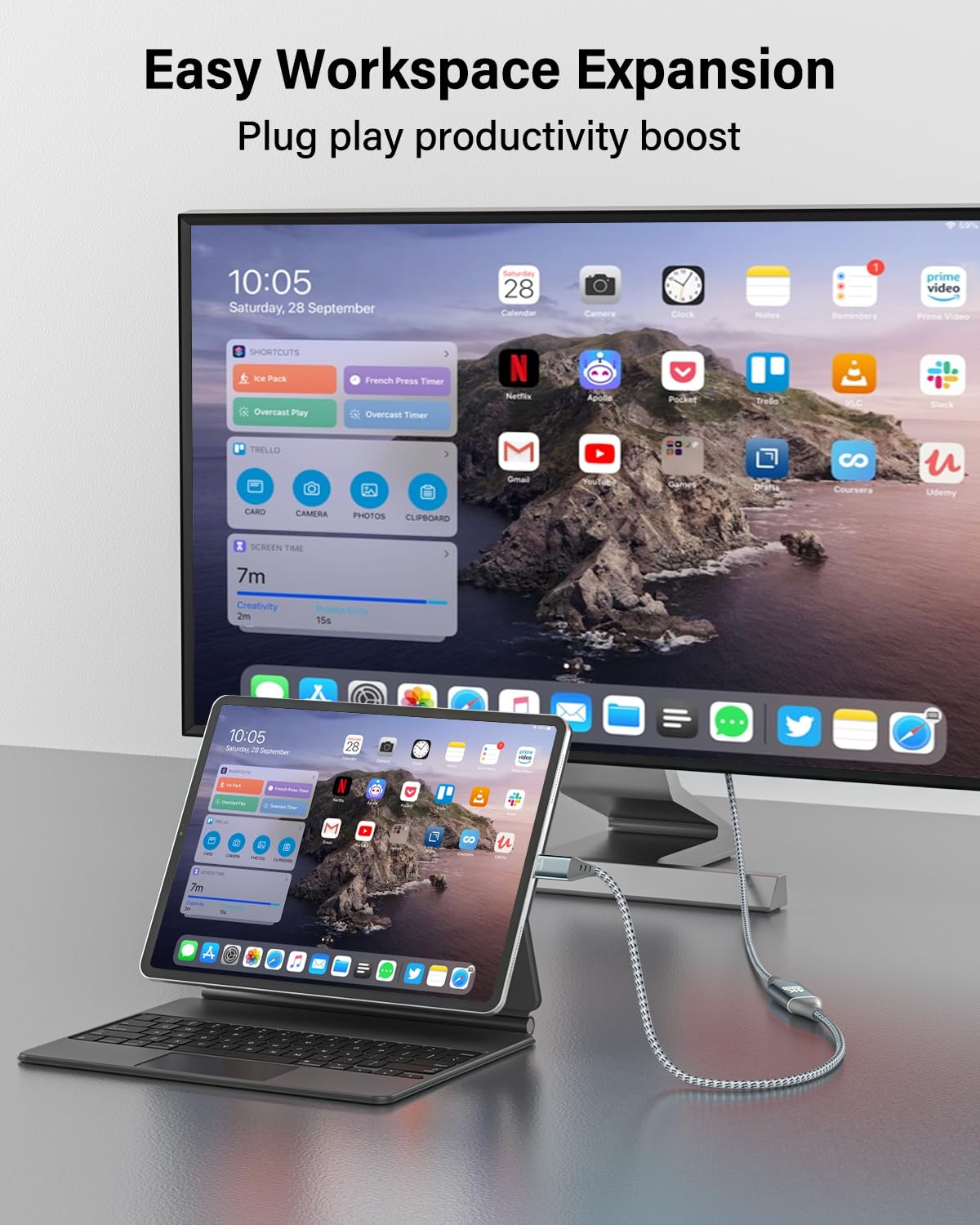
Figure 3: An iPad Pro connected to an external monitor, demonstrating screen mirroring for enhanced productivity.
3.2. Extending Your Display
To use the connected USB-C display as an extension of your source device's screen:
- Kun żgur li l-kejbil huwa konness sew.
- Access your source device's display settings.
- Select the "Extend Display" option.
3.3. Trażmissjoni tal-Awdjo
The cable transmits both video and audio signals. Audio will typically be routed through the USB-C display. You may need to adjust audio output settings on your source device if sound is not automatically detected by the display.
Video 1: An official RUIZHI video demonstrating the features and usage of the 4K Micro HDMI to USB-C Cable.
4. Manutenzjoni
To ensure the longevity and optimal performance of your cable:
- Tindif: Gently wipe the cable and connectors with a dry, soft cloth. Avoid using liquid cleaners or abrasive materials.
- Ħażna: Aħżen il-kejbil f'post frisk u niexef 'il bogħod mix-xemx diretta u minn temperaturi estremi. Evita li ddawwar jew tgħawweġ il-kejbil b'mod issikkat f'angoli qawwija biex tevita ħsara interna.
- Immaniġġjar: Dejjem aqbad il-kaxxa tal-konnettur meta tgħaqqad jew tneħħi l-kejbil. Tiġbidx il-kejbil innifsu.

Figure 4: The durable nylon braided exterior of the cable, designed for resistance against wear and tear.
5 Issolvi l-problemi
Jekk tiltaqa' ma' problemi, irreferi għall-problemi u s-soluzzjonijiet komuni li ġejjin:
| Problema | Kawża Possibbli | Soluzzjoni |
|---|---|---|
| No video signal on display. |
|
|
| Flickering or unstable video. |
|
|
| Ebda output awdjo. |
|
|
| Cable does not charge devices. | This cable is not designed for charging. | This cable is for video and audio transmission only and does not support power delivery. |
6. Speċifikazzjonijiet
| Karatteristika | Dettall |
|---|---|
| Brand | RUIZHI |
| Mudell | MI-C-3FT |
| Tip ta' Konnettur | Micro HDMI (Source), USB Type-C (Display) |
| Tip ta' Cable | Micro HDMI to USB-C |
| Rata ta' Trasferiment tad-Data | 18 Gigabits Kull Sekonda (Gbps) |
| Appoġġ għar-Riżoluzzjoni | Sa 4K @ 60Hz |
| Konnettur Sess | Raġel għal Raġel |
| Tul tal-Cable | 3.0 Pied (madwar 0.91 metru) |
| Materjal ta 'barra | Nylon Braided, Aluminum Alloy Shell |
| Piż tal-oġġett | 1.97 Uqija (madwar 55.85 grammi) |
| Karatteristika Speċjali | High Speed, Unidirectional |

Figure 5: High-speed data transmission capabilities of the RUIZHI Micro HDMI to USB-C cable.
7. Informazzjoni dwar Garanzija
Specific warranty details for the RUIZHI 4K Micro HDMI to USB-C Cable are subject to the terms and conditions provided by the manufacturer or retailer at the time of purchase. Please refer to your purchase documentation or the official RUIZHI webis-sit għall-aktar informazzjoni preċiża u aġġornata dwar il-garanzija.
Typically, product warranties cover defects in materials and workmanship under normal use. Damage resulting from misuse, accidents, or unauthorized modifications is generally not covered.
8. Appoġġ għall-Klijent
For technical assistance, troubleshooting beyond this manual, or warranty claims, please contact RUIZHI customer support through one of the following methods:
- Online: Visit the official RUIZHI websit għal riżorsi ta' appoġġ, FAQs, u formoli ta' kuntatt.
- Bejjiegħa bl-imnut: Contact the retailer from whom you purchased the product for assistance.
- Paġna tal-Prodott tal-Amazon: Refer to the product detail page on Amazon for seller contact information.
When contacting support, please have your product model (MI-C-3FT) and purchase information readily available.