
Introduzzjoni
These Earbay Wireless Headphones are designed for an immersive and private audio experience, particularly for TV watching. They feature Bluetooth 5.4 technology for ultra-low latency and a stable connection, ensuring audio-video synchronization. The included charging base provides convenience and extended usage time. This manual provides instructions for setup, operation, and maintenance to ensure optimal performance.

Image: The Earbay wireless headphones provide a private listening experience, allowing one person to watch TV without disturbing others.
X'hemm fil-Kaxxa
Ivverifika li l-oġġetti kollha huma preżenti fil-pakkett:
- TV-Headphones (1 unit)
- Transmitter - Charging Station (1 unit)
- Kejbil ottiku
- Cable AUX 3.5mm
- Kejbil RCA
- Kejbil għall-iċċarġjar USB-A għal USB-C
- Adapter tal-enerġija DC-5V

Image: All components included in the Earbay wireless headphones package.
Prodott Overview
Headphones
The over-ear headphones feature soft protein leather ear pads and high-density memory foam for comfort during extended use. They are designed with 180° rotatable adaptive foam cushions and an adjustable stainless steel headband for a secure and comfortable fit.

Image: Key comfort and adjustability features of the Earbay headphones.
Trasmettitur / Bażi tal-Iċċarġjar
The transmitter doubles as a charging base for the headphones. It features multiple audio input ports (Optical, AUX 3.5mm, RCA) and a power input. A switch on the base allows selection between AUX and Optical input modes.

Image: The Earbay transmitter and charging base with headphones.
Gwida ta' Setup
Follow these steps to set up your Earbay Wireless Headphones for TV watching.
1. Powering the Transmitter/Charging Base
- Connect the DC-5V power adapter to the transmitter's power input port.
- Plug the power adapter into a wall outlet. The indicator light on the base will illuminate.

Image: The transmitter/charging base connected to power.
2. Konnessjoni mat-TV tiegħek
The headphones offer multiple connection options: Optical, 3.5mm AUX, and RCA. Choose the method compatible with your TV.
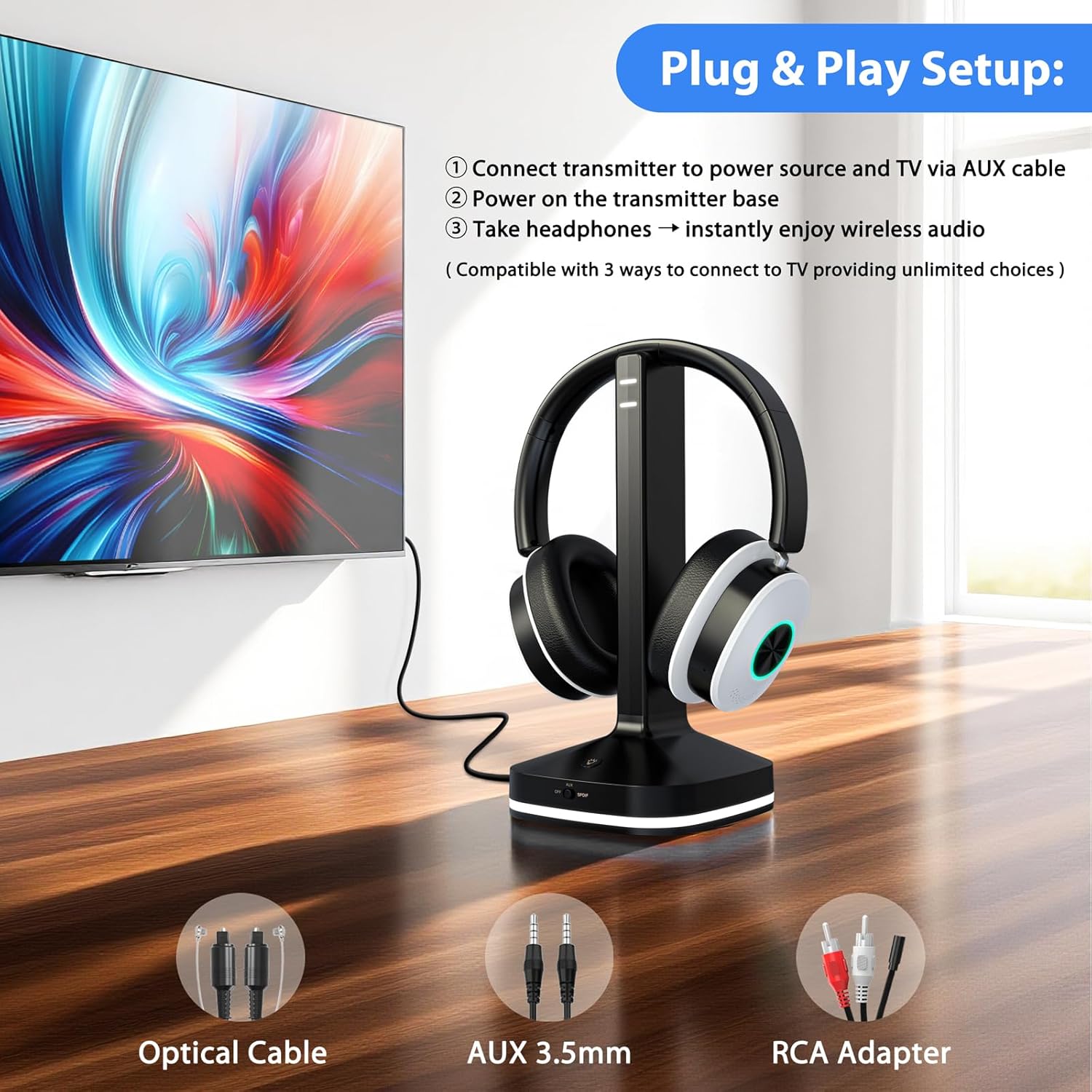
Immaġni: Fuqview of connection options for the Earbay headphones.
Method A: Optical Audio Output
- Connect one end of the optical cable to the OPTICAL OUT port on your TV.
- Connect the other end of the optical cable to the OPTICAL IN port on the transmitter base.
- On the transmitter base, ensure the input switch is set to the "Optical" position.
- Importanti: Access your TV's audio settings. Navigate to "Sound" or "Audio Output" and set the "Digital Output Audio Format" to PCM. Refer to your TV's manual for specific steps.

Immaġni: Eżample TV audio settings for Optical output (set to PCM).
Method B: 3.5mm AUX Audio Output
- Connect one end of the 3.5mm AUX cable to the HEADPHONE OUT or AUX OUT port on your TV.
- Connect the other end of the 3.5mm AUX cable to the AUX IN port on the transmitter base.
- On the transmitter base, ensure the input switch is set to the "AUX" position.

Image: Transmitter connected via AUX cable to a TV.
Method C: RCA Audio Output
- Connect the 3.5mm end of the RCA adapter cable to the AUX IN port on the transmitter base.
- Connect the red and white RCA plugs to the corresponding AUDIO OUT ports (red for right, white for left) on your TV. Ensure these are "AUDIO OUT" ports, not "AUDIO IN".
- On the transmitter base, ensure the input switch is set to the "AUX" position.
Video: Step-by-step guide for connecting the transmitter via RCA audio output.
Method D: Bluetooth Connection (Direct to TV)
If your TV has built-in Bluetooth, you can connect the headphones directly without the transmitter. Refer to your TV's Bluetooth pairing instructions. The headphones will appear as "Earbay JLS-TV966CD" in your TV's Bluetooth device list.
Image: Visual representation of various connection methods for the headphones.
3. It-tqabbil tal-Headphones mat-Trasmettitur
- Kun żgur li t-trasmettitur ikun mixgħul u konness mal-output tal-awdjo tat-TV tiegħek.
- Ixgħel il-headphones billi tagħfas u żżomm il-buttuna tal-qawwa sakemm id-dawl indikatur jteptep.
- The headphones and transmitter should automatically pair. A solid blue light on both devices indicates a successful connection.
- If pairing fails, place the headphones on the charging base, then remove them after a few seconds to re-initiate pairing.
Operazzjoni
Liebes il-headphones
Adjust the headband for a comfortable fit. The earcups are designed to rotate 180° for adaptive comfort. Ensure the ear pads fully cover your ears for optimal sound isolation and quality.
Kontrolli
The headphones feature intuitive controls on the earcup:
- Buttuna tal-Qawwa: Agħfas u żomm biex tixgħel/itfi.
- Buttuni tal-Volum (+/-): Aġġusta l-volum tal-awdjo.
- Buttuna EQ: Short-press to cycle through audio modes: Vocal, Cinema, Bass, Balanced.
- Buttuna b'ħafna funzjonijiet: For calls, long-press for 1 second to mute the microphone.

Image: Headphone earcup controls and their functions.
Modi Awdjo
The headphones offer three distinct audio modes to enhance your listening experience:
- Modalità Vokali: Optimizes clarity for dialogue and vocals.
- Modalità taċ-Ċinema: Enhances cinematic soundscapes with broader dynamics.
- Modalità Bass: Boosts low frequencies for a richer, more impactful sound.
- Modalità Bilanċjata: Jipprovdi professjonist tal-ħoss newtralifile adattat għal smigħ ġenerali.
Iċċarġjar tal-headphones
The headphones can be charged by placing them on the transmitter base. Ensure the base is connected to power. The headphones offer up to 40 hours of continuous use on a single charge.
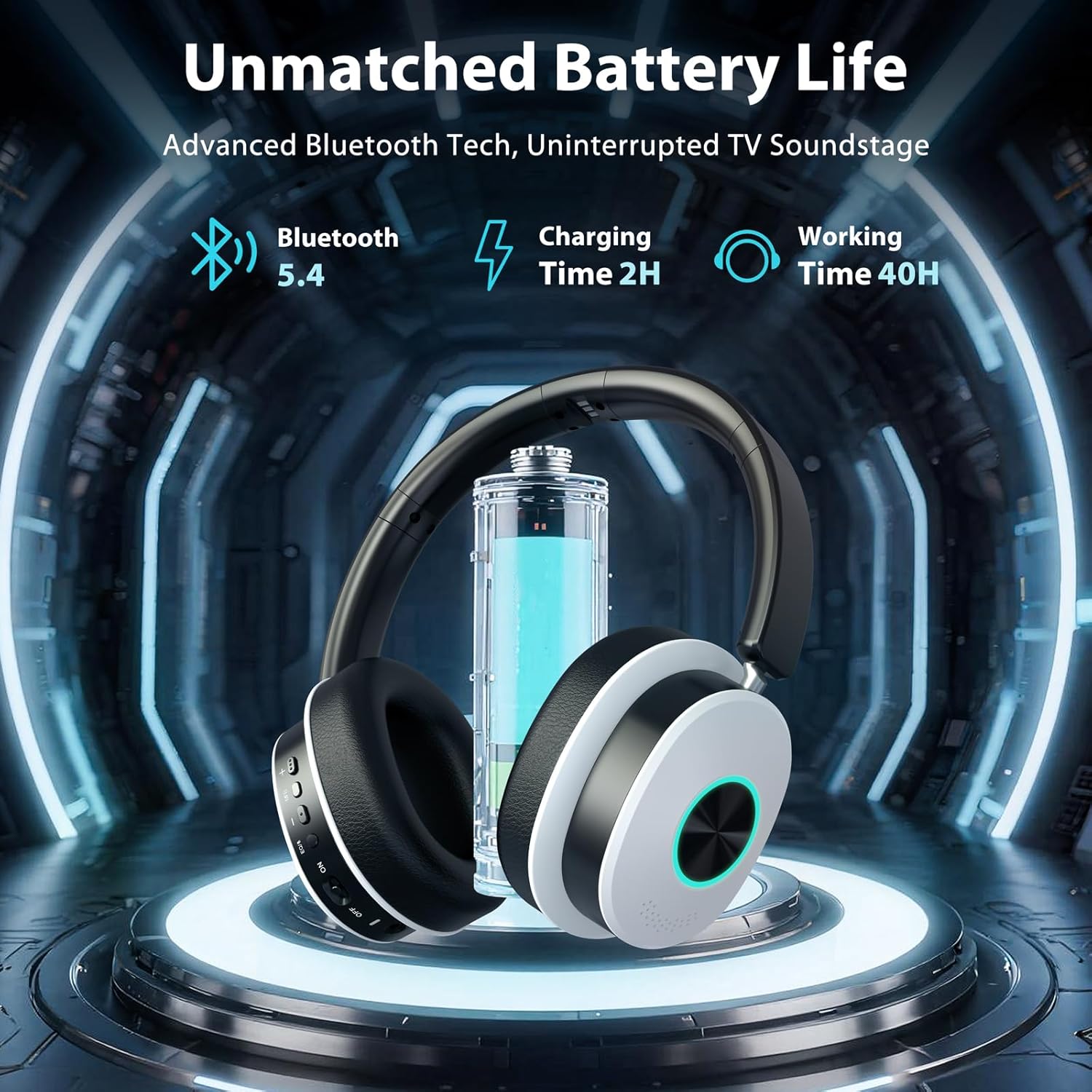
Image: Headphones charging on the base, highlighting battery life.
Manutenzjoni
- Tindif: Uża drapp artab u niexef biex tnaddaf il-headphones u l-bażi tal-iċċarġjar. Tużax prodotti tat-tindif likwidi jew aerosols.
- Ħażna: When not in use, store the headphones on the charging base or in a cool, dry place away from direct sunlight and extreme temperatures.
- Evita l-umdità: Żomm l-apparati 'l bogħod mill-ilma u l-umdità għolja biex tevita l-ħsara.
- Kura tal-Cable: Handle cables gently. Avoid sharp bends or excessive pulling to prevent internal wire damage.
Issolvi l-problemi
L-ebda ħoss mill-headphones
- Iċċekkja l-Enerġija: Kun żgur li kemm it-trasmettitur kif ukoll il-headphones huma mixgħula u ċċarġjati.
- Ivverifika l-Konnessjoni: Confirm the audio cable (Optical, AUX, RCA) is securely connected from the TV to the transmitter.
- Modalità tad-dħul: Ensure the input switch on the transmitter base matches the connected cable type (AUX or Optical).
- Issettjar tal-Awdjo tat-TV: For Optical connection, verify your TV's digital audio output is set to PCM. For AUX/RCA, ensure your TV's audio output is active.
- Livelli tal-Volum: Increase the volume on both the headphones and your TV.
- Erġa 'par: If connected wirelessly, try re-pairing the headphones with the transmitter or TV.
Il-Headphones Mhux qed Jitqabblu
- Ċiklu tal-Enerġija: Turn off both the headphones and transmitter, then turn them back on.
- Prossimità: Ensure the headphones are within close range of the transmitter during pairing.
- Irrisettja: Place the headphones on the charging base for a few seconds, then remove them to attempt re-pairing.
Audio Delay (Latency)
- The headphones utilize Bluetooth 5.4 for ultra-low latency. Ensure no other strong wireless signals are interfering.
- If connecting directly to a TV via Bluetooth, some TVs may have higher inherent latency. Using the included transmitter is recommended for the lowest latency experience.
Speċifikazzjonijiet
| Karatteristika | Dettall |
|---|---|
| Brand | Earbay |
| Numru tal-Mudell | JLS-TV966CD |
| Teknoloġija tal-Konnettività | Mingħajr fili (Bluetooth 5.4) |
| Medda Bluetooth | Sa 100 pied (30 metri) |
| Tqegħid tal-widnejn | Fuq il-widnejn |
| Impedenza | 32 Ohms |
| Ħajja tal-Batterija (Medja) | 40 Sigħat |
| Tip ta' Sewwieq Awdjo | Sewwieq Dinamika |
| Medda ta' Frekwenzi | 20Hz - 20,000Hz |
| Kontroll tal-Ħoss | Kanċellazzjoni tal-Ħoss Ambjentali |
| Jack tal-headphone | Optical / 3.5mm (AUX) / RCA |
| Apparati Kompatibbli | TVs, Laptops, Desktops, Tablets, Telephones, Smartphones |
| Materjali | Aluminum, Faux Leather, Plastic, Stainless Steel |
Garanzija u Appoġġ
The Earbay Wireless Headphones (Model JLS-TV966CD) come with a 1-Sena Garanzija mid-data tax-xiri. Din il-garanzija tkopri difetti fil-manifattura u xogħol taħt użu normali.
For technical support, warranty claims, or further assistance, please contact Earbay customer service through the retailer where the product was purchased or visit the official Earbay websit.