
1. Introduzzjoni
Thank you for choosing the YANZEO S200 2D Barcode Scanner. This high-speed, plug-and-play USB scanner is designed for efficient and accurate decoding of 1D and 2D barcodes from various surfaces, including paper, labels, and digital screens. Its robust design makes it suitable for diverse applications such as point-of-sale (POS), inventory management, and retail operations. This manual provides essential information for setting up, operating, and maintaining your scanner.
2. Informazzjoni dwar is-Sigurtà
- Do not expose the scanner to extreme temperatures, humidity, or direct sunlight.
- Avoid dropping the scanner from excessive heights, although it is designed for durability.
- Do not attempt to disassemble or modify the scanner. This will void the warranty.
- Keep the scanning window clean to ensure optimal performance.
- Avoid direct eye exposure to the scanner's light source.
3. Kontenut tal-Pakkett
Jekk jogħġbok iċċekkja l-pakkett għall-oġġetti li ġejjin:
- YANZEO S200 2D Barcode Scanner
- Kejbil tal-USB (imwaħħal)
- Manwal għall-Utent (dan id-dokument)
4. Setup
The YANZEO S200 scanner is designed for simple plug-and-play operation. No drivers or additional software are required for most operating systems.
4.1 Konnessjoni tal-Iskaner
- Locate an available USB port on your computer or POS system.
- Plug the USB cable of the scanner into the USB port.
- The operating system (Windows, Mac OS, Linux) will automatically detect and install the necessary device drivers. This process usually takes a few seconds.
- Ladarba jkun installat, l-iskaner ikun lest għall-użu.

Image: The YANZEO S200 Barcode Scanner connected via USB to a laptop, illustrating its plug-and-play functionality and compatibility with Mac OS, Linux, and Windows operating systems.
5. Istruzzjonijiet Operattivi
5.1 Modi ta' Skennjar
The S200 scanner supports three primary scanning modes to suit different operational needs:
- Modalità Trigger Ewlenin: Press the trigger button to activate the scanner and read a barcode.
- Modalità Auto-Sensing: L-iskaner awtomatikament jiskopri barcode fil-qasam tiegħu. view and scans it without requiring a trigger press.
- Modalità ta' Skennjar Kontinwu: The scanner continuously emits a scanning beam, reading any barcode that passes through its field.
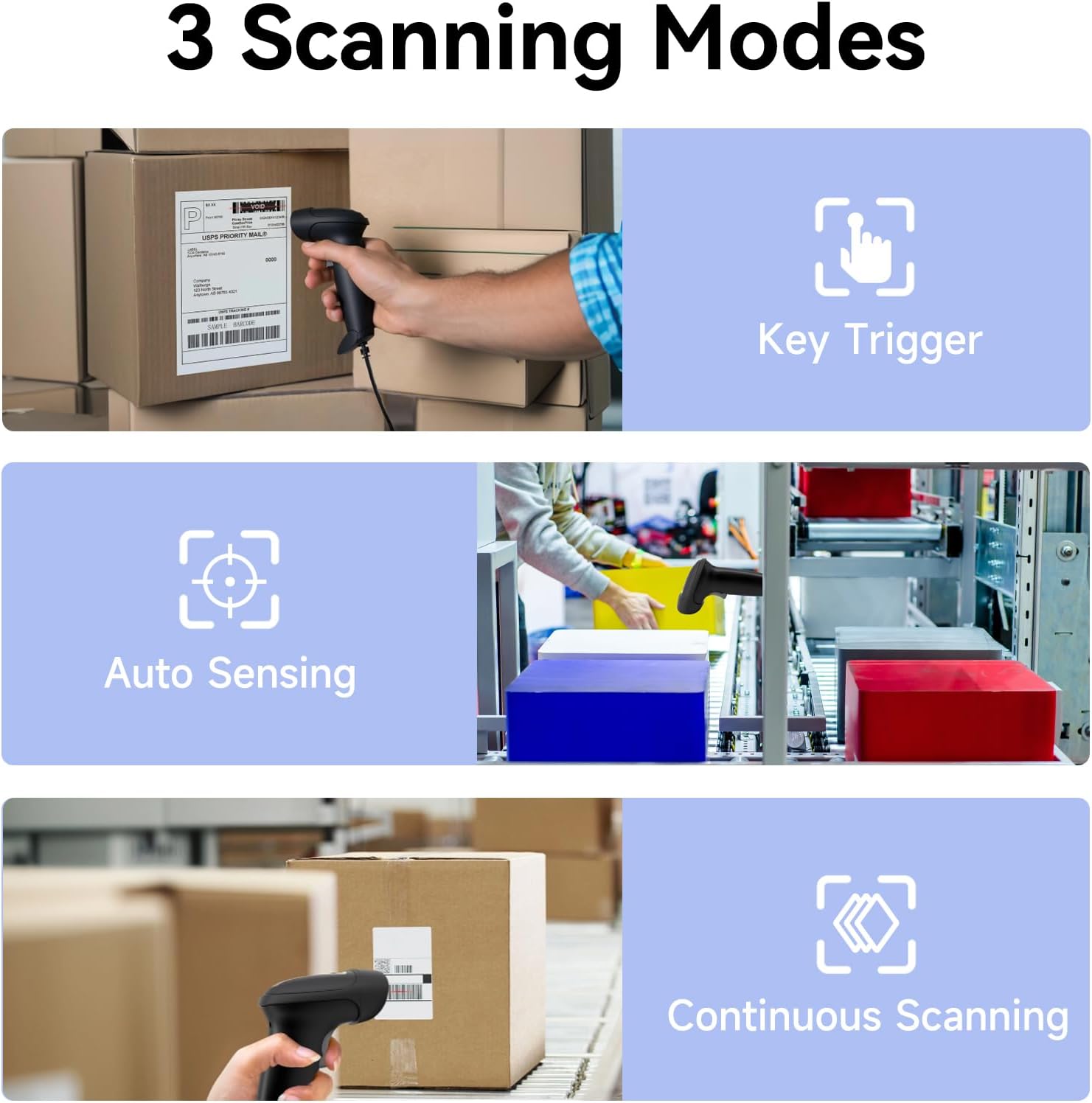
Image: Visual representation of the three scanning modes: Key Trigger (manual scan), Auto Sensing (automatic detection), and Continuous Scanning (constant beam).
5.2 Supported Barcode Types and Decoding Capabilities
The YANZEO S200 is equipped with advanced decoding capabilities to read a wide range of 1D and 2D barcodes, even those that are challenging to scan.
- Kodiċijiet tal-Barrijiet 1D: UPC/EAN, Code 128, Code 39, Code 93, Code 11, Interleaved 2 of 5, Industrial 2 of 5, Matrix 2 of 5, Standard 2 of 5, Codabar, MSI Plessey, GS1 DataBar, etc.
- Kodiċijiet tal-Barrijiet 2D: QR Code, Data Matrix, PDF417, Aztec Code, Maxicode, etc.
- Challenging Barcodes: The scanner can effectively decode reflective, fuzzy, long, high-density, curved, colorful, damaged, and smudged barcodes, as well as barcodes displayed on digital screens (monitors, smartphones).

Image: The scanner's ability to quickly read diverse barcode types, including those that are reflective, fuzzy QR, long, high-density, curved, and even contaminated.

Image: Demonstrates the scanner's powerful decoding capabilities, showing it can read colorful, damaged, reflective, and smudged barcodes.

Image: The YANZEO S200 scanner demonstrating its ability to read both 1D and 2D barcodes from physical labels and digital screens.
5.3 Compatibility and Applications
The S200 scanner is highly versatile and compatible with various systems and environments:
- Sistemi Operattivi: Windows (7/8/10/11), Mac OS, Linux.
- Applikazzjonijiet: Ideal for POS systems, warehouse management, retail stores, logistics operations, supermarkets, pharmacies, and more.
- Lingwi tat-Tastiera: Supports multiple keyboard languages including English, Spanish, German, Japanese, French, Italian, and Dutch.

Image: The YANZEO S200 scanner in use across different scenarios: warehouse, supermarket, and pharmacy, demonstrating its suitability for multiple business environments.

Image: The YANZEO S200 scanner highlighting its support for multiple keyboard languages, indicated by various national flags.
6. Manutenzjoni
6.1 Tindif tal-Iskaner
To maintain optimal scanning performance, keep the scanning window clean. Use a soft, lint-free cloth lightly dampLaħlaħ bl-ilma jew b'soluzzjoni ħafifa tat-tindif. Evita prodotti tat-tindif jew solventi li joborxu.
6.2 Durability and Environmental Resistance
The YANZEO S200 is built with an IP54-certified durable housing, making it resistant to dust and water splashes. It is also designed to withstand drops from up to 1.5 meters, ensuring reliable operation in demanding environments.

Image: The YANZEO S200 scanner's durable and industrial-grade construction, featuring IP54 protection and a 1.5-meter drop test rating for tough environments.
7 Issolvi l-problemi
- Skaner mhux rikonoxxut: Ensure the USB cable is securely connected to both the scanner and the computer. Try a different USB port. Restart your computer.
- Unable to scan barcodes: Check if the scanning window is clean. Ensure the barcode is within the scanner's range and properly illuminated. Verify the barcode type is supported.
- Ħruġ ta' dejta mhux korrett: Ensure the correct keyboard language is selected on your computer if you are scanning non-English characters.
- No beep sound: Check the scanner's settings (if applicable, refer to advanced configuration guide) or ensure your computer's volume is not muted.
8. Speċifikazzjonijiet
| Mudell | S200 |
| Teknoloġija tal-Iskennjar | Sensor CMOS |
| Tipi ta' Barcode | 1D (UPC/EAN, Code 128, Code 39, etc.), 2D (QR Code, Data Matrix, PDF417, etc.) |
| Konnettività | USB bil-fili |
| Sistemi Operattivi | Windows, Mac OS, Linux |
| Klassifikazzjoni tad-Durabilità | IP54 (Reżistenti għat-Trab u l-Ilma) |
| Reżistenza għall-qatra | 1.5-il metru |
| Dimensjonijiet tal-Prodott | 6.3 x 3.2 x 2.4 pulzieri (16 x 8.1 x 6.1 ċm) |
| Piż tal-oġġett | 9.6 uqija (272 gramma) |
9. Garanzija u Appoġġ
The YANZEO S200 2D Barcode Scanner comes with a standard manufacturer's warranty. For specific warranty details, please refer to the product packaging or contact your retailer. For technical support, troubleshooting assistance, or any inquiries, please contact Yanzeo customer service through the official webis-sit jew il-pjattaforma tax-xiri tiegħek.