
1. Introduzzjoni
This manual provides detailed instructions for the Donner DEK-630 61-Key Electronic Keyboard. Please read this manual thoroughly before using the instrument to ensure proper operation and to maximize your musical experience. The DEK-630 is designed for beginners and music enthusiasts, featuring lighted keys, various tones and rhythms, and learning modes to support your musical journey.

Image 1.1: The Donner DEK-630 61-Key Electronic Keyboard Set, including the keyboard, Z-stand, and bench.
2. X'hemm fil-Kaxxa
Ivverifika li l-komponenti kollha huma preżenti fil-pakkett:
- Donner DEK-630 Electric Keyboard
- Z-shaped Stand
- Piano Bank
- Mistrieħ Mużikali
- Stikers tan-Noti
- Adapter tal-Enerġija
- Manwal ta 'Istruzzjoni (dan id-dokument)
3. Setup
3.1 Assembling the Z-shaped Stand
- Unfold the main frame of the Z-stand.
- Attach the horizontal support bars to the vertical frames using the provided screws and knobs. Ensure they are securely tightened.
- Adjust the height of the stand to your preferred playing position using the adjustment knobs.
Video 3.1: Official Donner Music video demonstrating the assembly of the DEK-630 keyboard stand.
3.2 Assembling the Piano Bench
- Unfold the legs of the piano bench.
- Ensure all locking mechanisms are engaged for stability.
3.3 Placing the Keyboard and Music Rest
- Carefully place the DEK-630 keyboard onto the assembled Z-stand. Ensure it is stable and centered.
- Daħħal il-mistrieħ tal-mużika fl-islottijiet apposta fuq il-pannell ta' fuq tat-tastiera.

Image 3.1: The Donner DEK-630 keyboard fully set up with the Z-stand and piano bench.
3.4 Konnessjoni tal-Enerġija
- Connect the provided power adapter to the DC 12V input jack (8) on the rear panel of the keyboard.
- Ipplaggja l-adapter tal-enerġija fi żbokk elettriku standard.

Image 3.2: Close-up of the DEK-630's rear panel, highlighting the power adapter input and other connectivity options.
4. Istruzzjonijiet Operattivi
4.1 Power On/Off
Agħfas il- QAWWA button located on the control panel to turn the keyboard on or off. The LCD display will illuminate upon power-on.
4.2 LCD Display Overview
The LCD display provides visual feedback on the current tone, rhythm, tempo, and learning mode status. Use the navigation buttons to browse through options.

Image 4.1: The DEK-630's LCD display, showing active settings for tones, rhythms, and learning modes.
4.3 Tone Selection (300 Tones)
To select a tone:
- Agħfas il- TON buttuna.
- Uża t-tastiera tan-numri jew +/- buttons to select from 300 available tones. The selected tone number and name will appear on the LCD.
4.4 Rhythm Selection (256 Rhythms)
To select a rhythm:
- Agħfas il- RITMU buttuna.
- Uża t-tastiera tan-numri jew +/- buttons to select from 256 available rhythms.
- Agħfas BIDU/WAQQF biex tibda jew ittemm id-daqq tar-ritmu.
4.5 Demo Songs (40 Songs)
The keyboard includes 40 demo songs for listening and practice.
- Agħfas il- Kanzunetta DEMO buttuna.
- Uża l- +/- buttons to cycle through the demo songs.
- Agħfas PLAY biex tibda l-kanzunetta demo magħżula.
4.6 Learning Modes
The DEK-630 offers built-in learning modes to assist beginners, including lighted keys, auto-chord, and metronome functions.
- Ċwievet imdawla: Keys illuminate to guide you during learning exercises.
- Auto-Chord: Automatically plays chords based on single key presses, simplifying accompaniment.
- Metronomu: Provides a steady beat to help develop rhythm and timing. Activate by pressing the METRONOM buttuna.

Image 4.2: A user's hands playing the DEK-630, demonstrating the lighted key feature for learning.
4.7 Reġistrazzjoni u Daqq
Biex tirrekordja l-prestazzjoni tiegħek:
- Agħfas il- REC button. The REC indicator will light up.
- Play your desired melody.
- Agħfas PLAY to stop recording and listen to your recorded performance.
4.8 Dual Keyboard / Split Functions
- Dual Keyboard: Allows two different voices to be layered and played simultaneously.
- Split Function: Divides the keyboard into two sections, each with its own tone, allowing two different instruments to be played at once. Refer to the full manual for detailed activation steps.
4.9 Kontroll tal-Volum
Aġġusta l-volum ewlieni billi tuża l- VOLUM MASTER knob or buttons on the control panel.
4.10 Għażliet ta' Konnettività
The DEK-630 offers various ports for expanded functionality:
- Sustain Pedal Jack (1): Connect an optional sustain pedal for expressive playing.
- MIDI Port (2): Connect to computers or other MIDI devices for music production and learning software.
- Port tal-USB (3): For USB MIDI connectivity.
- Audio Input Line (4): Connect external audio sources (e.g., MP3 player) to play along.
- Output (L/R) (5): Qabbad ma 'barra amplifiers or mixing consoles.
- Mic Jack (6): Connect a microphone for vocal accompaniment.
- Jack tal-Headphones (7): Connect headphones for private practice. Headphones need to be purchased separately.
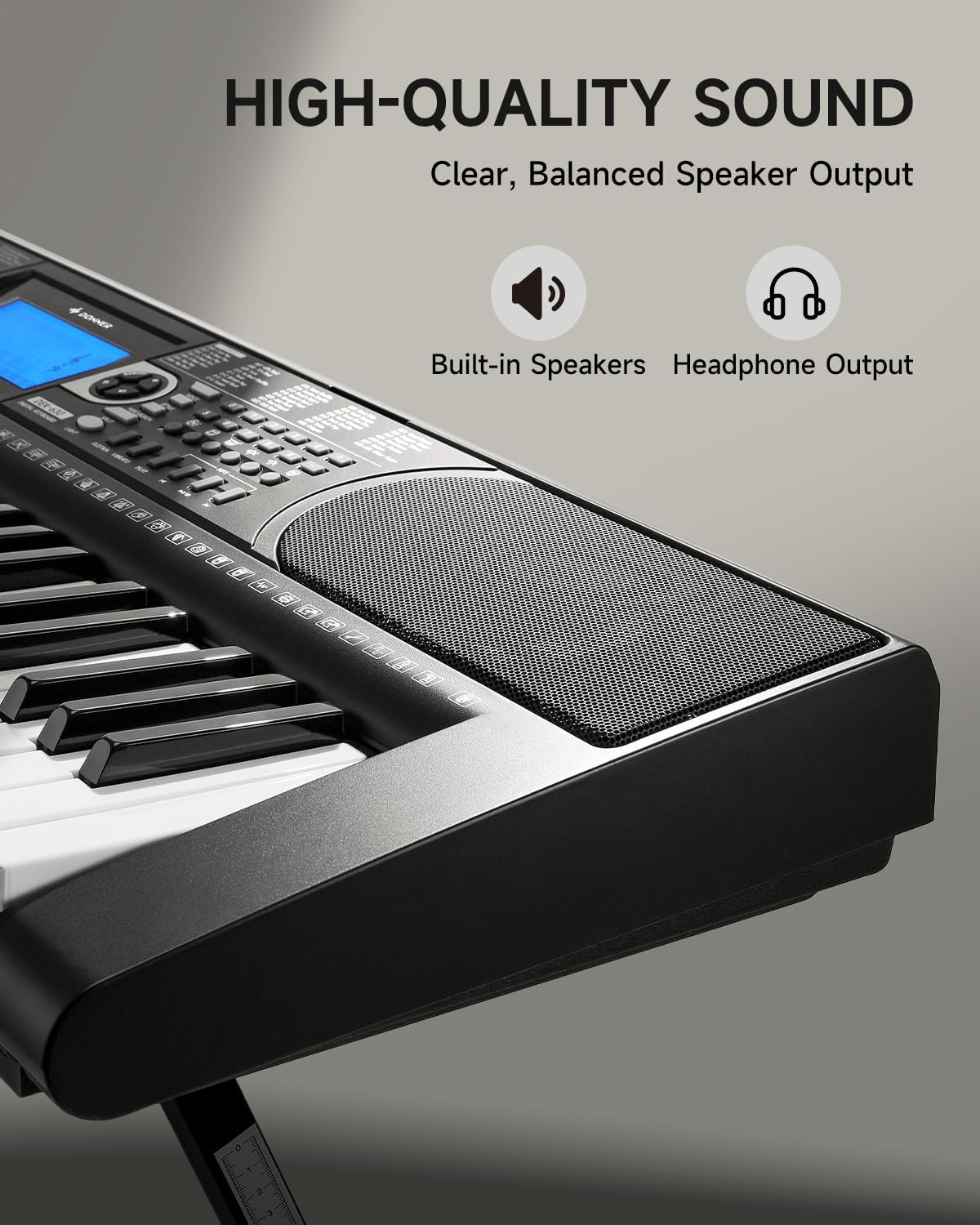
Image 4.3: The DEK-630's built-in speaker and headphone output for versatile sound options.
5. Manutenzjoni
5.1 Tindif
- Wipe the keyboard and stand with a soft, dry cloth.
- Għal ħmieġ iebsa, uża ftit damp drapp u mbagħad nixxef sewwa.
- Evita li tuża prodotti tat-tindif, solventi, jew xama' li joborxu, għax dawn jistgħu jagħmlu ħsara lill-finitura.
5.2 Ħażna
- Aħżen it-tastiera f'post frisk u niexef 'il bogħod mix-xemx diretta u minn temperaturi estremi.
- Jekk taħżen għal perjodu estiż, skonnettja l-adapter tal-enerġija.
6 Issolvi l-problemi
| Problema | Kawża Possibbli | Soluzzjoni |
|---|---|---|
| L-ebda ħoss |
|
|
| Iċ-ċwievet ma jirrispondux |
|
|
| Il-wiri LCD huwa vojt |
|
|
7. Speċifikazzjonijiet
- Mudell: DEK-630
- Numru ta' Ċwievet: 61
- Toni: 300
- Ritmi: 256
- Kanzunetti Demo: 40
- Karatteristiċi Speċjali: Built-In Speaker, Lighted Keys, Portable, LCD Display, Learning Modes (Auto-Chord, Metronome)
- Konnettività: USB MIDI, Audio Input, Output (L/R), Mic Jack, Headphone Jack, Sustain Pedal Jack
- Qawwa: Adapter tal-Enerġija DC 12V
- Dimensions (Keyboard without stand): 37.80 x 11.81 x 3.54 pulzieri (96 x 30 x 9 ċm)
- Komponenti Inklużi: Electric Keyboard, Z-shaped Stand, Piano Bench, Music Rest, Note Stickers
8. Garanzija u Appoġġ
8.1 Informazzjoni dwar Garanzija
The Donner DEK-630 Electronic Keyboard comes with a garanzija ta 'sena from the date of purchase. This warranty covers manufacturing defects and malfunctions under normal use. Please retain your proof of purchase for warranty claims. The warranty does not cover damage caused by misuse, accidents, unauthorized modifications, or normal wear and tear.
8.2 Appoġġ għall-Klijent
For technical assistance, troubleshooting, or warranty inquiries, please contact Donner customer support. Visit the official Donner websit għal informazzjoni ta' kuntatt u riżorsi addizzjonali.
Donner Official Websit: www.donnerdeal.com