
1. Introduzzjoni
This manual provides detailed instructions for the LIGE FV21-F Smart Watch. Please read this guide thoroughly to ensure proper usage, optimal performance, and longevity of your device. This smartwatch is designed to enhance your daily life with health monitoring, fitness tracking, and smart communication features.
2. X'hemm fil-Kaxxa
Upon unboxing your LIGE FV21-F Smart Watch, verify that all the following items are included:
- Smartwatch (LIGE FV21-F)
- Iċċarġjar Cable
- Watch Strap (Black Mesh)
- Additional Watch Strap (Apricot Silicone)
- Watch Setting Tools
- Smartwatch Manuals (this document)
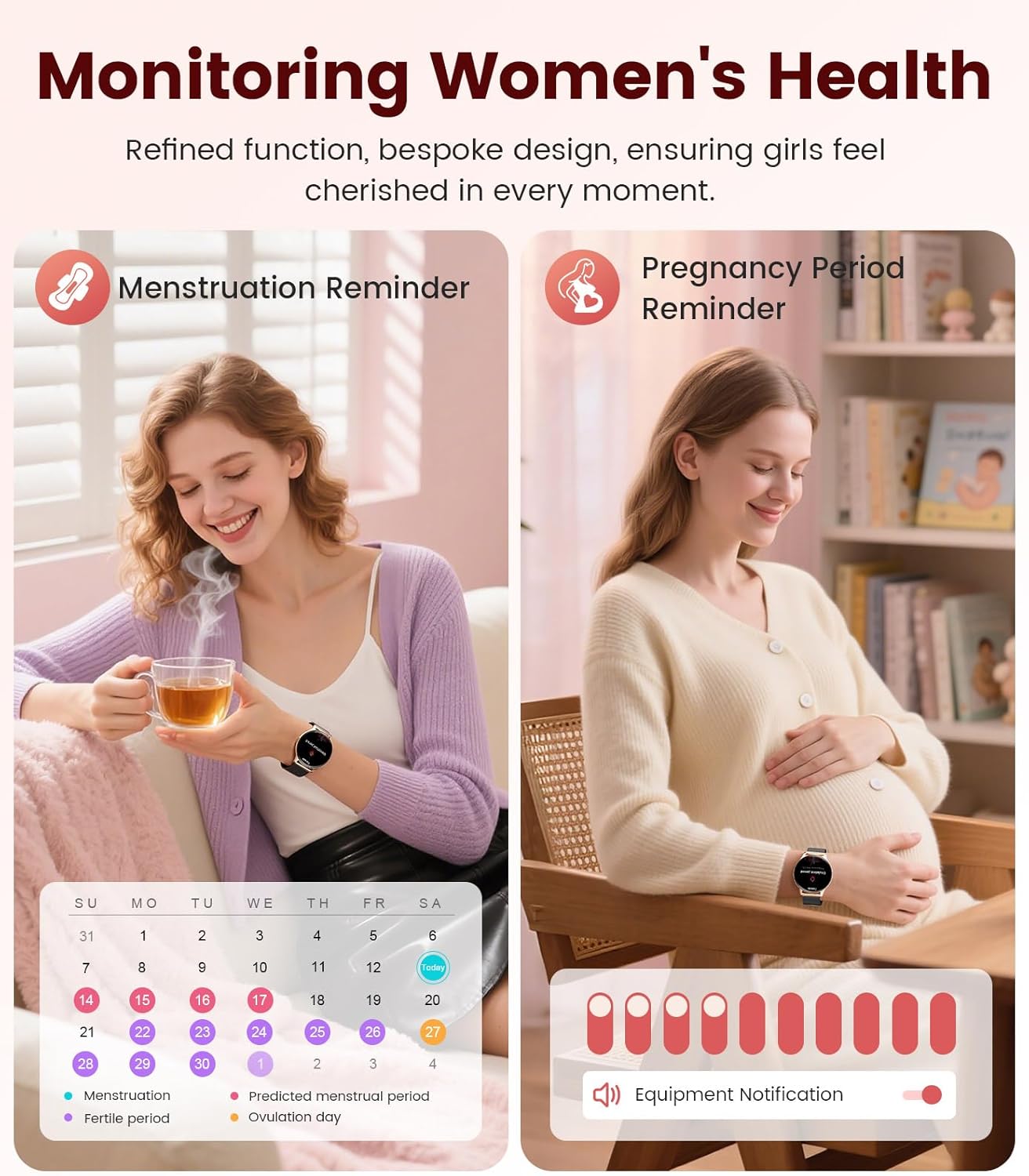
Image: Contents of the LIGE FV21-F Smart Watch package, showing the watch, charging cable, and two interchangeable bands.
3. Gwida ta' Setup
3.1 Attaching the Watch Straps
Your LIGE FV21-F Smart Watch comes with two interchangeable straps: a black mesh band and an apricot silicone band. To attach a strap:
- Locate the spring bar on the back of the watch strap.
- Align one end of the spring bar with the lug hole on the watch case.
- Push the spring bar inward and slide the strap into place between the lugs.
- Release the spring bar, ensuring both ends are securely seated in the lug holes.
- Gently pull the strap to confirm it is firmly attached.
Video: Demonstrates how to attach and change the watch straps, as well as initial setup and pairing with a smartphone.
3.2 Iċċarġjar tal-Arloġġ Intelliġenti
Before first use, fully charge your smartwatch. Use the provided magnetic charging cable.
- Connect the USB end of the charging cable to a power adapter (not included) or a computer's USB port.
- Place the magnetic end of the charging cable onto the charging contacts on the back of the smartwatch. The magnets will align it correctly.
- The watch screen will display a charging indicator. A full charge typically takes approximately 2-3 hours.
Image: The LIGE FV21-F Smart Watch being charged using its magnetic charging cable.
3.3 Tniżżil u Tqabbil tal-App
To unlock the full functionality of your smartwatch, download the companion app, "FitCloudPro," and pair it with your smartphone.
- Niżżel l-App: Scan the QR code displayed on the watch screen (access via Settings > QR Code) or search for "FitCloudPro" in your smartphone's app store (App Store for iOS, Google Play Store for Android).
- Ippermetti Bluetooth: Kun żgur li l-Bluetooth huwa attivat fuq l-ismartphone tiegħek.
- Iftaħ l-App u qabbad: Open the FitCloudPro app, navigate to the "Device" section, and tap "Add Device" or "Search Now". Select "FV21" from the list of discovered devices.
- Ikkonferma l-Imqabbad: A pairing request will appear on both your phone and watch. Confirm the pairing on both devices.
- Ħalli Notifiki: Grant necessary permissions for notifications (calls, messages, apps) when prompted by the app.

Image: The FitCloudPro app interface on a smartphone and the QR code on the smartwatch for easy app download and pairing.
4. Istruzzjonijiet Operattivi
4.1 Navigazzjoni Bażika
- Touchscreen: Skrolla lejn ix-xellug/lemin, 'il fuq/'l isfel biex tinnaviga l-menus u l-iskrins. Tektek biex tagħżel.
- Buttuna tal-ġenb: Agħfas biex tqajjem l-iskrin, terġa' lura għall-iskrin ewlieni, jew taċċessa l-lista tal-apps.
- Ixgħel l-Iskrin: Raise your wrist or press the side button to activate the display.
4.2 Il-Personalizzazzjoni tal-Uċuħ tal-Arloġġ
The LIGE FV21-F offers over 200 customizable watch faces. You can also upload your own photos.
- On the watch, long-press the home screen to access watch face options, then swipe to select.
- In the FitCloudPro app, go to "Watch Face Store" to browse and sync new faces.
- To use a custom photo, select "Watch Face DIY" in the app, choose a photo, adjust its position, and sync to your watch.

Image: The smartwatch displaying a custom watch face, demonstrating the personalization options available through the app.
4.3 Karatteristiċi ta' Komunikazzjoni
- Wieġeb/Agħmel Sejħiet: Once paired via Bluetooth, you can answer incoming calls directly from your watch or dial numbers using the watch's dial pad.
- Notifiki tal-messaġġi: Receive notifications for SMS, emails, and various social media apps (WhatsApp, Facebook, Instagram, etc.) directly on your wrist. Ensure app permissions are granted.
- Assistent tal-Vuċi: Utilize the integrated voice assistant for quick commands and information.

Image: The smartwatch displaying an incoming call and message notifications, highlighting its communication capabilities.
5. Monitoraġġ tas-Saħħa
The LIGE FV21-F Smart Watch provides comprehensive health tracking features to help you monitor your well-being.
- Monitoraġġ tar-Rata tal-Qalb: Isegwi kontinwament ir-rata tal-qalb tiegħek matul il-ġurnata.
- Monitoraġġ tal-irqad: Janalizza x-xejriet tal-irqad tiegħek, inkluż irqad fil-fond, irqad ħafif, u l-ħinijiet tal-qawmien.
- Monitoraġġ tal-Ossiġenu tad-Demm (SpO2): Ikejjel il-livelli ta' saturazzjoni tal-ossiġnu fid-demm tiegħek.
- Women's Physiological Cycle Monitor: Provides reminders and tracking for menstrual and pregnancy periods.
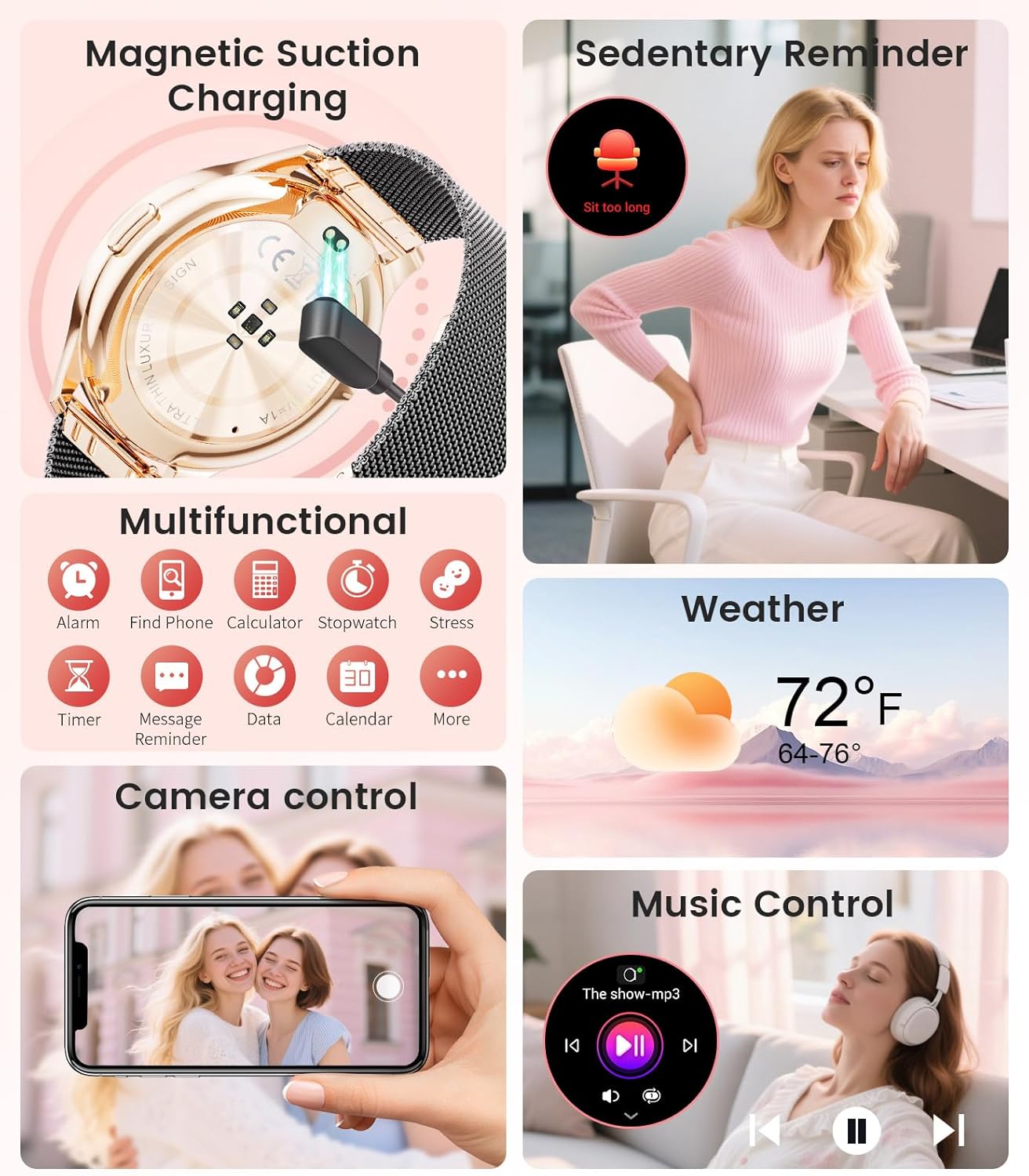
Image: The smartwatch interface showing women's health tracking features, including menstruation and pregnancy reminders.

Image: A user sleeping while wearing the smartwatch, with an inset showing the sleep tracking data on the watch face.
6. Fitness Tracking (120+ Sport Modes)
The LIGE FV21-F Smart Watch supports over 120 sport modes to track your activities, including walking, running, cycling, yoga, and more. It records steps, distance, calories burned, and heart rate during workouts.
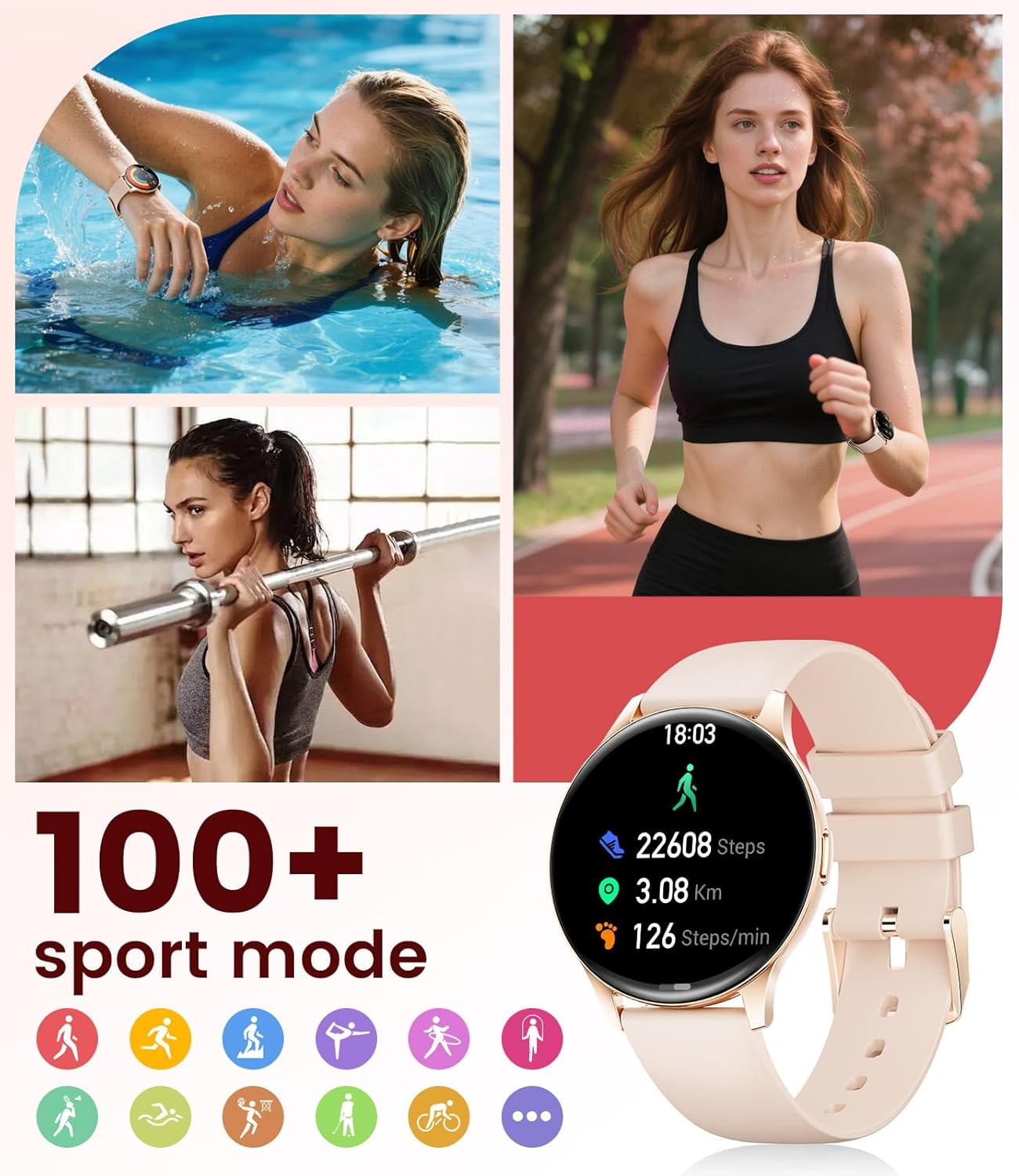
Image: The smartwatch showing different sport modes and real-time fitness data like steps, distance, and calories.
7. Karatteristiċi Intelliġenti Oħra
Beyond health and fitness, your smartwatch offers several convenient smart features:
- Kontroll tal-Mużika: Ikkontrolla d-daqq tal-mużika fuq l-ismartphone tiegħek direttament mill-arloġġ tiegħek.
- Kontroll tal-Kamera: Uża l-arloġġ tiegħek bħala shutter remot għall-kamera tat-telefon tiegħek.
- Wirja tat-Temp: Ikseb aġġornamenti tat-temp f'ħin reali.
- Allarmi u Tifkiriet: Issettja allarmi, tfakkiriet dwar jekk tridx toqgħod bilqiegħda, u tfakkiriet dwar ix-xorb tal-ilma.
- Sib Telefon: Sib it-telefon mitluf tiegħek billi tattiva allarm mill-arloġġ tiegħek.
- Calculator & Stopwatch: Basic utility tools available on your wrist.

Image: The smartwatch screen showing icons for music control, weather forecast, camera remote, and other utility features.
8. Speċifikazzjonijiet
Detailed technical specifications for the LIGE FV21-F Smart Watch:
| Karatteristika | Dettall |
|---|---|
| Isem tal-Mudell | FV21-F |
| Wiri | 1.43" HD Curved AMOLED (466x466) |
| Kompatibilità tas-Sistema Operattiva | Android 4.4+ u iOS 9.0+ |
| Konnettività | Bluetooth |
| Kapaċità tal-batterija | 1000 Milliamp Sigħat (Polimeru tal-Litju) |
| Reżistenza għall-Ilma | IP68 Waterproof (up to 50 meters) |
| Kapaċità tal-Ħżin tal-Memorja | 256 MB |
| Tip ta' Materjal tal-Banda | Stainless Steel, silikonju |
| Metriċi Mkejla | Heart Rate, Sleep Duration, Blood Oxygen |
| Input tal-Interface tal-Bniedem | Touchscreen |
| GPS | Permezz ta’ Smartphone |
9. Manutenzjoni
To ensure the longevity and optimal performance of your LIGE FV21-F Smart Watch, follow these maintenance guidelines:
- Tindif: Regularly wipe the watch screen and straps with a soft, dry cloth. For silicone straps, a mild soap and water solution can be used, ensuring to rinse thoroughly and dry completely.
- Evita kimiċi ħorox: Do not use abrasive cleaners, solvents, or strong chemicals, as these can damage the watch's finish and internal components.
- Iċċarġjar: Use only the provided magnetic charging cable. Avoid exposing the charging contacts to moisture or corrosive substances.
- Ħażna: Meta ma tkunx qed tużah għal perjodi twal, aħżen l-arloġġ f'post frisk u niexef 'il bogħod mix-xemx diretta u minn temperaturi estremi.
- Espożizzjoni għall-Ilma: While IP68 waterproof, avoid prolonged submersion in hot water, steam, or high-pressure water jets. Dry the watch thoroughly after exposure to water.
Video: The smartwatch being rinsed under tap water, showcasing its IP68 water resistance. Ensure to dry the watch after such exposure.
10 Issolvi l-problemi
If you encounter issues with your LIGE FV21-F Smart Watch, refer to the following common solutions:
- L-Għassa Mhux Mixgħula: Kun żgur li l-arloġġ ikun iċċarġjat kompletament. Qabbad mal-ċarġer għal mill-inqas 30 minuti.
- Ma tistax tqabbad mat-telefon:
- Kun żgur li l-Bluetooth huwa attivat fuq it-telefon tiegħek u li l-arloġġ jinsab fil-firxa tiegħu.
- Erġa' ibda kemm it-telefon kif ukoll l-arloġġ tiegħek.
- Neħħi l-cache tal-Bluetooth fuq it-telefon tiegħek u erġa' pprova tqabbad.
- Ensure the FitCloudPro app has all necessary permissions.
- Notifiki Mhux Riċevuti:
- Check app permissions for notifications in your phone settings and within the FitCloudPro app.
- Kun żgur li l-arloġġ huwa konness sew permezz tal-Bluetooth.
- Disable and re-enable notifications in the FitCloudPro app.
- Dejta mhux eżatta dwar is-Saħħa:
- Kun żgur li l-arloġġ jintlibes sew fuq il-polz tiegħek, la issikkat wisq u lanqas maħlul wisq.
- Naddaf is-sensor fuq wara tal-arloġġ.
- Note that health data is for reference and not for medical diagnosis.
- Ħajja Qasira tal-Batterija:
- Naqqas il-luminożità tal-iskrin u l-ħin li l-iskrin idum mixgħul.
- Iddiżattiva l-monitoraġġ kontinwu tar-rata tal-qalb jekk mhux meħtieġ.
- Limita n-numru ta' apps li jibagħtu notifiki lill-arloġġ.
Jekk il-problema tippersisti, jekk jogħġbok ikkuntattja l-appoġġ għall-klijenti.
11. Garanzija u Appoġġ
The LIGE FV21-F Smart Watch comes with a garanzija ta 'sena mid-data tax-xiri, li tkopri difetti fil-manifattura. Din il-garanzija ma tkoprix ħsara kkawżata minn użu ħażin, inċidenti, modifiki mhux awtorizzati, jew xedd u kedd normali.
For technical support, warranty claims, or any other inquiries, please contact LIGE customer service through the retailer where you purchased the product or visit the official LIGE websit għal informazzjoni ta' kuntatt.
We are committed to ensuring your satisfaction and providing a delightful experience with your LIGE Smart Watch.