
OTTOCAST Mini Tube
OTTOCAST Mini Tube Wireless CarPlay Android Auto Adapter 2026 User Manual
Model: Mini Tube
1. Introduzzjoni
The OTTOCAST Mini Tube is a compact wireless adapter designed to convert your vehicle's factory wired Apple CarPlay or Android Auto system into a wireless connection. This device utilizes 5.8GHz WiFi and Bluetooth 5.3 for stable and low-latency connectivity, enabling seamless access to navigation, music, calls, and messages without the need for cables.
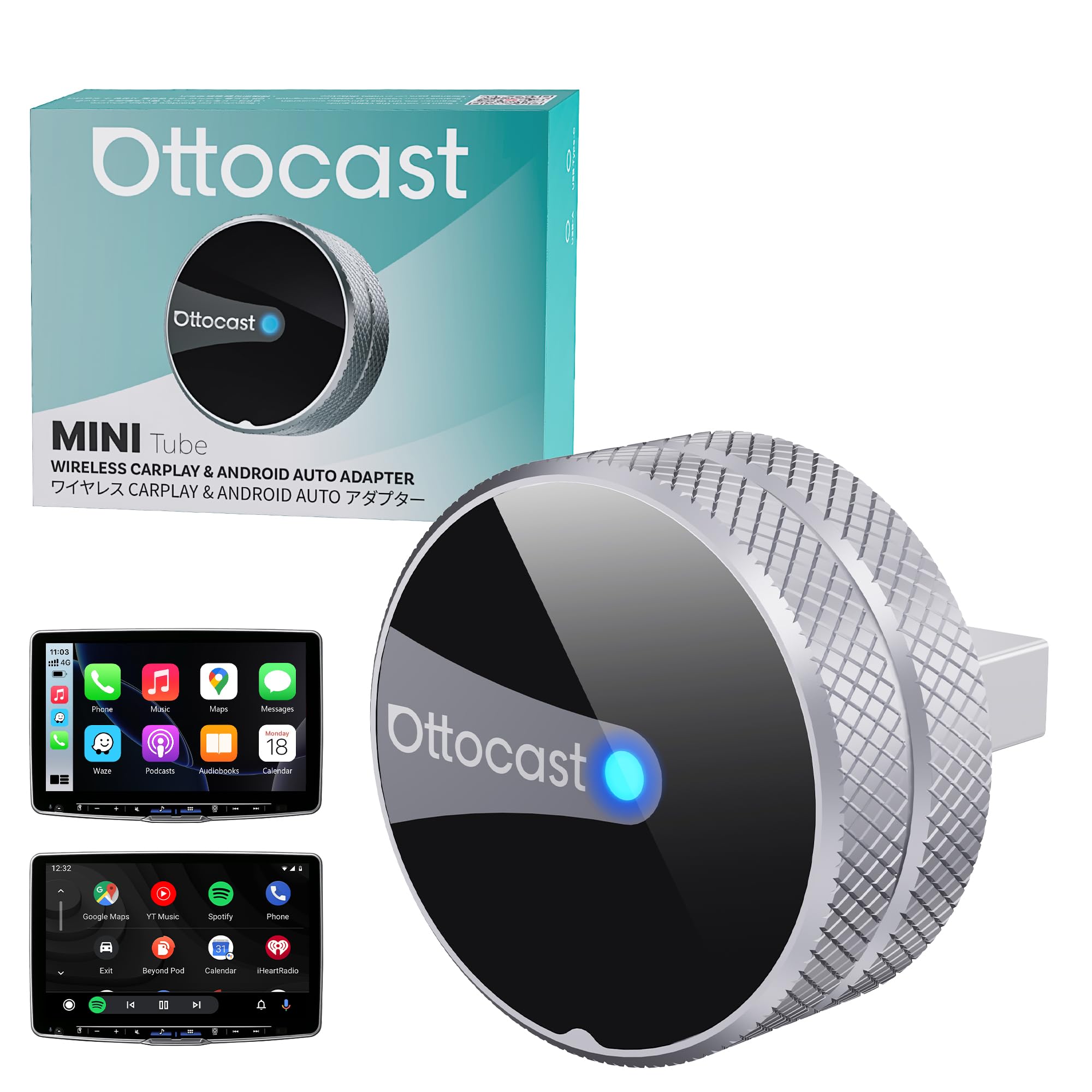
Image: The OTTOCAST Mini Tube adapter installed in a car, showcasing its ability to enable both wireless Apple CarPlay and Android Auto on the vehicle's infotainment display.
2. X'inhu Inkluż
Il-pakkett fih l-oġġetti li ġejjin:
- 1 x OTTOCAST Mini Tube Wireless CarPlay Adapter
- 1 x Adapter USB-A għal USB-C
- 1 x Manwal għall-Utent
- Ippakkjar tal-Prodott

Image: An illustration showing the components included in the OTTOCAST Mini Tube package, along with the adapter's dimensions (0.98 inches / 25mm in length, width, and height).
3. Gwida għall-Installazzjoni
The OTTOCAST Mini Tube is designed for simple plug-and-play installation. No complex setup or app downloads are required.
- Ensure Wired CarPlay/Android Auto: Verify that your vehicle supports factory wired Apple CarPlay or Android Auto. The adapter is compatible only with vehicles that have this existing functionality.
- Qabbad l-Adapter: Plug the OTTOCAST Mini Tube into your car's USB port that supports wired CarPlay or Android Auto. If your car has a USB-C port, use the included USB-A to USB-C adapter.
- Par via Bluetooth: On your iPhone or Android phone, enable Bluetooth and search for the device named "CAR-XXXX" (the name may vary). Select it to pair.
- Ikkonferma l-Konnessjoni: Once paired, your car's infotainment system should automatically display the wireless CarPlay or Android Auto interface. The device will automatically reconnect to your phone on subsequent drives.

Image: Visual guide demonstrating the three steps for installation: plugging the device into the car's USB port, pairing with a smartphone via Bluetooth, and the successful display of the CarPlay interface.

Image: The adapter enables wireless connectivity, transforming a wired CarPlay setup into a wireless one, allowing for automatic connection every time you start your vehicle.
4. Operazzjoni
Once connected, the OTTOCAST Mini Tube provides a seamless wireless experience for Apple CarPlay and Android Auto.
4.1. Automatic Reconnection
The adapter is designed to automatically connect to your paired smartphone within approximately 5 seconds of starting your vehicle, ensuring a quick start to your journey.
4.2. Retaining Original Car Controls
The OTTOCAST Mini Tube maintains compatibility with your car's existing control methods, including:
- Kontroll tal-Vuċi: Use voice commands (e.g., Siri, Google Assistant) for navigation, calls, and music.
- Kontroll tat-Touch Screen: Interact directly with your car's touchscreen display.
- Kontroll tal-pum tal-OEM: Utilize your vehicle's original control knobs.
- Kontrolli tal-istering: Access functions through your steering wheel buttons.

Image: The adapter supports various control inputs including voice commands, touchscreen interaction, OEM control knobs, and steering wheel buttons for a familiar user experience.
4.3. Multi-Phone Memory
The device can remember up to two paired phones. When both phones are present, it will automatically connect to the last used device, making it convenient for shared vehicles.

Image: The adapter's ability to remember and prioritize connection for two different smartphones, automatically connecting to the one most recently used.
5. Kompatibilità
The OTTOCAST Mini Tube is compatible with a wide range of vehicles and smartphones, provided the vehicle has factory wired Apple CarPlay or Android Auto.
5.1. Kompatibilità tal-Vettura
This adapter works with most car models that come with factory-installed wired CarPlay or Android Auto. It is not compatible with BMW or Tesla vehicles.
5.2. Smartphone Compatibility
- iPhone: Compatible with iPhone iOS 10+ (including iPhone 17 and newer).
- Android: Compatible with Android 11+ devices.

Image: A visual representation of compatible car brands (excluding BMW and Tesla) and smartphone operating systems (iOS 10+ and Android 11+).
6. Aġġornamenti tal-Firmware
To ensure optimal performance and access to the latest features, it is recommended to keep your OTTOCAST Mini Tube firmware updated. Updates can be performed online.
- Connect to Device Wi-Fi: Connect your smartphone to the Wi-Fi network broadcast by the OTTOCAST Mini Tube.
- Paġna tal-Aġġornament tal-Aċċess: Iftaħ a web browser on your phone and navigate to 192.168.1.101.
- Iċċekkja għal Aġġornamenti: Follow the on-screen instructions to check for available firmware updates and initiate the update process.

Image: The online update interface accessible via a web browser, showing options to update firmware and upload logs.
7 Issolvi l-problemi
If you encounter issues with your OTTOCAST Mini Tube, consider the following troubleshooting steps:
- Ebda Konnessjoni:
- Ensure your car supports wired CarPlay/Android Auto.
- Verify the adapter is securely plugged into the correct USB port.
- Check your phone's Bluetooth settings to ensure it's paired with the adapter.
- Restart your car's infotainment system and your phone.
- Connection Drops/Instability:
- Kun żgur li m'hemm l-ebda apparat ieħor li qed jinterferixxi mas-sinjali Bluetooth jew Wi-Fi.
- Try a different USB cable or port if available.
- Perform a firmware update as described in Section 6.
- Lag or Delay:
- While the device is designed for low latency, some minimal delay can occur with wireless connections.
- Kun żgur li s-sistema operattiva tat-telefon tiegħek hija aġġornata.
- Close unnecessary applications on your phone.
- Is-sħana żejda:
- The aluminum body is designed for heat dissipation. If the device feels excessively hot, ensure it has adequate ventilation and is not covered.
Għal aktar assistenza, jekk jogħġbok irreferi għat-taqsima tal-appoġġ.
8. Speċifikazzjonijiet
| Karatteristika | Dettall |
|---|---|
| Brand | OTTOKASTA |
| Isem tal-Mudell | Mini Tube |
| Teknoloġija tal-Konnettività | Bluetooth, Wi-Fi (5.8GHz) |
| Standards Appoġġjati | 5.8GHz WiFi, Bluetooth 5.3 |
| Interface tal-Ħardwer | USB 2.0 Tip A, USB 3.0 Tip C |
| Apparati Kompatibbli | Android 11+, Car with Factory wired CarPlay, iOS 10+ |
| Applikazzjoni Appoġġjata | CarPlay, Android Auto |
| Karatteristiċi Speċjali | Hands-Free Calls, Low Latency |
| Materjal | Aluminju |
| Dimensjonijiet tal-Prodott (L x W x H) | 0.98" x 0.98" x 0.98" (25mm x 25mm x 25mm) |
| Piż tal-oġġett | 6.4 Gramm |
| Voltage | 5 Volts |
| Metodu ta' Kontroll | Mess, Voice |
9. Garanzija u Appoġġ
9.1. Informazzjoni dwar Garanzija
The OTTOCAST Mini Tube comes with a 2-Sena Garanzija mid-data tax-xiri.
9.2. Appoġġ għall-Klijent
For technical assistance, troubleshooting, or warranty claims, please contact OTTOCAST customer support:
- Telefon: (+1) 7179358636
- Email: servizz@ottocast.com
- WhatsApp: +1 917 671 0888
- Appoġġ onlajn: http://tsupport.adaptermanual.com/

Image: Contact details for OTTOCAST 24/7 online customer support, including phone, email, WhatsApp, and a QR code for additional resources.
10. Product Video: Unboxing
Video: An official unboxing video for the OTTOCAST Mini Tube, demonstrating the contents of the package and the initial appearance of the device.
Ask a question about this manual
Ask about setup, troubleshooting, compatibility, parts, safety, or missing instructions. Manuals+ will review the question and use this page’s manual context to help answer it.