
1. Introduzzjoni
Grazzi tax-xiriasing the taopodo S18 Portable Speaker. This manual provides essential information for setting up, operating, and maintaining your speaker. Please read it thoroughly before use to ensure optimal performance and longevity of your device.
The taopodo S18 is a high-quality, IPX7 waterproof wireless speaker designed to deliver 30W loud stereo sound with Bluetooth 5.4 connectivity and True Wireless Stereo (TWS) pairing capabilities for an enhanced audio experience.
2. Kontenut tal-Pakkett
Jekk jogħġbok iċċekkja l-pakkett għall-oġġetti li ġejjin:
- taopodo S18 Portable Speaker
- Power Cable (USB-C charging cable)
- Manwal għall-Utent (dan id-dokument)
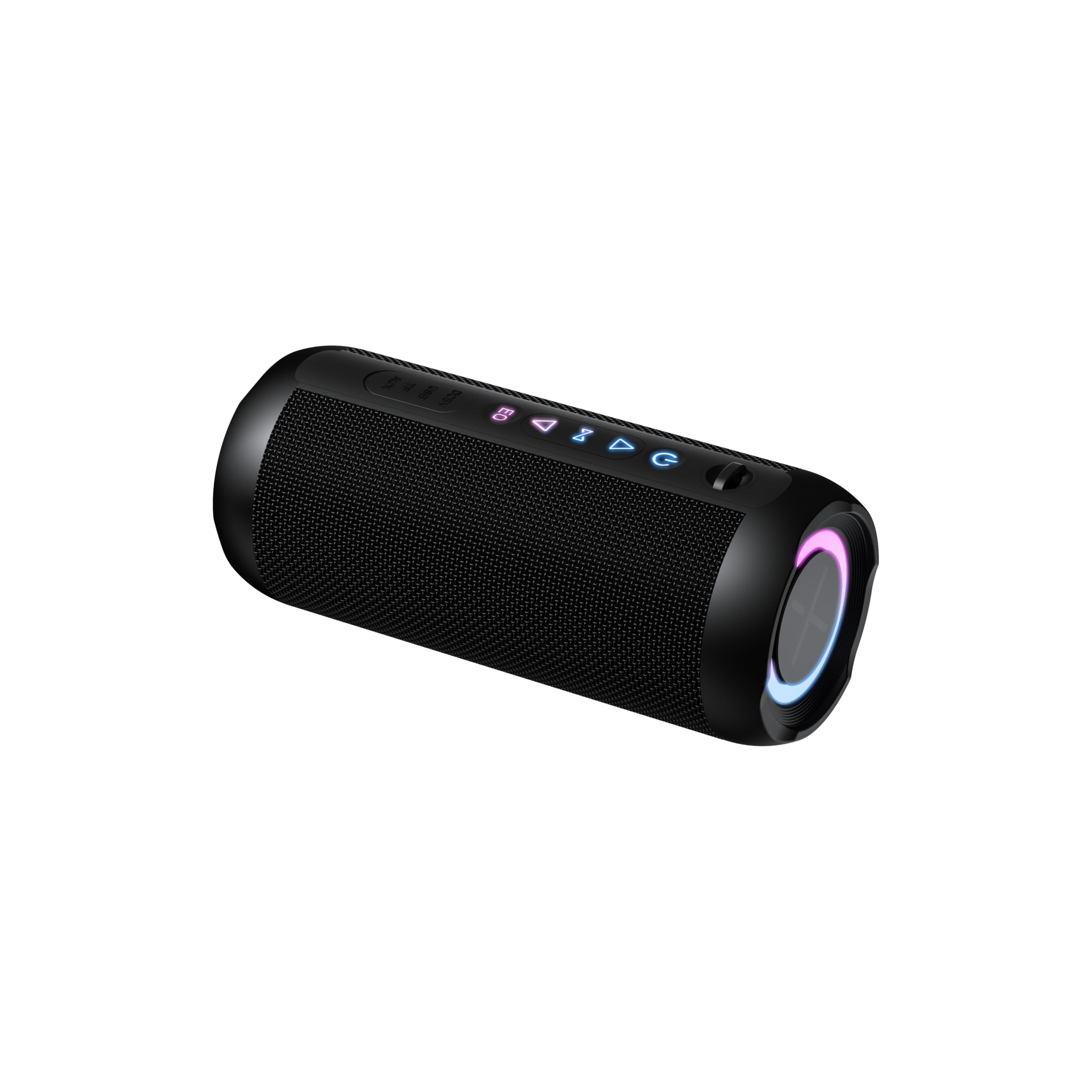
The image above displays the taopodo S18 Portable Speaker along with its power cable, as typically found in the product packaging.
3. Prodott Aktarview
Iffamiljarizza ruħek mal-komponenti u l-kontrolli tal-ispiker.
3.1. Kontrolli u Indikaturi

This diagram illustrates the location of the control buttons and ports on the taopodo S18 speaker.
- Buttuna tal-Qawwa: Agħfas u żomm biex tixgħel/titfi. Agħfas qasir biex tiċċekkja l-istat tal-batterija.
- Volum 'l isfel (-): Agħfas qasir biex tnaqqas il-volum. Agħfas fit-tul għat-trakka ta' qabel.
- Buttuna Play/Pause: Short press to play/pause music. Short press to answer/end calls. Long press to reject calls.
- Volum 'il fuq (+): Agħfas qasir biex iżżid il-volum. Agħfas fit-tul għat-trakka li jmiss.
- Buttuna Bluetooth/TWS: Short press to enter Bluetooth pairing mode. Long press to initiate TWS pairing.
- Port tal-Iċċarġjar USB-C: Għall-iċċarġjar tal-ispiker.
- Indikatur LED: Juri l-istatus tal-qawwa, tal-iċċarġjar, u tal-Bluetooth.
4. Setup
4.1. Iċċarġja l-Ispeaker
Qabel l-ewwel użu, iċċarġja l-ispiker kompletament.
- Qabbad il-kejbil tal-iċċarġjar USB-C ipprovdut mal-port tal-iċċarġjar tal-ispiker.
- Qabbad it-tarf l-ieħor tal-kejbil ma' adapter tal-enerġija USB (mhux inkluż) jew mal-port USB tal-kompjuter.
- The LED indicator will glow red during charging and turn off when fully charged.

The speaker's USB-C port is located on the side, allowing for easy connection of the charging cable.
4.2. Tixgħil / Mitfi
- Biex Tixgħel: Press and hold the Power Button for 2-3 seconds. You will hear an audible prompt, and the LED indicator will flash blue.
- Biex Tifi: Press and hold the Power Button for 2-3 seconds. You will hear an audible prompt, and the LED indicator will turn off.
5. Istruzzjonijiet Operattivi
5.1. Tqabbil tal-Bluetooth
Connect your taopodo S18 speaker to a Bluetooth-enabled device.
- Ensure the speaker is powered on and the LED indicator is flashing blue, indicating it is in pairing mode. If not, short press the Bluetooth button.
- Ippermetti l-Bluetooth fuq it-tagħmir tiegħek (smartphone, tablet, kompjuter).
- Fittex għal Bluetooth devices and select "taopodo S18" from the list.
- Ladarba jkun imqabbad, l-indikatur LED isir blu solidu, u tisma' ħoss ta' konferma.
- L-ispiker jerġa' jikkonnettja awtomatikament mal-aħħar apparat imqabbad meta jinxtegħel, jekk il-Bluetooth tal-apparat ikun attiv u fil-firxa tiegħu.

Locate and select "taopodo S18" in your device's Bluetooth settings to establish a connection.
5.2. Daqq Awdjo
- After successful Bluetooth pairing, open your preferred music application on your device.
- Use the Play/Pause button on the speaker to control playback.
- Use the Volume Up (+) and Volume Down (-) buttons to adjust the speaker's volume. You can also control volume from your connected device.
- Long press Volume Up (+) for the next track, and long press Volume Down (-) for the previous track.
5.3. Tweġiba Sejħiet
- Meta tidħol telefonata, l-ispiker se jdoqq.
- Short press the Play/Pause button to answer the call.
- Short press the Play/Pause button again to end the call.
- Agħfas fit-tul il-buttuna Play/Pause biex tirrifjuta telefonata li dieħla.
6. Tqabbil ta' Stereo Wireless Veru (TWS)
TWS allows you to pair two taopodo S18 speakers together for a true stereo sound experience.
- Ensure both taopodo S18 speakers are powered on and not connected to any Bluetooth device.
- On one speaker (this will be the primary speaker), long press the Bluetooth/TWS Button until you hear a pairing tone. The LED indicator will flash rapidly.
- On the second speaker (this will be the secondary speaker), long press the Bluetooth/TWS Button until you hear a pairing tone.
- The two speakers will automatically connect to each other. You will hear a confirmation sound, and the LED indicator on the primary speaker will flash blue, while the secondary speaker's LED will turn solid blue.
- Now, connect your device to the primary speaker via Bluetooth as described in section 5.1. Both speakers will play audio in stereo.
- To disconnect TWS, long press the Bluetooth/TWS Button on either speaker.

Two taopodo S18 speakers can be paired together using TWS for an immersive stereo audio experience.
7. Manutenzjoni
7.1. Tindif
- Imsaħ il-kelliem b 'soft, damp drapp. Tużax tindif jew solventi li joborxu.
- Ensure the charging port cover is securely closed when not charging to maintain IPX7 water resistance.
7.2. Ħażna
- Aħżen l-ispiker f'post frisk u niexef 'il bogħod mix-xemx diretta u minn temperaturi estremi.
- If storing for an extended period, charge the battery to approximately 50% every three months to preserve battery life.
7.3. Reżistenza għall-Ilma (IPX7)
The taopodo S18 speaker is IPX7 waterproof, meaning it can be immersed in water up to 1 meter (3.3 feet) for 30 minutes. This makes it suitable for use by the pool, at the beach, or in the shower. However, it is not designed for prolonged submersion or use under high-pressure water jets. Always ensure the charging port cover is sealed before exposing the speaker to water.
8 Issolvi l-problemi
Jekk tiltaqa' ma' problemi bl-ispiker tiegħek, jekk jogħġbok irreferi għall-problemi u s-soluzzjonijiet komuni li ġejjin:
| Problema | Soluzzjoni |
|---|---|
| L-ispiker ma jixgħelx. | Kun żgur li l-ispiker huwa ċċarġjat. Qabbad ma' sors ta' enerġija billi tuża l-kejbil USB-C. |
| Ma tistax tgħaqqad ma' apparat Bluetooth. |
|
| L-ebda ħoss jew volum baxx. |
|
| Kwalità tal-ħoss ħażina. |
|
| It-tqabbil tat-TWS ifalli. |
|
9. Speċifikazzjonijiet
| Karatteristika | Dettall |
|---|---|
| Brand | taopodo |
| Numru tal-Mudell | S18 |
| Qawwa tal-Ħruġ Massimu tal-Ispeaker | 30 Watts |
| Teknoloġija tal-Konnettività | Bluetooth 5.4 |
| Modalità tal-Ħruġ tal-Awdjo | Stereo |
| Klassifikazzjoni li ma jgħaddix ilma minnha | IPX7 |
| Metodu ta' Kontroll | Imbotta Buttuna |
| Dimensjonijiet tal-oġġett (D x W x H) | 4"D x 1.9"W x 2.5"H |
| Apparati Kompatibbli | Smartphone, Tablet, Computer, Music Players, Televisions, Gaming Consoles |
10. Garanzija u Appoġġ
The taopodo S18 Portable Speaker comes with a limited warranty. Please refer to the warranty card included in your package for specific terms and conditions. For technical support, troubleshooting assistance, or warranty claims, please contact taopodo customer service through the retailer where the product was purchased or visit the official taopodo websit.
Deskrizzjoni tal-garanzija: 1 year (as per product data)