
Introduzzjoni
This manual provides detailed instructions for the proper use and maintenance of your CAMMHD H4 1920P Body Camera. Please read this manual thoroughly before operating the device to ensure optimal performance and longevity. The CAMMHD H4 is designed for reliable audio and video recording in various professional and personal scenarios, featuring 1920P Full HD resolution, night vision, and a long-lasting battery.

Image: The CAMMHD H4 Body Camera, illustrating its compact design and 360-degree rotating clip for versatile attachment.
X'hemm fil-Kaxxa
Iċċekkja li l-oġġetti kollha elenkati hawn taħt huma inklużi fil-pakkett tiegħek:
- 1* H4 Body Camera (with 64GB memory pre-installed)
- 1* 360° Rotating Long Clip
- 1* 360° Rotating Short Clip
- 1 * Ċarġer tal
- 1 * Cable USB
- 1* Manwal għall-Utent

Image: All components included with the CAMMHD H4 Body Camera: the camera unit, long clip, short clip, USB cable, charger, and user manual.
Prodott Overview
The CAMMHD H4 Body Camera is a compact and robust recording device. It features a high-definition lens, infrared LEDs for night vision, and intuitive controls for easy operation. The device is designed for durability and versatility in various environments.

Image: The CAMMHD H4 Body Camera highlighting its one-touch start buttons for video and audio recording, emphasizing user-friendly operation.
Karatteristiċi ewlenin:
- 1920P Full HD Video Resolution: Jaqbad ikel ċar u dettaljattage.
- Batterija 3000mAh: Provides 8-10 hours of continuous recording at 1080P (night vision off, screen idle).
- Auto/Manual Night Vision: High-power infrared for clear recording in low light or darkness.
- Lenti b'Angolu Wiesa' ta' 150°: Expansive field of view.
- Reġistrazzjoni Loop: Jikteb fuq l-eqdem footage meta l-ħażna tkun mimlija.
- Sejbien tal-Moviment: Records when movement is detected.
- Protezzjoni bil-Password: Secures recorded data.
- Ħin St.amp: Embeds date and time into recordings.
Setup
1. Iċċarġjar tal-Apparat
Before first use, fully charge the body camera. Connect the USB cable to the camera and then to the provided charger. Plug the charger into a standard wall outlet. The charging indicator light will show the charging status. A full charge typically takes about 4 hours.

Image: The CAMMHD H4 Body Camera emphasizing its 3000mAh battery, capable of 8 hours of continuous use.
2. Attaching the Clip
Select either the long or short 360° rotating clip based on your preference. Attach the clip to the back of the camera by sliding it into the designated slot until it clicks securely into place. The clip allows for flexible mounting on clothing or gear.
3. Tixgħil / Mitfi
- Qawwa Mixgħul: Agħfas u żomm il-buttuna tal-Qawwa għal ftit sekondi sakemm l-iskrin jixgħel.
- Itfi: Agħfas u żomm il-buttuna tal-Qawwa sakemm l-apparat jintefa.
Istruzzjonijiet Operattivi
1. Reġistrazzjoni tal-Vidjo
From standby mode, press the dedicated Video Record button once to start recording. The indicator light will flash, and a recording icon will appear on the screen. Press the button again to stop recording. Videos are saved automatically.
2. Reġistrazzjoni tal-Awdjo
From standby mode, press the dedicated Audio Record button once to start audio-only recording. An audio recording icon will appear. Press the button again to stop recording. Audio files jiġu ssejvjati awtomatikament.
3. Qbid tar-Ritratti
From standby mode, press the Photo button once to take a still image. The screen may briefly flash, indicating a photo has been captured.
4. Viżjoni bil-lejl
The camera features automatic and manual night vision. In low-light conditions, the camera can automatically activate its infrared LEDs. You can also manually toggle night vision on or off via the menu settings or a dedicated button (refer to device interface for specific button). Ensure clear visibility in dark environments.
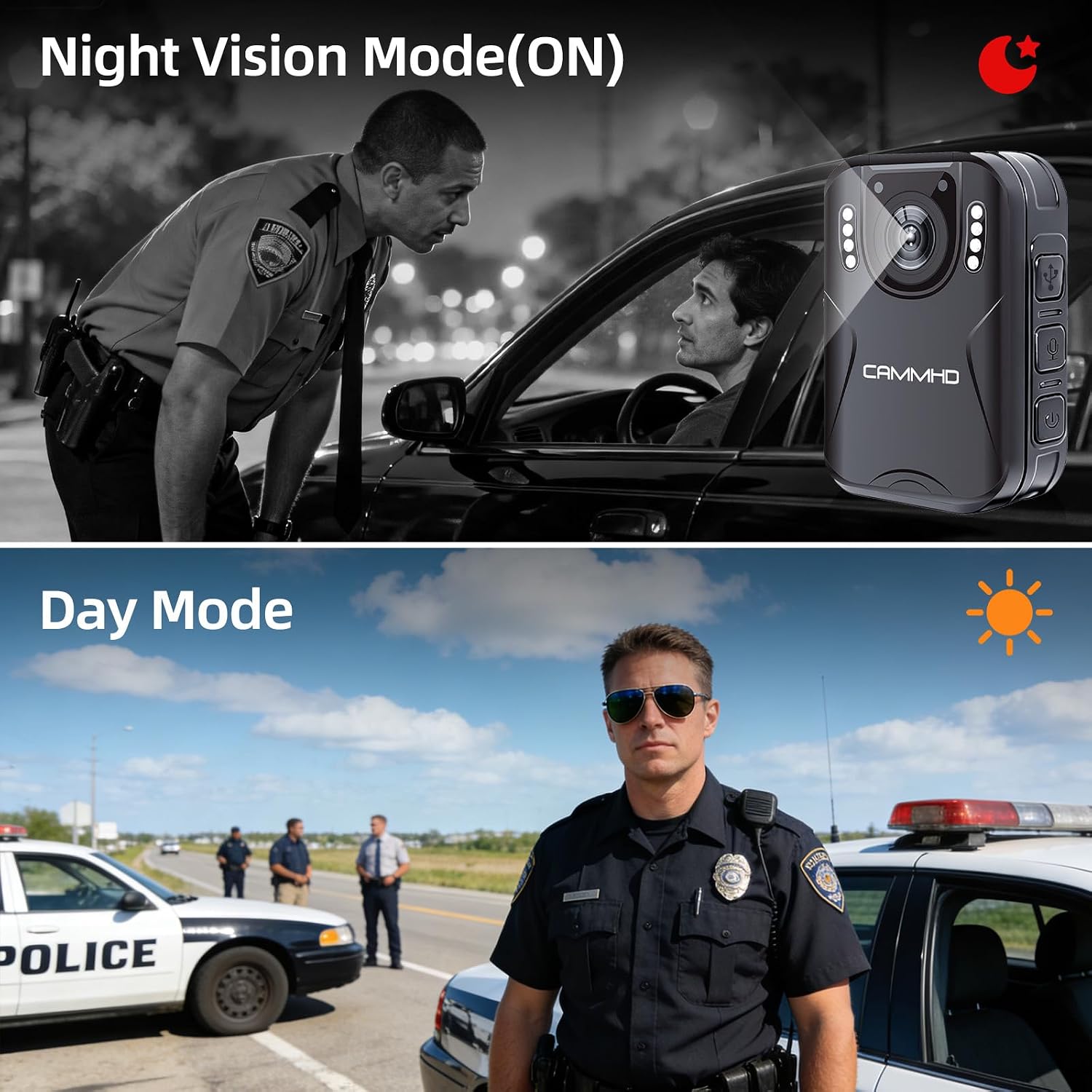
Image: Illustrates the difference between Night Vision Mode (ON) and Day Mode, showing clear visibility in dark conditions with the CAMMHD H4.
5. Loop Recording
When enabled, loop recording allows the camera to continuously record. Once the memory card is full, the oldest files will be automatically overwritten by new recordings. This ensures continuous operation without manual deletion of old files.
6. Sejbien ta 'Moviment
Activate motion detection in the camera settings. When enabled, the camera will automatically begin recording when it detects movement within its field of view and stop when motion ceases, conserving battery and storage space.
7. Password Protection and Time Stamp
The camera supports password protection to secure your recorded data. Access the settings menu to set up or change your password. The time stamp feature automatically embeds the date and time onto all recordings, providing crucial chronological evidence.
Manutenzjoni
- Tindif: Uża drapp artab u niexef biex tnaddaf il-korp tal-kamera. Għal-lenti, uża drapp u soluzzjoni speċjalizzati għat-tindif tal-lentijiet biex tevita l-grif.
- Ħażna: Aħżen il-kamera f'post frisk u niexef 'il bogħod mix-xemx diretta u minn temperaturi estremi.
- Kura tal-batterija: To prolong battery life, avoid fully discharging the battery frequently. Charge the camera regularly, even if not in use, to maintain battery health.
- Aġġornamenti tal-Firmware: Iċċekkja l-manifattur webŻur is-sit perjodikament għal kwalunkwe aġġornament tal-firmware disponibbli biex tiżgura prestazzjoni ottimali u karatteristiċi ġodda.
Issolvi l-problemi
| Problema | Kawża Possibbli | Soluzzjoni |
|---|---|---|
| Il-kamera ma tixgħelx. | Batterija baxxa; apparat li ma jaħdimx sew. | Charge the camera for at least 4 hours. If still unresponsive, contact support. |
| Cannot record video/audio. | Memory card full; memory card error; incorrect mode. | Check available storage. Format the memory card (this will erase all data). Ensure you are in the correct recording mode. |
| Kwalità fqira tal-vidjo. | Dirty lens; low light conditions; incorrect resolution setting. | Clean the lens. Activate night vision in low light. Check video resolution settings in the menu. |
| Il-batterija tiskula malajr. | Continuous recording; night vision active; screen always on. | Reduce continuous recording time. Turn off night vision when not needed. Set screen to idle or turn off display. |
Speċifikazzjonijiet
| Brand | CAMMHD |
| Isem tal-Mudell | CAMMHD-H4 |
| Riżoluzzjoni tal-Qbid tal-Vidjo | 1920p |
| Riżoluzzjoni tas-Sensor tar-Ritratti | 4 MP |
| ViewIng Angolu | 170 Grad |
| Kapaċità tal-batterija | 3000mAh |
| Ħin ta' Reġistrazzjoni Kontinwu | 8-10 hours (at 1080P, night vision off, screen idle) |
| Ħin tal-Iċċarġjar | Madwar sagħtejn |
| Teknoloġija tal-Konnettività | USB |
| Ħażna | 64GB (pre-installed Micro SD) |
| Dimensjonijiet tal-oġġett | 1.03 x 2.08 x 2.99 pulzieri |
| Piż tal-oġġett | 110 Gramm |
| Kulur | Iswed |
Garanzija u Appoġġ
Garanzija tal-Manifattur
CAMMHD offers a warranty for its products. If there is any quality problem within 30 working days after purchase, you may apply for returning the goods. Please retain your proof of purchase for warranty claims.
Appoġġ għall-Klijent
For technical assistance, troubleshooting, or warranty inquiries, please contact CAMMHD customer support. Refer to the product packaging or the official CAMMHD webis-sit għall-aktar informazzjoni ta' kuntatt aġġornata.
Tista 'wkoll iżżur il- CAMMHD Store on Amazon għal aktar informazzjoni dwar il-prodott u riżorsi ta' appoġġ.