
1. Introduzzjoni
The Retevis Ailunce HA2 is a high-power, dual-band ham radio designed for versatile communication. It features advanced capabilities such as APRS for real-time location sharing, multi-system satellite positioning (GNSS), and Bluetooth APP control for easy configuration. With an IP67 waterproof and dustproof rating, it is built to withstand challenging outdoor environments. The radio also supports CHIRP programming, airband reception, and offers flexible charging options.
2. Informazzjoni dwar is-Sigurtà
Please read and understand all safety precautions before operating the device. Failure to do so may result in injury or damage to the radio.
- Do not operate the radio in explosive atmospheres (e.g., around flammable gas, dust, or powders).
- Do not modify the radio. Unauthorized modifications can void your warranty and violate regulations.
- Keep the radio away from extreme temperatures and direct sunlight.
- Uża biss batteriji u ċarġers approvati.
- Avoid prolonged exposure to high volume levels when using an earpiece to prevent hearing damage.
3. Kontenut tal-Pakkett
Ivverifika li l-oġġetti kollha huma preżenti fil-pakkett tiegħek:
- 1 x HA2 Two Way Radio
- 1 x Batterija 2800mAh
- 1 x Data cable & Earpiece
- 1 x Belt clip & Hand strap

Image: Contents of the Retevis Ailunce HA2 Ham Radio package, including the radio, battery, earpiece, data cable, belt clip, and hand strap.
4. Prodott Aktarview
Familiarize yourself with the main components and controls of your Ailunce HA2 radio:

Image: Diagram of the Ailunce HA2 radio with labels pointing to the antenna, indicator light, PTT button, side keys, menu key, exit key, down key, function keys, channel knob, power/volume knob, dedicated alert button, speaker, and microphone/earpiece/data port.
5. Setup
5.1 Installazzjoni tal-batterija
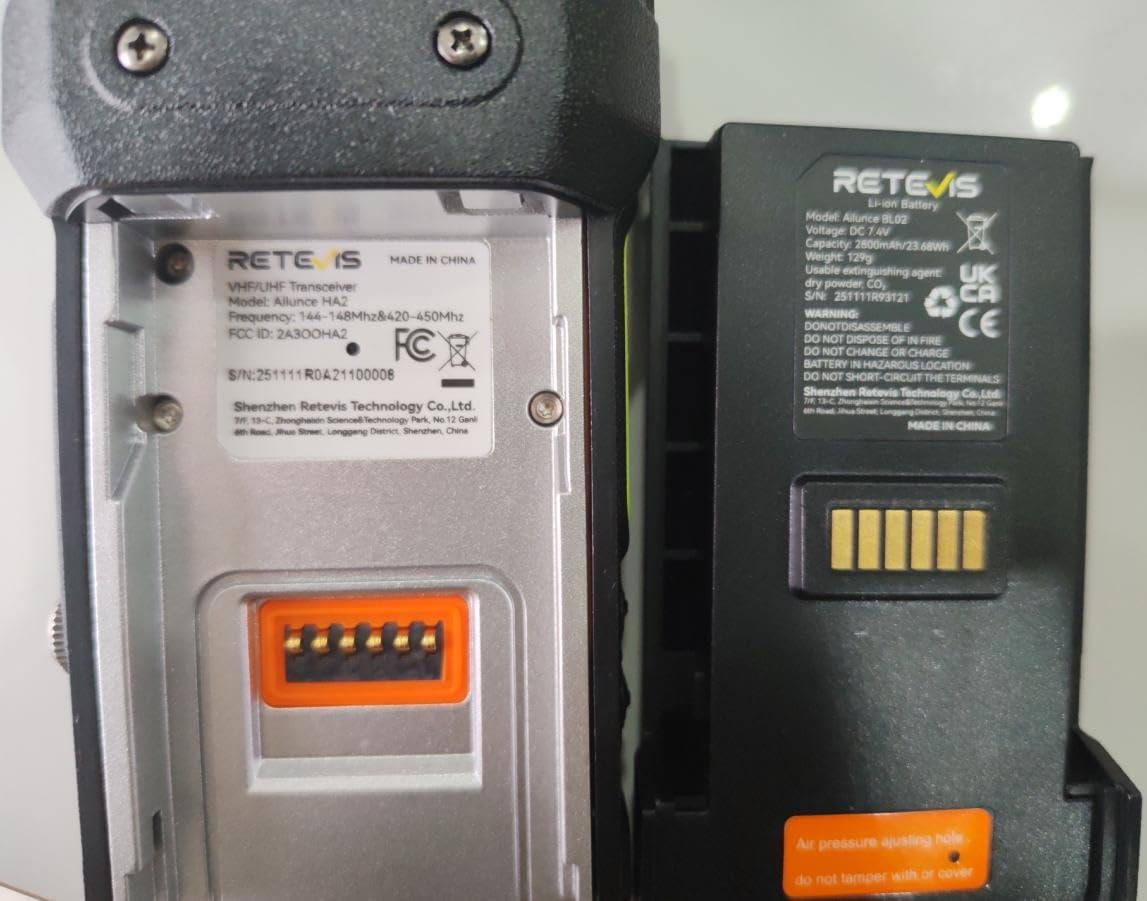
Align the battery with the compartment on the back of the radio and slide it into place until it clicks securely. To remove, press the release latch and slide the battery out.
5.2 Iċċarġjar tal-batterija
The Ailunce HA2 features a 2800mAh battery and offers flexible charging methods:
- Baċir tal-Iċċarġjar: Place the radio in the provided charging dock.
- Kejbil USB-C: Connect a USB-C cable directly to the radio for convenient charging.
Using a 5V2A adapter, the battery can be fully charged in approximately 3 hours.

Image: The Ailunce HA2 radio being charged, highlighting its fast charging capability and 2800mAh battery.
Video: Demonstrates the flexible charging methods for the Retevis Ailunce HA2 ham radio, showing both the charging dock and direct USB-C cable connection.
5.3 App Control and CHIRP Programming
The Ailunce HA2 supports configuration via Bluetooth APP control and CHIRP software, offering multiple ways to customize your radio settings.
- Kontroll tal-APP Bluetooth: Use the smart RETEVIS app on your Android or iOS phone for one-touch Bluetooth pairing and easy operation.
- CHIRP Support: Program your radio functions using CHIRP software via PC cable, compatible with Windows, Mac, and Linux systems.

Image: The Ailunce HA2 radio being configured wirelessly via a mobile application, illustrating easy setup and smart control.
Immaġni: Aktar minnview of the multi-platform support for the Ailunce HA2, showing compatibility with Windows systems (CPS software), Chirp (Windows, Mac, Linux), and mobile apps (iOS & Android) for settings and firmware upgrades.
Video: Demonstrates connecting the Retevis Ailunce HA2 ham radio to a mobile app, reading and writing data, editing channels, and an overview tal-funzjonijiet ewlenin.
Video: Shows the Bluetooth connectivity of the Retevis Ailunce HA2 two-way radio, enabling wireless control and configuration via a smartphone app.
6. Operazzjoni
6.1 Mixgħul/Mitfi u Volum
Rotate the Power/Volume knob clockwise to turn the radio on and increase volume. Rotate counter-clockwise to decrease volume and turn the radio off.
6.2 Ġestjoni tal-Kanal
The Ailunce HA2 supports 1024 channels, providing ample capacity to avoid congestion. Channels can be managed directly on the radio or through the mobile app/CHIRP software as described in the Setup section.
Video: Highlights the 1024 channel capacity of the Retevis Ailunce HA2 ham radio, offering flexibility and reducing interference.
6.3 APRS and GNSS Positioning
Utilize the built-in APRS technology and multi-system satellite positioning (GNSS) for accurate location tracking and sharing.
- Fast Position Acquisition: Quickly pins your location even in challenging environments.
- Kondiviżjoni tal-Post: Share your real-time position over the air, connecting to the wider APRS network.
- KISS Mode TNC: Enables APRS operation via App/PC after Bluetooth SPP connection (requires firmware V1.0 update).

Image: A user holding the Ailunce HA2 radio in an outdoor setting, with an overlay showing GPS log information (Time, ID, Speed, Course, Lat, Lon), indicating its GNSS, APRS, and Compass capabilities for navigation.
6.4 Riċeviment tal-Airband
The Ailunce HA2 provides accurate, long-range airband reception, ensuring clear and stable signals across aviation bands for vital real-time information.

Image: The Ailunce HA2 radio displaying an airband frequency (125.25000 MHz AM) with an airplane in the background, illustrating its precision airband reception capabilities.
6.5 IP67 Waterproof & Dustproof
The radio's robust IP67 rating ensures durability in various conditions:
- Resistant to sudden downpours and stream splashes.
- Can survive 1 meter underwater for 30 minutes.
- Built to endure mountain storms, dusty job sites, or coastal waves.
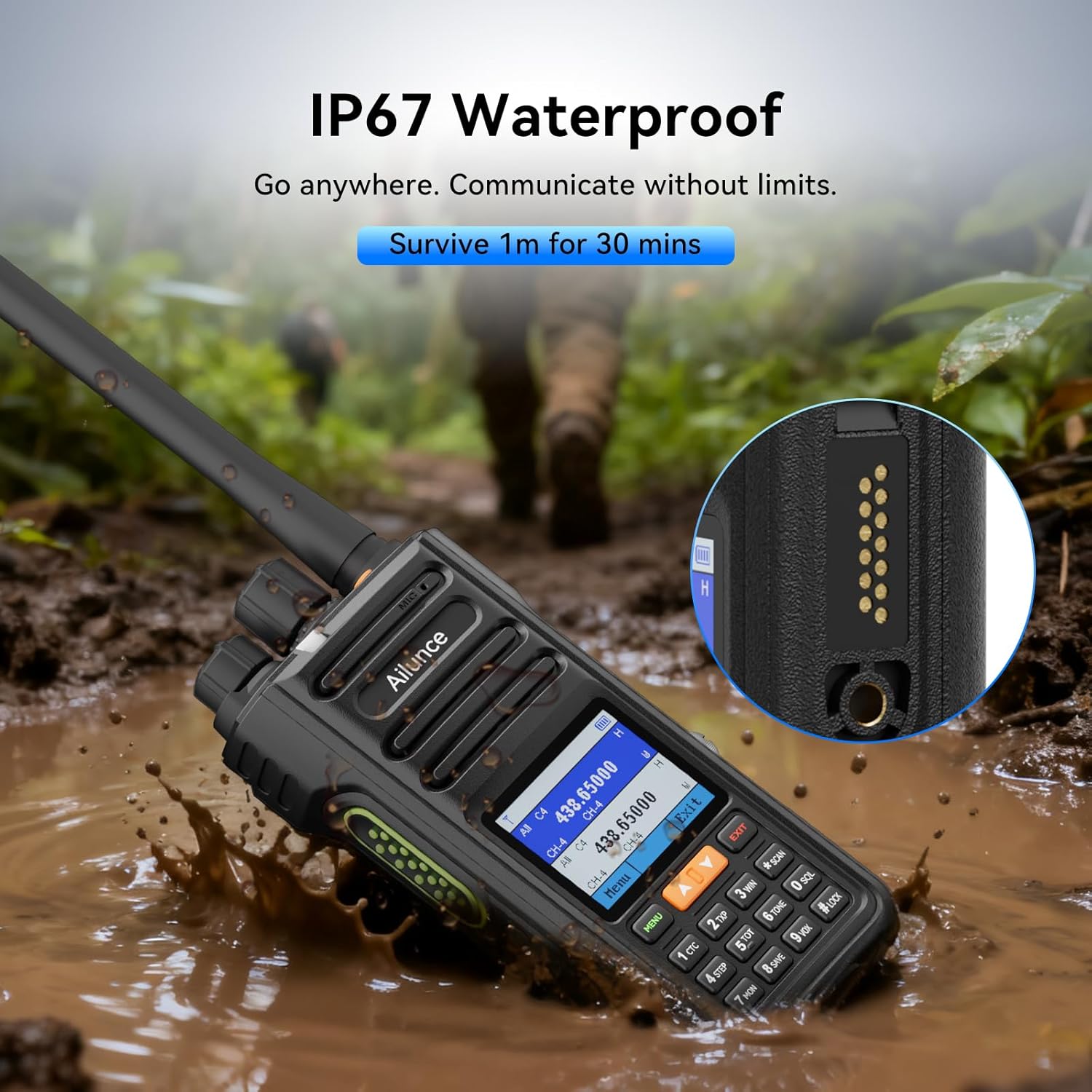
Image: The Ailunce HA2 radio partially submerged in muddy water, demonstrating its IP67 waterproof capability.
Video: Shows the Retevis Ailunce HA2 ham radio being submerged in water and then retrieved, demonstrating its IP67 waterproof feature.
6.6 Karatteristiċi Oħra
- Quiet Call: When paired with a Retevis earpiece, allows for discreet communication.
- Livelli ta' qawwa: Adjust output power (High/Medium/Low) as needed.
- Backlight aġġustabbli: Customize the brightness of the 1.77-inch LCD display.
- NOAA Function: Receive NOAA weather alerts.
- Radju FM: Listen to commercial FM radio broadcasts.
- One-Key Pairing: Instantly connect with other compatible radios for fast communication.
- Wireless Duplicate: Effortlessly configure multiple radios with one-step full radio setup.

Image: Two Ailunce HA2 radios shown with a progress bar indicating 'Wireless Duplicate' at 435.562500 MHz, demonstrating the one-step full radio setup feature.
7. Manutenzjoni
To ensure optimal performance and longevity of your Retevis Ailunce HA2 radio, follow these maintenance guidelines:
- Naddaf il-barra tar-radju b'ċarruta ratba u driegħ.amp drapp. Tużax kimiċi ħarxa jew tindif li joborxu.
- Ensure all port covers are securely closed when the radio is exposed to water or dust.
- Aħżen ir-radju f'post frisk u niexef meta ma tkunx qed tużah.
- Regularly check the antenna and battery contacts for any signs of damage or corrosion.
8 Issolvi l-problemi
If you encounter issues with your Ailunce HA2, refer to the following common troubleshooting steps:
- Ebda Qawwa: Iċċekkja jekk il-batterija hijiex installata u ċċarġjata sew. Kun żgur li l-buttuna tal-qawwa/volum hija mixgħula.
- Ma nistax nittrażmetti/nirċievi: Verify that you are on the correct frequency and channel. Check antenna connection. Ensure squelch level is not set too high.
- Kwalità tal-Awdjo Fqira: Adjust microphone gain settings. Check earpiece/microphone connection if applicable.
- Kwistjonijiet ta' Konnessjoni tal-App: Ensure Bluetooth is enabled on both the radio and your mobile device. Restart both devices and try pairing again.
- APRS Not Working: Confirm firmware V1.0 or later is installed and KISS mode TNC is correctly configured.
Għal problemi persistenti, jekk jogħġbok ikkuntattja l-appoġġ għall-klijenti.
9. Speċifikazzjonijiet
| Karatteristika | Speċifikazzjoni |
|---|---|
| Brand | Retevis |
| Kulur | Iswed |
| Numru ta 'Kanali | 1024 |
| Karatteristika Speċjali | APP Control, Bluetooth, IP 67 Waterproof |
| Voltage | 7.4 Volts (DC) |
| Livell ta 'Reżistenza għall-Ilma | Waterproof |
| Dimensjonijiet tal-Prodott | 2.36"D x 8.07"W x 10.03"H |
| Numru ta' Batteriji | 1 Batteriji mhux standard tal-batterija meħtieġa. (inkluż) |
| Piż tal-oġġett | 403.2 Gramm |
| Ħoss li jinstema' | 40 Deċibel |
| Protokoll tal-Konnettività | Bluetooth |
| Klassifikazzjoni li ma jgħaddix ilma minnha | IP67 |
| Numru tal-Mudell | Ailunce HA2 |
| Għadd ta' Unitajiet | 1.0 Għadd |
| Manifattur | Retevis |
10. Garanzija u Appoġġ
10.1 Informazzjoni dwar Garanzija
Retevis provides a 2-year warranty for the radio body and a 1-year warranty for accessories. We also offer a 30-day no-reason return policy. Beyond the warranty period, maintenance services are available, with buyers responsible for corresponding costs.
10.2 Appoġġ għall-Klijent
For any inquiries or support needs, please contact Retevis customer service through Amazon. We aim to reply within 12 hours.