
1. Introduzzjoni
This manual provides detailed instructions for the Earbay Wireless Headset, model BT882CD. It covers product features, setup procedures, operational guidelines, maintenance tips, troubleshooting, and technical specifications. Please read this manual thoroughly before using the headset to ensure proper function and longevity.
2. Kontenut tal-Pakkett
Ivverifika li l-oġġetti kollha huma preżenti fil-pakkett tiegħek:
- Earbay Wireless Headset (BT882CD)
- Stazzjon ta 'ċċarġjar
- Cable tal-Iċċarġjar tal-USB tat-Tip-Ċ
- USB Dongle (for PC connection)
- Manwal għall-Utent
3. Prodott Aktarview
The Earbay BT882CD is a wireless headset designed for clear communication and comfortable listening. It features Bluetooth 5.3 connectivity, a built-in microphone with environmental noise cancellation, and dual device connection capability.
Karatteristiċi ewlenin:
- Konnettività Wireless: Bluetooth 5.3 for stable, low-latency connection.
- Mikrofonu inkorporat: Features environmental noise cancellation for clear voice calls.
- Disinn komdu: Over-ear style with soft ear pads and an adjustable headband for extended wear.
- Konnessjoni Doppju: Jikkonnettja ma' żewġ apparati Bluetooth simultanjament.
- Ħajja twila tal-batterija: Sa 50 siegħa talk time.
- Silenzju b'Klikk Waħda: Dedicated mute button for privacy during calls.
- 40mm Stereo Sound: Dynamic drivers for clear audio.

Figure 3.1: Earbay BT882CD Headset with labeled components and controls. This image shows the adjustable headband, soft ear pads, flexible boom mic (up to 270° rotatable), mic mute button, mic mute indicator light, Type-C charge port, power switch, volume controls, play/pause button, and answer/reject call/Siri button. It also highlights the circle indicator light for charge status, incoming calls, and busy status.
4. Setup
4.1 Iċċarġjar tal-Headset
Before first use, fully charge the headset. The headset can be charged using the included charging station or directly via the USB Type-C cable.
- L-użu tal-Istazzjon tal-Iċċarġjar: Place the headset onto the charging station. Ensure the charging contacts align. The indicator light on the station will show charging status.
- Iċċarġjar dirett permezz ta' USB-C: Connect the USB Type-C cable to the headset's charging port and to a USB power source.
The headset will remain powered on during charging. A full charge takes approximately 3 hours and provides up to 50 hours of talk time.

Figure 4.1: Earbay BT882CD Headset on its charging station, indicating convenient charging.

Figure 4.2: Illustration of the two charging methods: direct Type-C cable connection and placement on the charging base.
4.2 Tixgħel/Jitfi
- Biex Tixgħel: Press and hold the Power Switch until the indicator light illuminates.
- Biex Tifi: Press and hold the Power Switch until the indicator light turns off.
4.3 Konnessjoni ma 'Tagħmir
The Earbay BT882CD supports connection via Bluetooth or a USB dongle for PC. It can connect to two devices simultaneously.
4.3.1 Bluetooth Connection (for Phones, Tablets, Laptops)
- Ensure the headset is powered on and in pairing mode (indicator light flashing blue). If not, press and hold the Answer/Reject Call button until it enters pairing mode.
- On your device (phone, tablet, laptop), go to Bluetooth settings.
- Fittex għal available devices and select "BT882CD" from the list.
- Once connected, the indicator light on the headset will turn solid blue.

Figure 4.3: Visual representation of the headset connecting to a smartphone via Bluetooth, showing "BT-88" as the device name.
4.3.2 USB Dongle Connection (for PC)
- Ipplaggja l-USB dongle f'port USB disponibbli fuq il-kompjuter tiegħek.
- Power on the headset. It will automatically attempt to connect to the dongle.
- The dongle's LED light will flash blue during pairing and turn solid blue once connected.
- On your computer, ensure "BT882CD-DONGLE" (or similar) is selected as the input and output audio device in your sound settings.
Note: If the headset fails to connect, please update your computer's Bluetooth driver or use a Bluetooth adapter.

Figure 4.4: Flowchart illustrating PC connection settings for both direct Bluetooth and USB dongle connections, including steps for setting input/output devices.

Figure 4.5: The headset simultaneously connected to a laptop via a USB dongle and a smartphone via Bluetooth, demonstrating dual device connectivity.
5. Istruzzjonijiet Operattivi
5.1 Kontrolli Bażiċi
Refer to Figure 3.1 for the location of controls.
- Swiċċ tal-Enerġija: Power on/off the headset.
- Volum + / -: Aġġusta l-volum tal-awdjo.
- Buttuna Play/Pause: Iddoqq jew waqqaf il-mużika.
- Answer/Reject Call / Siri Button:
- Agħfas qasir: Wieġeb/Temm sejħa.
- Long press: Reject an incoming call.
- Double press: Activate voice assistant (Siri, Google Assistant).
- Buttuna Mute tal-Mic: Mute or unmute the microphone during calls. The Mic Mute Indicator Light will show the mute status.
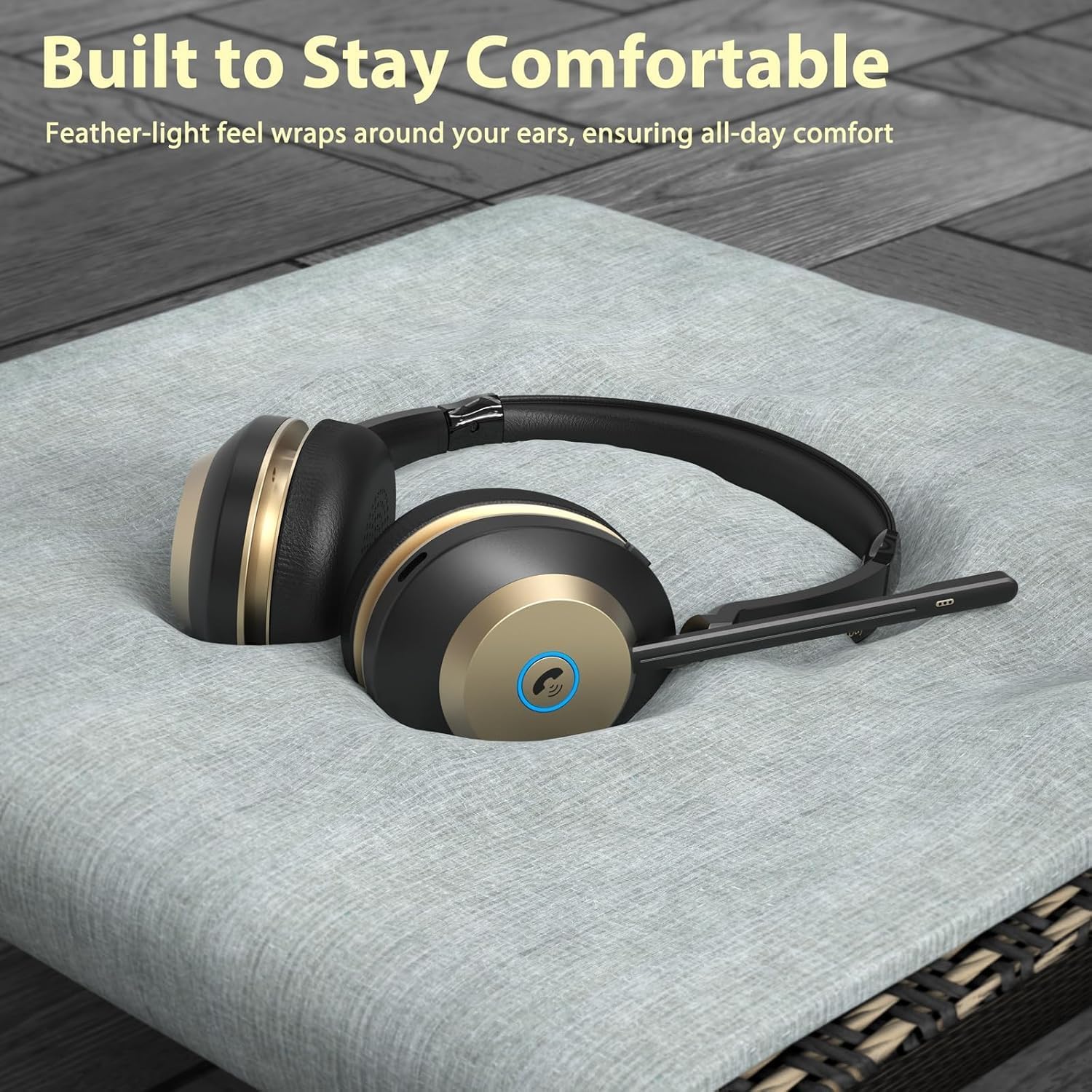
Figura 5.1: Close-up view of the one-click mute button on the headset, designed for quick privacy control during calls.
5.2 Użu tal-Mikrofonu
The flexible boom microphone can be rotated up to 270 degrees. Position the microphone close to your mouth for optimal voice pickup. The environmental noise cancellation feature helps reduce background noise during calls.

Figure 5.2: A user wearing the Earbay BT882CD headset in an office environment, illustrating the headset's ability to provide a quiet environment for calls through noise reduction.
5.3 Using with Communication Apps
The headset is compatible with various communication platforms such as Zoom, Microsoft Teams, Google Meet, WebEx, and Skype. Ensure the headset is selected as the audio input and output device within the application's settings.

Figure 5.3: The headset shown in context with various video conferencing and communication applications, highlighting its broad compatibility.
6. Manutenzjoni
- Tindif: Uża drapp artab u niexef biex tnaddaf il-headset. Tużax prodotti tat-tindif jew solventi li joborxu.
- Ħażna: Aħżen il-headset f'post frisk u niexef 'il bogħod mix-xemx diretta u minn temperaturi estremi.
- Kura tal-batterija: Biex ittawwal il-ħajja tal-batterija, evita li tiċċarġja l-headset kompletament ta' spiss. Iċċarġjah regolarment, anke jekk ma jkunx qed jintuża għal perjodi twal.
- Reżistenza għall-Ilma: Dan il-headset mhuwiex reżistenti għall-ilma. Evita l-espożizzjoni għal-likwidi.
7 Issolvi l-problemi
| Problema | Kawża Possibbli | Soluzzjoni |
|---|---|---|
| Il-headset ma jixgħelx. | Batterija baxxa. | Iċċarġja l-headset kompletament. |
| Ma tistax tqabbad permezz tal-Bluetooth. | Headset not in pairing mode; device's Bluetooth is off; too far from device. | Ensure headset is in pairing mode (flashing blue light). Turn on Bluetooth on your device. Move headset closer to the device (within 15 meters). |
| L-ebda ħoss jew kwalità tal-ħoss fqira. | Volume too low; incorrect audio output selected; headset not connected properly. | Increase volume on headset and device. Check device's audio settings to ensure BT882CD is selected. Reconnect the headset. |
| Il-mikrofonu mhux qed jaħdem. | Microphone muted; incorrect audio input selected; microphone boom not positioned correctly. | Unmute the microphone using the mute button. Check device's audio input settings. Adjust the microphone boom closer to your mouth. |
| Cannot connect to PC via USB dongle. | Dongle not recognized; incorrect audio device selected. | Ensure dongle is fully inserted. Check PC sound settings to select the dongle as audio device. Update PC Bluetooth drivers if connecting directly via PC Bluetooth. |
8. Speċifikazzjonijiet
| Karatteristika | Dettall |
|---|---|
| Isem tal-Mudell | BT882CD |
| Brand | Earbay |
| Teknoloġija tal-Konnettività | Wireless (Bluetooth) |
| Teknoloġija tal-Komunikazzjoni mingħajr Fili | Bluetooth 5.3 |
| Medda Bluetooth | 15 Meters |
| Kontroll tal-Ħoss | Kanċellazzjoni tal-Ħoss Ambjentali |
| Daqs tas-Sewwieq tal-Awdjo | 40 Millimetru |
| Impedenza | 32 Ohms |
| Sensittività | 95 dB |
| Headphones Jack | Nru |
| Materjal | Acrylonitrile Butadiene Styrene (ABS) |
| Tip ta' Kontroll | Touch Control, Push Button |
| Interface tal-Ħardwer | USB Tip Ċ |
| Batterija | 1 Batterija Mhux Standard (inkluża) |
| Piż tal-oġġett | 1.34 liri |
| Dimensjonijiet tal-Pakkett | 8.07 x 7.87 x 3.86 pulzieri |
| Livell ta 'Reżistenza għall-Ilma | Mhux Reżistenti għall-Ilma |
9. Garanzija u Appoġġ
Earbay products come with a standard manufacturer's warranty. For detailed warranty information, please refer to the warranty card included in your package or visit the official Earbay website. If you encounter any issues or require technical assistance, please contact Earbay customer support.
Appoġġ għall-Klijent: Please refer to the contact information provided on the product packaging or the official Earbay websit għall-appoġġ.
10. Vidjo tal-Prodott
Video 10.1: Official product video for the Earbay BT882CD Wireless Headset, demonstrating its features, design, and connectivity options. This video highlights the headset's sound processing system, Bluetooth V5.0 chip, dual device connection, two charging methods (USB-C and charging station), noise cancellation capabilities, long battery life, soft ear cushions, and adjustable headband.