1. Introduzzjoni u Fuqview
This manual provides detailed instructions for the installation, operation, and maintenance of your CAMECHO 6.86 Inch Motorcycle Carplay Screen. This device is designed to enhance your riding experience with advanced connectivity and navigation features.
Il-karatteristiċi ewlenin jinkludu:
- 6.86-inch HD IPS Touchscreen: Provides clear visuals with 1280*480 resolution for maps and media.
- CarPlay mingħajr fili u Android Auto: Integrazzjoni bla xkiel tal-ismartphone għan-navigazzjoni, il-mużika, u s-sejħiet.
- Disinn li ma jgħaddix ilma minn IP68: Ensures durability and reliable performance in various weather conditions.
- Konnettività Bluetooth: For audio transmission, hands-free calls, and syncing contacts.
- Funzjoni tal-Mirror Link: Supports wireless AirPlay and Android cast for screen mirroring.
- Qarrej tal-Kards TF: Supports up to 128GB for personal media files.
- Bracket tal-Immuntar Aġġustabbli: Allows for optimal positioning and viewangolu tal-ing.
2. Kontenut tal-Pakkett
Jekk jogħġbok ivverifika li l-oġġetti kollha huma preżenti fil-pakkett:
- CAMECHO 6.86 Inch Motorcycle Carplay Screen
- Kejbil tal-Enerġija 2.0m
- Strip Rolling (Cable Ties)
- Manwal għall-Utent
- Universal Mounting Bracket Kit (Dashboard Mount, various components for direct package mounting)

Image: Product details and included components.

Immaġni: Dettaljata view tal-aċċessorji.
3. Setup u Installazzjoni
The CAMECHO Motorcycle Carplay Screen is designed for straightforward installation using the included universal bracket.
3.1 Immuntar tal-Apparat
- Attach the appropriate mounting components from the kit to your motorcycle handlebars. Ensure a secure fit.
- Connect the screen to the mounting bracket. The bracket offers a large adjustable angle for optimal viewing.
- Position the screen to ensure clear visibility without obstructing your view of the road or motorcycle controls.
3.2 Konnessjoni tal-Enerġija
- Connect the provided 2.0m power cable to the device.
- Route the power cable safely to your motorcycle's power source, ensuring it does not interfere with moving parts or get pinched.
- Secure excess cable with the included strip rolling (cable ties).
3.3 Quick Release Feature
The device features a quick-release mechanism for easy removal when parked, enhancing security.
- To release: Pull the circled portion of the bracket upwards.
- While holding it up, remove the bracket by pulling the circled portion downwards.
4. Istruzzjonijiet Operattivi
4.1 Tixgħel/Jitfi
Agħfas u żomm il-buttuna ta 'l-enerġija biex tixgħel jew tintefa' l-apparat.
4.2 CarPlay mingħajr fili u Android Auto
The device supports wireless Apple CarPlay and wireless Android Auto for seamless smartphone integration.
- Kun żgur li l-Bluetooth huwa attivat fuq l-ismartphone tiegħek.
- On the Carplay screen, navigate to the CarPlay or Android Auto icon.
- Follow the on-screen prompts to pair your smartphone via Bluetooth. Once paired, the system will automatically connect for future use.
- Use voice commands (Siri/Google Assistant) for navigation, music playback, and calls.

Image: Wireless Apple CarPlay and Android Auto in use.
4.3 Mirror Link Function (AirPlay & Android Cast)
Mirror your smartphone screen directly onto the device.
- On your smartphone, enable Wi-Fi and search for the device's Wi-Fi network.
- Connect to the device's Wi-Fi using the provided password (refer to the device settings or on-screen instructions).
- For iOS devices: Use AirPlay to cast your screen.
- For Android devices: Use Android Cast to mirror your screen.

Image: Mirror Link Function (Wireless AirPlay and Android Cast).
4.4 Funzjonalità tal-Bluetooth
Connect your Bluetooth headset or helmet for audio and hands-free communication.
- Ħieles bl-idejn Bluetooth: Agħmel u rċievi telefonati direttament mill-iskrin.
- Sync Address Book: Access your phone's contacts on the device.
- Mużika Bluetooth: Stream audio from your smartphone to your connected Bluetooth headset/helmet.

Image: Bluetooth Functionality for hands-free communication and music.
4.5 Navigazzjoni GPS
Utilize online navigation applications through CarPlay or Android Auto.
- Access your preferred navigation app (e.g., Google Maps, Waze) via your connected smartphone.
- The HD screen provides clear map details for easy route following.

Image: Online GPS Navigation in action.
4.6 Personalizzazzjoni
The device offers 4 switchable screen backgrounds to personalize your interface.
5. Manutenzjoni
The CAMECHO Motorcycle Carplay Screen is designed for durability and minimal maintenance.
- Tindif: Imsaħ l-iskrin b'artab, damp drapp. Evita prodotti tat-tindif jew solventi li joborxu.
- Klassifikazzjoni li ma jgħaddix ilma minnha: The IP68 rating ensures protection against dust and water immersion up to 1.5 meters for 30 minutes. This allows for confident riding in rain.
- Reżistenza għat-temperatura: The device is built to withstand both high and low temperatures, ensuring reliable operation in various climates.

Image: IP68 Waterproof, High Temperature, and Low Temperature Resistance.
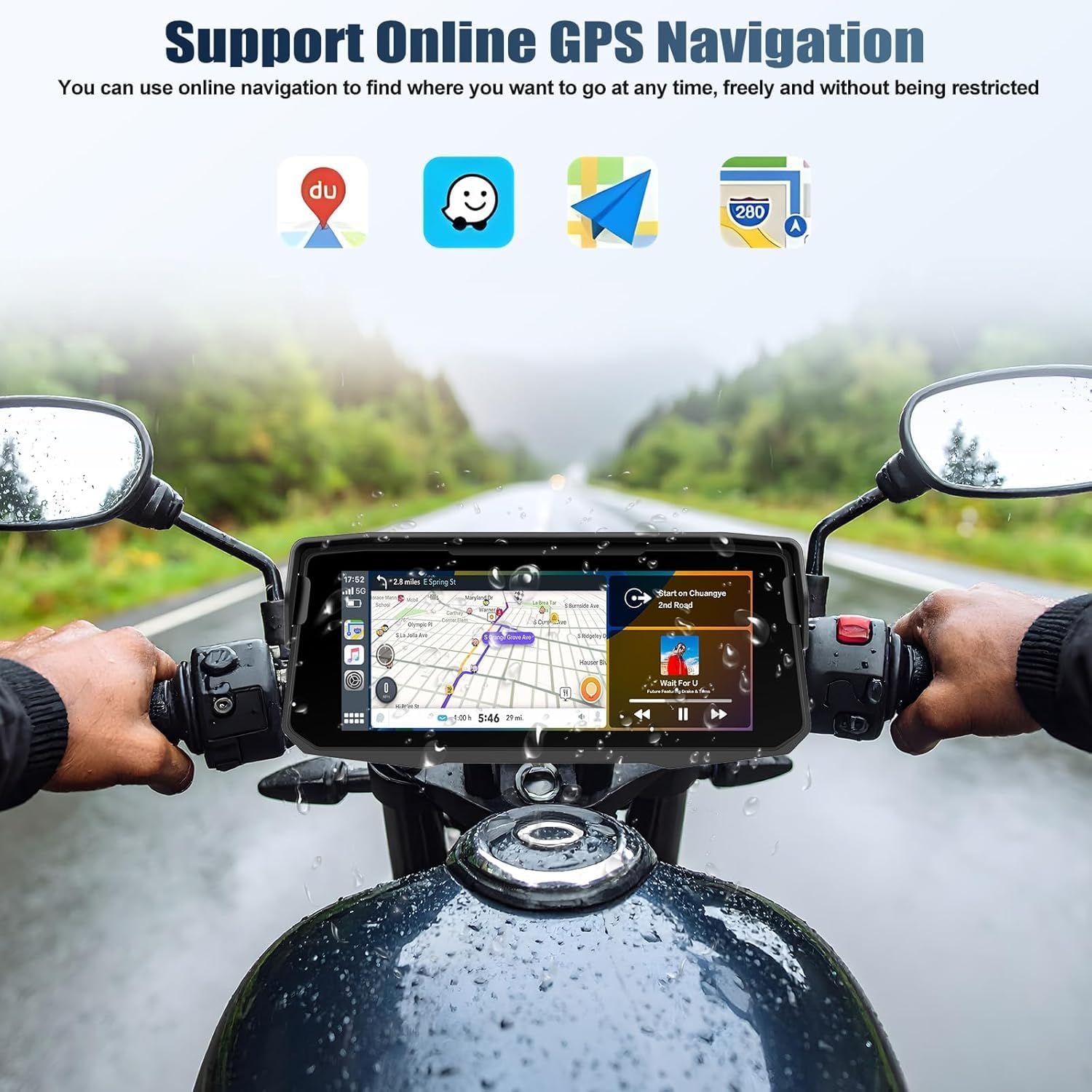
Image: Device operating in rainy conditions, highlighting IP68 waterproof and dustproof features.
6 Issolvi l-problemi
If you encounter issues with your CAMECHO Motorcycle Carplay Screen, please refer to the following common solutions:
- Apparat mhux mixgħul: Ensure the power cable is securely connected to both the device and the motorcycle's power source. Check for any blown fuses in your motorcycle's electrical system.
- No CarPlay/Android Auto connection: Verify that Bluetooth and Wi-Fi are enabled on your smartphone. Ensure the device is paired correctly. Try restarting both the device and your smartphone.
- Kwalità fqira tal-awdjo: Check the Bluetooth connection to your headset/helmet. Ensure there is no interference from other electronic devices.
- L-iskrin mhux qed jirrispondi: Ipprova erġa' ibda l-apparat. Jekk il-problema tippersisti, ikkuntattja l-appoġġ għall-klijenti.
For further assistance, please contact CAMECHO customer support.
7. Speċifikazzjonijiet
| Karatteristika | Speċifikazzjoni |
|---|---|
| Brand | CAMECHO |
| Daqs tal-Iskrin | 6.86 Pulzier |
| Tip ta 'Wiri | LCD |
| Teknoloġija tal-Konnettività | Bluetooth |
| Karatteristiċi Speċjali | Bluetooth, Waterproof (IP68) |
| Tip ta 'Servizz tal-Vettura | Mutur |
| Apparati Kompatibbli | Smartphone (Wireless CarPlay, Android Auto, AirPlay, Android Cast) |
| Dimensjonijiet tal-Prodott (P x W x H) | 2" x 2" x 3" (Approximate, refer to product details image for exact screen dimensions) |
| Tip ta 'Immuntar | Bumper Mount / Dashboard Mount (Universal Bracket) |
| Komponenti Inklużi | Dashboard Mount (Universal Bracket Kit) |
| Riżoluzzjoni tal-Qbid tal-Vidjo | 1080p (if applicable for connected devices) |
8. Informazzjoni dwar Garanzija
CAMECHO provides a garanzija ta 'sena for this product, covering manufacturing defects from the date of purchase.
Additionally, protection plans are available for purchase:
- Pjan ta' Protezzjoni ta' 2 Snin: Extends coverage for 24 months.
- Pjan ta' Protezzjoni ta' 3 Snin: Extends coverage for 36 months.
Jekk jogħġbok żomm il-prova tax-xiri tiegħek għal pretensjonijiet ta' garanzija.
9. Appoġġ għall-Klijent
For any questions, technical assistance, or warranty claims, please contact CAMECHO customer service:
- Email: camechovip@126.com
- Ħanut online: Żur il- CAMECHO Store on Amazon għal aktar prodotti u informazzjoni.
CAMECHO is committed to providing high-quality automotive intelligent terminals and excellent customer support.

Image: Customer Service Contact Information.