
Introduzzjoni
This manual provides comprehensive instructions for setting up, operating, maintaining, and troubleshooting your Lenovo IdeaPad 5 16AKP10 2-in-1 Laptop. Please read this manual thoroughly to ensure optimal performance and longevity of your device.
Prodott Overview
The Lenovo IdeaPad 5 16AKP10 is a versatile 16-inch 2-in-1 laptop designed for productivity and creativity. It features a WUXGA IPS touchscreen, AMD Ryzen AI 7 processor, and a flexible 360-degree hinge.
Karatteristiċi ewlenin:
- AI-Driven Performance: Equipped with an AMD Ryzen AI 7 350 2.0GHz Processor and 50 TOPS NPU for enhanced AI workflows.
- Vivid Touchscreen: A 16-inch WUXGA IPS Low Blue Light Touchscreen with 1920x1200 resolution for clear and comfortable viewing.
- High-Speed Memory & Storage: Features 16GB LPDDR5x-6400 RAM and a 1TB Solid State Drive for fast performance and ample ħażna.
- Konnettività Ultra-Veloċi: Supports Wi-Fi 7 and Bluetooth 5.4 for reliable and high-speed wireless connections.
- Disinn flessibbli 2-in-1: A 360-degree hinge allows for multiple usage modes, including laptop, tent, stand, and tablet.
- Secure & User-Friendly: Includes Microsoft Pluton TPM 2.0, a 1080p IR webcam with privacy shutter, and a backlit keyboard with a dedicated Copilot key.
- ESET Home Security Essential: Comes with a 3-year license for comprehensive digital protection.
Komponenti Viżwali:

Figure 1: The Lenovo IdeaPad 5 16AKP10 laptop displayed in tent mode, showcasing its flexible design, alongside the ESET Home Security Essential software box.
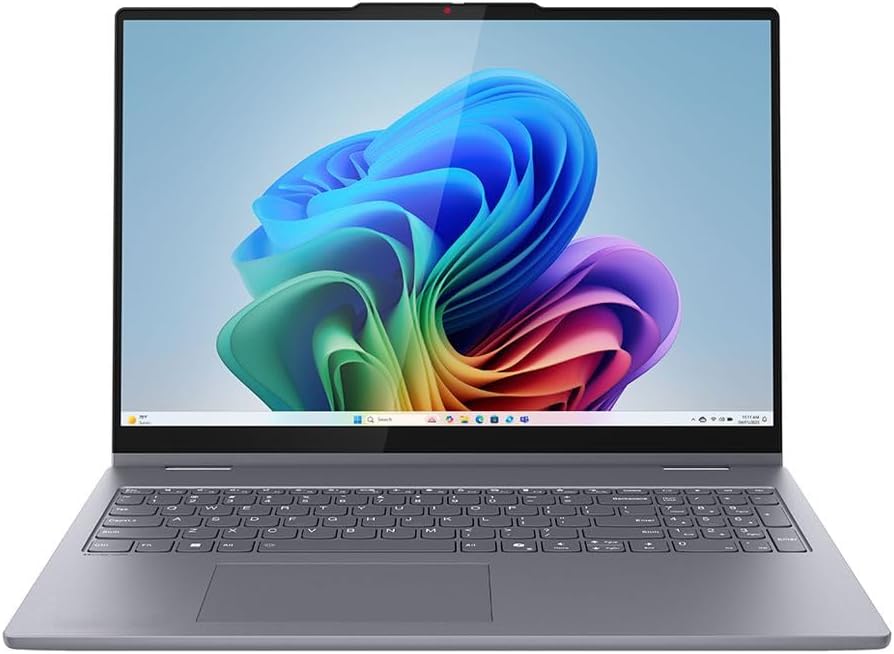
Figura 2: Front dirett view of the Lenovo IdeaPad 5 16AKP10 laptop, open with the display active, highlighting the keyboard and trackpad.

Figure 3: An angled perspective of the Lenovo IdeaPad 5 16AKP10 laptop, showcasing huwa pro slimfile and screen clarity from the side.
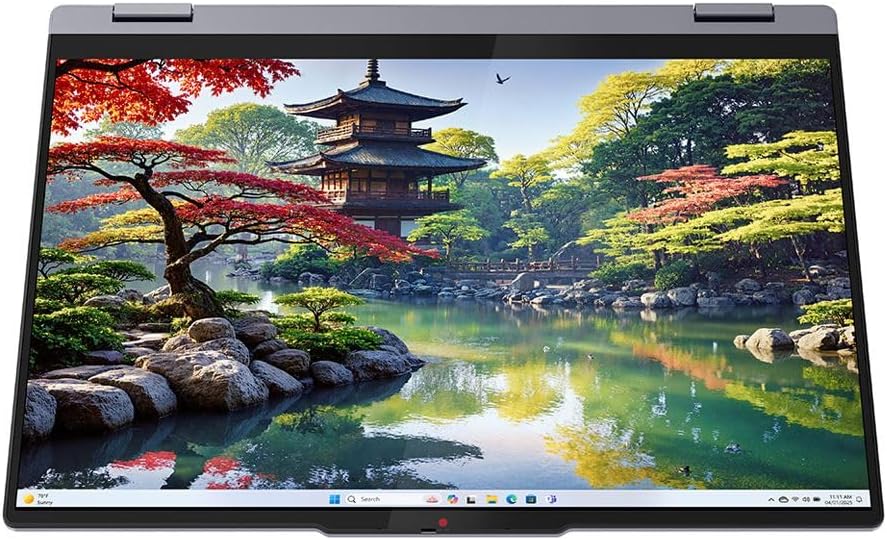
Figure 4: The Lenovo IdeaPad 5 16AKP10 configured in tablet mode, demonstrating its 360-degree hinge capability for touch-based interaction.

Figura 5: In-naħa ta' wara view of the Lenovo IdeaPad 5 16AKP10 laptop, showing the chassis design and Lenovo branding.
Setup
- Spakkja l-Apparat: Oħroġ il-laptop u l-aċċessorji kollha mill-imballaġġ bir-reqqa.
- Qabbad l-Enerġija: Plug the power adapter into the laptop's charging port and then into a power outlet. Allow the battery to charge for at least 30 minutes before initial use.
- Qawwa Mixgħul: Iftaħ l-għatu tal-laptop u agħfas il-buttuna tal-qawwa, li tipikament tinsab fuq il-ġenb jew fuq il-lemin tat-tastiera.
- Konfigurazzjoni Inizjali tal-Windows: Segwi l-istruzzjonijiet fuq l-iskrin biex tlesti s-setup tal-Windows 11 Home, inkluż l-għażla tal-lingwa, il-konnessjoni tan-netwerk, u l-ħolqien tal-kont tal-utent.
- ESET Anti-Virus Installation: Refer to the ESET Home Security Essential instructions provided separately to install and activate your 3-year anti-virus protection.
Istruzzjonijiet Operattivi
L-użu tal-Funzjonalità 2-f'1:
The 360-degree hinge allows the IdeaPad 5 to transform into various modes:
- Modalità tal-Laptop: Konfigurazzjoni standard tal-laptop għat-tajping u l-informatika tradizzjonali.
- Modalità Tinda: Fold the display back to form an inverted 'V' shape, ideal for watching videos or presentations in confined spaces.
- Modalità Stand: Fold the display back further, resting the keyboard face down, suitable for touch-based interaction or media consumption.
- Modalità Pillola: Fold the display completely back against the base, converting the device into a large tablet for drawing, note-taking (with optional Lenovo Digital Pen), or browsing.
Touchscreen and Stylus Support:
Interact with the display using multi-touch gestures. For precise input, an optional Lenovo Digital Pen (sold separately) can be used for writing, drawing, and navigating.
Ċavetta tal-Kopilota:
Press the dedicated Copilot key on the keyboard to quickly access AI-powered assistance and features within Windows.
Konnettività:
- Wi-Fi 7: Connect to wireless networks for internet access. Navigate to Windows Settings > Network & Internet > Wi-Fi to manage connections.
- Bluetooth 5.4: Pair with Bluetooth-enabled devices such as headphones, mice, or keyboards. Access Bluetooth settings via Windows Settings > Bluetooth & devices.
Manutenzjoni
- Tindif: Uża drapp ratba u mingħajr ħelu ftit dampLaħlaħ bl-ilma jew b'tindif tal-iskrin biex tnaddaf id-displej. Għat-tastiera u x-chassis, uża drapp niexef u artab. Evita kimiċi ħarxa.
- Aġġornamenti tas-Software: Regularly check for and install Windows updates and Lenovo driver updates to ensure system stability and security. Access Windows updates via Settings > Windows Update.
- Kura tal-batterija: Biex ittawwal il-ħajja tal-batterija, evita temperaturi estremi u tħallix il-laptop iċċarġjat kompletament jew skarikat kompletament għal perjodi twal.
- Ħażna: Meta ma tkunx qed tuża l-laptop, aħżen il-laptop f'post frisk u niexef 'il bogħod mix-xemx diretta.
Issolvi l-problemi
| Problema | Soluzzjoni Possibbli |
|---|---|
| Il-laptop ma jixgħelx. | Kun żgur li l-adapter tal-enerġija huwa konness sew u li s-sokit jaħdem sew. Ipprova sokit tal-enerġija differenti. Jekk il-batterija tkun kompletament imxarrba, jista' jieħu ftit minuti biex jirrispondi wara li tgħaqqadha. |
| Id-displej huwa vojt jew jitteptep. | Restart the laptop. Check display settings in Windows. If connected to an external monitor, ensure the connection is secure. |
| Problemi bil-konnessjoni tal-Wi-Fi. | Verify Wi-Fi is enabled in Windows settings. Restart your router and the laptop. Check for updated Wi-Fi drivers. |
| L-iskrin tattili mhux qed jirrispondi. | Restart the laptop. Ensure the screen is clean and free of debris. Check for updated touchscreen drivers in Device Manager. |
| Is-sistema hija bil-mod jew ma tirrispondix. | Close unnecessary applications. Check Task Manager for processes consuming high resources. Ensure sufficient free storage space. Run a full system scan with ESET Anti-Virus. |
Speċifikazzjonijiet
| Karatteristika | Dettall |
|---|---|
| Brand | Lenovo |
| Isem tal-Mudell | IdeaPad 5 |
| Daqs tal-Iskrin | 16 Pulzier |
| Daqs tal-Hard Disk | 1000 GB (1TB SSD) |
| Mudell tas-CPU | Ryzen AI 7 (AMD Ryzen AI 7 350 2.0GHz) |
| Daqs tal-Memorja RAM Installata | 16 GB (LPDDR5x-6400) |
| Sistema Operattiva | Windows 11 Home |
| Karatteristiċi Speċjali | Support Stylus, Webcam (1080p IR with privacy shutter), Fingerprint Reader, Backlit Keyboard, Copilot Key |
| Koproċessur tal-Grafika | AMD Radeon 860M |
| Konnettività | Wi-Fi 7, Bluetooth 5.4 |
Garanzija u Appoġġ
For information regarding your product's warranty, please refer to the warranty documentation included with your purchase or visit the official Lenovo support website. Technical support and service options are available through Lenovo's customer service channels.
The included ESET Home Security Essential comes with a 3-year license. For support related to the ESET software, please contact ESET customer support directly.
Tista' ssib riżorsi ta' appoġġ addizzjonali u informazzjoni ta' kuntatt fuq Appoġġ Lenovo Websit.