
Introduzzjoni
Thank you for choosing the Doohoeek AC141 Wireless TV Headphones. This manual provides detailed instructions for setting up, operating, and maintaining your headphones to ensure optimal performance and a comfortable listening experience. These headphones are designed for private audio listening from various sources, including televisions, mobile phones, laptops, and smart speakers, offering multiple connectivity options for versatility.
Product List (What's in the Box)
Before you begin, please ensure all components are present in the package.

Image: All components included in the Doohoeek AC141 package, including headphones, transmitter, cables, and user manual.
- 1. Headphones: The over-ear wireless headphones.
- 2. TV Transmitter: The base station for wireless audio transmission and charging.
- 3. Type-C Cable: For direct charging of the headphones or transmitter.
- 4. 3.5mm Audio Cable: For AUX audio connections.
- 5. Manwal għall-Utent: Din il-gwida tal-istruzzjonijiet.
- 6. Kejbil Ottiku: For digital audio connections to TVs.
- 7. Box: Product packaging.
- 8. 3.5mm to RCA Audio Cable: For connecting to devices with RCA audio outputs.
Setup
1. Iċċarġjar tal-Headphones
The headphones can be charged using two methods: directly via a Type-C cable or wirelessly through the magnetic charging dock.

Image: Illustration of Type-C charging port on the headphone and the magnetic charging contacts on the dock.
- Iċċarġjar tat-Tip C: Connect the provided Type-C cable to the charging port on the headphones and to a USB power adapter (not included).
- Iċċarġjar Manjetiku Mingħajr Fili: Place the headphones onto the TV transmitter dock. Ensure the headphones are correctly aligned with the charging contacts. The dock will automatically begin charging.
A full charge takes approximately 1.5 hours and provides up to 60 hours of listening time.

Image: The charging dock features a clear digital display indicating battery level and current connection mode (AUX/Optical).
2. Connecting the TV Transmitter to Your Audio Source
The transmitter supports multiple connection types to ensure compatibility with various devices.
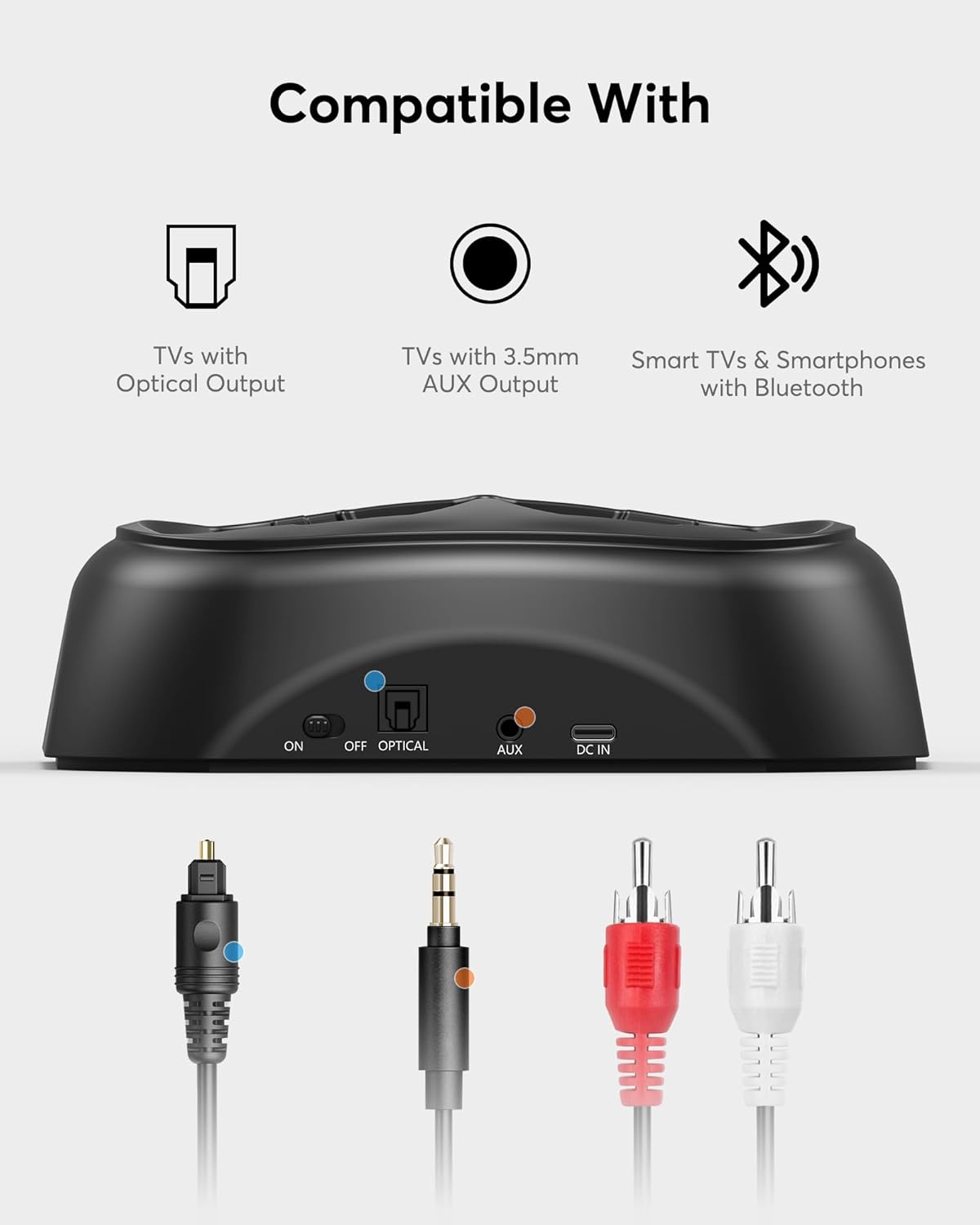
Image: The transmitter base showing its input ports (Optical, AUX, DC IN) and corresponding cables for connection to TVs with Optical Output, TVs with 3.5mm AUX Output, and Smart TVs & Smartphones with Bluetooth.
Optical Connection (Recommended for TVs)
- Connect one end of the provided optical cable to the OTTIKU BARRA port fuq it-TV tiegħek.
- Qabbad it-tarf l-ieħor tal-kejbil ottiku mal- OTTIKU FI port on the Doohoeek transmitter.
- Plug the transmitter's power adapter into a wall outlet.
- On your TV's audio settings, select Out Ottiċi as the audio output and set the format to PCM (Pulse Code Modulation). Avoid Bitstream or Dolby Digital settings, as these are not supported.
AUX Connection (3.5mm or RCA)
- For 3.5mm AUX: Connect the 3.5mm audio cable from your device's headphone jack or AUX output to the KAJN IN port fuq it-trasmettitur.
- For RCA: Use the 3.5mm to RCA audio cable. Connect the RCA ends (red and white) to the corresponding audio output ports on your TV or device, and the 3.5mm end to the KAJN IN port fuq it-trasmettitur.
- Plug the transmitter's power adapter into a wall outlet.
Bluetooth Connection (Transmitter to Headphones)
The transmitter automatically pairs with the headphones when both are powered on and within range. Ensure the transmitter is connected to an audio source via Optical or AUX.
3. Direct Bluetooth Pairing (Headphones to Mobile Devices)
The headphones can also connect directly to Bluetooth-enabled devices like smartphones or laptops without the transmitter.
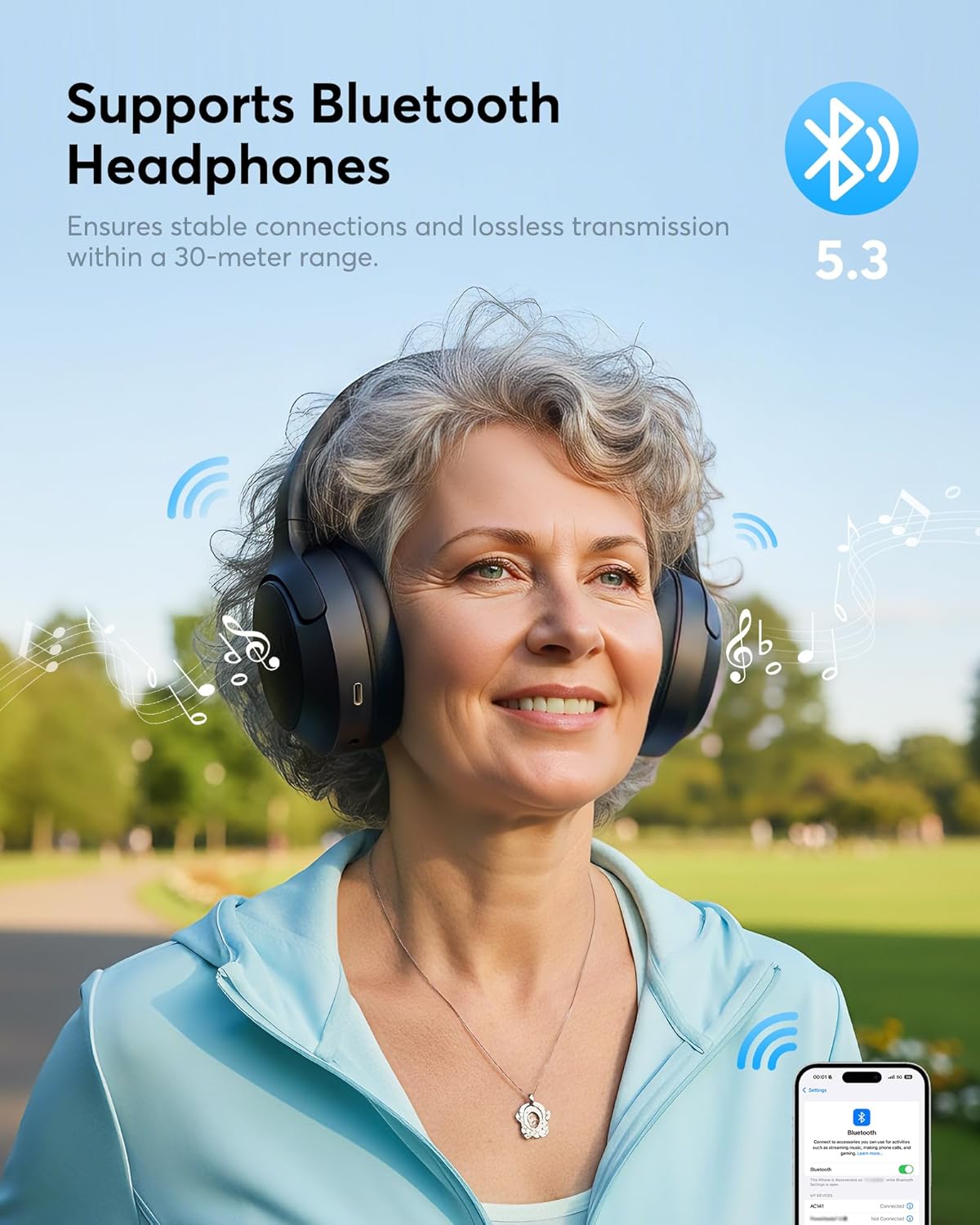
Image: A woman enjoying music with Doohoeek AC141 headphones, demonstrating stable Bluetooth 5.3 connection within a 30-meter range.
- Kun żgur li l-headphones huma mitfija.
- Agħfas u żomm il-buttuna tal-Power fuq il-headphones sakemm l-indikatur LED jteptep malajr (ġeneralment blu u aħmar), u dan jindika l-modalità ta' tqabbil.
- On your smartphone or other Bluetooth device, go to Bluetooth settings and search for available devices.
- Select "Doohoeek AC141" from the list. Once connected, the LED indicator on the headphones will show a steady blue light or flash slowly.
Istruzzjonijiet Operattivi
1. Power On/Off
- Biex Tixgħel: Press and hold the Power button on the headphones for approximately 3 seconds until you hear an audible prompt or see the LED indicator light up.
- Biex Tifi: Press and hold the Power button for approximately 3-5 seconds until you hear an audible prompt or the LED indicator turns off.
2. Kontroll tal-Volum
- Uża l- Volum 'il fuq (+) u Volum 'l isfel (-) buttons located on the headphones to adjust the listening volume.
- You may also need to adjust the volume on your connected audio source (TV, phone, etc.) for optimal sound levels.
3. Switching Audio Sources (Transmitter)
If your transmitter is connected to multiple audio sources (e.g., Optical and AUX), use the Modalità button on the transmitter to switch between inputs. The digital display will indicate the active input.

Image: A couple enjoying TV audio privately using the Doohoeek AC141 wireless headphones and transmitter, highlighting comfortable wear and sound quality.
Manutenzjoni
Kura xierqa tiżgura l-lonġevità u l-prestazzjoni tal-headphones tiegħek.
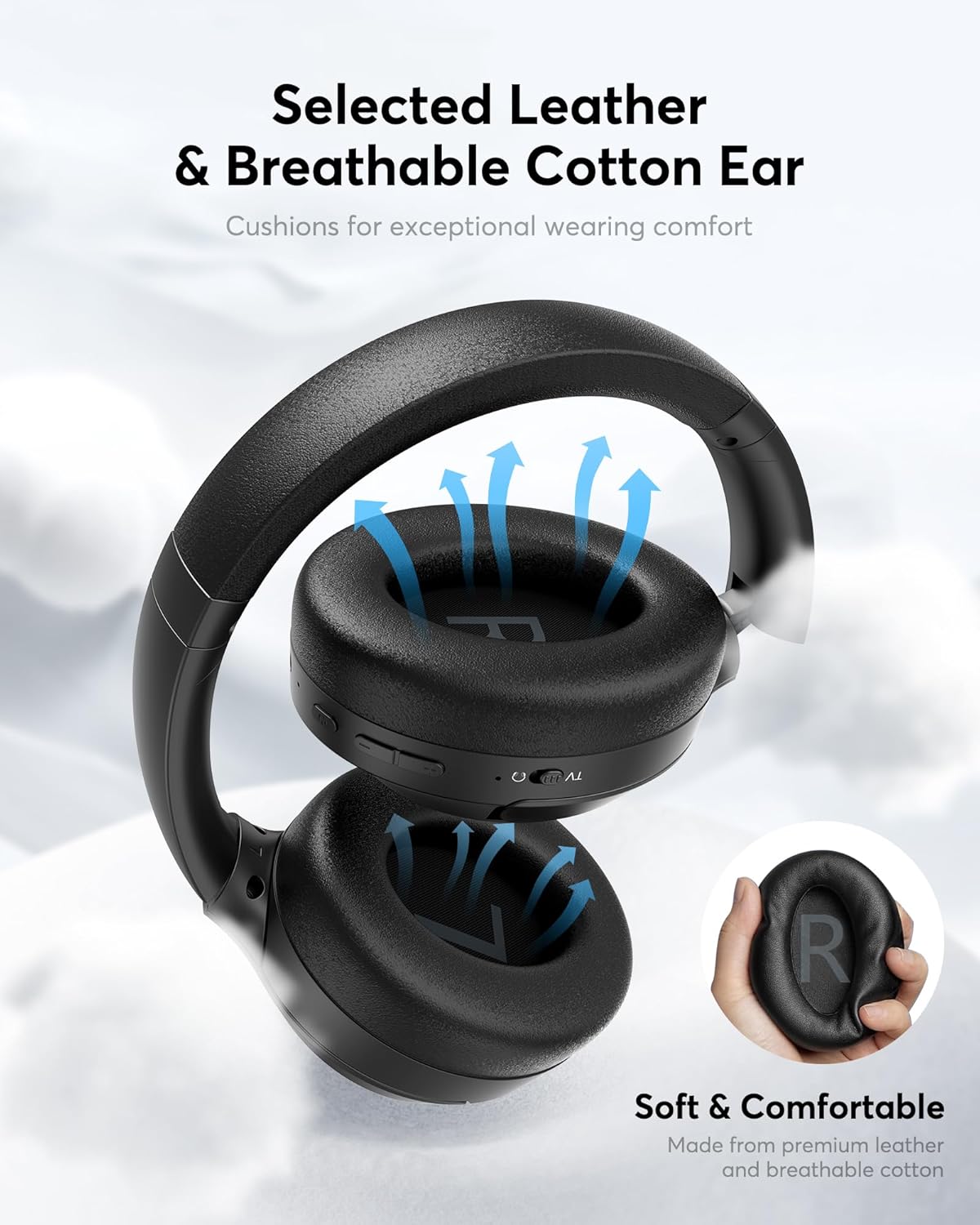
Image: The earcups are made from selected leather and breathable cotton for exceptional wearing comfort.
- Tindif: Use a soft, dry cloth to wipe the headphones and transmitter. For ear cushions, gently wipe with a slightly damp drapp u ħallih jinxef kompletament bl-arja qabel l-użu. Tużax kimiċi ħarxa jew prodotti tat-tindif li joborxu.
- Ħażna: When not in use, store the headphones on the charging dock or in a clean, dry place away from extreme temperatures and direct sunlight.
- Kura tal-batterija: To maintain battery health, avoid fully discharging the headphones frequently. Charge them regularly, even if not used for extended periods.
Issolvi l-problemi
Jekk tiltaqa' ma' problemi, irreferi għall-problemi u s-soluzzjonijiet komuni li ġejjin:
| Problema | Kawża Possibbli | Soluzzjoni |
|---|---|---|
| L-ebda ħoss mill-headphones. | Headphones not powered on or paired. Transmitter not connected to audio source. Incorrect TV audio settings. Volume too low. | Ensure headphones are on and paired. Check transmitter's audio cable connection. Verify TV audio output is set to PCM for optical. Increase headphone and source volume. |
| Il-headphones mhux qed jiċċarġjaw. | Improper placement on dock. Charging cable not connected. Faulty power source. | Ensure headphones are correctly seated on the magnetic dock. Check Type-C cable connection. Try a different USB power adapter or outlet. |
| Sound cutting out or static. | Barra mill-firxa. Interferenza. Batterija baxxa. | Move closer to the transmitter/device. Avoid strong Wi-Fi signals or other wireless devices. Charge the headphones. |
| Ma tistax tqabbad permezz tal-Bluetooth. | Headphones not in pairing mode. Device's Bluetooth is off. | Ensure headphones are in pairing mode (flashing LED). Turn on Bluetooth on your device and refresh the device list. |
Speċifikazzjonijiet
Technical details for the Doohoeek AC141 Wireless TV Headphones:
| Karatteristika | Dettall |
|---|---|
| Numru tal-Mudell | AC141 |
| Brand | Doohoeek |
| Kulur | Iswed |
| Fattur tal-Forma tal-Headphone | Fuq il-widna |
| Stil tazza tal-widnejn | Fuq il-widna |
| Medda ta' Frekwenzi | 20 Hz - 20,000 Hz |
| Teknoloġija tal-Konnettività | Wireless |
| Teknoloġija bla fili | Bluetooth 5.3 |
| Ħajja Medja tal-Batterija | 60 sigħat |
| Metodu ta' Kontroll | Imbotta Buttuna |
| Karatteristiċi tal-Prodott | Digital Display Base, Bluetooth 5.3 |
| Użi Speċifiċi għall-Prodott | TV |
| Apparati Kompatibbli | Television, Mobile Phones, Laptops, Smart Speakers |
Garanzija u Appoġġ
Doohoeek products are designed for reliability and performance. For warranty information, please refer to the documentation included with your purchase or contact Doohoeek customer support. If you require further assistance or have questions not covered in this manual, please reach out to our support team through the contact information provided on the official Doohoeek webis-sit jew il-kanali ta' appoġġ tal-bejjiegħ bl-imnut tiegħek.