
1. Introduzzjoni
Grazzi tax-xiriasing the Denash RC Flying Sword. This innovative remote-controlled airplane features intelligent gesture recognition technology, colorful LED lights, and a durable, lightweight design for an engaging flight experience. This manual provides essential information for safe operation, setup, and maintenance.
2. Prekawzjonijiet tas-Sigurtà
- Always operate the RC Flying Sword in open areas, away from people, animals, and obstacles.
- Ittirx ħdejn linji tal-elettriku, toroq, jew korpi tal-ilma.
- Kun żgur li l-iskrejjen kollha huma mwaħħlin sew qabel it-titjira.
- Żomm subgħajk u xagħar 'il bogħod mill-iskrejjen li jduru.
- Is-superviżjoni tal-adulti hija rakkomandata għal utenti iżgħar.
- Timmodifikax il-prodott bl-ebda mod, għax dan jista' jikkomprometti s-sigurtà u jannulla l-garanzija.
- This product is designed to be safe for users when operated as instructed.
3. Kontenut tal-Pakkett
Ivverifika li l-oġġetti kollha huma preżenti fil-pakkett:
- 1 x RC Flying Sword
- 1 x Gesture Remote Control
- 1 x USB Iċċarġjar Cable
- 2 x Lithium Batteries (500 mAh each)
- 4 x Skrejjen żejda
- 1 x tornavit
- 1 x Manwal ta 'Istruzzjoni

Image: All components included in the Denash RC Flying Sword package.
4. Prodott Aktarview
The Denash RC Flying Sword is designed for intuitive control and stable flight. It features a unique sword-like shape with integrated propellers and LED lights.
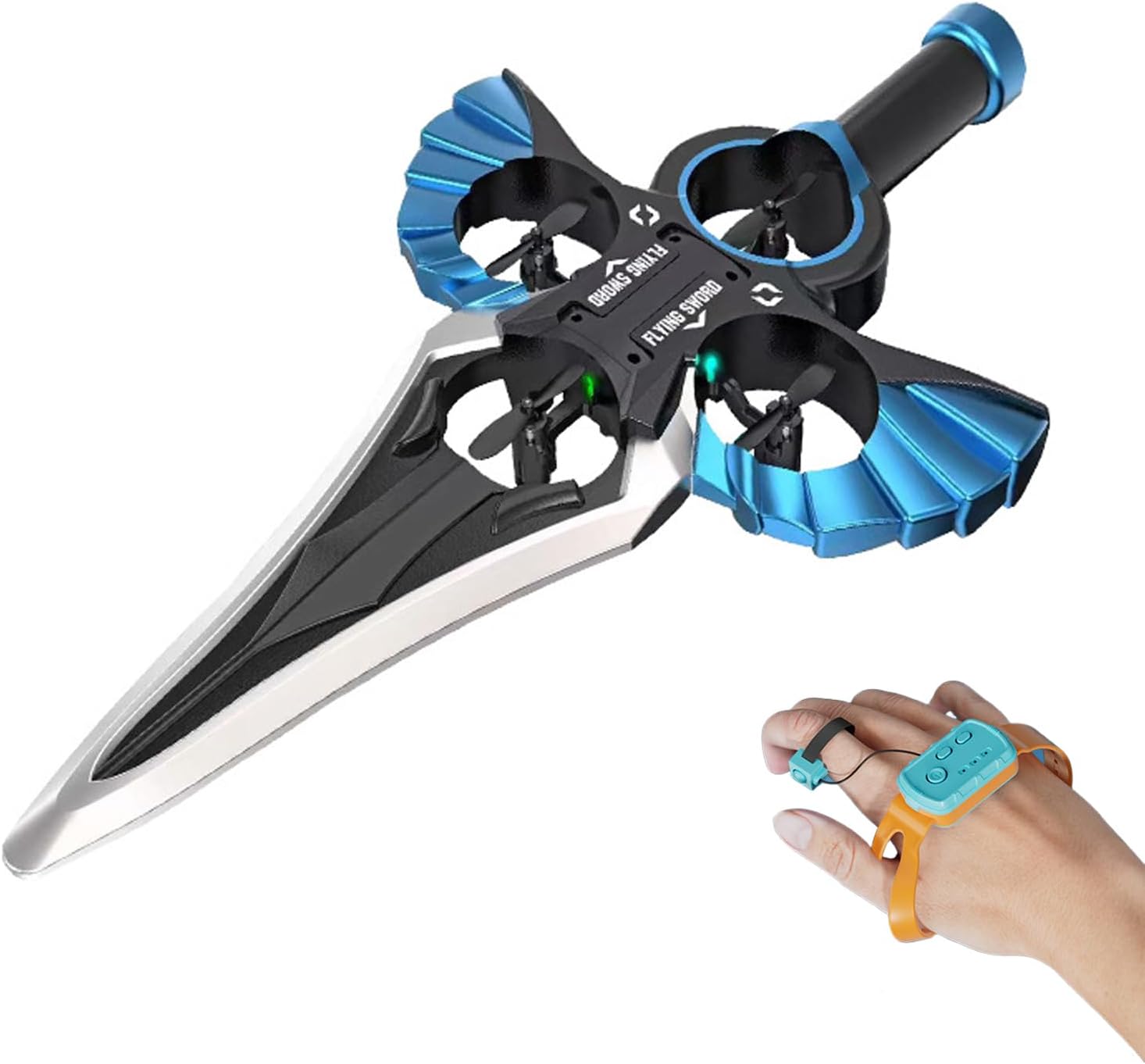
Image: The Denash RC Flying Sword, highlighting its main body and propeller placement.
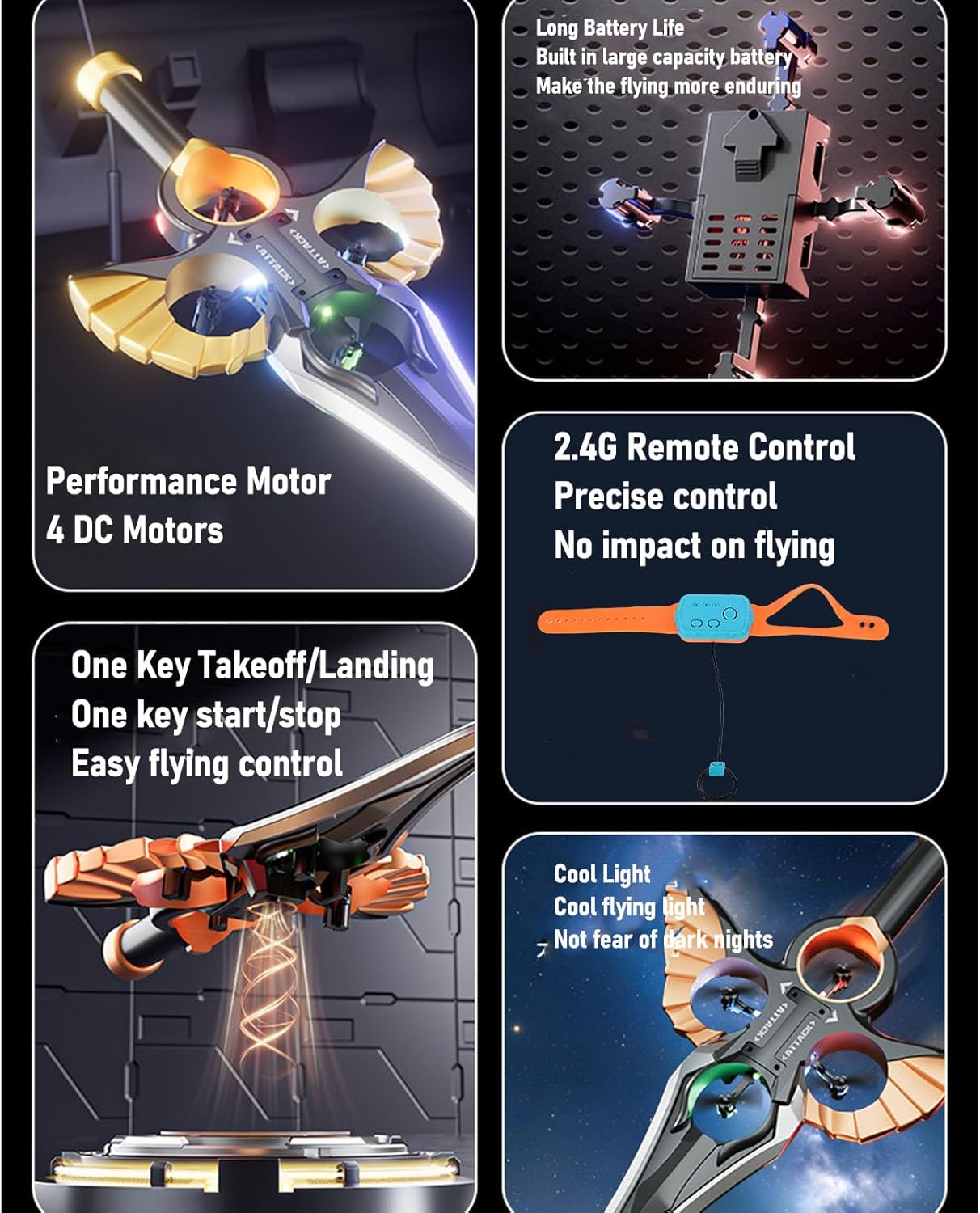
Image: Key features of the RC Flying Sword, including its four DC motors, long-lasting battery, 2.4G remote control system, and colorful LED lights.
5. Iċċarġjar tal-batterija
The RC Flying Sword uses two 500 mAh lithium batteries. Ensure batteries are fully charged before each flight for optimal performance.
- Locate the battery compartment on the RC Flying Sword.
- Insert a lithium battery into the compartment.
- Connect the USB charging cable to the battery and a suitable USB power source (e.g., computer, USB wall adapter).
- The indicator light on the charging cable will show the charging status. Once fully charged, disconnect the battery.

Image: The charging port and battery connection area on the RC Flying Sword.

Image: Illustration of how to insert the battery into the RC Flying Sword.
6. Setup tal-Kontroll mill-bogħod
The gesture remote control requires 2 AAA dry batteries (not included).
- Open the battery compartment on the gesture remote control and insert 2 AAA batteries, observing polarity.
- Turn on the RC Flying Sword by sliding its power switch. The aircraft's lights will flash rapidly.
- Long press the power button on the gesture remote control (the watch). The aircraft lights will change from rapid flashing to constantly on, indicating successful pairing.
- Perform a one-key calibration by pressing the designated button on the remote.

Image: Detailed functions of the gesture remote control, including pairing instructions and control gestures.
7. Operazzjoni
Once paired, you can control the RC Flying Sword using intuitive hand gestures and remote buttons.
7.1 Kontrolli Bażiċi tat-Titjira
- Tluq/Inżul b'Ċavetta Waħda: Press the designated button on the gesture remote to initiate automatic takeoff or landing.
- Kontroll tal-ġesti: Move your hand with the gesture remote to control the flying sword's direction (fly, turn, retrieve).
- Rotazzjoni 360°: The aircraft is capable of 360-degree rotating flight.

Image: The RC Flying Sword performing a one-key takeoff, illustrating ease of use.

Image: A user demonstrating gesture control of the RC Flying Sword.
7.2 Stunt Rolls
The gesture remote allows for various stunt maneuvers:
- Left Stunt Roll: Short press the ring, watch to the left.
- Right Stunt Roll: Short press the ring, watch to the right.
- Forward Stunt Roll: Short press the ring, watch moves forward.
- Backward Stunt Roll: Short press the ring, watch moves backward.
7.3 Aġġustament tal-veloċità
The RC Flying Sword features adjustable speed settings for different flight experiences.
7.4 Vidjo Operazzjonali
Video: Demonstration of the Denash RC Flying Sword's gesture control, one-click takeoff, 360-degree rotation, and stunt rolls. This video illustrates the product's key operational features.
8. Manutenzjoni
Regular maintenance ensures the longevity and optimal performance of your RC Flying Sword.
- Tindif: Uża drapp artab u niexef biex tnaddaf l-ajruplan. Evita l-ilma jew kimiċi ħarxa.
- Spezzjoni tal-Iskrun: Regularly check propellers for damage or wear. Replace any damaged propellers using the provided spare parts and screwdriver.
- Kura tal-batterija: Store batteries in a cool, dry place. Do not overcharge or completely discharge batteries. Remove batteries from the aircraft and remote control when not in use for extended periods.
9 Issolvi l-problemi
| Problema | Kawża Possibbli | Soluzzjoni |
|---|---|---|
| L-ajruplan ma jirrispondix għall-kontroll remot. | Not paired; low battery in remote or aircraft. | Ensure proper pairing (Section 6); replace remote batteries; charge aircraft battery. |
| Aircraft does not take off or flies erratically. | Skrejjen bil-ħsara; kalibrazzjoni meħtieġa; interferenza qawwija mir-riħ. | Replace damaged propellers; perform one-key calibration; fly in calm conditions. |
| Ħin qasir tat-titjira. | Il-batterija mhix iċċarġjata għalkollox; batterija qadima. | Kun żgur li l-batterija tkun iċċarġjata kompletament; ikkunsidra li tissostitwixxi l-batteriji qodma. |
10. Speċifikazzjonijiet
| Karatteristika | Dettall |
|---|---|
| Brand | Denash |
| Isem tal-Mudell | Spada Volante RC |
| Numru tal-Mudell | Denash7tocdmui0y-14 |
| Flying Sword Battery | 2 x Lithium Batteries, 500 mAh each |
| Gesture Remote Battery | 2 x AAA Dry Batteries (not included) |
| Ħin tat-Titjira | Madwar 20 minuta |
| Għoli tat-Titjira Max | 30-il metru |
| Materjal | Plastik, Fowm |
| Karatteristiċi Speċjali | Gesture Control, Colorful LED Lights |
| Mod ta' Operazzjoni | Ġest |
| Vehicle Shape | Ajruplan |
| Kulur | Blu |

Image: Dimensions of the RC Flying Sword.
11. Garanzija u Appoġġ
For warranty information or technical support, please refer to the contact details provided with your purchase or visit the official Denash websit. Żomm il-prova tax-xiri tiegħek għal kwalunkwe talba ta' garanzija.