
1. Introduzzjoni
This manual provides detailed instructions for the installation, operation, and maintenance of your SENTKENG Y05009 Indoor Camera. Please read this manual thoroughly before using the product to ensure proper function and safety. The SENTKENG Y05009 is a 1080P WiFi camera designed for indoor monitoring, featuring pan/tilt capabilities, two-way audio, IR night vision, and motion detection.
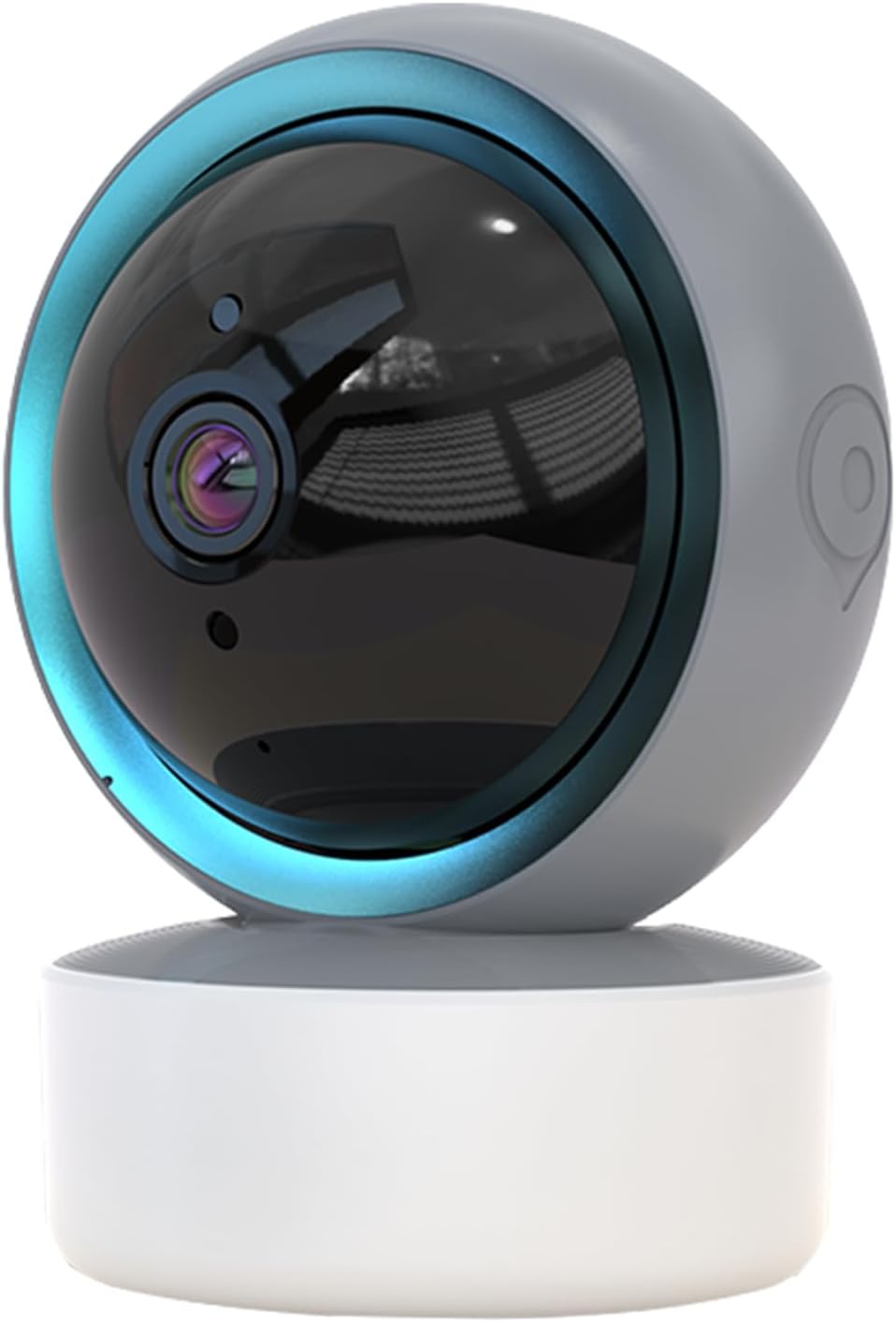
Image 1.1: SENTKENG Y05009 Indoor Camera. This image displays the compact, spherical design of the camera with its lens and base.
2. Kontenut tal-Pakkett
Jekk jogħġbok ivverifika li l-oġġetti kollha huma preżenti fil-pakkett:
- SENTKENG Y05009 Indoor Camera
- Kejbil tal-Enerġija USB
- Power Adapter (not explicitly listed but implied for a plug-in device)
- Bracket tal-Immuntar u Viti
- Manwal ta' Istruzzjoni

Image 2.1: Package Contents. This image shows the camera, USB cable, mounting accessories, and the user manual included in the box.
3. Prodott Aktarview
The SENTKENG Y05009 camera features a compact design with essential components for effective indoor monitoring.
3.1 Komponenti tal-Kamera
- Lenti: Jaqbad vidjow 1080P.
- LEDs infra-aħmar: Provide night vision capabilities.
- Mikrofonu: For audio input and two-way talk.
- Kelliem: For audio output and two-way talk.
- Slott tal-Karta MicroSD: Supports local storage up to 128GB (card not included).
- Buttuna Irrisettja: Used for factory reset or pairing mode.
- Port tal-Enerġija: USB port for connecting the power cable.
Image 3.1: Camera Component Details. This image highlights the speaker, microSD card slot, reset button, and power port on the camera.
4. Setup
Follow these steps to set up your SENTKENG Y05009 Indoor Camera.
4.1 Tixgħel
- Qabbad il-kejbil tal-enerġija USB mal-port tal-enerġija tal-kamera.
- Ipplaggja t-tarf l-ieħor tal-kejbil USB fl-adapter tal-enerġija pprovdut.
- Plug the power adapter into a standard electrical outlet. The camera will power on and initiate its startup sequence.
4.2 Installazzjoni tal-App u Ħolqien ta' Kont
- Niżżel il- InstaVision app mill-ħanut tal-apps tal-ismartphone tiegħek (iOS jew Android).
- Open the InstaVision app and create a new account or log in if you already have one.

Image 4.1: InstaVision App Interface. This image shows the 'Welcome to InstaVision' screen on a smartphone, illustrating the initial app setup.
4.3 Konnessjoni mal-Wi-Fi
The camera supports 2.4GHz Wi-Fi networks only.
- In the InstaVision app, tap 'Add Device' or the '+' icon.
- Select your camera model or 'Smart Camera'.
- Follow the on-screen instructions to connect the camera to your 2.4GHz Wi-Fi network. This typically involves scanning a QR code generated by the app with the camera's lens or listening for an audio prompt.
- Once connected, the camera's indicator light will change, and you will receive a confirmation in the app.
4.4 Tqegħid u Immuntar
The camera can be placed on a flat surface or mounted to a ceiling.
- Immonta fuq il-mejda: Place the camera on a stable, flat surface such as a table or shelf.
- Installazzjoni tas-saqaf: Use the provided mounting bracket and screws to secure the camera to the ceiling. Ensure the camera is oriented correctly for optimal viewing.
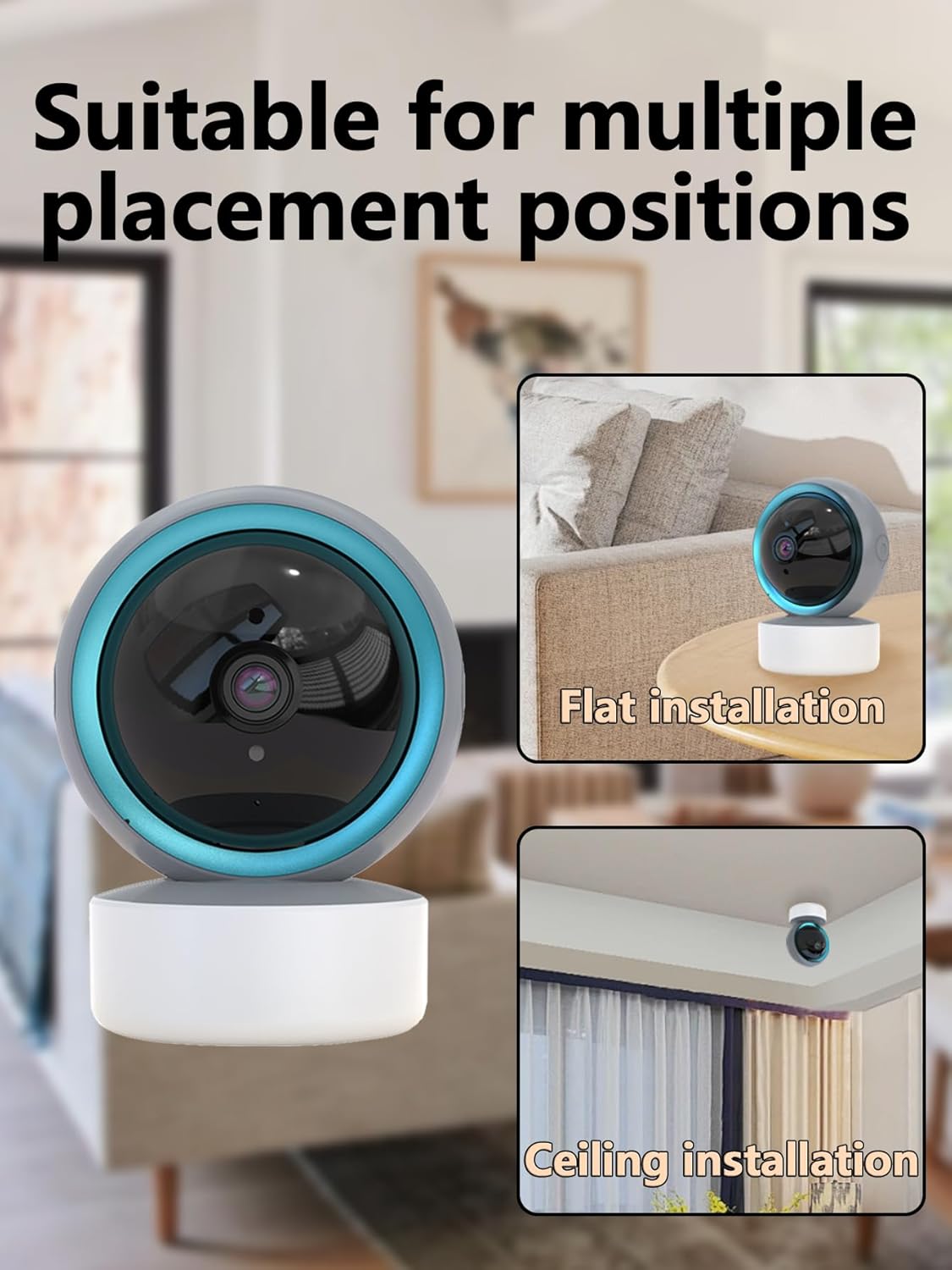
Image 4.2: Multiple Placement Positions. This image illustrates the camera placed on a flat surface and mounted on a ceiling.
5. Istruzzjonijiet Operattivi
Learn how to use the various features of your SENTKENG Y05009 camera.
5.1 Ħaj View u Kontroll Pan/Tilt
- Open the InstaVision app and select your camera from the device list.
- You will see the live video feed.
- Use the directional controls within the app to remotely rotate the camera lens: 355° orizzontalment u 90° vertikalment.

Image 5.1: Multi-Angle Rotation. This image demonstrates the camera's ability to rotate 355 degrees horizontally and 90 degrees vertically.
5.2 Awdjo b'żewġ direzzjonijiet
The camera features a built-in microphone and speaker for real-time communication.
- Waqt li tkun ħaj view, tektek l-ikona tal-mikrofonu fl-app.
- Speak into your phone to transmit audio through the camera's speaker.
- The camera's microphone will capture audio from its surroundings, which you can hear through your phone.
5.3 Sejbien tal-Mozzjoni u Twissijiet
The camera can detect motion and send instant notifications to your phone.
- Enable motion detection in the InstaVision app settings for your camera.
- Aġġusta l-livelli ta' sensittività kif meħtieġ.
- When motion is detected, you will receive a push notification on your smartphone.
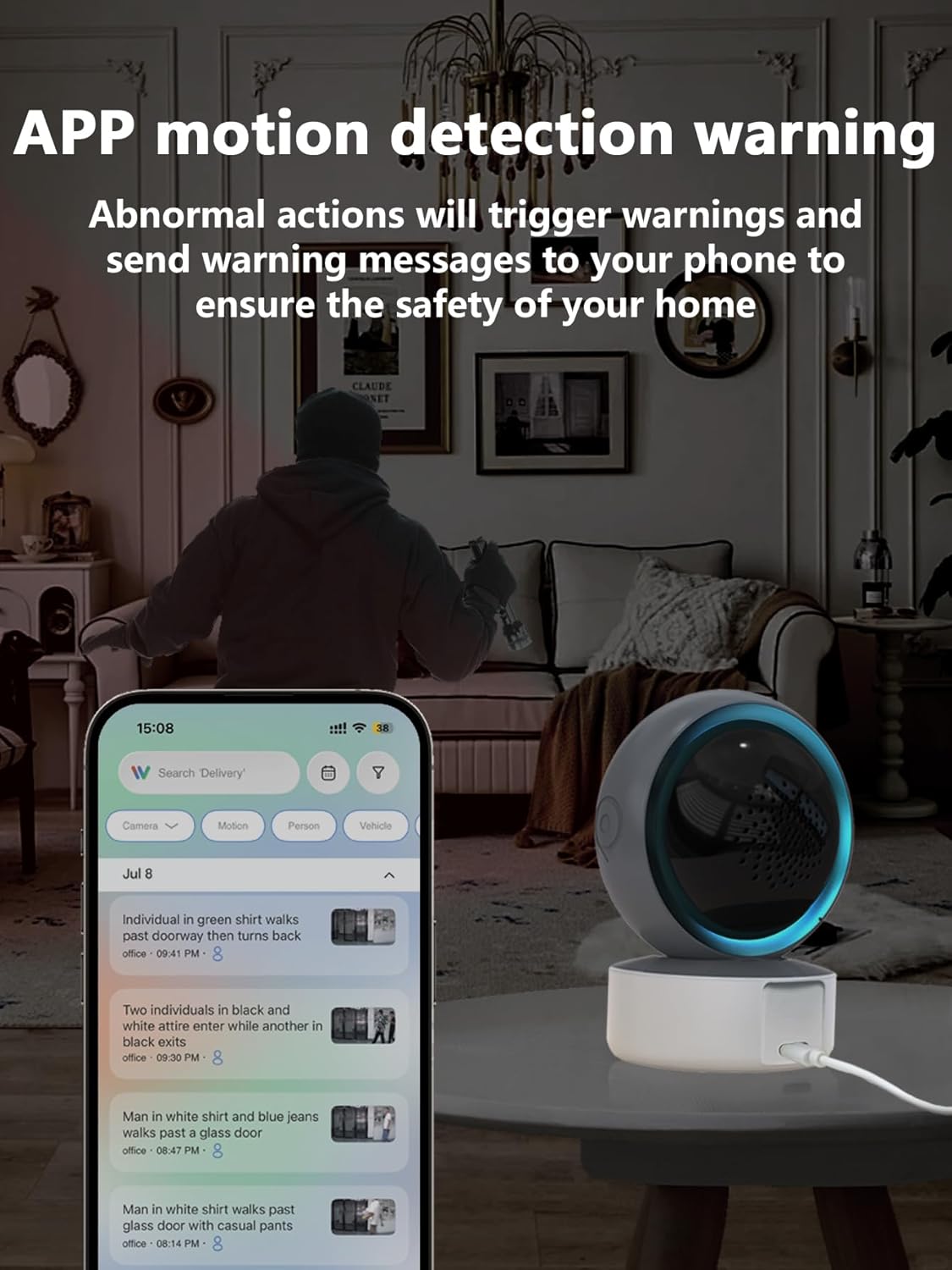
Image 5.2: APP Motion Detection Warning. This image shows a smartphone displaying motion detection alerts from the InstaVision app, with the camera monitoring a room.
Viżjoni bil-Lejl 5.4 IR
Il-kamera taqleb awtomatikament għall-viżjoni bil-lejl bl-infra-aħmar f'kundizzjonijiet ta' dawl baxx.
- Infrared LEDs provide clear black-and-white images up to 8 meters in complete darkness.
- No manual activation is required; the camera adjusts automatically.

Image 5.3: Clear IR Night Vision. This image depicts the camera providing a clear view in a dark room, with a smartphone displaying the night vision feed.
5.5 Ħażna tal-Vidjo
The camera offers two storage options for recorded footage:
- Karta MicroSD: Insert a microSD card (up to 128GB, not included) into the camera's slot for local storage. Recordings will be saved directly to the card.
- Servizz Cloud: An optional cloud storage subscription is available through the InstaVision app for remote and secure storage of your video recordings.

Image 5.4: Video Playback & Storage Function. This image shows the camera, a microSD card, and a smartphone displaying cloud storage icons, illustrating the dual storage options.
5.6 AI Detection (Subscription)
Advanced AI-powered detection features are available with a paid InstaVision app subscription. These features may include:
- Sejbien ta' persuna
- Sejbien tal-annimali domestiċi
- Specific human action recognition
5.7 Multi-User Viewing
The InstaVision app allows multiple users to view l-għalf tal-kamera simultanjament.
- In the app, navigate to the camera settings and find the 'Share Device' option.
- Invite other users by entering their InstaVision account details.
- Shared users will receive an invitation and can then access the camera feed.

Image 5.5: Simultaneous Online Viewing by Multiple Users. This image shows several individuals viewing the camera feed on their smartphones, indicating the family share function.
6. Manutenzjoni
Manutenzjoni regolari tgħin biex tiżgura l-lonġevità u l-prestazzjoni ottimali tal-kamera tiegħek.
- Tindif: Imsaħ bil-mod il-lenti u l-korp tal-kamera b'ċarruta ratba u niexfa. Evita li tuża kimiċi ħarxa jew materjali li joborxu.
- Aġġornamenti tas-Software: Periodically check the InstaVision app for firmware updates for your camera. Keeping the firmware updated ensures you have the latest features and security enhancements.
- Ċiklu tal-Enerġija: Jekk il-kamera tesperjenza problemi, ipprova aqlagħha mis-sors tal-enerġija għal 10 sekondi u mbagħad erġa' qabbadha.
7 Issolvi l-problemi
If you encounter problems with your SENTKENG Y05009 camera, refer to the following common issues and solutions.
- Il-kamera hija offline:
- Ensure the camera is properly powered on and the power adapter is securely plugged in.
- Check your Wi-Fi network connection. Ensure the camera is within range of your 2.4GHz Wi-Fi router.
- Erġa' ibda l-kamera billi tneħħiha mill-plagg u terġa' tqabbadha.
- If the issue persists, try resetting the camera and re-pairing it with the app.
- Ma tistax tikkonnettja mal-Wi-Fi:
- Verify that your Wi-Fi network is 2.4GHz. The camera does not support 5GHz networks.
- Kun żgur li qed iddaħħal il-password korretta tal-Wi-Fi.
- Mexxi l-kamera eqreb lejn ir-router Wi-Fi tiegħek matul il-proċess tas-setup.
- Reset the camera and attempt the connection process again.
- Motion detection alerts are not received:
- Check the motion detection settings in the InstaVision app to ensure it is enabled and sensitivity is adjusted appropriately.
- Verify that your smartphone's notification settings allow alerts from the InstaVision app.
- Kun żgur li l-kamera għandha konnessjoni stabbli tal-internet.
- Kwalità fqira tal-vidjo:
- Kun żgur li l-lenti tal-kamera hija nadifa u ħielsa mit-trab jew tbajja’.
- Check your Wi-Fi signal strength. A weak signal can affect streaming quality.
- Kun żgur li jkollok dawl adegwat għal vidjow ottimali matul il-jum.
8. Speċifikazzjonijiet
| Karatteristika | Speċifikazzjoni |
|---|---|
| Isem tal-Mudell | Y05009 |
| Użu fuq ġewwa/barra | Ġewwa |
| Riżoluzzjoni tal-Qbid tal-Vidjo | 1080p |
| Teknoloġija tal-Konnettività | Mingħajr fili (Wi-Fi 2.4GHz) |
| Sors tal-Enerġija | Corded Elettriku |
| Medda Pan/Tilt | Orizzontali 355°, Vertikali 90° |
| Medda tal-Viżjoni Lejl | 8 Meters |
| Għażliet ta' Ħażna | MicroSD Card (up to 128GB), Cloud Storage (subscription) |
| Awdjo Two-Way | Iva |
| Sejbien tal-Moviment | Iva |
| Karatteristiċi tal-AI | Optional (subscription required) |
| Apparati Kompatibbli | Smartphone (iOS, Android) |
| Dimensjonijiet tal-Prodott | 3.58 x 2.97 x 4.69 pulzieri |
| Piż tal-oġġett | 9 uqija |
9. Informazzjoni ta' Appoġġ
For further assistance or technical support, please refer to the contact information provided with your product packaging or visit the official SENTKENG websit.