
1. Introduzzjoni
The SENTKENG Y03008 InstaVision 1080P WiFi Camera is an indoor security camera designed for monitoring your home, baby, or pets. It offers 1080P Full HD video, pan and tilt functionality for wide coverage, two-way audio communication, infrared night vision, and intelligent motion detection. This manual provides essential information for setting up, operating, and maintaining your camera.
2. Informazzjoni dwar is-Sigurtà
- Ensure the camera is used indoors only.
- Uża biss l-adapter tal-enerġija u l-kejbil provduti.
- Żomm l-apparat 'il bogħod mill-ilma, umdità, u temperaturi estremi.
- Do not attempt to disassemble or repair the camera yourself. Contact support if issues arise.
- Żomm fejn ma jintlaħaqx mit-tfal u l-annimali domestiċi.
3. Kontenut tal-Pakkett
Jekk jogħġbok iċċekkja l-pakkett għall-oġġetti li ġejjin:
- SENTKENG Y03008 InstaVision 1080P WiFi Camera
- Manwal ta' Istruzzjoni
- Kejbil tal-Iċċarġjar tat-Tip C
- Parentesi tal-ħajt
- Pakkett tal-Invita

Image: The camera, Type-C charging cable, wall bracket, screw package, and instruction manual are included in the box.
4. Prodott Aktarview
Iffamiljarizza ruħek mal-komponenti ewlenin tal-kamera tiegħek:
- Lenti tal-Kamera: Captures 1080P Full HD video.
- Kelliem: Għal komunikazzjoni awdjo bidirezzjonali.
- Storage Card Slot: Insert a microSD card (up to 128GB, not included) for local storage.
- Irrisettja Ċavetta: Użat biex jirrisettja l-kamera għas-settings tal-fabbrika.
- Port tal-Iċċarġjar tat-Tip C: Qabbad il-kejbil tad-dawl hawn.
Immaġni: Dettaljata view of the camera highlighting the camera lens, speaker, storage card slot, reset key, and Type-C charging port.
5. Gwida ta' Setup
5.1 Powering On and App Installation
- Qawwa Mixgħul: Connect the camera to a power outlet using the provided Type-C charging cable and power adapter. The camera will power on automatically.
- Download the InstaVision App: Fittex għal 'InstaVision' in your smartphone's app store (iOS or Android) and download the application.
- Irreġistra/Idħol: Open the InstaVision app and follow the on-screen instructions to register a new account or log in if you already have one.

Image: The camera next to a smartphone displaying the InstaVision app's welcome screen, illustrating the easy connection process.
5.2 Konnessjoni mal-Wi-Fi
- Żid Apparat: In the InstaVision app, tap the '+' icon or 'Add Device' to begin the pairing process.
- Select Camera Type: Choose the appropriate camera model from the list.
- Segwi l-Istruzzjonijiet fl-App: The app will guide you through connecting the camera to your 2.4GHz Wi-Fi network. Ensure your phone is connected to the same 2.4GHz Wi-Fi network during setup.
- Konferma: Ladarba tkun konnessa, id-dawl indikatur tal-kamera jinbidel, u l-app tikkonferma li t-tqabbil ikun b'suċċess.
5.3 Għażliet ta' Installazzjoni
The SENTKENG Y03008 camera offers flexible installation:
- Tabletop Mount (Freestanding): Place the camera on any flat surface such as a table, shelf, or desk. Ensure it has a clear view taż-żona li tixtieq tissorvelja.
- Immuntar tas-saqaf: Use the included wall bracket and screws to mount the camera to the ceiling. After mounting, you may need to adjust the image orientation in the InstaVision app settings.

Immaġni: Eżamples of camera placement, showing both flat surface installation and ceiling mounting options.
6. Istruzzjonijiet Operattivi
6.1 Ħaj View u Daqq
Once connected, open the InstaVision app to access the live video feed from your camera. You can view foo f'ħin realitage u review recorded events from anywhere, anytime.
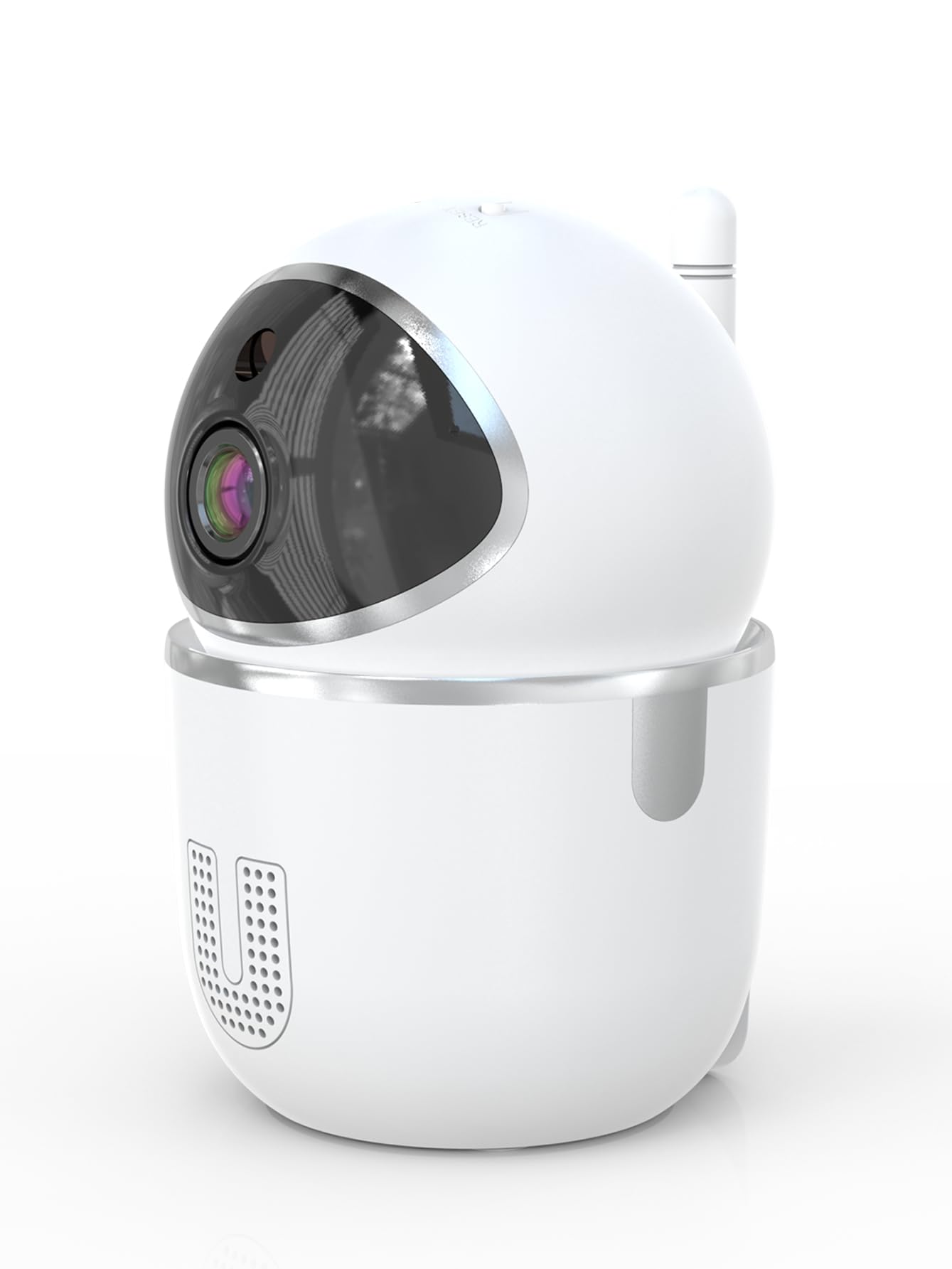
Image: A smartphone displaying the live video feed from the camera, showing a living room scene.
6.2 Kontroll tal-Pan u l-Tilt
Ikkontrolla l-kamera mill-bogħod viewing angle through the InstaVision app. The camera supports 355° horizontal rotation and 90° vertical tilt, allowing you to cover a wide area with minimal blind spots.

Image: The camera illustrating its pan (355°) and tilt (90°) capabilities, showing the range of motion.
6.3 Awdjo b'żewġ direzzjonijiet
The built-in microphone and speaker enable real-time two-way communication. Tap the microphone icon in the app to speak through the camera, and listen to audio from the camera's surroundings.
6.4 Viżjoni bil-lejl
The camera is equipped with powerful infrared LEDs, providing clear black-and-white video footage in low-light conditions or complete darkness, ensuring 24/7 monitoring.
6.5 Sejbien tal-Mozzjoni u Twissijiet
The camera detects motion and sends instant notifications to your smartphone. You can customize motion detection sensitivity and alert schedules within the InstaVision app.

Image: A smartphone screen showing a list of motion detection events and alerts, indicating human presence.
6.6 Għażliet ta' Ħażna
- Ħażna tal-Kard MicroSD: Insert a microSD card (up to 128GB, not included) into the camera's card slot for local recording. The camera will automatically overwrite the oldest footage meta l-karta tkun mimlija.
- Ħażna Cloud: An optional cloud service is available via a paid InstaVision app subscription. This provides secure off-site storage for your recordings.

Image: The camera with visual cues indicating support for both local microSD card storage (up to 128GB) and optional cloud storage.
6.7 AI Detection (Subscription)
With a paid InstaVision app subscription, you can access advanced AI-powered features such as recognizing people, pets, and specific human actions. This allows for more precise alerts and faster searching of recorded events.

Image: A smartphone screen demonstrating the contextual AI search feature, allowing users to quickly find specific events like package deliveries or pet movements.
6.8 Multi-User Viewing
Share access to your camera's live feed with family members or trusted individuals through the InstaVision app, allowing multiple users to view il-kamera simultanjament.

Image: The camera surrounded by multiple smartphones, illustrating the multi-user viewing capability for real-time online monitoring.
7. Manutenzjoni
- Tindif: Uża drapp artab u niexef biex tnaddaf il-lenti u l-qafas tal-kamera. Tużax prodotti tat-tindif likwidi jew aerosols.
- Aġġornamenti tal-Firmware: Regularly check the InstaVision app for available firmware updates. Keeping your camera's firmware updated ensures optimal performance and security.
- Ġestjoni tal-Kard MicroSD: If using a microSD card, periodically check its status in the app. Format the card if necessary to maintain recording quality.
8 Issolvi l-problemi
8.1 Il-Kamera Mhux Qed Tikkonnettja mal-Wi-Fi
- Kun żgur li n-netwerk Wi-Fi tiegħek huwa 2.4GHz. Il-kamera ma tappoġġjax Wi-Fi ta' 5GHz.
- Check that your Wi-Fi password is entered correctly.
- Mexxi l-kamera eqreb lejn ir-router tal-Wi-Fi tiegħek.
- Erġa' ibda r-router u l-kamera tiegħek.
- Perform a factory reset on the camera using the reset key and try connecting again.
8.2 L-ebda Feed tal-Vidjo
- Ivverifika li l-kamera hija mixgħula u konnessa mal-Wi-Fi.
- Iċċekkja l-konnessjoni tal-internet tiegħek.
- Restart the InstaVision app.
8.3 Is-Sejbien tal-Mozzjoni Mhux Jaħdem
- Ensure motion detection is enabled in the InstaVision app settings.
- Aġġusta s-sensittività tad-detezzjoni tal-moviment.
- Check the detection zone settings to ensure the desired area is covered.
8.4 Kwistjonijiet tal-Awdjo f'Żewġ Direzzjonijiet
- Ensure your phone's microphone is enabled for the InstaVision app.
- Iċċekkja s-settings tal-volum fuq it-telefon tiegħek u fl-app.
- Ensure there are no obstructions blocking the camera's speaker or microphone.
9. Speċifikazzjonijiet
| Isem tal-Mudell | Y03008 InstaVision |
| Użu fuq ġewwa/barra | Ġewwa |
| Riżoluzzjoni tal-Qbid tal-Vidjo | Full HD ta '1080p |
| Medda Pan/Tilt | 355° Orizzontali, 90° Vertikali |
| Teknoloġija tal-Konnettività | Mingħajr fili (Wi-Fi 2.4GHz) |
| Sors tal-Enerġija | Corded Elettriku |
| Medda tal-Viżjoni Lejl | 8 Meters |
| Għażliet ta' Ħażna | MicroSD card (up to 128GB, not included), Cloud Storage (optional subscription) |
| Karatteristiċi Speċjali | 2-Way Audio, PTZ Technology, Motion Detection, AI Detection (subscription) |
| Dimensjonijiet tal-Prodott | 3.18 x 2.63 x 4.02 pulzieri |
| Piż tal-oġġett | 8.5 uqija |
10. Garanzija u Appoġġ
10.1 Informazzjoni dwar Garanzija
For detailed warranty information, please refer to the documentation included with your purchase or visit the official SENTKENG websit. Żomm il-prova tax-xiri tiegħek għal talbiet ta' garanzija.
10.2 Appoġġ għall-Klijent
If you encounter any issues or have questions regarding your SENTKENG Y03008 InstaVision Camera, please contact SENTKENG customer support through the InstaVision app or the official SENTKENG website. Our support team is available to assist you.