
1. Introduzzjoni
This manual provides instructions for the Adesso WKB-7010 Bluetooth Keyboard Case, designed for use with iPad Pro 11-inch and iPad Air 10.9-inch models. This product combines a protective case with a detachable wireless keyboard and integrated touchpad, transforming your tablet into a portable workstation.

Image 1.1: The Adesso WKB-7010 Bluetooth Keyboard Case with an iPad in use.
2. Kontenut tal-Pakkett
Jekk jogħġbok ivverifika li l-oġġetti kollha huma preżenti fil-pakkett tiegħek:
- Adesso WKB-7010 Bluetooth Keyboard Case
- Cable tal-Iċċarġjar tal-USB-C
- Manwal għall-Utent (dan id-dokument)
3. Kompatibilità
The Adesso WKB-7010 Bluetooth Keyboard Case is compatible with the following Apple iPad models:
- iPad Pro 11-inch: 1st generation (2018), 2nd generation (2020), 3rd generation (2021), 4th generation (2022)
- iPad Air 10.9-inch: 4th generation (2020), 5th generation (2022), 6th generation (2024 M2 models)
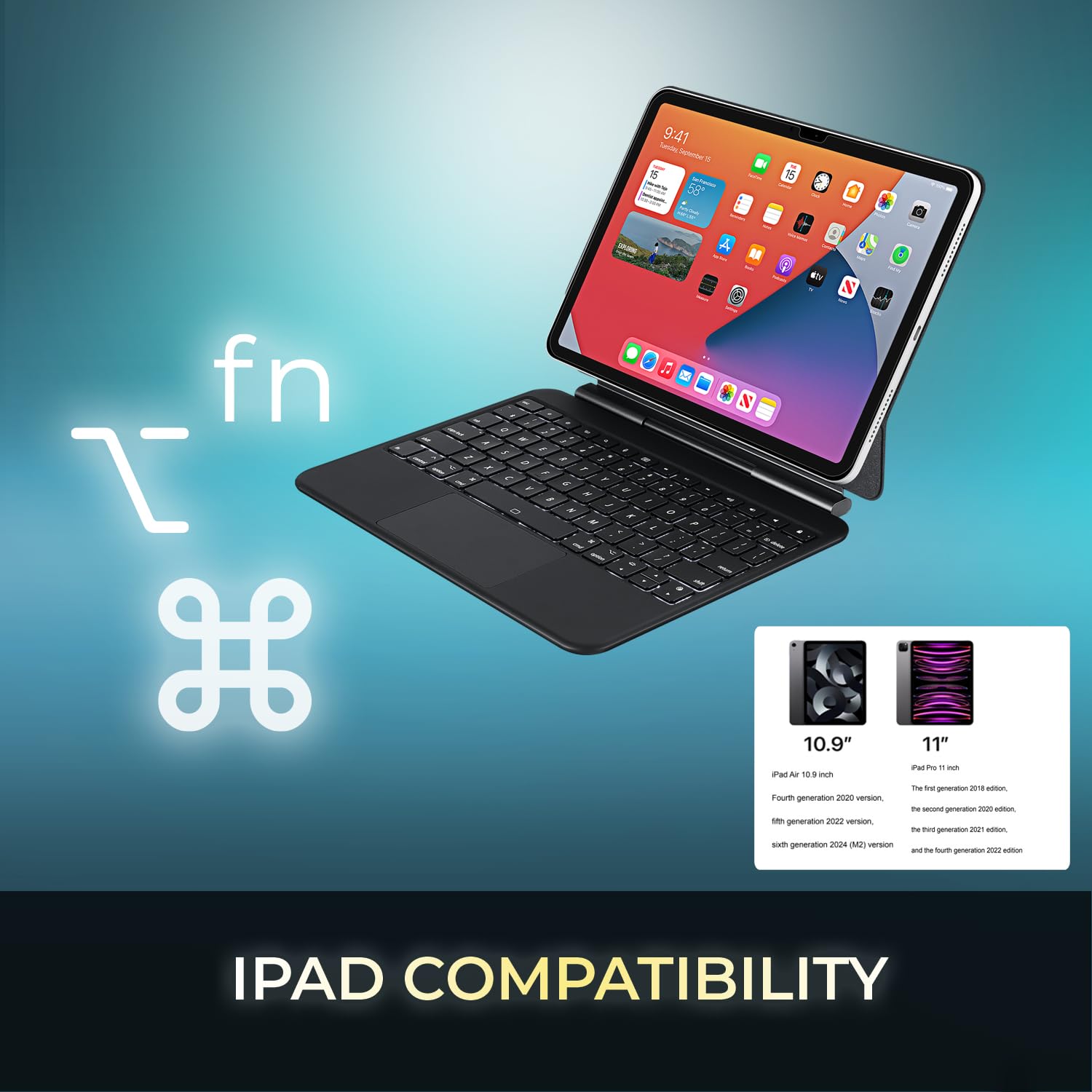
Image 3.1: Visual representation of compatible iPad models (10.9" and 11").
4. Karatteristiċi
- Disinn li jinqala': The keyboard can be separated from the case for flexible use.
- Stand aġġustabbli: The case converts into a stand with multiple viewangoli.
- Touchpad Integrat: Provides precise navigation and multi-touch gesture support.
- Konnettività Bluetooth 5.1: Offers stable wireless connection up to 30 feet with low power consumption.
- Batterija rikarikabbli: Built-in 450 mAh lithium polymer battery for extended use.
- Ċwievet tas-Swiċċ tal-Imqass: Pro baxxfile keys designed for comfortable and responsive typing.
- Kostruzzjoni Durabbli: Ultra-slim aluminum design for portability and protection.

Image 4.1: The case allows for various adjustable viewing angles for the iPad.

Image 4.2: The keyboard case features an ultra-slim and compact design, as shown with a ruler for scale.
5. Setup
5.1. Iċċarġjar tat-Tastiera
Before initial use, fully charge the keyboard. Connect the included USB-C cable to the keyboard's charging port and the other end to a USB power source (e.g., computer, wall adapter). The charging indicator light will illuminate during charging and turn off when fully charged.

Image 5.1: The keyboard features a built-in rechargeable battery and charges via USB-C.
5.2. Daħħal l-iPad tiegħek
Carefully place your iPad into the protective case, ensuring it is securely seated. The magnetic closure will help secure the tablet and keyboard when closed.
5.3. Tqabbil tal-Bluetooth
- Kun żgur li t-tastiera hija mixgħula u ċċarġjata kompletament.
- Ixgħel it-tastiera billi tiżżerżaq is-swiċċ tal-enerġija għall-pożizzjoni "ON".
- Agħfas il- Fn + C keys simultaneously to activate Bluetooth pairing mode. The Bluetooth indicator light will flash.
- Fuq l-iPad tiegħek, mur fuq Settings > Bluetooth.
- Ixgħel il-Bluetooth.
- Locate "Adesso WKB-7010" (or similar) in the list of available devices and tap to connect.
- Ladarba tkun konnessa, id-dawl indikatur tal-Bluetooth fuq it-tastiera jieqaf iteptep.

Image 5.2: The keyboard utilizes Bluetooth 5.1 wireless technology for connection.
6. Istruzzjonijiet Operattivi
6.1. Funzjonijiet tat-Tastiera
The keyboard features standard QWERTY layout keys and dedicated function keys for iPad control. Use the Fn key in combination with other keys for special functions (e.g., media control, volume, screen brightness).
6.2. Użu tat-Touchpad
The integrated touchpad supports various gestures for navigation and interaction with your iPad. Ensure that "AssistiveTouch" or "Trackpad & Mouse" settings are configured on your iPad for optimal performance.
- Tektek b'Saba' Wieħed: Ikklikkja fuq ix-xellug.
- Tektek b'Żewġ Swaba': Ikklikkja bil-lemin (menù tal-kuntest).
- Skrolljar b'Żewġ Swaba': Skrollja 'l fuq/'l isfel jew lejn ix-xellug/lemin.
- Oqros biex Iżżumja: Uża żewġ swaba' biex tagħmel zoom in jew zoom out.
- Swipe 'l fuq bi tliet swaba': Mur għall-iskrin tad-dar.
- Swipe bi Tliet Swaba' Xellug/Lemin: Aqleb bejn apps miftuħa.
7. Iċċarġjar tat-Tastiera
The keyboard is equipped with a 450 mAh rechargeable lithium polymer battery. A full charge takes approximately 3 hours using the provided USB-C cable.
- Continuous Use (backlight off): Sa 150 sigħat
- Continuous Use (backlight on): Sa 2.5 sigħat
- Ħin ta' Standby: Sa 90 jum
When the battery is low, the power indicator light may flash or turn red. Connect the keyboard to a power source to recharge.
8. Manutenzjoni
- Keep the keyboard and case clean by wiping with a soft, dry cloth.
- Evita li tesponi l-apparat għal temperaturi estremi, umdità, jew dawl tax-xemx dirett.
- Tużax kimiċi ħarxa jew tindif li joborxu.
- Aħżen l-apparat f'post frisk u niexef meta ma jkunx qed jintuża għal perjodi twal.
9 Issolvi l-problemi
9.1. It-Tastiera Mhux Qed Tikkonnettja
- Kun żgur li t-tastiera hija mixgħula u ċċarġjata kompletament.
- Iċċekkja li l-Bluetooth huwa attivat fuq l-iPad tiegħek.
- Put the keyboard into pairing mode (Fn + C).
- Forget the device on your iPad's Bluetooth settings and attempt to re-pair.
- Erġa' ibda kemm l-iPad kif ukoll it-tastiera tiegħek.
9.2. Touchpad Not Responding
- Kun żgur li t-tastiera hija konnessa permezz tal-Bluetooth.
- Check iPad settings for "Trackpad & Mouse" or "AssistiveTouch" to ensure external input devices are enabled.
- Erġa' ibda t-tastiera u l-iPad.
9.3. Keys Not Working
- Kun żgur li t-tastiera hija ċċarġjata kompletament.
- Verify a stable Bluetooth connection.
- Naddaf madwar iċ-ċwievet affettwati biex tneħħi kwalunkwe debris.
10. Speċifikazzjonijiet
| Numru tal-Mudell | WKB-7010 |
| Teknoloġija tal-Konnettività | Bluetooth 5.1 |
| Apparati Kompatibbli | iPad Pro 11-inch, iPad Air 10.9-inch |
| Tip ta 'batterija | Polimer tal-Litju Rechargeable |
| Kapaċità tal-batterija | 450 mAh |
| Port tal-Iċċarġjar | USB-C |
| Distanza Operattiva | Sa 30 pied (10 metri) |
| Tip ta 'Swiċċ taċ-Ċavetta | Swiċċ tal-imqass |
| Materjal | Aluminum, Leather (case exterior) |
| Dimensjonijiet (L x W x H) | 10 x 7.8 x 0.55 pulzieri |
| Piż | 1.2 liri |
11. Garanzija u Appoġġ
This Adesso product comes with a Garanzija Limitata tal-Manifattur ta' Sena. For warranty claims or technical support, please contact Adesso customer service. You can find contact information on the official Adesso websit: www.adesso.com
Jekk jogħġbok żomm il-prova tax-xiri tiegħek għas-servizz tal-garanzija.