
Introduzzjoni
This manual provides essential information for setting up, operating, and maintaining your Roku 32-Inch Select Series 1080p Full HD Smart TV. Designed for a delightful streaming experience, this TV offers excellent picture quality, clear sound, and automatic updates. Please read this manual thoroughly before using your television.
X'hemm fil-Kaxxa
Ivverifika li l-komponenti kollha huma preżenti fl-imballaġġ:
- Roku 32-Inch Select Series 1080p Full HD Smart TV
- Kontroll mill-bogħod
- Stand (2 biċċiet)
- Stand Screws (4 pieces)
- Kejbil tal-Enerġija
- Manwal għall-Utent (dan id-dokument)

Image: Contents of the Roku TV box, showing the television, remote control, two stand pieces, and four screws.
Setup Istruzzjonijiet
1. Twaħħil tal-Stand tat-TV
- Carefully place your TV face-down on a soft, clean surface to prevent damage to the screen.
- Allinja l-biċċiet tal-istand mat-toqob tal-viti fil-qiegħ tat-TV.
- Secure each stand piece with two screws using a Phillips head screwdriver. Do not overtighten.
2. Konnessjoni tal-Enerġija u l-Apparati
- Qabbad il-kejbil tal-enerġija mad-dħul tal-enerġija tat-TV u mbagħad ma' sokit tal-ħajt.
- Connect your external devices (e.g., cable box, gaming console, Blu-ray player) to the available HDMI ports on the back of the TV. This model features 3 HDMI ports.
- For older devices, use the AV input ports (yellow, white, red).
- An optical audio output is available for connecting to soundbars or home theater systems.
- A USB port is provided for media playback.

Immaġni: Wara view of the Roku TV displaying HDMI, AV, Antenna, USB, Optical, and Headphone ports.
3. L-Ewwel Tixgħel u l-Konnessjoni man-Netwerk
- Agħfas il-buttuna tal-qawwa fuq il-kontroll remot jew fuq it-TV.
- Follow the on-screen instructions to select your language and connect to your Wi-Fi network.
- Activate your Roku account or create a new one. This is required to access streaming channels and features.
Istruzzjonijiet Operattivi
1. Roku OS Interface
The Roku OS provides a simple and intuitive home screen for accessing all your entertainment. Easily navigate between streaming apps, live TV, and connected devices.

Image: The Roku TV home screen with a menu on the left and app icons on the right, including Netflix, Disney+, Apple TV, and Roku Channel.
2. Voice Remote
Your Roku TV comes with a voice remote for convenient control. Use your voice to search for content, launch apps, and control playback.
- Tiftix bil-Vuċi: Press the voice button and speak your command (e.g., "Find comedies," "Open Netflix").
- Shortcuts tal-App: Buttuni ddedikati jipprovdu aċċess rapidu għal servizzi ta' streaming popolari.
- Kontroll tal-Volum: Aġġusta l-volum billi tuża l-buttuni tal-ġenb.
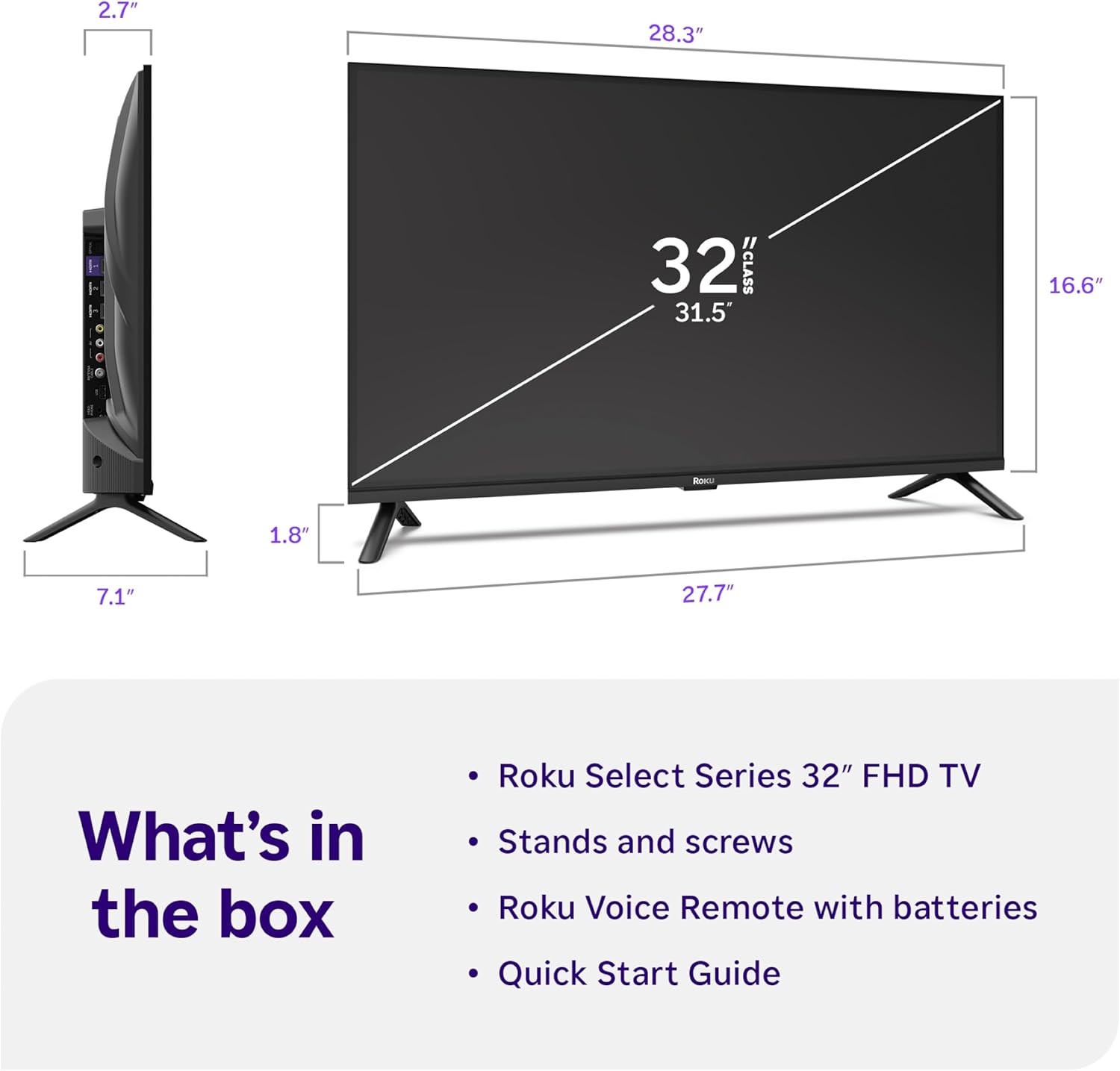
Image: Close-up of the Roku Voice Remote, highlighting buttons for TV power, volume, mute, voice search, instant replay, options, and dedicated app shortcuts.
3. Streaming Apps and Live TV
Access thousands of streaming channels, including Netflix, Disney+, Hulu, Prime Video, and Apple TV+. The Roku Channel also offers free live TV and on-demand content.

Image: A vibrant Roku TV home screen displaying a selection of popular streaming applications and recommended shows.
4. Settings tal-Istampa
Ottimizza tiegħek viewing experience with various picture settings:
- Stampa Intelliġenti tar-Roku: Automatically adjusts picture mode for optimal viewing.
- Modi tal-Istampa: Choose from presets like Movie, Sports, Vivid, Standard, or Low Power.
- Personalizzazzjoni: Adjust brightness, contrast, sharpness, color, and tint for a personalized picture.
5. Settings tal-ħoss
Enhance your audio experience:
- Dolby Audio: Enjoy clear speech and louder sound.
- Modi tal-Ħsejjes: Select from Standard, Dialogue, Movie, Music, or Night mode.
- Modalità tal-Headphones Bluetooth: Connect your wireless headphones to listen without disturbing others.

Image: A child wearing wireless headphones while watching the Roku TV, demonstrating the Bluetooth Headphone Mode.
6. Smart Home Integrazzjoni
Your Roku TV is compatible with various smart home ecosystems:
- Kontroll tal-Vuċi: Use Roku Voice, Siri, Alexa, or Google Assistant for hands-free control.
- Apple AirPlay: Effortlessly share videos, photos, and music from your Apple devices.
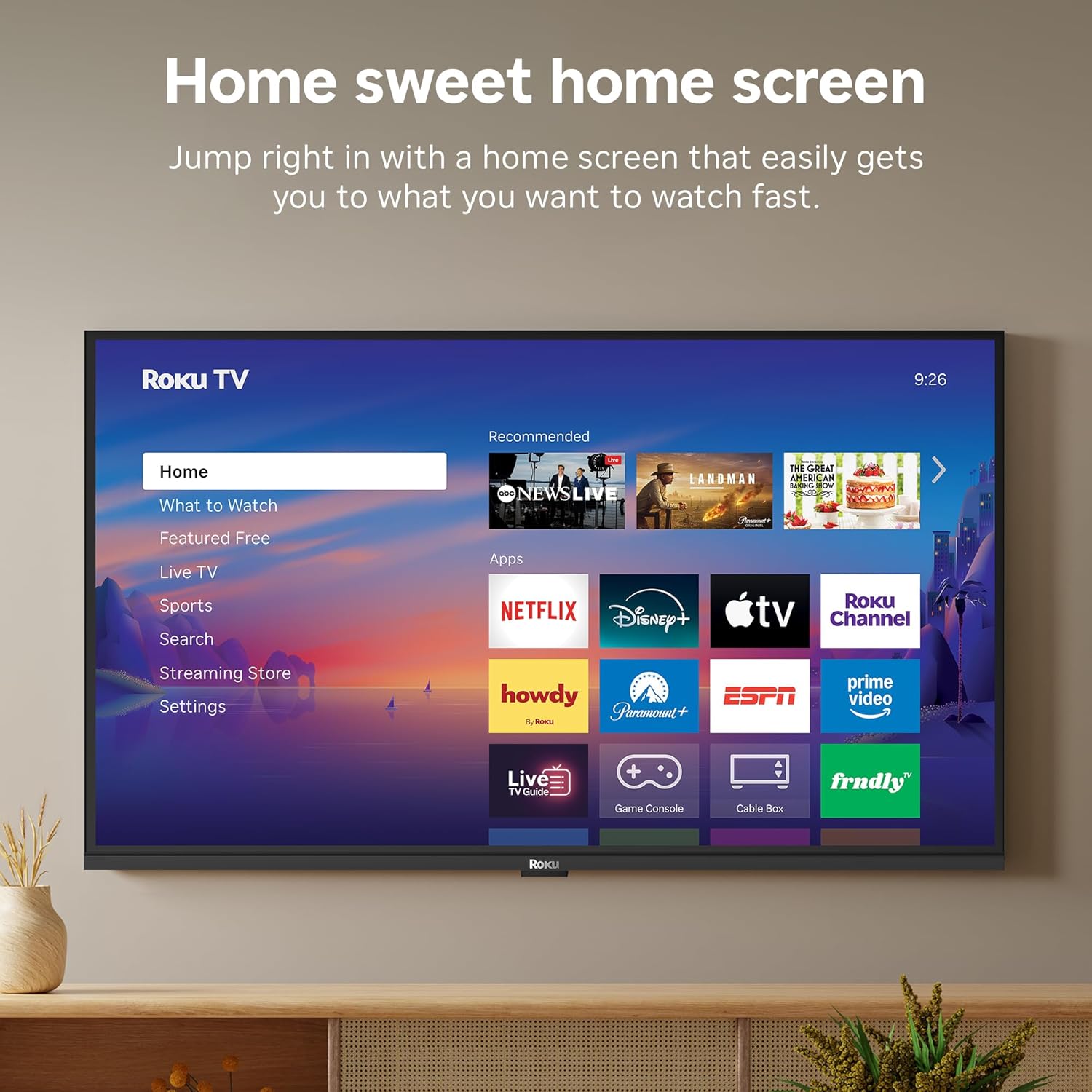
Image: The Roku TV screen displaying smart home compatibility logos for Roku Smart Home, Apple AirPlay, Apple Home, Alexa, and Google Home, with a smart speaker nearby.
7. Kontrolli tal-Ġenituri
Manage content access with built-in parental controls, including V-Chip technology, to ensure a safe viewambjent għat-tfal.
Vidjo Uffiċjali tal-Prodott
Vidjo: Overview of the Roku TV OS, demonstrating its user-friendly interface, app selection, and smart features. This video is provided by Roku, Inc.
Speċifikazzjonijiet
- Daqs tal-iskrin:
- 32 Pulzier
- Riżoluzzjoni:
- Full HD ta '1080p
- Teknoloġija tal-Wiri:
- LED
- Rata ta' Aġġornar:
- 60 Hz
- Karatteristiċi Speċjali:
- Bluetooth Headphone Mode, Dolby Audio, Voice Remote, Roku Smart Picture
- Teknoloġija tal-Konnettività:
- Bluetooth, WiFi
- Interface tal-ħardwer:
- 3 HDMI Ports, 1 USB Port, S/PDIF (Optical Audio Out)
- Sistema Operattiva:
- Roku OS
- Dimensjonijiet tal-Prodott (P x W x H):
- 7.1"D x 28.3"W x 18.4"H
- Piż tal-oġġett:
- 7.7 Libbra (bl-istand)
- Standard tal-Immonta VESA:
- 200 x 200 mm
- Numru tal-Mudell:
- 32R3E5
- UPC:
- 829610009469
Issolvi l-problemi
If you encounter issues with your Roku TV, please refer to the following common solutions:
- Ebda Qawwa: Kun żgur li l-kejbil tal-enerġija huwa konness sew kemm mat-TV kif ukoll ma' sokit elettriku li jaħdem. Ipprova sokit differenti.
- Ebda Stampa/Ħoss: Verify that the correct input source is selected on your TV. Check all cable connections (HDMI, AV, etc.) for looseness.
- Remote Mhux Jirrispondi: Replace the batteries in your remote control. Ensure there are no obstructions between the remote and the TV.
- Kwistjonijiet ta' Konnessjoni man-Netwerk: Restart your Wi-Fi router and modem. Go to the TV's Settings > Network > Check connection to diagnose and reconnect.
- App Not Loading: Restart the app. If the issue persists, try removing and reinstalling the app from the Roku Channel Store.
For more detailed troubleshooting, visit the official Roku support websit.
Manutenzjoni
Biex tiżgura l-lonġevità u l-prestazzjoni ottimali tat-TV Roku tiegħek, segwi dawn il-linji gwida tal-manutenzjoni:
- Tindif tal-Iskrin: Imsaħ l-iskrin bil-mod b'ċarruta ratba u niexfa tal-mikrofibra. Għal tbajja' persistenti, nixxef bil-mod.ampLaħlaħ id-drapp bl-ilma jew b'soluzzjoni għat-tindif tal-iskrin iddisinjata speċifikament għall-elettronika. Tisprejjax likwidu direttament fuq l-iskrin.
- Tindif tal-Korp tat-TV: Use a soft, dry cloth to wipe the exterior of the TV. Avoid abrasive cleaners or solvents.
- Ventilazzjoni: Ensure the TV's ventilation openings are not blocked to prevent overheating. Maintain adequate space around the TV for air circulation.
- Aġġornamenti tas-Software: Your Roku TV automatically receives software updates. Ensure your TV is connected to the internet to receive the latest features and performance improvements.
- Ġestjoni tal-Enerġija: Skonnettja t-TV mill-plagg tal-elettriku waqt maltempati bis-sajjetti jew meta se jitħalla waħdu għal perjodi twal.
Garanzija u Appoġġ
Informazzjoni dwar Garanzija
Roku warrants the hardware of this device against defects in materials and workmanship under normal use for a period of one (1) year from the date of purchase ("Warranty Period"). If Roku determines that the device’s hardware is defective during the Warranty Period, Roku’s sole obligation, and your exclusive remedy, will be to either repair or replace the unit with either a new or rebuilt device, at its option. This warranty applies if the device is used in accordance with the provided documentation.
Important information about warranty returns and replacements is available on the Roku support site. You may also return a device for any reason, subject to the terms of the applicable return policy: 1) Within thirty (30) days from the date of purchase from Roku; or 2) within the applicable return period if purchased from an authorized reseller or distributor. Additional details regarding product returns can be found on the Roku support site.
Appoġġ għall-Klijent
For further assistance, technical support, or to access the full range of support resources, please visit the official Roku support websit. Hemmhekk tista’ ssib Mistoqsijiet Frekwenti, gwidi għas-soluzzjoni tal-problemi, u informazzjoni ta’ kuntatt għas-servizz tal-konsumatur.