
1. Introduzzjoni
The XTOOL D6 is an advanced OBD2 diagnostic scanner designed for comprehensive vehicle system analysis. It offers full system diagnostics, 15 essential service functions, and supports modern vehicle protocols like FCA AutoAuth and CAN FD. This manual provides detailed instructions for setting up, operating, and maintaining your XTOOL D6 device.

Image 1.1: XTOOL D6 main screen overview, illustrating its diagnostic capabilities and supported features.
2. Kontenut tal-Pakkett
Ivverifika li l-oġġetti kollha huma preżenti fil-pakkett tiegħek:
- XTOOL D6 Diagnostic Tablet
- Main OBD2 Diagnostic Cable
- USB Cable for PC Connection/Charging
- Adapter tal-Enerġija
- Customized Carrying Case
- Manwal għall-Utent (dan id-dokument)
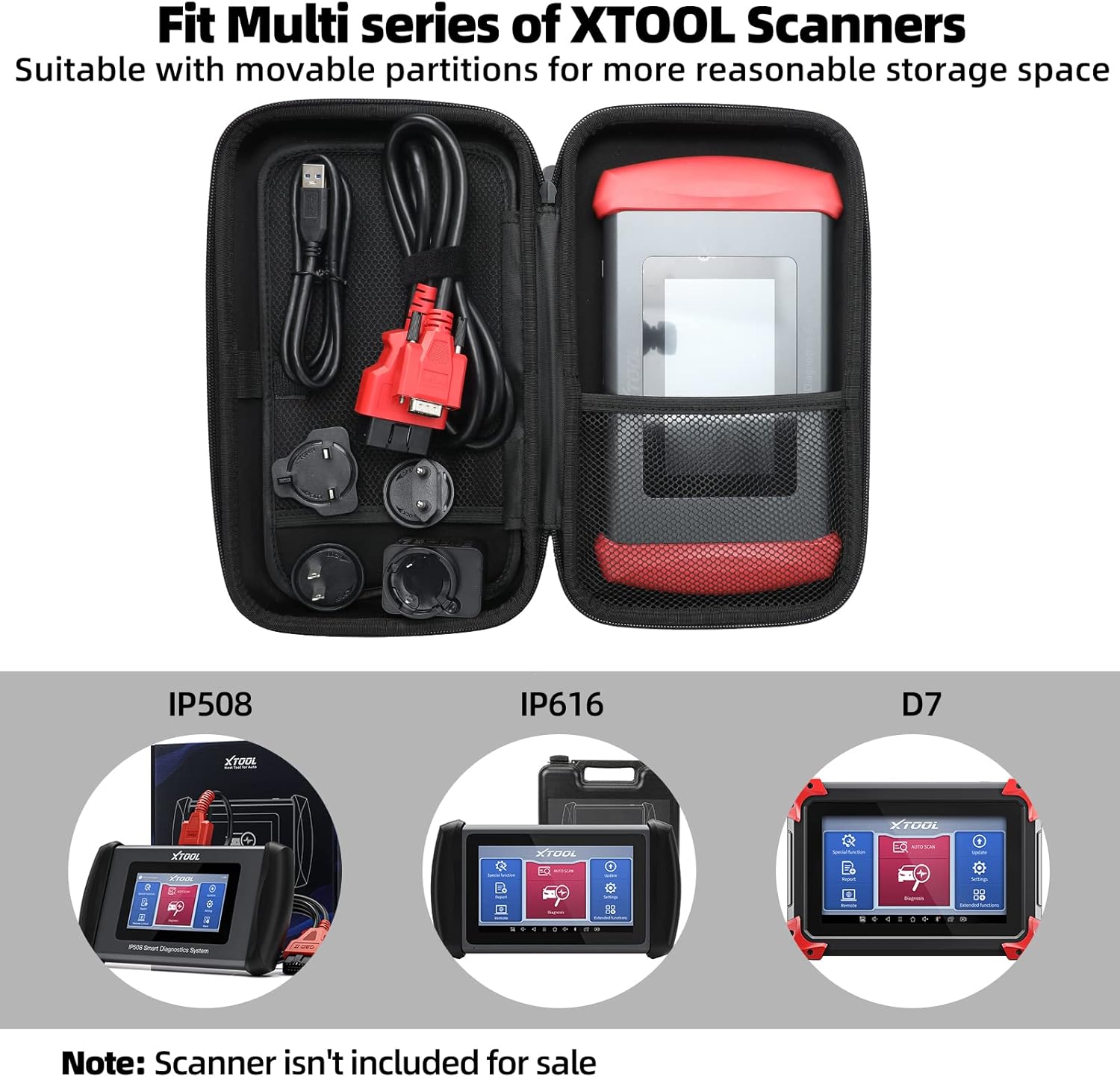
Image 2.1: The XTOOL D6 scanner and its accessories stored within the customized carrying case.
3. Setup
3.1 Initial Power On and Registration
- Agħfas u żomm il-buttuna tal-qawwa biex tixgħel l-apparat.
- Segwi l-istruzzjonijiet fuq l-iskrin biex tagħżel il-lingwa u r-reġjun tiegħek.
- Connect the device to a Wi-Fi network for internet access.
- Register your device by creating an XTOOL account or logging in if you already have one. This is essential for software updates and warranty activation.
3.2 Aġġornamenti tas-Software
The XTOOL D6 offers free lifetime software updates. Regularly updating your device ensures access to the latest vehicle coverage, diagnostic functions, and performance enhancements.
- From the main menu, tap on the Aġġornamenti ikona.
- The system will check for available updates.
- Select the desired updates and tap Niżżel or Installa. Ensure a stable internet connection during this process.
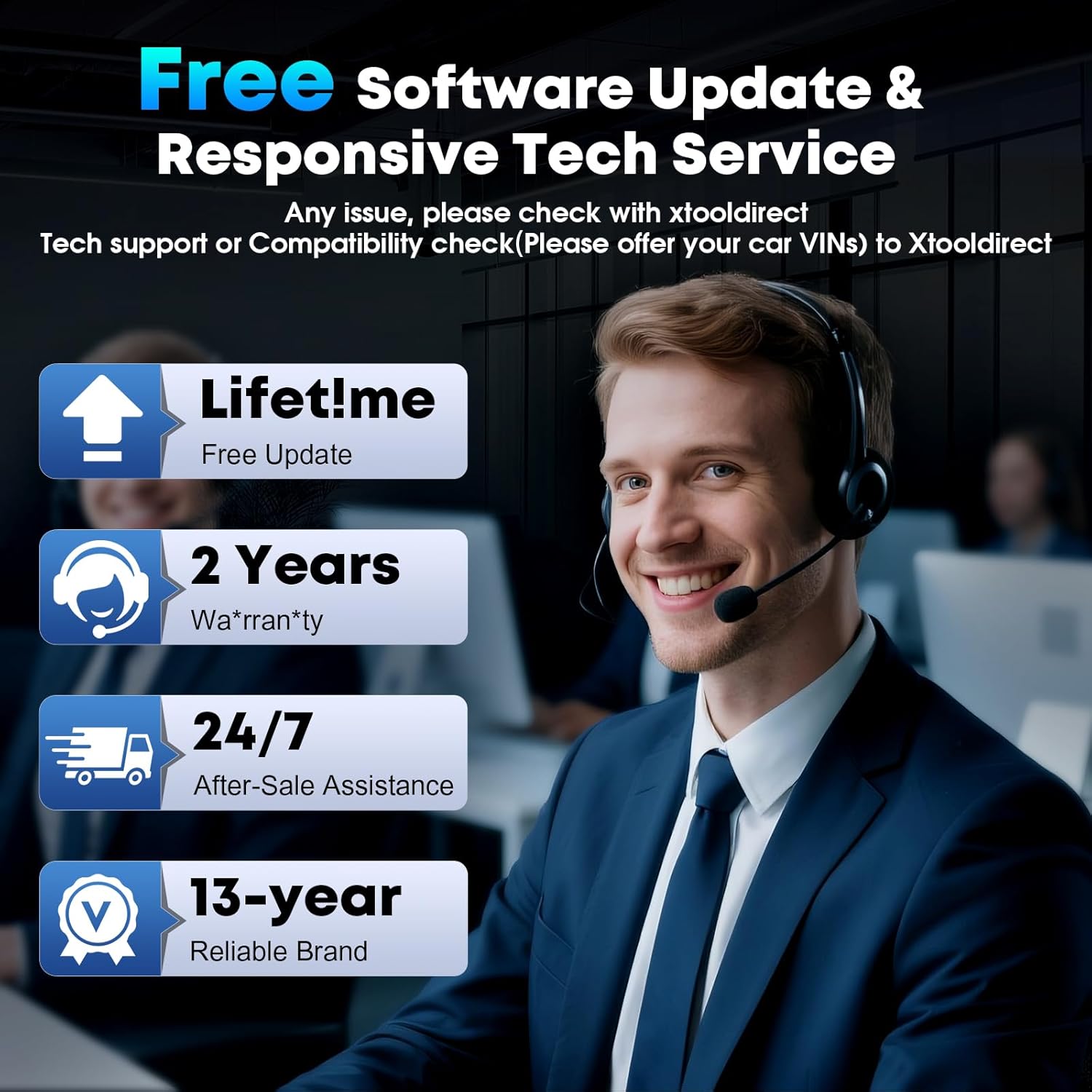
Image 3.1: The XTOOL D6 offers free lifetime software updates and dedicated technical support.
4. Istruzzjonijiet Operattivi
4.1 Konnessjoni ma' Vettura
- Sib il-port OBD2 tal-vettura, tipikament taħt id-dashboard fuq in-naħa tas-sewwieq.
- Connect the main diagnostic cable to the XTOOL D6 device.
- Ipplaggja t-tarf l-ieħor tal-kejbil dijanjostiku fil-port OBD2 tal-vettura.
- Turn the vehicle's ignition to the ON position (engine off).
4.2 Dijanjostika Sħiħa tas-Sistema
The XTOOL D6 can perform comprehensive diagnostics on all available electronic control units (ECUs) in a vehicle, including Engine (ECM), Transmission (TCM), ABS, SRS, TPMS, HVAC, and more.
- Mill-menu prinċipali, agħżel Dijanjosi or Auto Scan.
- Għal Auto Scan, the device will automatically identify the vehicle's VIN and scan all systems.
- Għal Dijanjosi, you may need to manually select the vehicle make, model, and year.
- Ladarba tkun imqabbad, tista':
- Read Diagnostic Trouble Codes (DTCs)
- Ċar DTCs
- View Live Data Stream (graphical or numerical)
- Perform Actuation Tests
- View Iffriżar tad-Dejta tal-Qafas
4.3 Special Functions (15+ Relearns)
The D6 offers over 15 essential service functions for common maintenance tasks:
- Irrisettja żejt
- Irrisettjar tal-Brejk tal-Ipparkjar Elettroniku (EPB)
- Irrisettjar tas-Sistema ta' Ġestjoni tal-Batterija (BMS)
- Cam Crank Position/Crankshaft Sensor Relearn (CKP Relearn)
- Throttle Body Relearn
- Tire Pressure Monitoring System (TPMS) Relearn
- ABS Auto Bleed
- Kodifikazzjoni tal-Injettur
- Kalibrazzjoni tas-Sospensjoni
- It-Trażmissjoni mill-ġdid
- U aktar.
To access these functions, select Funzjoni Speċjali from the main menu and choose the desired service.
4.4 AutoVIN and Live Data
The AutoVIN feature automatically identifies vehicle information for faster diagnostics. The device also displays real-time live data streams, allowing you to monitor up to 4 parameters simultaneously for detailed analysis.
4.5 FCA AutoAuth and CAN FD Support
The XTOOL D6 supports FCA AutoAuth for secure access to 2018+ Chrysler, Jeep, Dodge, and 2017+ Fiat vehicles. It also supports the CAN FD protocol for modern vehicles, including GM 2020+ models. Nota: FCA AutoAuth requires account registration via AutoAuth's website, not through XTOOL.
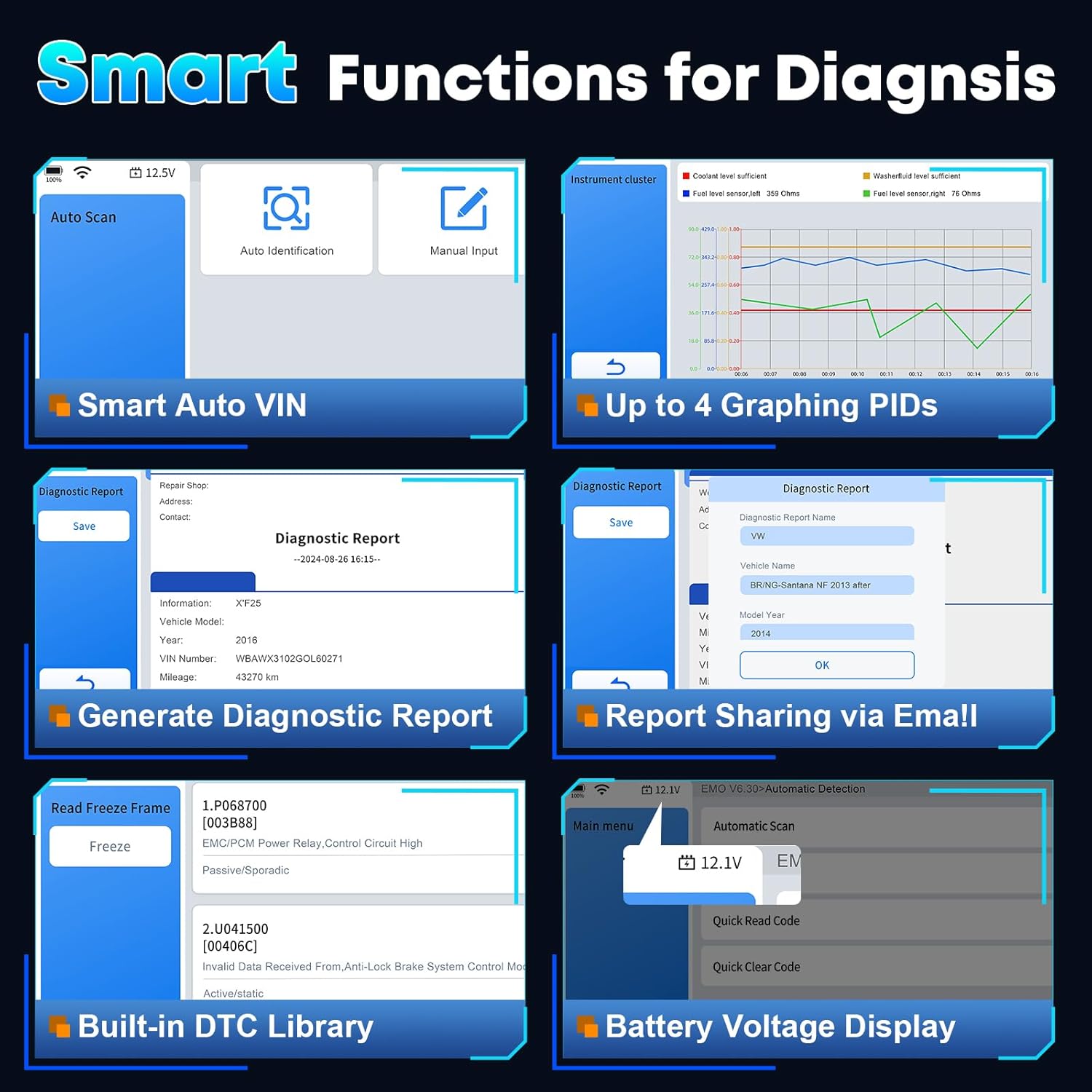
Immaġni 4.1: Fuqview of smart diagnostic functions available on the XTOOL D6.

Image 4.2: XTOOL D6 extensive vehicle coverage, language support, and protocol compatibility.
5. Manutenzjoni
5.1 Kura tal-Apparat
- Keep the device clean using a soft, dry cloth. Avoid abrasive cleaners.
- Store the device in its customized carrying case when not in use to protect it from drops, scratches, and dust. The case is designed to be waterproof and oilproof.
- Evita li tesponi l-apparat għal temperaturi estremi jew dawl tax-xemx dirett għal perjodi twal.
- Ensure all cables are properly connected and disconnected to prevent damage to ports.
5.2 Ġestjoni tas-Softwer
- Regularly perform software updates as described in Section 3.2.
- Periodically clear diagnostic reports and unnecessary data to free up storage space. The device has 32GB internal storage, expandable via microSD.
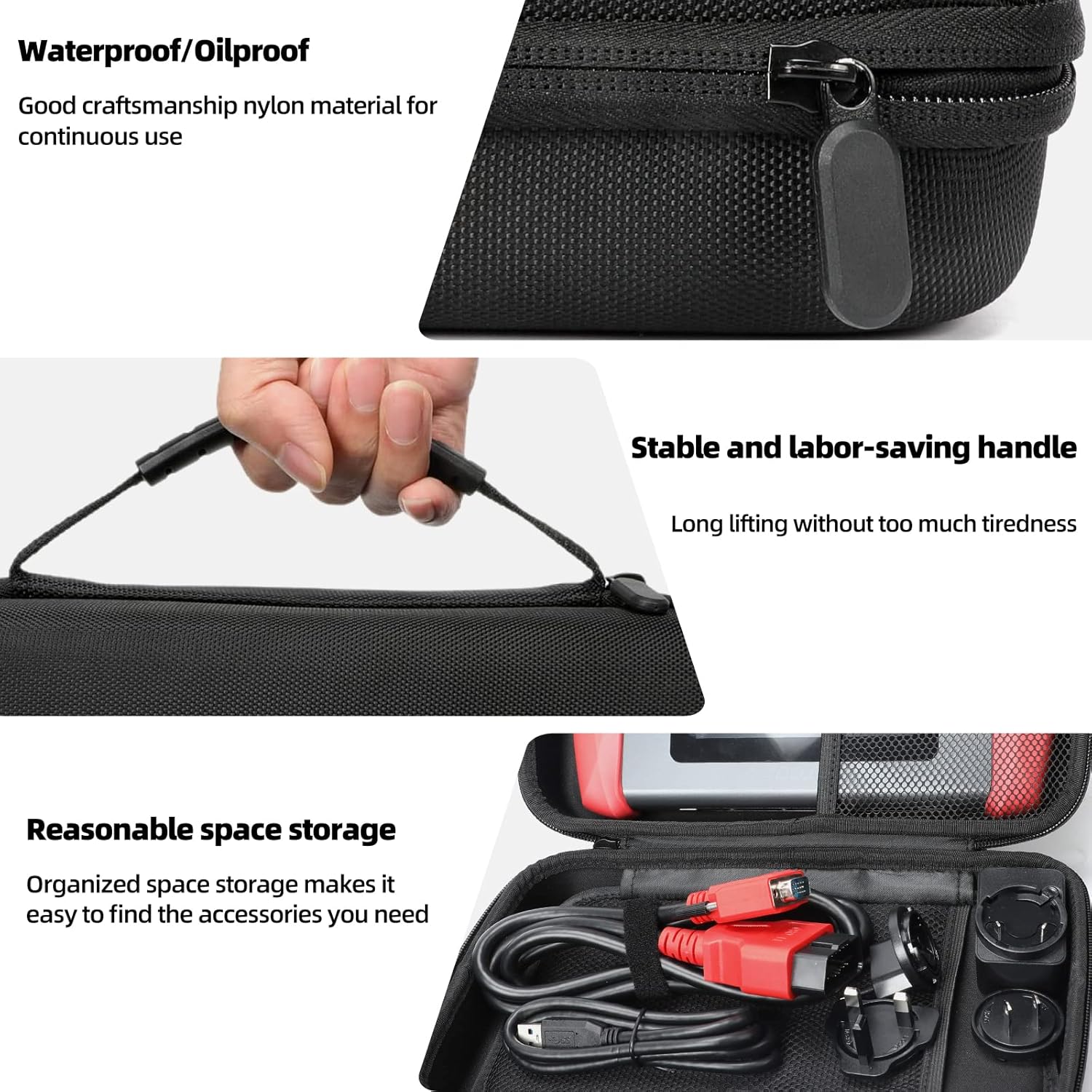
Image 5.1: Features of the XTOOL D6 carrying case, designed for protection and portability.
6 Issolvi l-problemi
If you encounter issues with your XTOOL D6, refer to the following common troubleshooting steps:
- Apparat mhux mixgħul: Ensure the battery is charged. Connect the device to a power source using the provided USB cable and adapter.
- L-ebda komunikazzjoni mal-vettura: Verify that the diagnostic cable is securely connected to both the D6 and the vehicle's OBD2 port. Ensure the vehicle's ignition is in the ON position. Check for any blown fuses in the vehicle's OBD2 circuit.
- Iffriżar tas-softwer jew prestazzjoni bil-mod: Restart the device. Ensure you have the latest software updates installed. Clear unnecessary diagnostic reports to free up storage.
- Kwistjonijiet ta' konnessjoni Wi-Fi: Check your Wi-Fi router and network settings. Ensure the device is within range of the Wi-Fi signal.
- FCA AutoAuth access issues: Confirm that you have registered and activated your account on the AutoAuth website. Ensure your device is connected to the internet.
For persistent issues, please contact XTOOL customer support.
7. Speċifikazzjonijiet
| Karatteristika | Speċifikazzjoni |
|---|---|
| Brand | XTOOL |
| Mudell | D6 |
| Sistema Operattiva | Linux |
| Daqs tal-Iskrin | Skrin tattili HD ta' 5.45 pulzier |
| Batterija | 3150mAh Built-in Battery |
| Ħażna | 32GB (espandibbli permezz ta' microSD) |
| Konnettività | Wi-Fi, USB |
| Protokolli Appoġġjati | CAN FD, FCA AutoAuth, OBD2 standard protocols |
| Kopertura tal-Vettura | 90+ brands, 10,000+ vehicles (1996+ US, 2003+ EU, 2008+ Asian) |
8. Garanzija u Appoġġ
The XTOOL D6 diagnostic scanner comes with a 2-year warranty, ensuring coverage against manufacturing defects and malfunctions under normal use.
8.1 Appoġġ Tekniku
XTOOL provides responsive technical support. If you have any questions regarding the device's operation, compatibility, or require assistance with diagnostics, please contact XTOOL Direct support.
- For support, please visit the official XTOOL webis-sit jew irreferi għall-informazzjoni ta' kuntatt ipprovduta mal-imballaġġ tal-prodott tiegħek.
- When contacting support, please provide your device's serial number (SN) and a detailed description of the issue.