
COOLGEEK M1
COOLGEEK M1 Trasparenti CD Player: Bluetooth, Kontroll mill-Bogħod, u Manwal ta' Istruzzjonijiet li Jista' Jitwaħħal mal-Ħajt
Model: M1 | Brand: COOLGEEK
Introduzzjoni
This manual provides detailed instructions for the setup, operation, maintenance, and troubleshooting of your COOLGEEK M1 Transparent CD Player. Designed to blend modern aesthetics with high-fidelity audio, the M1 offers versatile playback options for your CD collection.
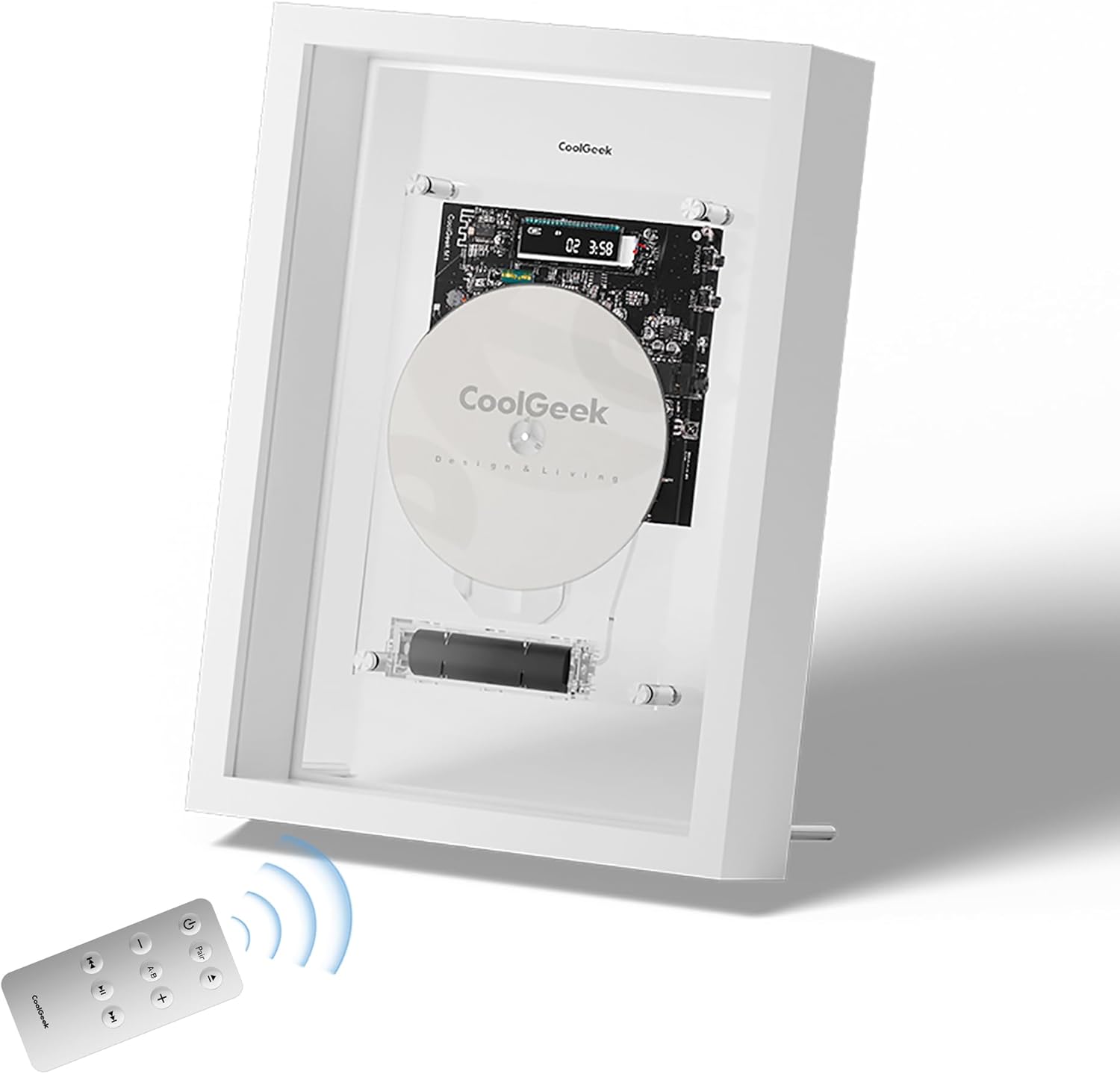
Image: The COOLGEEK M1 Transparent CD Player, showcasing its unique design with a remote control in the foreground.
Setup
1. Unboxing u Spezzjoni Inizjali
Carefully remove all components from the packaging. Verify that all items listed in the 'What's in the Box' section are present and undamaged. The packaging is designed to protect the unit during transit.
Video: M1 Video Introduction. This video demonstrates the unboxing and initial setup steps for the M1 CD player.
2. Installazzjoni u Iċċarġjar tal-batterija
The M1 CD player includes a removable 18650 lithium battery. Locate the battery compartment, typically at the bottom of the main unit. Insert the battery, ensuring correct polarity. Charge the battery using the provided USB charger before first use. A full charge provides several hours of playback.

Immaġni: Dettaljata view of the removable 18650 battery within the M1 CD player's transparent casing.
3. Għażliet ta' Tqegħid
The M1 CD player offers flexible placement. It can be wall-mounted using the included bracket or placed on a desk using the supplied stand. Ensure the chosen location is stable and allows for easy access to controls and CD loading.
- Immonta fuq il-ħajt: Attach the bracket securely to a wall. The player magnetically attaches to metal studs on the back panel.
- Desk Stand: Screw the two provided extension legs into the matching nuts on the bottom back of the frame for stable desktop placement.
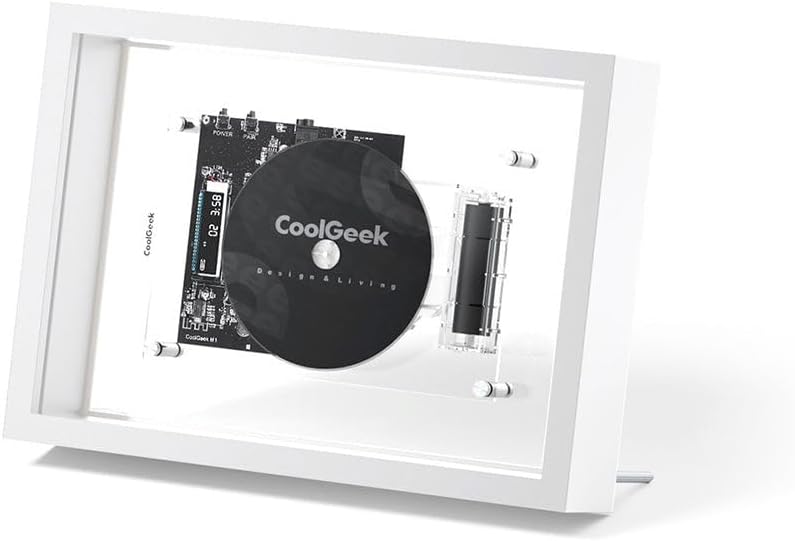
Image: The M1 CD player positioned on a desk, demonstrating its use with the included stand.
Istruzzjonijiet Operattivi
1. Tixgħil / Mitfi
Press the power button on the remote control or on the side of the unit to turn the CD player on or off. The digital display will illuminate upon power-on.
2. Loading and Playing a CD
- Gently slide the front panel upwards to open the CD compartment.
- Place a CD onto the spindle, ensuring it is seated correctly.
- Close the front panel by sliding it downwards.
- The CD player will automatically begin playback if a disc is detected. If not, press the Play/Pause button on the remote.
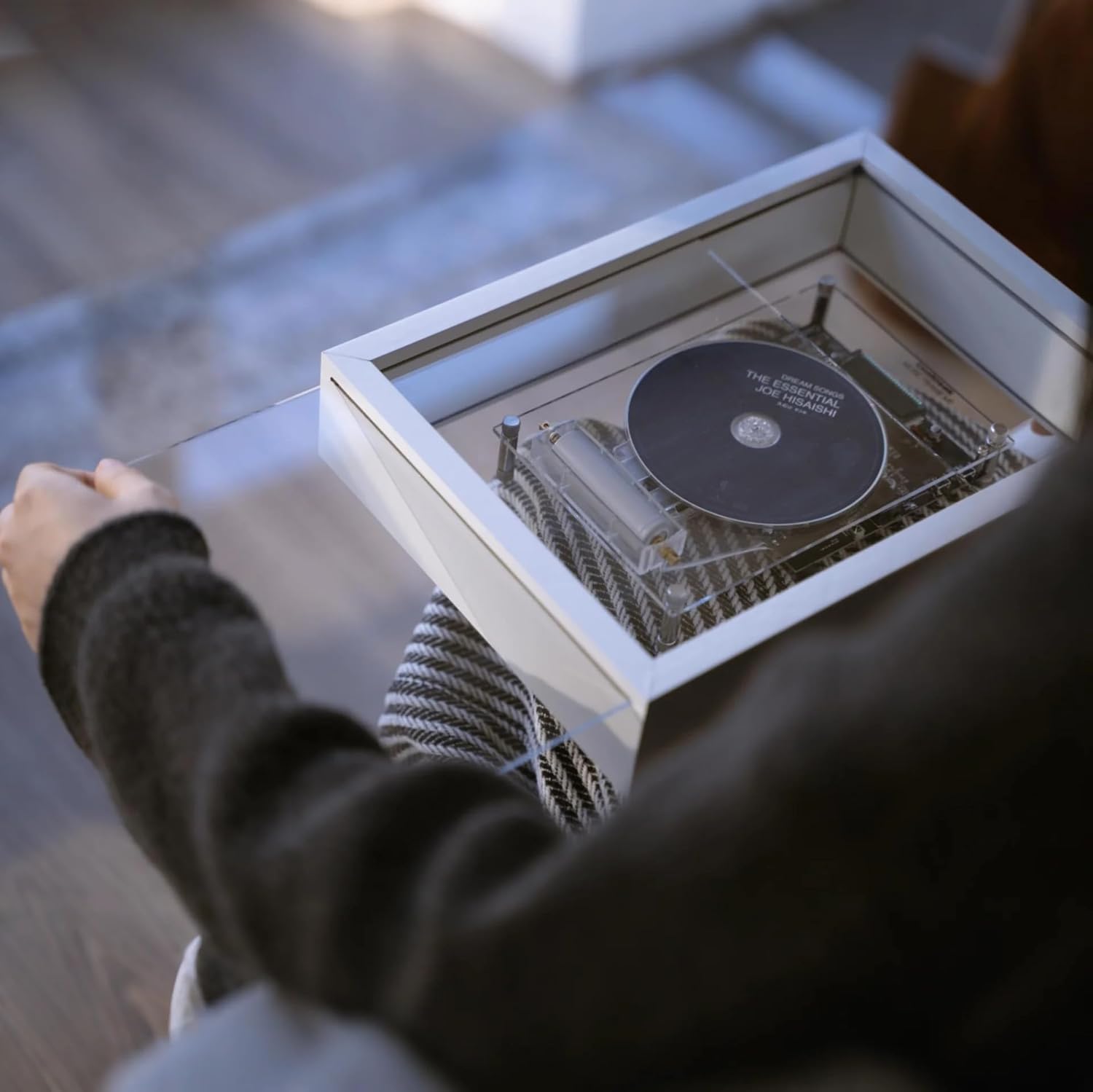
Image: A hand carefully placing a CD into the M1 player's transparent loading mechanism.
Video: Customizable Design Display. This video demonstrates the CD loading process and the player's aesthetic appeal.
3. Funzjonijiet ta 'Kontroll mill-bogħod
The included remote control provides full functionality for the CD player.
- Qawwa: Ixgħel / itfi l-unità.
- Par: Ibda l-modalità ta' tqabbil Bluetooth.
- Play/Pawsa: Ibda jew waqqaf id-daqq tas-CD.
- Track Li jmiss / Preċedenti: Aqbeż għat-trakka li jmiss jew ta’ qabel.
- 'l quddiem/rewind malajr: Scan through the current track.
- Volum +/-: Aġġusta l-volum tal-ħruġ.
- Irrepeti AB: Repeat a specific section of a track.

Image: The remote control for the M1 CD player, showing all available buttons and functions.
4. Tqabbil tal-Bluetooth
The M1 supports Bluetooth 5.0 for wireless audio streaming to compatible speakers or headphones (up to 10 meters range, excluding Sonos models that do not support Bluetooth audio input).
- Ensure the M1 CD player is powered on.
- Press the "Pair" button on the remote control or on the unit. The Bluetooth indicator on the display will flash.
- Activate Bluetooth pairing mode on your external speaker or headphones.
- The M1 will automatically search for and connect to nearby Bluetooth devices. Once connected, the indicator will stop flashing.

Image: The M1's digital display showing track number and elapsed time, along with battery and Bluetooth indicators.
5. AUX Connectivity
For wired connections, use a 3.5mm AUX cable to connect the M1 to an external audio system. This provides a direct, high-quality audio output.
6. Formati appoġġjati
The M1 CD player supports CD-DA, CD-R, MP3, and WMA formats, ensuring compatibility with a wide range of audio discs.
Video: M1 Product Features. This video highlights various features and operational aspects of the M1 CD player.
Manutenzjoni
1. Tindif
To maintain optimal performance and appearance, regularly clean the unit. Use a soft, dry microfiber cloth to wipe the transparent front panel and frame. Keep the CD lens and loading mechanism free of dust and debris. Avoid using abrasive cleaners or solvents.
2. Kura tal-batterija
The removable battery should be charged regularly, especially if the unit is not used for extended periods. If the battery life significantly diminishes over time, it may require replacement. Use only compatible 18650 batteries.
Issolvi l-problemi
1. Ebda Qawwa
- Kun żgur li l-batterija tkun installata sew u kompletament iċċarġjata.
- Verify the power button has been pressed firmly.
2. CD Not Playing / Skipping
- Check if the CD is clean and free of scratches or smudges.
- Ensure the CD is correctly seated on the spindle.
- Confirm the disc format is supported (CD-DA, CD-R, MP3, WMA).
3. Kwistjonijiet ta' Konnessjoni Bluetooth
- Ensure the M1 is in pairing mode (flashing Bluetooth indicator).
- Verify your external device is in pairing mode and within 10 meters range.
- Note that some devices, like certain Sonos models, may not support Bluetooth audio input from third-party devices.
- Try restarting both the M1 and your Bluetooth device.
4. Remote Control Not Responding
- Ensure there are no obstructions between the remote and the player.
- Ibdel il-batterija tal-kontroll remot jekk meħtieġ.
Speċifikazzjonijiet
| Dimensjonijiet tal-Prodott | 9 x 2.52 x 12.52 pulzieri |
| Piż tal-oġġett | 4.86 liri |
| Isem tal-Mudell | M1 |
| Brand | COOLGEEK |
| Teknoloġija tal-Konnettività | Bluetooth 5.0, AUX ta' 3.5mm |
| Formati ta' Diska appoġġjati | CD-DA, CD-R, MP3, WMA |
| Batterija | 1 x 18650 battery (included) |
| Karatteristiċi Speċjali | Transparent design, Wall-mount bracket included, Remote control |
Garanzija u Appoġġ
For any questions regarding your COOLGEEK M1 Transparent CD Player, please contact customer support. We are committed to providing excellent after-sales service and will assist you with any product-related inquiries.
Refer to your purchase documentation for specific warranty details.