
1. Introduzzjoni
This manual provides essential information for the safe and efficient use of your Lenovo Legion 5 Pro 5i Gen 10 Gaming Laptop. Please read this manual thoroughly before operating your device to ensure optimal performance and longevity. Keep this manual for future reference.

Figure 1.1: Lenovo Legion 5 Pro 5i Gen 10 Gaming Laptop. This image displays the laptop with its lid open, showcasing the vibrant display and RGB-backlit keyboard.
2. Setup Inizjali
2.1 Spakkjar u Spezzjoni
Neħħi l-komponenti kollha mill-imballaġġ bir-reqqa. Ivverifika li l-oġġetti kollha elenkati fit-taqsima 'X'hemm fil-Kaxxa' huma preżenti u mhux imħassra. Jekk xi oġġetti huma neqsin jew imħassra, ikkuntattja lill-bejjiegħ tiegħek.
- Lenovo Legion Pro 5i Gen 10 Gaming Laptop
- 245W AC Adapter with Power Cable
- Manwal għall-Utent (dan id-dokument)
2.2 Konnessjoni mal-Enerġija
Before first use, connect the laptop to a power outlet using the provided 245W AC adapter. This ensures the battery is charged and provides stable power for initial setup.
- Connect the AC adapter to the power connector on the laptop.
- Ipplaggja l-kejbil tad-dawl fl-AC adapter.
- Ipplaggja l-kejbil tad-dawl fi żbokk elettriku ertjat.
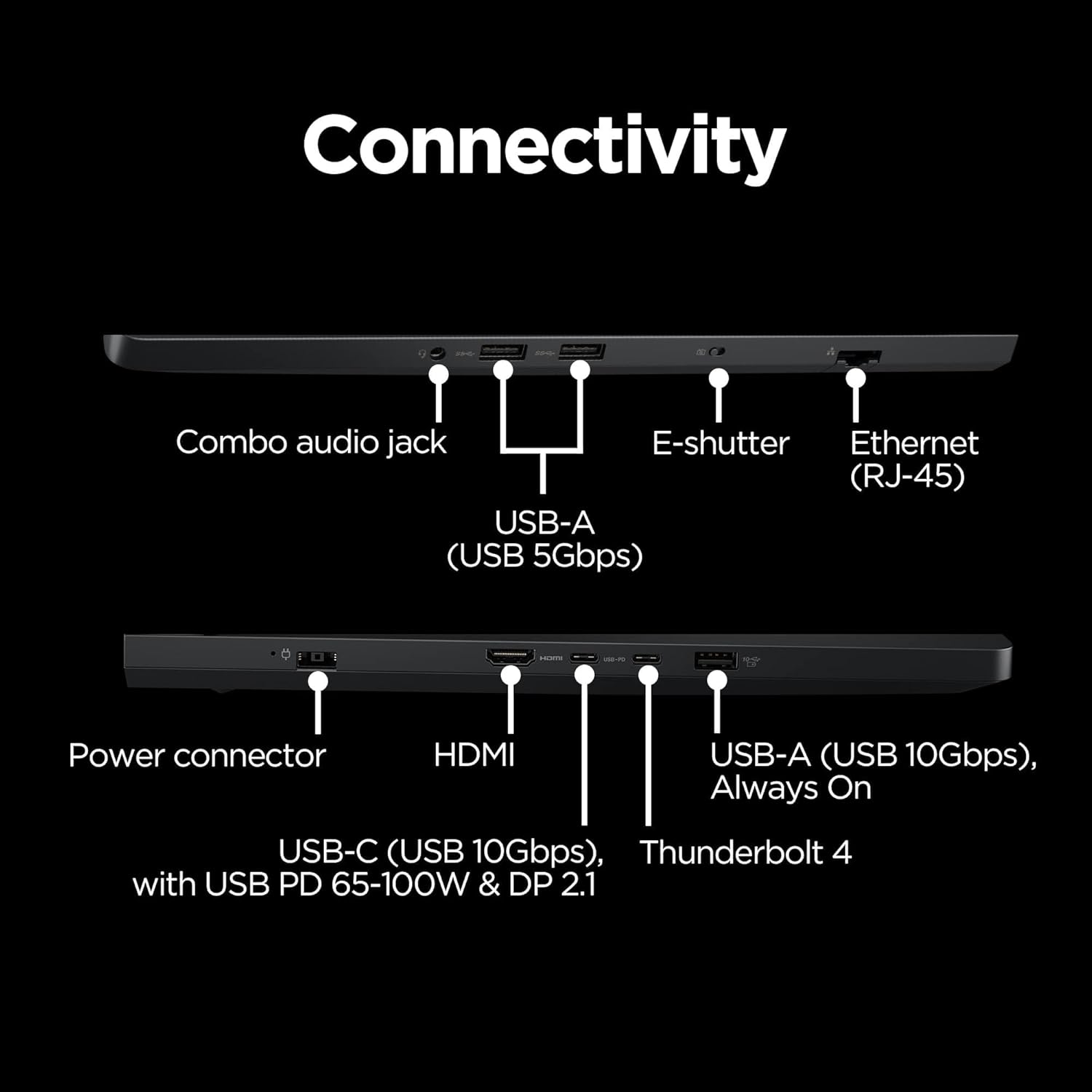
Figure 2.1: Power connector location. This image highlights the various ports on the laptop, including the power input.
2.3 L-Ewwel Boot u s-Setup tas-Sistema Operattiva
Press the power button to turn on the laptop. Follow the on-screen instructions to complete the Windows 11 Home setup, including language selection, network connection, and user account creation.
3. Operazzjoni
3.1 Karatteristiċi tal-Wiri
Your laptop features a 16-inch WQXGA (2560x1600) OLED display with a 165Hz refresh rate and NVIDIA G-SYNC technology for smooth visuals. It supports DisplayHDR True Black 1000 and 100% DCI-P3 color gamut for accurate color reproduction.
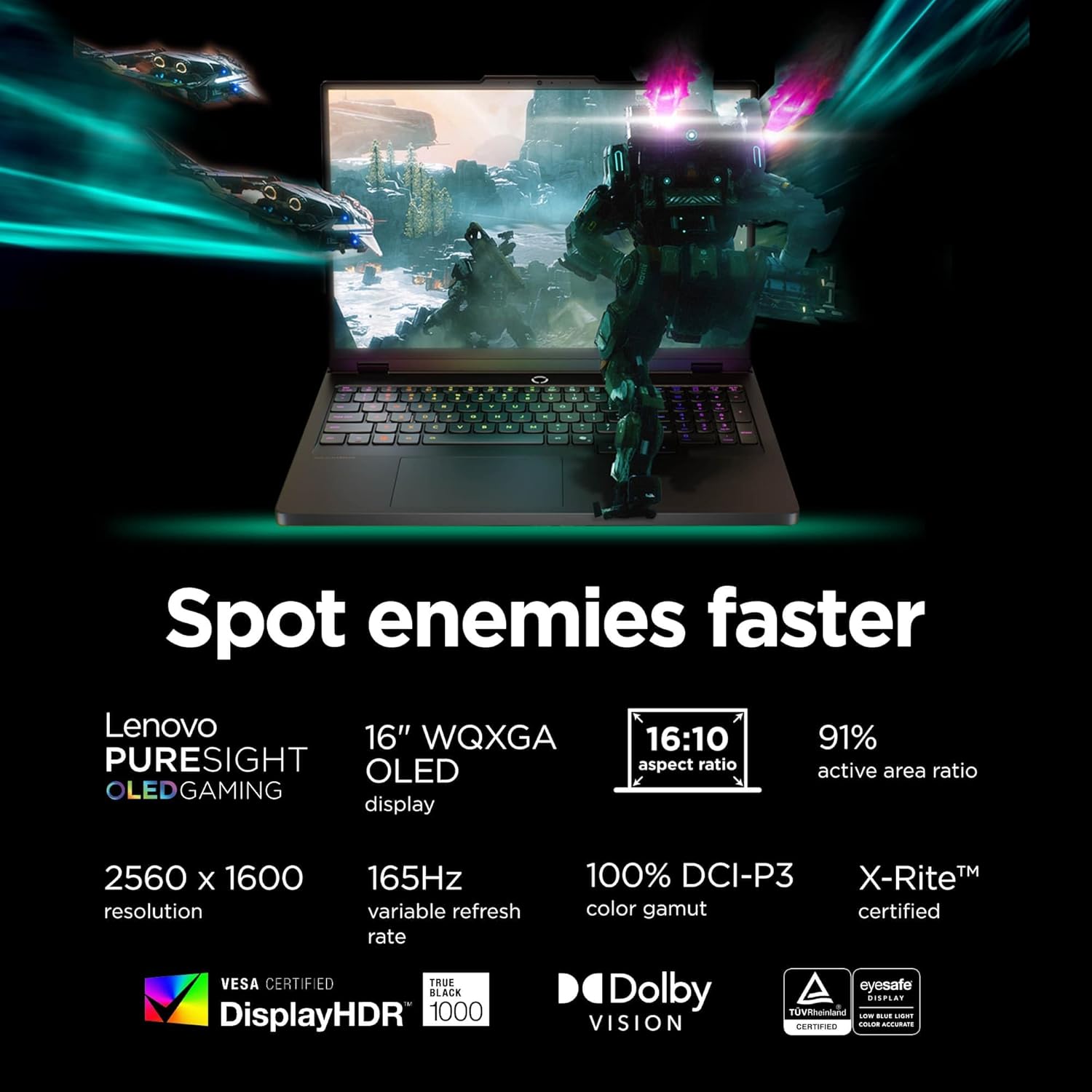
Figure 3.1: Display specifications. This image illustrates the key features of the laptop's display, including resolution, refresh rate, and color accuracy.
3.2 Tastiera u Input
The laptop is equipped with a 24-zone RGB backlit keyboard featuring Legion TrueStrike for precise keystrokes. It includes a dedicated number pad and Mylar touchpad.
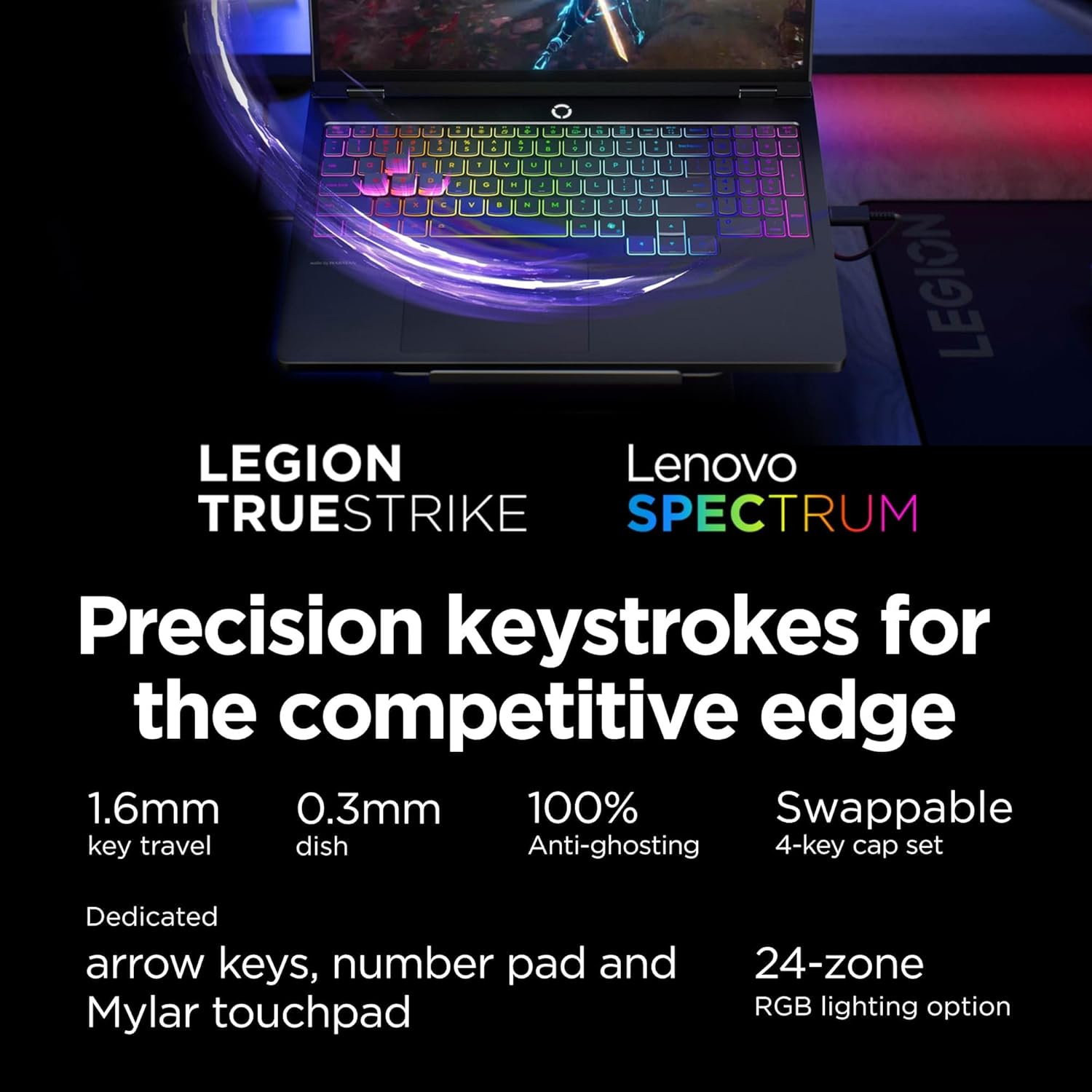
Figure 3.2: Keyboard features. This image highlights the RGB lighting and key design of the laptop's keyboard.
3.3 Sistema Awdjo
Experience immersive audio with Nahimic by SteelSeries and HARMAN-tuned speakers. The AI Smart Profile automatically adjusts sound settings for various activities.
3.4 Prestazzjoni u Tkessiħ
The laptop is powered by an Intel Core Ultra 7 255HX processor and NVIDIA GeForce RTX 5060 8GB GDDR7 GPU. The Legion Coldfront: Hyper cooling system, with turbo-charged 3D fans and copper heat pipes, maintains optimal temperatures during intensive use. The Lenovo AI Engine+ intelligently optimizes performance and resource allocation.
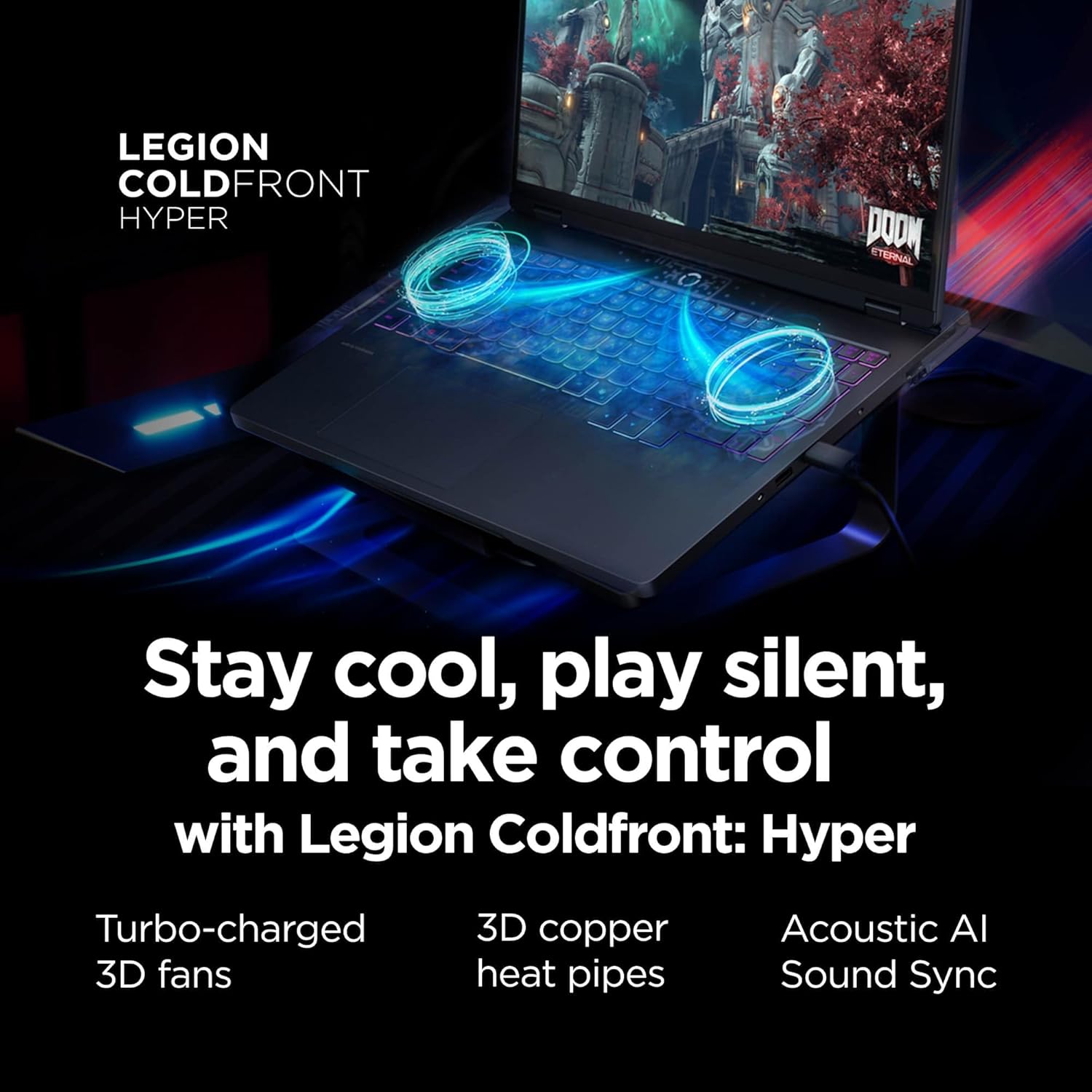
Figure 3.3: Cooling system. This image visually represents the Legion Coldfront: Hyper cooling technology with its internal components.
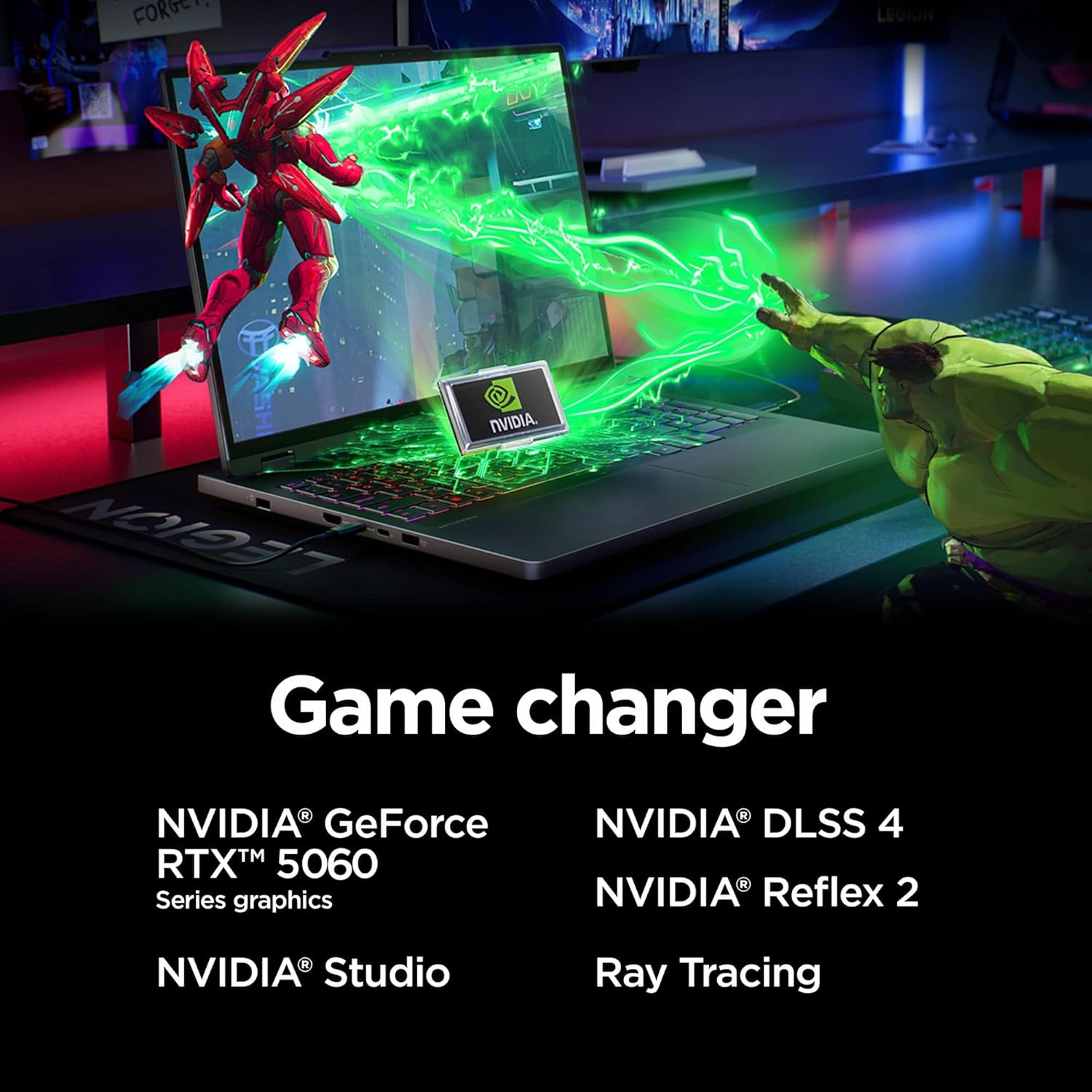
Figure 3.4: NVIDIA GeForce RTX 5060 graphics. This image highlights the dedicated graphics card and its capabilities.
3.5 Konnettività
The laptop offers a comprehensive array of ports and wireless options:
- Portijiet: Thunderbolt 4, USB-C 3.2 Gen 2 (with PD 65-100W & DP 2.1), 2x USB-A 3.2 Gen 1, USB-A 3.2 Gen 2 (Always On), HDMI, Ethernet (RJ-45), 3.5mm combo audio jack.
- Wireless: Wi-Fi 7 (802.11.be), Bluetooth 5.4.
- Webcam: Kamera ta' 5MP.

Figure 3.5: Connectivity ports. This diagram labels the various input/output ports available on the laptop.
3.6 Batterija u Iċċarġjar
The laptop features an 80Whr high-capacity battery and supports 245W rapid charging. USB-C charging (65-100W) is also supported.
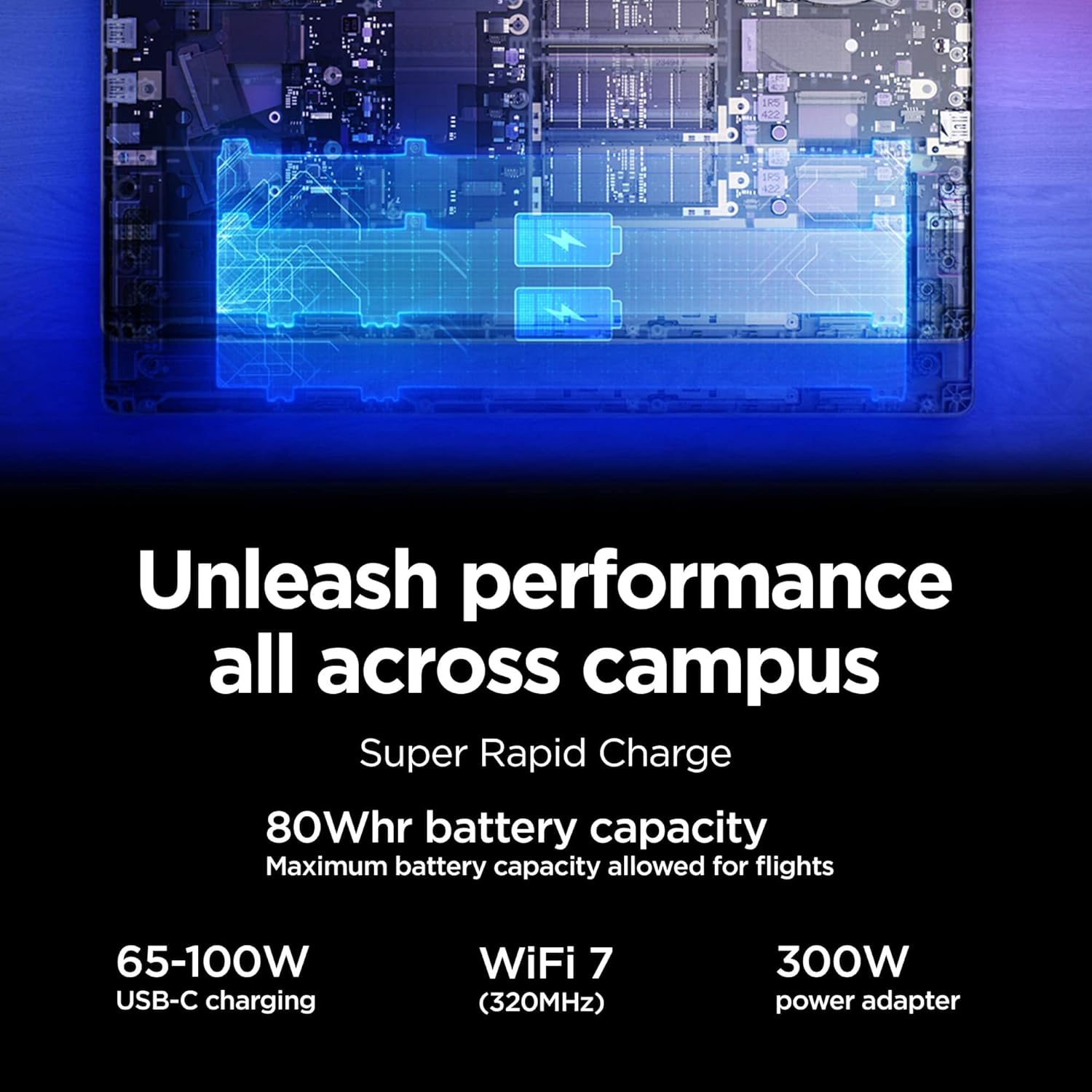
Figure 3.6: Battery and charging. This image illustrates the battery capacity and charging capabilities of the laptop.
3.7 Lenovo Vantage Software
Utilize the Lenovo Vantage software to personalize and tune your device. This includes managing fan modes, system updates, and other performance settings.
Video 3.1: Lenovo Legion Slim Gaming Laptop Overview. This video, provided by the seller, showcases various features of a Lenovo Legion Slim gaming laptop, including its design, performance, and software. While the video specifically mentions a 'Slim 5' model with an 'RTX 4060', many of the general features and software demonstrated are applicable to the Legion 5 Pro 5i Gen 10.
4. Manutenzjoni
4.1 Tindif tal-Laptop Tiegħek
Regular cleaning helps maintain your laptop's appearance and functionality.
- Skrin: Uża ċarruta ratba u mingħajr ħelu dampLaħlaħ bl-ilma jew b'tindif tal-iskrin. Evita kimiċi ħarxa.
- Tastiera u Chassis: Uża drapp artab biex timsaħ l-uċuħ. Arja kkompressata tista' tintuża biex tneħħi t-trab minn bejn iċ-ċwievet u l-ventijiet.
- Ventijiet: Ensure cooling vents are clear of dust and debris to prevent overheating.
4.2 Aġġornamenti tas-Software
Keep your operating system, drivers, and Lenovo Vantage software updated to ensure optimal performance, security, and compatibility. Windows Update and Lenovo Vantage can assist with this.
5 Issolvi l-problemi
Din it-taqsima tindirizza kwistjonijiet komuni li tista’ tiltaqa’ magħhom.
5.1 Kwistjonijiet tal-Enerġija
If the laptop does not power on or respond:
- Kun żgur li l-adapter tal-AC huwa konness sew kemm mal-laptop kif ukoll ma' sokit tal-enerġija li jaħdem.
- Ivverifika li s-sokit tal-enerġija jaħdem billi tqabbad apparat ieħor.
- Jekk il-batterija tkun ixxotta kompletament, ħalliha tiċċarġja għal mill-inqas 30 minuta qabel ma tipprova tixgħelha.
- Perform a hard reset by disconnecting the AC adapter and holding the power button for 15-30 seconds, then reconnect and try to power on.
5.2 Kwistjonijiet ta' Prestazzjoni
If the laptop experiences slow performance or overheating:
- Check for excessive background applications and close unnecessary programs.
- Ensure cooling vents are unobstructed and clean.
- Uża Lenovo Vantage to monitor system temperatures and adjust fan modes. The laptop supports 4 fan modes for different performance needs.
- Verify that graphics drivers and system software are up to date.
6. Speċifikazzjonijiet
| Karatteristika | Speċifikazzjoni |
|---|---|
| Isem tal-Mudell | Legion Pro 5i 83F3 |
| Proċessur | Intel Core Ultra 7 255HX (20 cores, up to 5.20 GHz) |
| RAM | 32 GB DDR5 (4800 MHz) |
| Ħażna | SSD NVMe ta' 1 TB |
| Koproċessur tal-Grafika | NVIDIA GeForce RTX 5060 8GB GDDR7 |
| Wiri | 16-inch WQXGA (2560x1600) OLED, 165Hz, G-SYNC, 500 nits, DisplayHDR True Black 1000, 100% DCI-P3 |
| Sistema Operattiva | Windows 11 Home |
| Konnettività bla fili | Wi-Fi 7 (802.11.be), Bluetooth 5.4 |
| Portijiet | Thunderbolt 4, USB-C 3.2 Gen 2, 2x USB-A 3.2 Gen 1, USB-A 3.2 Gen 2, HDMI, Ethernet (RJ-45), 3.5mm combo audio jack |
| Webcam | 5MP |
| Batterija | 80Whr |
| Dimensjonijiet (LxWxH) | 14.34 x 10.55 x 0.85 pulzieri |
| Piż | 5.36 liri |
7. Garanzija u Appoġġ
7.1 Informazzjoni dwar Garanzija
This product includes a one-year manufacturer's warranty on remaining components. Any upgraded memory is covered by a three-year warranty from Issaquah Highlands Tech. Please retain your proof of purchase for warranty claims.
7.2 Appoġġ Tekniku
Għal assistenza teknika, downloads ta' sewwieqa, jew aktar informazzjoni, jekk jogħġbok żur is-sit uffiċjali tal-appoġġ ta' Lenovo website or contact your retailer, Issaquah Highlands Tech.