
Introduzzjoni
Thank you for choosing the TMEZON C680 Indoor Window Security Camera. This manual provides essential information for setting up, operating, and maintaining your camera. Please read it thoroughly before use and retain it for future reference.
Informazzjoni dwar is-Sigurtà
- Uża biss l-adapter tal-enerġija pprovdut.
- Do not expose the camera to extreme temperatures or humidity.
- Din il-kamera hija ddisinjata għall-użu fuq ġewwa biss.
- Żomm fejn ma jintlaħaqx mit-tfal.
Kontenut tal-Pakkett
Ivverifika li l-oġġetti kollha huma preżenti fil-pakkett tiegħek. Jekk xi oġġetti huma neqsin jew bil-ħsara, jekk jogħġbok ikkuntattja l-appoġġ għall-klijenti.
- TMEZON C680 Indoor Window Security Camera
- Adapter tal-Enerġija
- Kejbil tal-Enerġija USB
- Mounting Kit (screws, anchors)
- Manwal għall-Utent
Prodott Overview
Familiarize yourself with the components of your TMEZON C680 camera.
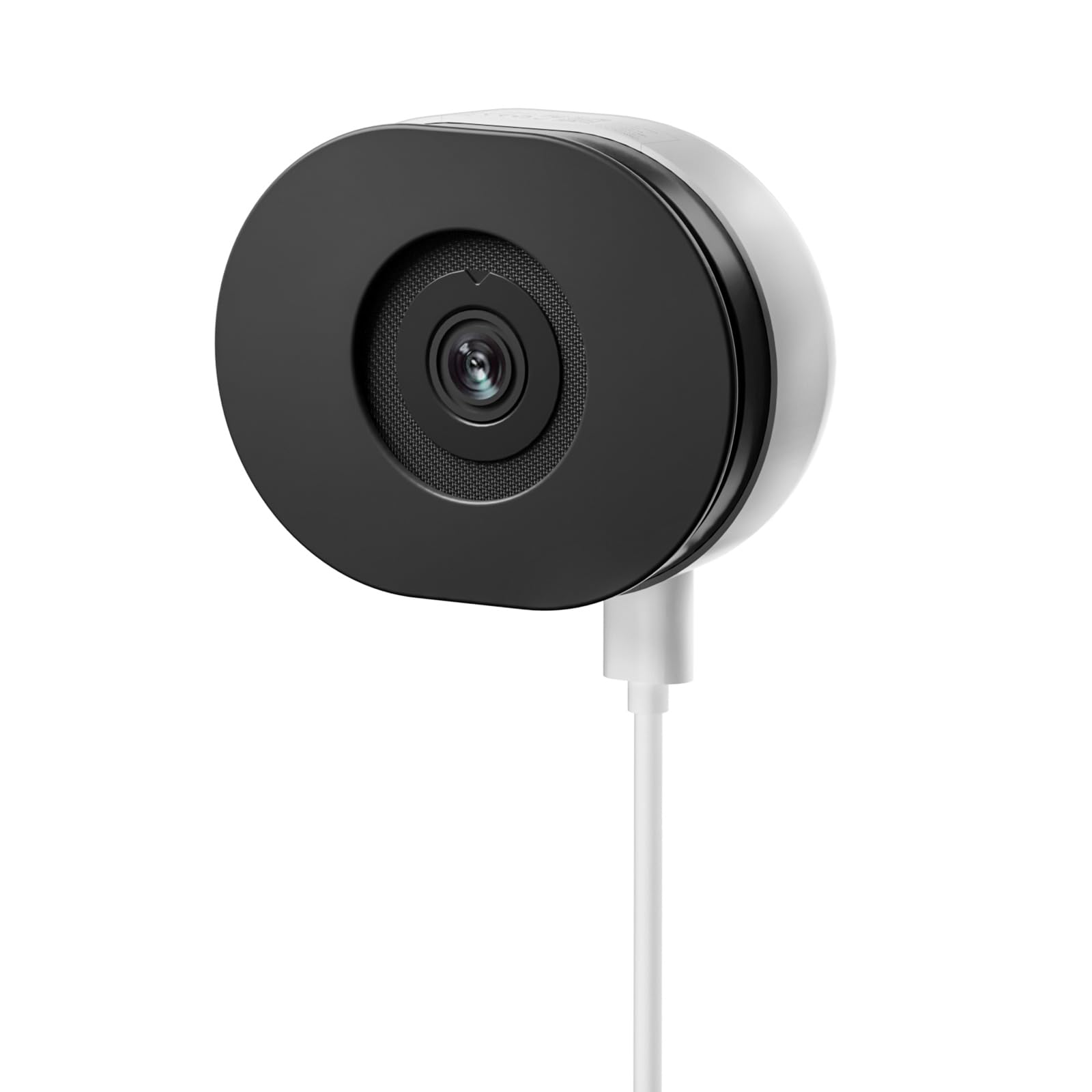
Image: The TMEZON C680 Indoor Window Security Camera. This image displays the camera's compact, circular form factor, highlighting the main lens and overall design.
Komponenti tal-Kamera
- Lenti tal-Kamera: Captures 4MP 2.5K video.
- Dawl Indikatur tal-Istat: Indicates camera status (e.g., solid blue for connected, flashing red for disconnected).
- Mikrofonu: For audio input and two-way audio communication.
- Kelliem: For audio output and two-way audio communication.
- Port tal-Enerġija: Tqabbad mal-adapter tal-enerġija.
- Buttuna Irrisettja: Press and hold for 5 seconds to reset the camera to factory settings.
- Slott tal-Karta MicroSD: For local storage (card not included).
Setup
Pass 1: Niżżel l-App
Fittex għal the "TMEZON Smart" app (or similar, as specified in your product documentation) in your mobile device's app store (App Store for iOS, Google Play Store for Android). Download and install the app.
Pass 2: Ixgħel il-Kamera
Connect the USB power cable to the camera's power port and plug the power adapter into a wall outlet. The camera's status indicator light will turn on. Wait for it to flash red, indicating it's ready for pairing.
Pass 3: Żid Apparat fl-App
- Open the TMEZON Smart app and create an account or log in.
- Tap the "+" icon (or "Add Device") to add a new camera.
- Agħżel "Kamera tas-Sigurtà" jew "Kamera Intelliġenti" mil-lista tal-apparati.
- Follow the on-screen instructions to connect the camera to your 2.4GHz Wi-Fi network. Ensure your phone is connected to the same 2.4GHz Wi-Fi network.
- The app will display a QR code. Position your camera to scan this QR code from your phone screen. You will hear a confirmation sound from the camera once scanned successfully.
- Once connected, the status indicator light will turn solid blue.
Step 4: Window Mounting
The TMEZON C680 is designed for easy window mounting.
- Choose a clean, flat window surface for optimal viewing.
- Use the provided mounting kit to secure the camera to the window frame or a nearby wall, ensuring the lens faces outwards.
- Adjust the camera angle to cover your desired surveillance area.
Istruzzjonijiet Operattivi
Live View
Open the TMEZON Smart app and select your camera from the device list to access the live video feed.
Reġistrazzjoni u Daqq
The camera supports 24/7 continuous recording to a local MicroSD card (not included).
- Daħħal il-Kard MicroSD: Power off the camera, insert a MicroSD card (up to 128GB, Class 10 or higher recommended) into the slot, then power on.
- View Reġistrazzjonijiet: Fil-ħajjiet tal-app view, tap the "Playback" or "History" icon to access recorded footage.
Awdjo Two-Way
Fil-live view interface, tap the microphone icon to speak through the camera's speaker. Tap the speaker icon to listen to audio from the camera's microphone.
Viżjoni bil-Lejl tal-Kulur
The camera automatically switches to color night vision in low-light conditions, providing clear, vivid footage up to 32 feet. No manual adjustment is typically required.
Sejbien ta' Moviment u Twissijiet
The camera features motion-only alert type.
- In the app, navigate to the camera settings.
- Find "Motion Detection" or "Alert Settings."
- Enable motion detection and customize sensitivity levels and alert schedules as needed.
- You will receive push notifications on your mobile device when motion is detected.
Manutenzjoni
Tindif
Imsaħ bil-mod il-lenti u l-qafas tal-kamera b'ċarruta ratba u niexfa. Tużax prodotti tat-tindif likwidi jew materjali li joborxu.
Aġġornamenti tal-Firmware
Periodically check the TMEZON Smart app for available firmware updates to ensure optimal performance and security. Follow the in-app instructions for updating.
Ħażna
Meta ma tkunx qed tużaha għal perjodi twal, aħżen il-kamera f'post frisk u niexef, 'il bogħod mix-xemx diretta.
Issolvi l-problemi
| Problema | Soluzzjoni |
|---|---|
| Il-kamera mhux qed tixgħel. | Ensure the power adapter is securely connected to both the camera and a working power outlet. Try a different outlet. |
| Ma tistax tikkonnettja mal-Wi-Fi. |
|
| No recording to MicroSD card. |
|
| Kwalità fqira tal-vidjo. |
|
Speċifikazzjonijiet
- Mudell: C680
- Riżoluzzjoni: 4MP (2.5K)
- Viżjoni bil-lejl: Color Night Vision, up to 32 feet
- Konnettività: 2.4GHz Wi-Fi
- Ħażna: Karta MicroSD (sa 128GB, mhux inkluża)
- Awdjo: Awdjo b'żewġ direzzjonijiet (Mikrofonu u Speaker integrati)
- Qawwa: Corded Electric, 5W
- Użu fuq ġewwa/barra: Ġewwa Biss
- ViewIng Angolu: 120 Grad
- Dimensjonijiet: Madwar 3.5 x 3.5 x 3.5 pulzieri
- Materjal: Plastik
- Tip ta' Twissija: Mozzjoni Biss
Garanzija u Appoġġ
TMEZON products are designed for reliability and performance. For warranty information, technical support, or customer service inquiries, please refer to the contact information provided on the product packaging or visit the official TMEZON websit.
You can also visit the TMEZON store on Amazon for additional product information and support: TMEZON Amazon Store.