
Introduzzjoni
Thank you for choosing the TECKNET TK-HS049 Hybrid Active Noise Cancelling Headphones. These headphones are designed to provide a superior audio experience with advanced noise cancellation, long battery life, and versatile connectivity. This manual will guide you through the setup, operation, and maintenance of your new headphones.
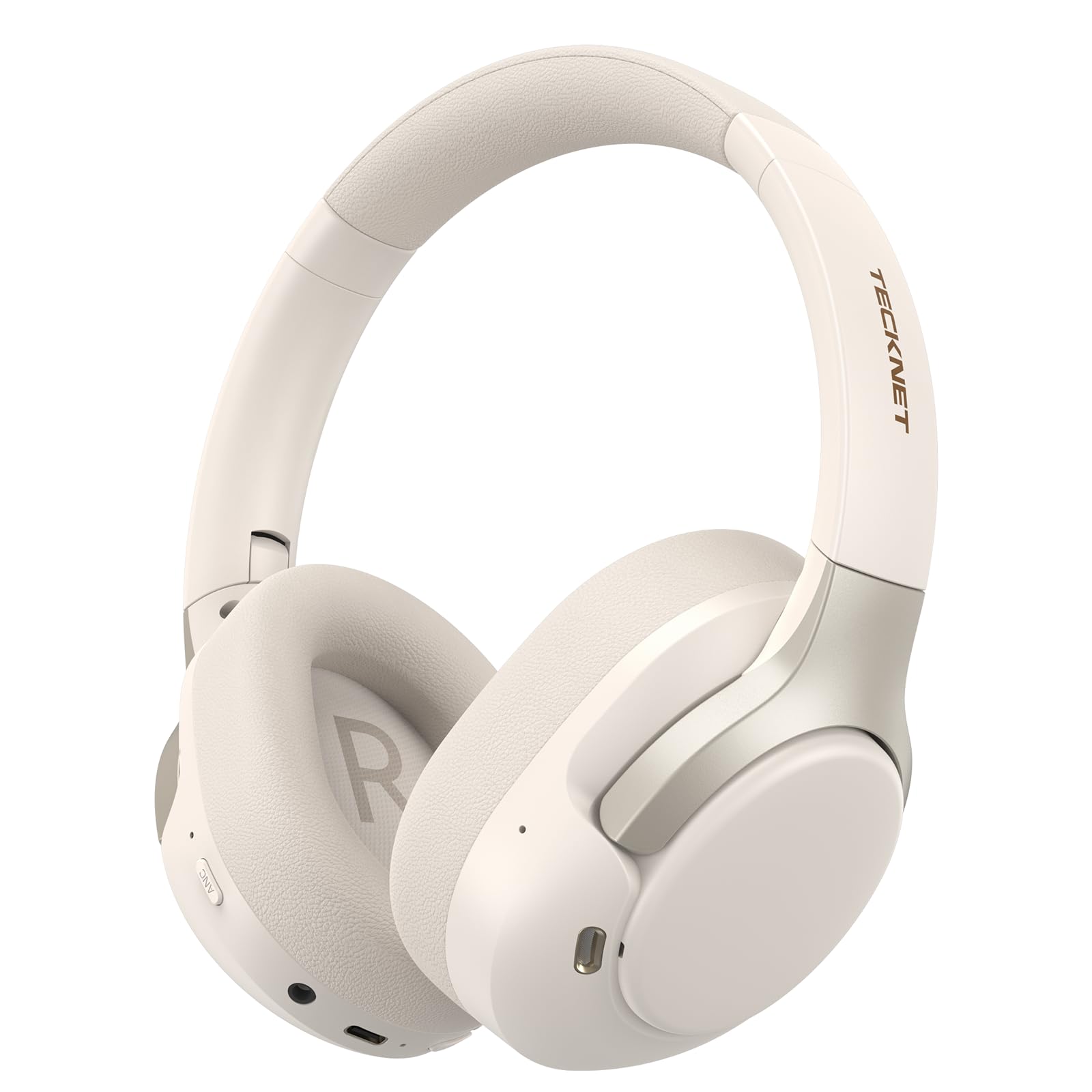
Image: TECKNET TK-HS049 Hybrid Active Noise Cancelling Headphones.
X'hemm fil-Kaxxa
- 1 x TECKNET TK-HS049 ANC Headphones
- 1 x 3.5mm Cable Awdjo
- 1 x Manwal għall-Utent
- 1 x Cable tal-Iċċarġjar tat-Tip-Ċ

Image: Contents of the product packaging.
Prodott Overview
Familiarize yourself with the various components and controls of your TECKNET TK-HS049 headphones.
Immaġni: Ġenb view of the headphones highlighting control buttons and ports.
Komponenti Ewlenin:
- Buttuna tal-Qawwa: Użat biex jixgħel/jitfi l-headphones u għall-akkoppjar bil-Bluetooth.
- Buttuna tal-Volum 'il Fuq/Trakka li Jmiss: Iżżid il-volum jew taqbeż għat-trakka li jmiss.
- Buttuna għat-Tnaqqis tal-Volum/Trakka Preċedenti: Inaqqas il-volum jew imur għat-trakka ta' qabel.
- Buttuna b'ħafna funzjonijiet: Daqq/pawża l-mużika, wieġeb/temm it-telefonati.
- Buttuna ANC: Jibdel il-modi ta' Kanċellazzjoni Attiva tal-Istorbju.
- Port tal-Iċċarġjar tat-Tip C: Għall-iċċarġjar tal-headphones.
- Jack Awdjo 3.5mm: Għal konnessjoni awdjo bil-fili.
- Mikrofonu: Għal sejħiet u kmandi tal-vuċi.
Setup
1. Iċċarġjar tal-Headphones
Before first use, fully charge your headphones. Connect the supplied Type-C charging cable to the charging port on the headphones and the other end to a USB power source (e.g., wall adapter, computer USB port).
- L-indikatur LED se juri l-istatus tal-iċċarġjar.
- Ċarġ sħiħ tipikament jieħu madwar 2-3 sigħat.
2. Power On/Off
- Qawwa Mixgħul: Press and hold the Power button for 3 seconds until the LED indicator flashes blue.
- Itfi: Press and hold the Power button for 3 seconds until the LED indicator flashes red and then turns off.
3. Tqabbil tal-Bluetooth
Biex tqabbad il-headphones tiegħek ma' apparat permezz tal-Bluetooth:
- Kun żgur li l-headphones huma mitfija.
- Press and hold the Power button for 5 seconds until the LED indicator flashes red and blue alternately, indicating pairing mode.
- Fuq l-apparat tiegħek (smartphone, tablet, laptop), attiva l-Bluetooth u fittex apparati disponibbli.
- Select "TECKNET TK-HS049" from the list of devices.
- Ladarba konness, l-indikatur LED jteptep bil-mod bil-blu.
4. Konnessjoni ta' Apparat Doppju
The headphones support simultaneous connection to two Bluetooth devices, allowing seamless switching between them.
- Pair the headphones with the first device (e.g., smartphone) as described above.
- Iddiżattiva l-Bluetooth fuq l-ewwel apparat. Il-headphones jerġgħu jidħlu fil-modalità ta' tqabbil.
- Pair the headphones with the second device (e.g., laptop).
- Erġa' attiva l-Bluetooth fuq l-ewwel apparat. Il-headphones għandhom jikkonnettjaw awtomatikament maż-żewġ apparati.
- Biex tibdel l-awdjo, sempliċement daqq il-midja fuq l-apparat mixtieq.

Image: Dual device connection setup.
5. Konnessjoni bil-fili
Għal apparati mingħajr Bluetooth jew meta l-batterija tkun baxxa, uża l-kejbil awdjo ta' 3.5mm inkluż.
- Ipplaggja tarf wieħed tal-kejbil tal-awdjo ta' 3.5mm fil-jack tal-awdjo tal-headphones.
- Ipplaggja t-tarf l-ieħor fl-output tal-awdjo ta' 3.5mm tat-tagħmir tiegħek.
- Note: Some headphone functions (e.g., ANC, EQ modes) may be limited or unavailable in wired mode without power.

Image: Wired connection via 3.5mm audio jack.
Operazzjoni
1. Modi ta' Kanċellazzjoni Attiva tal-Istorbju (ANC)
Press the ANC button to cycle through the available noise cancellation modes:
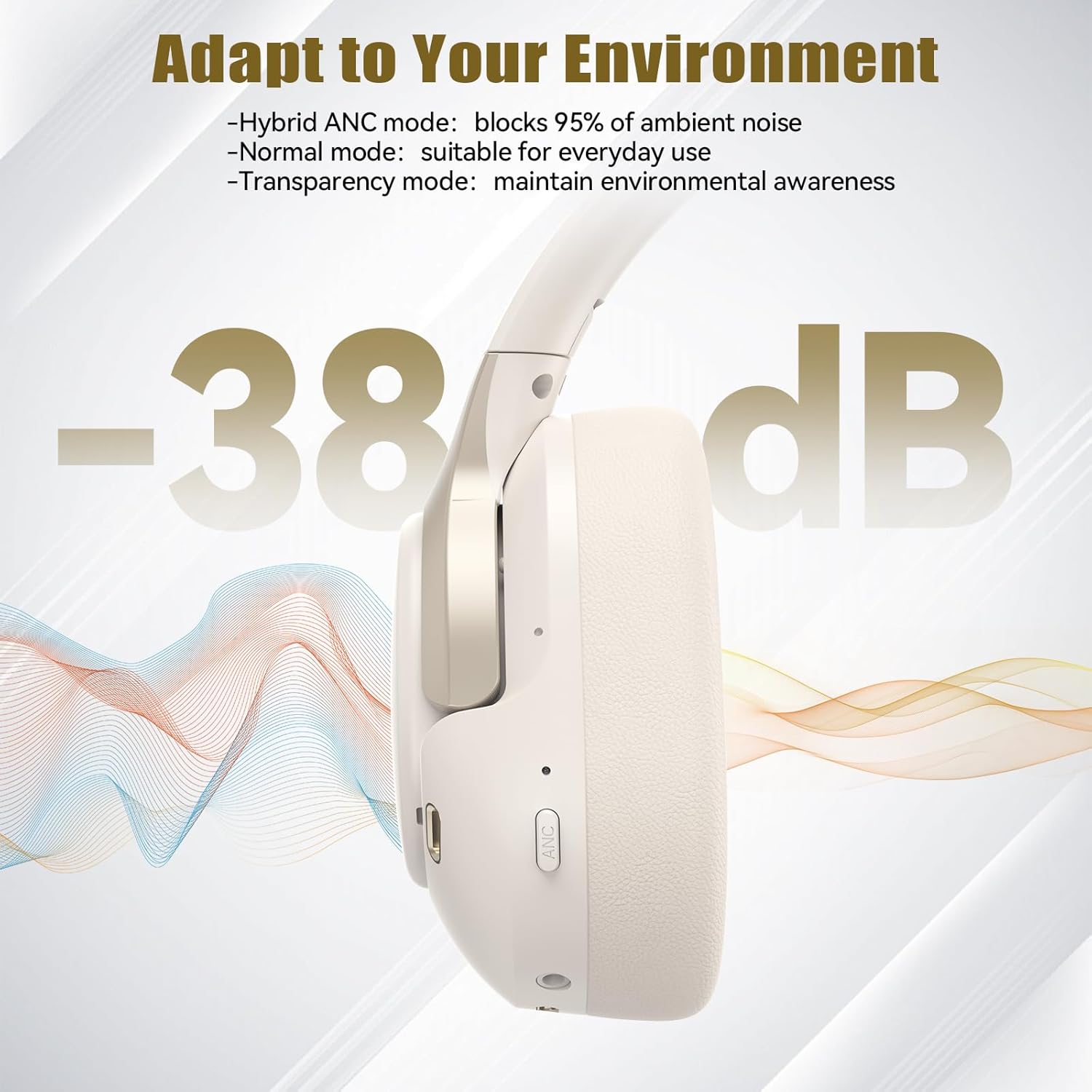
- Hybrid ANC Mode: Blocks up to 35dB-38dB of ambient noise, ideal for travel or noisy environments.
- Modalità Normali: ANC is off, suitable for everyday use where some environmental awareness is desired.
- Modalità ta' Trasparenza: Jippermetti li l-ħsejjes ambjentali jgħaddu, u jtejjeb l-għarfien ta' dak li jdawwark.

Image: Hybrid Active Noise Cancellation in action.
2. Daqq tal-mużika
- Play/Pawsa: Agħfas il-buttuna b'diversi funzjonijiet darba.
- Track li jmiss: Agħfas u żomm il-buttuna Volume Up.
- Track preċedenti: Agħfas u żomm il-buttuna Volum Down.
- Volum 'il fuq: Agħfas il-buttuna Volume Up fil-qosor.
- Volum 'l isfel: Agħfas il-buttuna Volum 'l isfel fil-qosor.
3. Ġestjoni tas-Sejħiet
- Tweġiba/Tmiem Sejħa: Agħfas il-buttuna b'diversi funzjonijiet darba.
- Irrifjuta Sejħa: Agħfas u żomm il-buttuna Multi-funzjoni għal 2-il sekonda.
- Assistent tal-Vuċi: Double-press the Multi-function button to activate your device's voice assistant.
4. EQ Music Modes
The headphones feature 6 EQ music modes to optimize your listening experience for different genres. Press the EQ button (if available, or refer to specific button on your model) to cycle through these modes:
- Żfin
- Blat
- Klassiku
- Vokali
- Bass
- Artab

Image: Cycling through 6 EQ music modes.
Manutenzjoni
To ensure the longevity and optimal performance of your TECKNET TK-HS049 headphones, follow these maintenance guidelines:
- Tindif: Uża drapp artab u niexef biex tnaddaf il-earcups u l-headband. Tużax prodotti tat-tindif jew solventi li joborxu.
- Ħażna: When not in use, store the headphones in a cool, dry place, preferably in a protective case to prevent dust and damage.
- Evita l-umdità: Although the headphones have a waterproof rating, avoid prolonged exposure to water or high humidity. Do not submerge them.
- Iċċarġjar: Only use the provided Type-C cable for charging. Avoid overcharging the battery.
- Temperatura: Tesponix il-headphones għal temperaturi estremi (sħan jew kiesaħ).
Issolvi l-problemi
Jekk tiltaqa' ma' xi problemi bil-headphones tiegħek, irreferi għall-problemi u s-soluzzjonijiet komuni li ġejjin:
| Problema | Soluzzjoni |
|---|---|
| Il-headphones mhux se jixegħlu. | Ensure the headphones are charged. Connect to a power source and try again after a few minutes. |
| Ma tistax tqabbad permezz tal-Bluetooth. | Make sure the headphones are in pairing mode (LED flashing red/blue). Disable and re-enable Bluetooth on your device. Ensure no other devices are connected. |
| L-ebda ħoss jew volum baxx. | Check volume levels on both headphones and your connected device. Ensure the headphones are properly paired. Try playing audio from a different source. |
| ANC is not effective. | Ensure ANC mode is activated. Check that the earcups form a good seal around your ears. ANC is most effective against low-frequency, constant noise. |
| Il-mikrofonu mhux qed jaħdem. | Ensure the headphones are connected via Bluetooth. Check microphone settings on your device. |
Speċifikazzjonijiet
Detailed technical specifications for the TECKNET TK-HS049 headphones:
| Karatteristika | Dettall |
|---|---|
| Numru tal-Mudell | TK-HS049 |
| Teknoloġija tal-Konnettività | Mingħajr fili (Bluetooth), Bil-fili (Jack ta' 3.5mm) |
| Verżjoni Bluetooth | 6.0 |
| Kontroll tal-Ħoss | Kanċellazzjoni tal-Istorbju Ibrida (sa 38dB) |
| Tip ta' Sewwieq | Sewwieqa dinamiċi 40mm |
| Medda ta' Frekwenzi | 20Hz - 20,000Hz (supports up to 40kHz for high-resolution audio) |
| Ħajja tal-Batterija (ANC Mixgħul) | Sa 40 sigħat (b'60% volum) |
| Ħajja tal-Batterija (ANC Mitfi) | Sa 70 sigħat |
| Metodu ta' Kontroll | Buttuni Fiżiċi |
| Tqegħid tal-widnejn | Fuq il-widnejn |
| Materjal | Fabric, Silicone, Memory Foam (earcups) |
| Livell ta 'Reżistenza għall-Ilma | Waterproof |
| Mikrofonu | 4 ENC Microphones |
| Modi EQ | 6 Presets (Dance, Rock, Classical, Vocal, Bass, Soft) |

Image: Battery life overview.

Image: 40mm dynamic drivers for premium audio.

Image: Comfort features including memory foam earcups and adjustable headband.
Garanzija u Appoġġ
TECKNET TK-HS049 headphones come with a 36-il xahar garanzija. If you encounter any problems during product use, please contact our professional customer service team for assistance. You can typically find contact information on the TECKNET official webis-sit jew permezz tal-pjattaforma tax-xiri tiegħek.