
Introduzzjoni
This manual provides comprehensive instructions for setting up, operating, maintaining, and troubleshooting your Lenovo Legion 5 15AHP10 gaming laptop. Please read this manual thoroughly to ensure proper use and to maximize the performance and longevity of your device.
The Lenovo Legion 5 15AHP10 is a high-performance gaming laptop featuring an AMD Ryzen 7 260 processor, NVIDIA GeForce RTX 5060 graphics, a 15.1-inch OLED WQXGA (2560 x 1600) 165Hz display, and Windows 11 Home operating system.
1. Setup
1.1 Żpakkjar u Spezzjoni Inizjali
Carefully remove all components from the packaging. Verify that all items listed in the packing contents are present and undamaged. If any items are missing or damaged, contact your retailer immediately.
- Lenovo Legion 5 15AHP10 Laptop
- Adapter tal-Enerġija u Cable
- PCO Notebook Folding Radiator Laptop Cooler (if bundled)
- Dokumentazzjoni (dan il-manwal, informazzjoni dwar il-garanzija)
1.2 Konnessjoni tal-Adapter tal-Enerġija
Connect the power adapter to the laptop's power input port. Plug the power cable into a wall outlet. It is recommended to fully charge the battery before initial use.
1.3 L-Ewwel Qawwa
Press the power button to turn on the laptop. Follow the on-screen instructions to complete the initial setup of Windows 11 Home. This includes setting up your user account, network connection, and basic preferences.
1.4 Konnessjoni tal-Periferali
Utilize the available ports to connect external devices such as a mouse, keyboard, external monitor, or other accessories. Refer to the "Ports and Connectors" section for a detailed diagram.

Image: The Lenovo Legion 5 15AHP10 laptop shown with the bundled PCO Notebook Folding Radiator laptop cooler, illustrating the complete package.
2. It-Tħaddim tal-Laptop Tiegħek
2.1 Karatteristiċi tal-Wiri
The laptop features a 15.1-inch OLED WQXGA (2560 x 1600) display with a 165Hz refresh rate, 500 nits peak brightness, and 100% DCI-P3 color gamut for vibrant visuals and smooth motion.
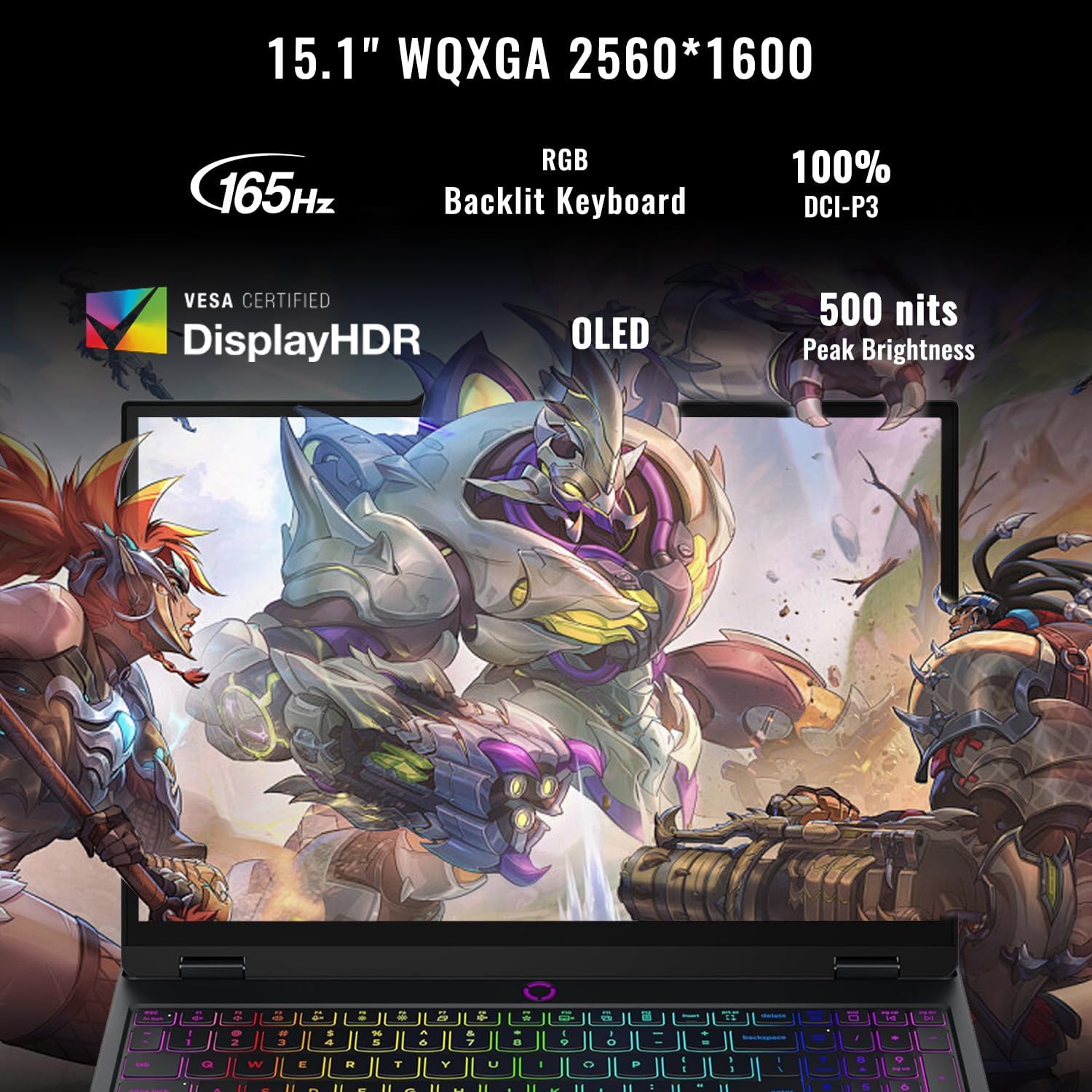
Image: Close-up of the laptop display highlighting its WQXGA resolution, 165Hz refresh rate, RGB backlit keyboard, 100% DCI-P3 color, OLED technology, and 500 nits peak brightness.
2.2 Tastiera u Input
The laptop is equipped with an RGB backlit keyboard and a numeric keypad. Adjust backlight settings through the operating system or dedicated function keys.
2.3 Webcam
5MP webcam with an E-shutter is integrated for video conferencing and other applications. The E-shutter provides a physical privacy cover for the webcam.
2.4 Konnettività
The laptop supports Wi-Fi 7 for high-speed wireless internet access and Bluetooth for connecting wireless peripherals.
2.5 Prestazzjoni 'l fuqview
Powered by an AMD Ryzen 7 260 processor (8 Cores, 16 Threads, up to 5.1 GHz) and NVIDIA GeForce RTX 5060 graphics, the laptop delivers robust performance for gaming, content creation, and demanding applications. It features 64GB DDR5 RAM and a 2TB PCIe M.2 SSD for fast multitasking and storage access.
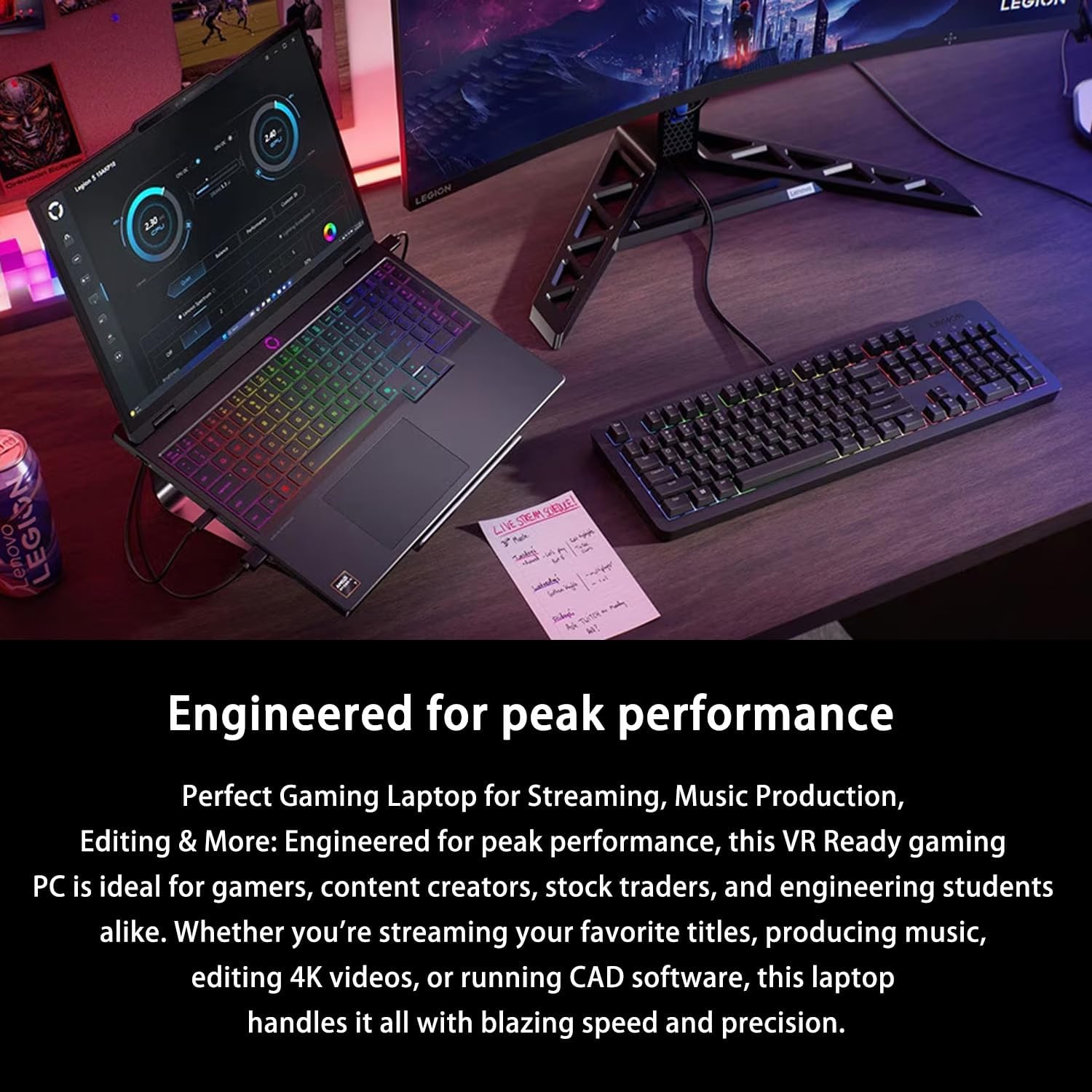
Image: The Lenovo Legion 5 15AHP10 laptop on a desk, connected to an external monitor and keyboard, illustrating a typical high-performance setup.
3. Manutenzjoni
3.1 Tindif tal-Laptop Tiegħek
Regularly clean the laptop's screen, keyboard, and chassis with a soft, lint-free cloth. For stubborn marks, use a screen cleaner specifically designed for electronics. Avoid harsh chemicals or abrasive materials.
3.2 Kura tas-Sistema tat-Tkessiħ
The Legion 5 15AHP10 features a "LEGION COLDFRONT: HYPER" cooling system with turbo-charged fans and 3D copper heat pipes. Ensure that the ventilation grilles are not obstructed to maintain optimal airflow and prevent overheating. Periodically clean dust from the vents using compressed air.

Immaġni: Interna view of the Lenovo Legion 5 15AHP10's cooling system, showing the fans and heat pipes designed for efficient heat dissipation.
If using the bundled PCO Notebook Folding Radiator Laptop Cooler, ensure it is properly positioned to enhance cooling performance, especially during extended gaming sessions or heavy workloads.
3.3 Kura tal-Batterija
To prolong battery life, avoid frequently discharging the battery completely. Store the laptop in a cool, dry place when not in use for extended periods. For optimal performance, use only the original power adapter provided with your laptop.
4 Issolvi l-problemi
This section addresses common issues you might encounter with your laptop. For more complex problems, refer to the Lenovo support websit.
4.1 Kwistjonijiet tal-Enerġija
- Il-laptop ma jixgħelx: Ensure the power adapter is securely connected to both the laptop and a working power outlet. Verify the power adapter is functioning correctly.
- Il-batterija mhix qed tiċċarġja: Check the power adapter and cable for damage. Ensure the charging port on the laptop is clean and free of debris.
4.2 Kwistjonijiet tal-Wiri
- No display or black screen: Connect an external monitor to verify if the issue is with the laptop's internal display. Try restarting the laptop.
- Wirja teptip jew distorta: Update graphics drivers. Ensure the display resolution and refresh rate are set correctly in Windows settings.
4.3 Kwistjonijiet ta' Konnettività
- Il-Wi-Fi mhux qed jikkonnettja: Kun żgur li l-Wi-Fi huwa attivat fis-settings tal-Windows. Erġa' ibda r-router u l-laptop tiegħek. Aġġorna d-drivers tal-Wi-Fi.
- Apparat Bluetooth mhux qed jitqabbad: Ensure Bluetooth is enabled on both the laptop and the device. Place devices close to each other during pairing.
4.4 Kwistjonijiet ta' Prestazzjoni
- Il-laptop huwa bil-mod: Iċċekkja għal applikazzjonijiet fl-isfond li qed jikkunsmaw riżorsi. Kun żgur li hemm biżżejjed spazju ħieles fuq l-SSD. Mexxi skennjar tal-malware.
- Is-sħana żejda: Ensure ventilation grilles are clear. Use the PCO Notebook Folding Radiator Laptop Cooler. Monitor CPU/GPU temperatures with system utilities.
4.5 Kompatibilità tal-Aċċessorji
Always use genuine or certified compatible accessories, especially power adapters, to prevent damage and ensure optimal performance. Non-original chargers may not provide adequate power or could cause damage over time.
5. Speċifikazzjonijiet
Detailed technical specifications for the Lenovo Legion 5 15AHP10 laptop.

Image: An infographic summarizing key features including AMD Ryzen 7 260 CPU, NVIDIA GeForce RTX 5060 GPU, up to 64GB DDR5 RAM, up to 4TB PCIe M.2 SSD, Wi-Fi 7, Windows 11 Home, 15.1" WQXGA display, and port configurations.
| Karatteristika | Speċifikazzjoni |
|---|---|
| Isem tal-Mudell | Legion 5 15AHP10 |
| Proċessur | AMD Ryzen 7 260 (8 Cores, 16 Threads, 16MB L3 Cache, 3.8GHz base, up to 5.1GHz max turbo) |
| Grafika | NVIDIA GeForce RTX 5060 (Dedikata) |
| Wiri | 15.1" OLED WQXGA (2560 x 1600), 165Hz, 500 Nits, 100% DCI-P3 |
| RAM | 64GB DDR5 (3200 MHz) |
| Ħażna | SSD PCIe M.2 ta' 2TB |
| Sistema Operattiva | Windows 11 Home |
| Konnettività bla fili | Wi-Fi 7 + Bluetooth |
| Webcam | 5MP with E-shutter |
| Tastiera | RGB Backlit Keyboard, Numeric Keypad |
| Portijiet |
|
| Dimensjonijiet (LxWxH) | 0.85 x 13.85 x 10.05 pulzieri |
| Piż | 4.1 liri |
| Kulur | Iswed |
| Sors tal-Enerġija | AC & Battery (1x 12V battery included) |
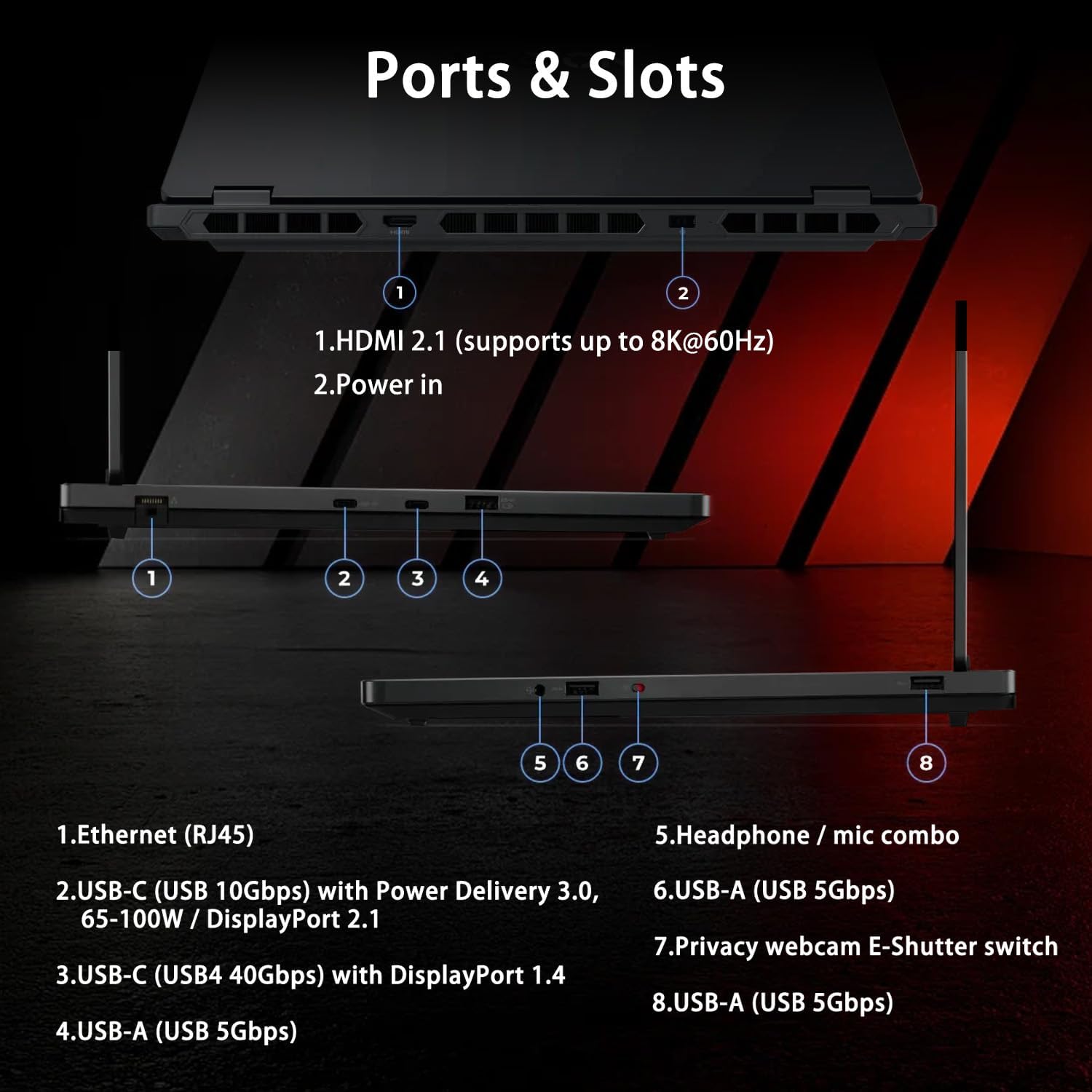
Image: Detailed diagram illustrating the location and type of all ports and slots on the Lenovo Legion 5 15AHP10 laptop, including HDMI, Power, Ethernet, USB-C, USB-A, and headphone/mic combo jack.
6. Garanzija u Appoġġ
6.1 Garanzija tal-Prodott
For detailed information regarding the warranty coverage for your Lenovo Legion 5 15AHP10 laptop, please refer to the warranty card included with your product or visit the official Lenovo support websit. It-termini u l-kundizzjonijiet tal-garanzija jistgħu jvarjaw skont ir-reġjun.
Extended protection plans may be available from your retailer or third-party providers. Review the terms of any such plans carefully.
6.2 Appoġġ Tekniku
If you encounter issues that cannot be resolved using the troubleshooting steps in this manual, please visit the official Lenovo support website for further assistance. You can find drivers, FAQs, and contact information for technical support.