
1. Introduzzjoni
Thank you for choosing the KESIEME YYK-530 Bluetooth Earpiece. This single-ear wireless headset is designed for clear phone calls and hands-free communication, featuring noise-cancelling technology and a comfortable, adjustable design. This manual provides detailed instructions for setup, operation, and maintenance to ensure optimal performance.
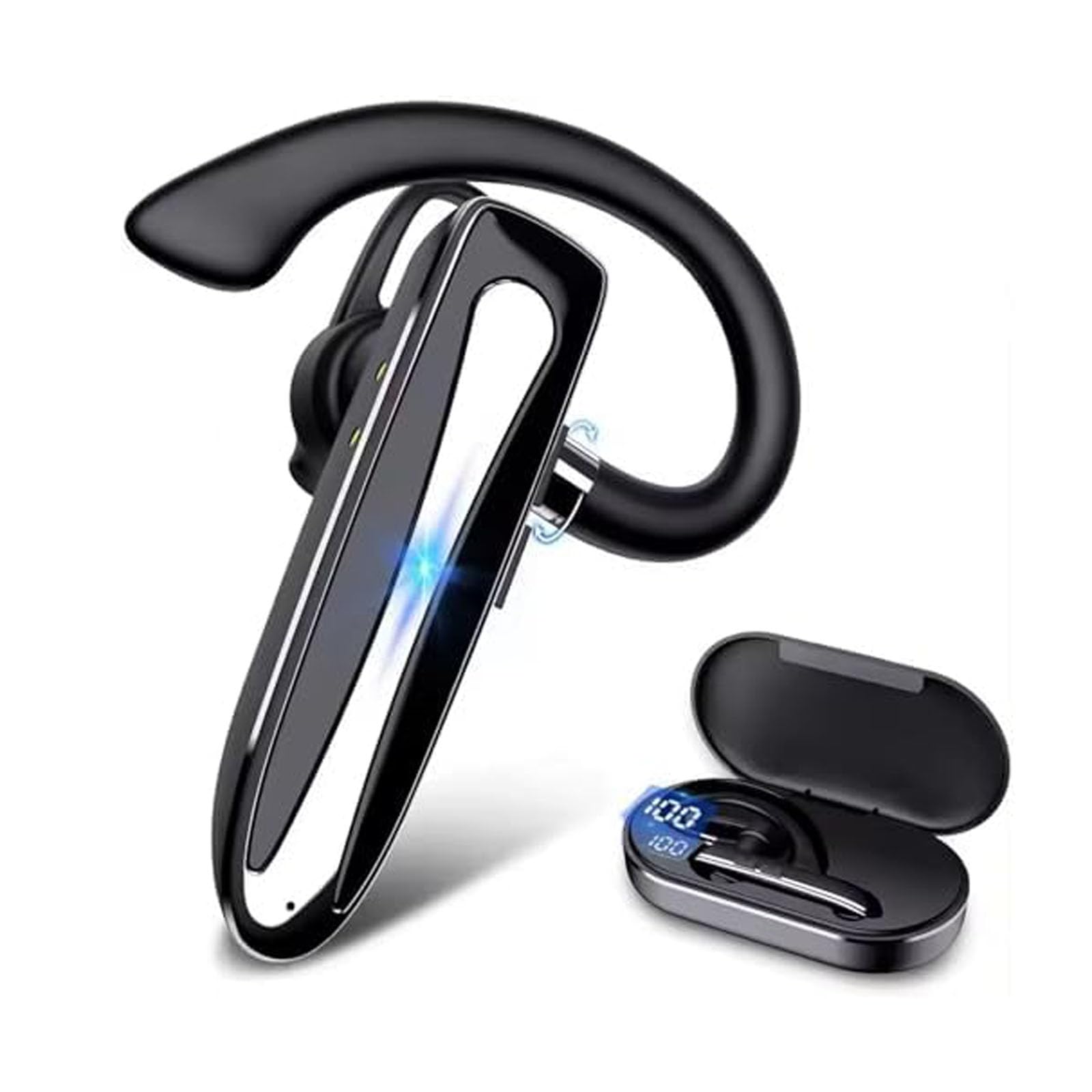
Image 1.1: KESIEME YYK-530 Bluetooth Earpiece.
2. Karatteristiċi tal-prodott
- Ħajja Estiża tal-Batterija: The earpiece provides 12-15 hours of continuous talk time. The included charging case extends total usage time up to 180 hours. A full charge takes approximately 1.5 hours via the Type-C port.
- Konnettività Bluetooth 5.2: Utilizes the latest Bluetooth 5.2 technology for a fast and stable connection up to 33 feet (10 meters) from your device.
- Kanċellazzjoni Avvanzata tal-Ħsejjes: Equipped with built-in HD microphones and CVC8.0 noise reduction technology for crystal clear audio during calls.
- Disinn komdu u aġġustabbli: Lightweight (12g) with a 360° adjustable ear hook and three optional ear tips for a secure and comfortable fit on either ear.
- Operazzjoni mingħajr idejn: Supports voice assistant activation (Siri or Google Assistant) and features easy-to-reach buttons for call management, including a mute function.
- Konnessjoni b'ħafna Apparat: Can connect to two Bluetooth devices simultaneously, allowing you to answer calls from either device.

Image 2.1: Hands-free conversation with CVC 8.0 noise reduction.
3. Setup
3.1 Iċċarġjar tal-Earpiece
- Connect the provided Type-C charging cable to the charging port on the earpiece.
- Qabbad it-tarf l-ieħor tal-kejbil ma' sors ta' enerġija USB (eż., adapter tal-ħajt, port USB tal-kompjuter).
- The LED indicator on the earpiece will show charging status. A full charge typically takes 1.5 hours.
- The charging case also has an LED display to indicate its battery level.

Image 3.1: Earpiece battery capacity and charging information.
3.2 Tixgħel/Jitfi
- Qawwa Mixgħul: Press and hold the Power button for approximately 3 seconds until the LED indicator flashes.
- Itfi: Agħfas u żomm il-buttuna tal-Power għal madwar 5 sekondi sakemm l-indikatur LED jintefa.
3.3 Tqabbil tal-Bluetooth
- Ensure the earpiece is fully charged and powered off.
- Press and hold the Power button for about 5-7 seconds until the LED indicator flashes red and blue alternately, indicating it is in pairing mode.
- Fuq l-ismartphone, it-tablet, jew apparat ieħor li jaħdem bil-Bluetooth tiegħek, mur fis-settings tal-Bluetooth.
- Fittex għal available devices and select "YYK-530" from the list.
- Once connected, the LED indicator on the earpiece will flash blue slowly.
- The earpiece can connect to two devices simultaneously. To connect a second device, repeat steps 2-4 after the first device is paired.

Image 3.2: Bluetooth 5.2 quick connection with various devices.

Image 3.3: Multiple device connection capability.

Image 3.4: Compatibility with various operating systems.
4. Istruzzjonijiet Operattivi
4.1 L-Ilbies tal-Earpiece
The YYK-530 features a 360° adjustable ear hook and comes with three sizes of ear tips to ensure a comfortable and secure fit. You can wear it on either your left or right ear.
- Choose the ear tip size that best fits your ear canal.
- Adjust the ear hook to comfortably fit over your ear.
- Rotate the earpiece body to position the microphone towards your mouth for optimal voice pickup.
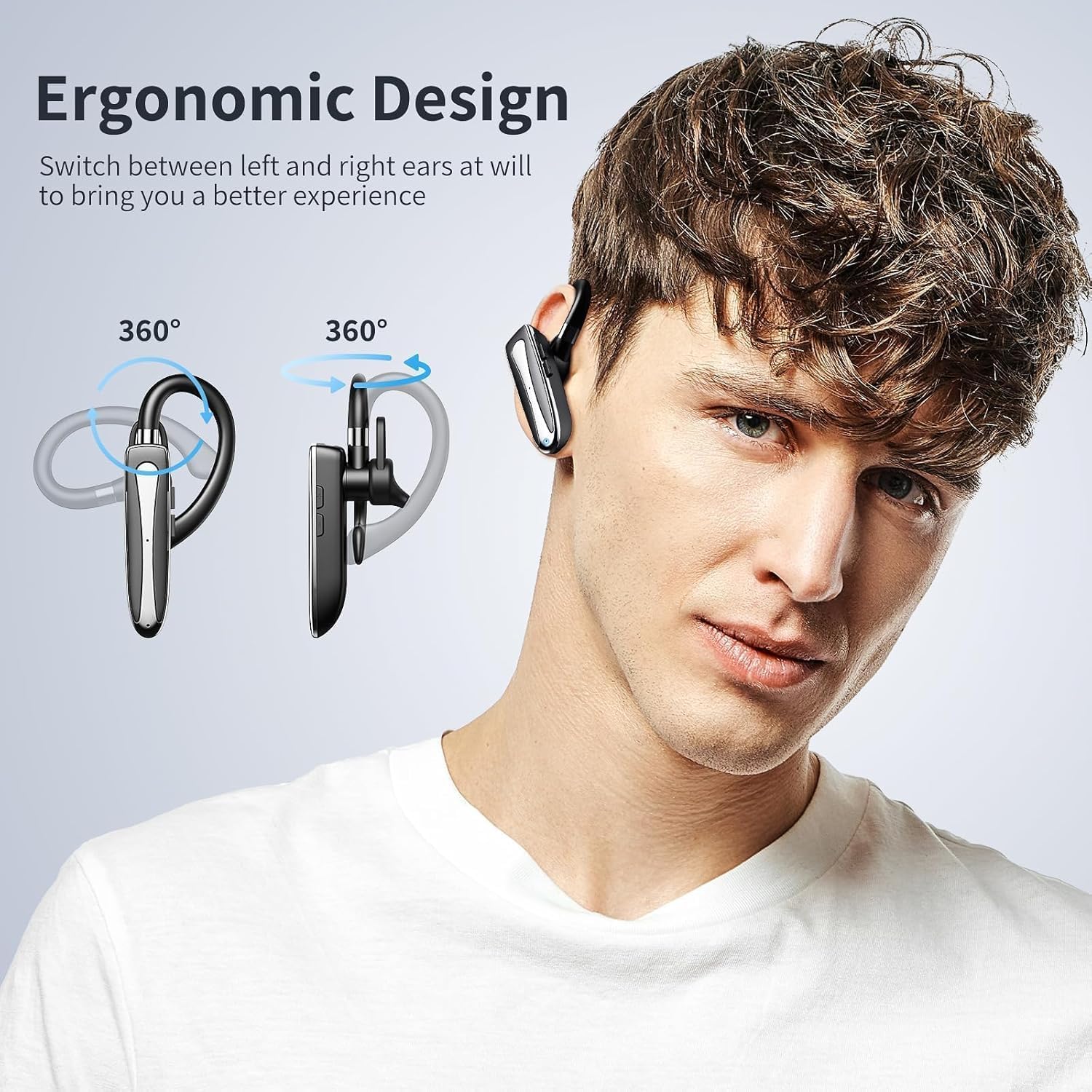
Image 4.1: Ergonomic design and 360° adjustability for left or right ear wearing.
4.2 Funzjonijiet tal-buttuni
Refer to the diagram below for the location and function of each button:

Image 4.2: Earpiece control layout and functions.
- Power Supply On/Off: Agħfas u żomm il-buttuna prinċipali.
- Play/Pawsa: Single press the main button during music playback.
- Tweġiba/Tmiem Sejħa: Single press the main button during an incoming call or active call.
- Sejjaħ mill-ġdid l-Aħħar Sejħa: Double press the main button.
- Activate/Deactivate Voice Assistant (Siri/Google Assistant): Agħfas u żomm il-buttuna prinċipali għal 2 sekondi.
- Three-way Call Switching: During a three-way call, single press the main button to switch between calls.
- Volum + / Track Li jmiss: Single press for Volume +, long press for Next Track.
- Volume - / Previous Piece: Single press for Volume -, long press for Previous Track.
- Mikrofonu Mixgħul/Mitfi (Mute): Press the Volume +/- button for 2 seconds during a call to mute/unmute the microphone.
4.3 Important Note for Laptop/Computer Calls
When the headset is connected to a laptop or computer during a call, the sound will only be picked up by the microphone on the laptop/computer, not the headset's microphone. Please ensure you stay near your connected device for clear communication in this scenario. This is a common characteristic of many wireless Bluetooth earphones.

Image 4.3: Microphone behavior when connected to a computer.
5. Manutenzjoni
- Tindif: Wipe the earpiece with a soft, dry cloth. Do not use harsh chemicals or abrasive materials.
- Ħażna: Store the earpiece in its charging case when not in use to protect it from dust and damage.
- Kura tal-batterija: To prolong battery life, avoid fully discharging the earpiece frequently. Charge it regularly, even if not in constant use.
- Reżistenza għall-Ilma: The earpiece is rated as waterproof. However, avoid prolonged submersion in water. Ensure the charging port cover is securely closed.
6 Issolvi l-problemi
| Problema | Kawża Possibbli | Soluzzjoni |
|---|---|---|
| Il-earpiece ma jixgħelx. | Batterija baxxa. | Charge the earpiece fully. |
| Ma tistax tqabbad mat-tagħmir. | Earpiece not in pairing mode; Bluetooth off on device; too far from device. | Ensure earpiece is in pairing mode (flashing red/blue). Turn on Bluetooth on your device. Move earpiece closer to the device (within 33 feet). |
| L-ebda ħoss jew kwalità tal-ħoss fqira. | Volume too low; earpiece not connected; interference. | Adjust volume on earpiece and device. Re-pair the earpiece. Move away from sources of interference. |
| Microphone not working during computer calls. | System default microphone is computer's built-in mic. | This is expected behavior. Use the computer's microphone and stay within range. |
| Earpiece disconnects frequently. | Out of range; low battery; interference. | Stay within 33 feet of the connected device. Charge the earpiece. Avoid strong Wi-Fi signals or other Bluetooth devices. |
7. Speċifikazzjonijiet
| Karatteristika | Dettall |
|---|---|
| Numru tal-Mudell | YYK-530 |
| Verżjoni Bluetooth | 5.2 |
| Medda Bluetooth | Sa 33 pied (10 metri) |
| Ħajja tal-Batterija (Ħin tat-Taħdit) | 12-15 sigħat |
| Ħajja tal-Batterija (bil-Kaxxa tal-Iċċarġjar) | Sa 180 sigħat |
| Ħin tal-Iċċarġjar | Madwar sagħtejn |
| Port tal-Iċċarġjar | Tip-Ċ |
| Karatteristiċi ta' Kontroll tal-Istorbju | CVC8.0 Active Noise Cancellation |
| Forma tal-widna | Ganċ tal-widnejn |
| Metodu ta' Kontroll | Imbotta Buttuna |
| Livell ta 'Reżistenza għall-Ilma | Waterproof |
| Apparati Kompatibbli | Smartphones, Tablets, Laptops, MP3 Players |
| Piż | 12g (madwar 0.4 oz) |
8. Garanzija u Appoġġ
KESIEME products are designed for reliability and performance. For warranty information or technical support, please refer to the contact details provided with your purchase or visit the official KESIEME websit. Jekk jogħġbok żomm il-prova tax-xiri tiegħek għal talbiet ta' garanzija.