
Lenovo S24-4e
Lenovo ThinkVision S24-4e Monitor User Manual
Model: S24-4e
Ditta: Lenovo
1. Introduzzjoni
The Lenovo ThinkVision S24-4e is a 23.8-inch Full HD monitor designed for professional use. It features a 100 Hz refresh rate, which can be manually adjusted to 48 Hz for power saving with less demanding content. The monitor offers a 3-side borderless display and includes TUV HW Low Blue Light certification to help reduce eye strain. Its adjustable tilt stand and VESA mount compatibility provide flexible setup options for various workspaces.
2. X'hemm fil-Kaxxa
Jekk jogħġbok iċċekkja li l-oġġetti kollha huma preżenti:
- ThinkVision S24-4e Widescreen LED Monitor
- Cable HDMI
3. Setup
3.1 Assemblaġġ tal-Monitor
The ThinkVision S24-4e monitor comes with a simple tilt stand that is easy to assemble. Follow the instructions provided in the quick setup guide included with your monitor to attach the stand base to the monitor panel.
For alternative mounting solutions, the monitor supports VESA mounts (100 x 100 mm). This allows you to attach the monitor to compatible monitor arms or wall mounts, and also supports direct attachment of a Tiny PC to the base.

Ġenb view of the Lenovo ThinkVision S24-4e monitor, illustrating its adjustable tilt stand.
3.2 Konnessjoni ma 'Kompjuter
To connect your monitor to a computer or other video source:
- Kun żgur li kemm il-monitor kif ukoll il-kompjuter tiegħek huma mitfija.
- Connect one end of the provided HDMI cable to the HDMI port on the monitor.
- Connect the other end of the HDMI cable to the HDMI output port on your computer. If your computer uses a VGA port, use a VGA cable (not included) to connect to the monitor's VGA port.
- Qabbad il-kejbil tal-enerġija mad-dħul tal-enerġija tal-monitor u mbagħad ma' sokit tal-enerġija.
- Ixgħel il-kompjuter tiegħek, imbagħad ixgħel il-monitor.

Wara view of the monitor, highlighting the connectivity ports.
4. Istruzzjonijiet Operattivi
4.1 Power On/Off
Press the power button, typically located on the bottom right bezel of the monitor, to turn the monitor on or off. The power indicator light will illuminate when the monitor is on.
4.2 Menù tal-Wiri fuq l-Iskrin (OSD)
The OSD menu allows you to adjust various monitor settings. Use the control buttons (usually located on the bottom or rear of the monitor) to navigate the menu. Common adjustments include:
- Luminożità/Kuntrast: Aġġusta l-luminanza ġenerali u d-differenza bejn iż-żoni mdawla u dawk mudlama.
- Settings tal-Kulur: Immodifika t-temperatura tal-kulur, il-gamma, u l-livelli individwali tal-RGB.
- Sors tad-dħul: Agħżel manwalment bejn l-inputs HDMI u VGA.
- Rata ta' Aġġornar: Adjust the display refresh rate. The monitor supports up to 100 Hz and can be manually set to 48 Hz for power saving.
- Dawl Blu Baxx: Enable or disable the Low Blue Light feature to reduce eye strain.
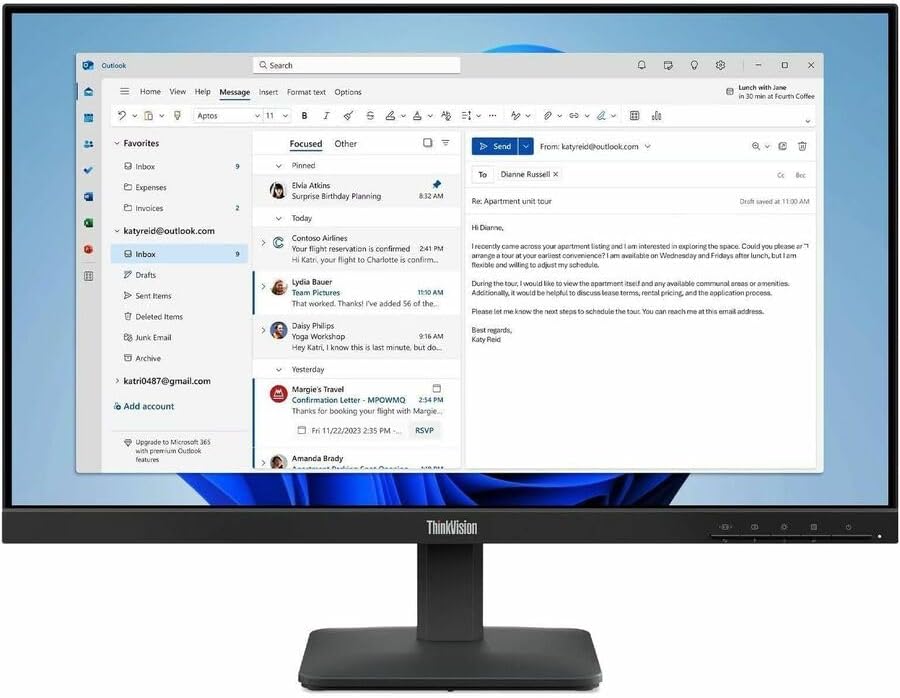
The ThinkVision S24-4e monitor in operation, displaying typical desktop content.
4.3 Aġġustament ViewIng Angolu
The monitor stand allows for tilt adjustment. Gently hold the top and bottom edges of the monitor panel and tilt it forwards or backwards to achieve your desired viewing angle. Do not force the panel beyond its designed range of motion.
5. Manutenzjoni
5.1 Tindif tal-Monitor
To ensure the longevity and optimal performance of your monitor, regular cleaning is recommended.
- Skrin: Imsaħ l-iskrin bil-mod b'ċarruta ratba u mingħajr suf. Għal marki persistenti, nixxef bil-modampen the cloth with water or a non-abrasive, monitor-safe cleaning solution. Tisprejx likwidu direttament fuq l-iskrin.
- Casing: Uża drapp artab u niexef biex tnaddaf il-monitor casing. Avoid harsh chemicals or abrasive cleaners.
Dejjem aqla’ l-monitor mill-plagg tal-elettriku qabel ma tnaddaf.
6 Issolvi l-problemi
Jekk tiltaqa' ma' problemi bil-monitor tiegħek, irreferi għall-passi komuni li ġejjin għas-soluzzjoni tal-problemi:
-
Ebda Qawwa:
- Kun żgur li l-kejbil tad-dawl ikun imqabbad sew mal-monitor kif ukoll mal-iżbokk tad-dawl li jaħdem.
- Check the power button status on the monitor.
-
Ebda Immaġni/Sinjal:
- Verify that the video cable (HDMI or VGA) is correctly connected to both the monitor and your computer.
- Kun żgur li s-sors tad-dħul korrett huwa magħżul fil-menù OSD tal-monitor.
- Ibda mill-ġdid il-kompjuter tiegħek.
-
Immaġni li Tteptep jew Distorta:
- Iċċekkja l-kejbil tal-vidjo għal ħsara jew konnessjonijiet maħlula.
- Adjust the refresh rate or resolution settings on your computer.
- Kun żgur li s-sewwieqa tal-grafika tiegħek huma aġġornati.
-
Immaġni Skura Wisq/Qawwija:
- Aġġusta s-settings tal-luminożità u l-kuntrast permezz tal-menù tal-OSD.
7. Speċifikazzjonijiet
| Brand | Lenovo |
| Numru tal-Mudell | S24-4e |
| Daqs tal-Iskrin | 23.8 Pulzier |
| Riżoluzzjoni | Full HD (1920 x 1080 Pixel) |
| Riffriskar Rata | 100 Hz |
| Ħin ta' Rispons | 4 Millisekondi |
| Tip ta 'Wiri | LED, IPS Technology |
| Luminożità | 250 Nit (tipiku) |
| Proporzjon ta' Kuntrast | 1,300:1 |
| ViewIng Angolu | 178 Degrees (H/V) |
| Konnettività | 1x HDMI, 1x VGA |
| Tip ta 'Immuntar | VESA 100 x 100 mm |
| Karatteristiċi | Anti-glare, Flicker-Free, Low Blue Light, Tilt Adjustment, sRGB |
| Dimensjonijiet tal-oġġett (D x W x H) | 1.7"D x 21.3"W x 12.8"H (without stand) |
| Piż tal-oġġett | 10.2 Liri |
| Konsum tal-Enerġija | 16 Watts (tipiku) |
8. Informazzjoni dwar Garanzija
This Lenovo ThinkVision S24-4e monitor is covered by a 3-year manufacturer's warranty. This warranty typically covers defects in materials and workmanship under normal use. For specific terms, conditions, and limitations, please refer to the warranty documentation included with your product or visit the official Lenovo support websit.
9. Appoġġ
For further assistance, technical support, driver downloads, or to access frequently asked questions (FAQs), please visit the official Lenovo support website. You can typically find support resources by searching for your monitor model (S24-4e) on their websit.